
What’s actually slowing this PC down?
Pick the symptom - the matching free tool is one click away.
Intel introduced its Coffee Lake-based Xeon E-2100 processors in two 2018 announcements: first for entry-level workstations on July 12, then for entry-level servers on November 4. The dates refer to different market launches. Intel’s family-level specifications included up to six cores and 12 threads, but capabilities vary by model.
What is Intel Xeon E-2100?
Xeon E-2100 is Intel’s 2018 Coffee Lake processor family for entry-level professional workstations and single-socket entry-level servers. For workstations, Intel presented it as the successor to Xeon E3 and targeted creators and other professional users. The November server announcement extended the family’s positioning to entry-level server systems; it was not a claim that the processors were intended for every server class.

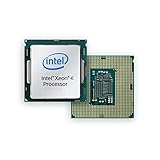
Intel’s launch materials describe the family and its intended markets. They do not provide independent benchmark results, so performance advantages should be understood as Intel’s launch-era claims rather than independently measured conclusions.
When did Intel launch Coffee Lake Xeon E?
Intel announced the workstation-focused Xeon E processor on July 12, 2018, and said OEMs would begin shipping E-2100-based systems that day (Intel’s workstation announcement). On November 4, 2018, it announced Xeon E-2100 processors for entry-level servers and said they were generally available that day (Intel’s server announcement). The archived release file is dated November 5, but its text gives November 4 as the announcement date.
Crashes, No Sound, or Screen Glitches?
Random freezes, missing sound and display glitches usually trace back to one bad driver. Find and replace yours safely.Free scan · under a minuteWindows Errors? Fix Them Before They Spread
Repair common Windows errors and clear accumulated junk for a smoother, more stable PC - no reinstall needed.Free scan · no reinstall#1 Best Overall
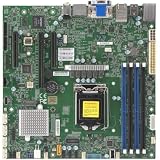
- 8th/9th Generation Intel Core i9/Core i7/Corei5/Corei3/Pentium/Celeron Processor, Intel Xeon E-2100 Processor, Intel Xeon E-2200 Processor. Single Socket LGA-1151 (Socket H4) supported, CPU TDP support Up to 95W TDP
- Intel C246
- Single LAN with Intel Ethernet Controller I210-AT Single LAN with Intel PHY I219LM LAN controller
- Up to 128GB Unbuffered ECC/non-ECC UDIMM, DDR4-2666MHz, in 4 DIMM slots
- 1 PCIe 3.0 x16, 2 PCIe 3.0 x4 (in x8 slot) 1 M.2 M-Key SATA/PCIe 3.0 x4, 2280/22110
Thus, “when did Xeon E-2100 launch?” depends on the market context: July marks the workstation introduction, while November marks the entry-level server announcement.
What are the Xeon E-2100 specifications?
Intel’s 2018 workstation announcement gives these family-level maximums. They are not specifications shared by every Xeon E-2100 SKU.
Rank #2
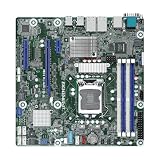
- This product is original and genuine.There are slight signs of use, but the functions are completely normal. This product can replace old, broken and damaged ones.
- The original packaging is not included, but sturdy packaging will be used to ensure the item is not damaged during transportation. We guarantee that all products are tested before shipment,Ensure that all functions operate normally. Depending on the batch, the appearance and color of the product , but this does not affect use. We recommend that you need certain background knowledge to install this product separately, otherwise, please let a professional install it.
- Supports Intel Xeon E-2100/E-2200 Series Processors
- 4 DIMM slots, supports Dual Channel DDR4 ECC/non-ECC UDIMM
- 1 PCIe3.0 x16, 1 PCIe3.0 x8, 1 PCIe3.0x1
| Family specification | Intel’s stated maximum |
|---|---|
| Cores and threads | Up to 6 cores and 12 threads |
| Turbo frequency | Up to 4.7 GHz with Intel Turbo Boost 2.0 |
| Base frequency | Up to 3.8 GHz, according to Intel’s product brief |
| Memory | Up to 64 GB DDR4 ECC at 2666 MHz |
| PCIe lanes | Up to 40 |
| Integrated graphics | UHD Graphics 630 on models equipped with graphics |
These figures come from Intel’s Xeon E-2100 product brief and July 2018 workstation announcement. Treat them as ceilings for the family, not a promise that one processor combines all of them.
Why the exact model number matters
Intel’s Coffee Lake catalog lists different models, including the four-core E-2134 and six-core E-2136 and E-2174G. The family name alone does not tell you a particular chip’s clock speeds, graphics, or power characteristics. Check the exact entry in Intel’s Xeon E processor catalog before comparing or planning a system.
What benefits did Intel claim?
Intel said the generation added two cores compared with the prior four-core entry workstation processors and offered a higher maximum turbo frequency, faster DRAM, enhanced I/O, and security and reliability features. Those are Intel’s launch-era comparisons, not independent test findings. The available launch materials do not establish how much faster a particular E-2100 system would be for a given workload.
Intel also promoted ECC memory for workstation data integrity and stability. ECC is a capability to consider when evaluating a compatible processor and system, not a guarantee that a computer will be error-free or reliable.
Rank #4

- Intel Xeon E5-2699 V4 Docosa-core (22 Core) 2.20 Ghz Processor - Socket Lga 2011-v3 - 5.50 Mb - 55 Mb Cache - 64-bit Processing - 14 Nm - 145 W
What did Intel say about security and SGX?
In its November server announcement, Intel highlighted Software Guard Extensions (SGX) as a hardware-based security capability. Intel said the additional security layer applies when SGX is paired with properly enabled cloud applications (Intel’s server announcement). SGX therefore depends on application support and configuration; its mention does not by itself establish that a server or its workloads are secure.
Independent reader supportYour contribution helps us test, update, and keep practical guides available for everyone.What to check when evaluating a Xeon E-2100 system
For a workstation or entry-level server build or upgrade, compare the exact processor and platform rather than relying on family-wide maximums.
Quick Recap
Best Value
- Confirm the specific SKU’s cores, threads, base and turbo clocks, graphics, and power specifications in Intel’s catalog.
- Check motherboard and BIOS compatibility for that processor.
- Verify that the system supports the ECC memory type and capacity you need; Intel’s family maximum does not mean every board supports the maximum.
- Match graphics and PCIe/I/O requirements to the actual model and system configuration.
- For SGX-dependent workloads, confirm that the application and platform enable and support the feature.
Product prices and availability are accurate as of the date/time indicated and are subject to change. Any price and availability information displayed on Amazon at the time of purchase will apply.

