
For most PCs, no—not enough to justify a significant price premium. A RAM heat spreader does not make a memory kit faster, and ordinary gaming, office work, and moderate XMP or EXPO use rarely need extra DIMM cooling. A factory spreader can add thermal margin for aggressive DDR5 tuning, elevated voltage, sustained workloads, or hot, densely packed systems. For most buyers, capacity, compatibility, timings, voltage, airflow, and cooler clearance matter more.
What a RAM heat spreader does
A RAM heat spreader is a thin metal plate attached to one or both sides of a memory module, typically with thermal pads or adhesive. It gives heat from the memory packages a larger surface to escape from and can protect components from handling damage. Some products also use the cover for appearance or as a mounting surface for specialized cooling.
Most RAM covers are passive spreaders, not finned heatsinks. Their effect depends on good contact with the chips and airflow around the DIMM. A decorative shell, poorly fitted pads, or a large plate in stagnant air may do little. A bigger-looking cover is not automatically a better cooler.
Do heat spreaders make RAM faster?
No. The spreader does not change memory frequency, timings, chip quality, PCB design, or the CPU’s memory controller. A DDR5-6000 CL30 kit gets its rated performance from its components and settings, not from the size of its cover.
Recommended Free Tools
#1 Best Overall

- Excellent Heat Dissipation: The memory heatsink is made of aluminum materials, which can improve the heat dissipation effect of the memory module, effectively reduces the temperature, and protect the stable operation of the memory module.
- Strong Compatibility: These DDR heat spreaders are suitable for various types of SDR/DDR SDRAM memory modules, increasing their versatility and applicability.
- Protecting the Memory Module: The aluminum heatsink can prevent the memory module from being bumped, squeezed, and damaged, extend the life of the memory module, and improve the stability and reliability of the computer.
- Easy to Install: Come with conductivity thermal adhesive tape, these memory heat spreader can be easily installed on the memory module without using any tools, saving time and effort.
- Size and Package: Size: 12.6 x 2.7 x 0.7cm/5" x 1.1" x 0.3" (L*W*T). Package Content: 2 x Computer Memory Heatsinks. Please make sure that the size of the heatsink fits that of your component.
Cooling can matter indirectly: if heat is contributing to instability, a spreader or directed airflow may help a module sustain a setting. It does not create that setting or guarantee stability. Intel describes XMP as a way to apply memory overclocking beyond standard specifications, while AMD describes EXPO as a higher-performance DDR5 profile; results depend on the memory kit, CPU, motherboard, BIOS, voltage, and system conditions (Intel XMP; AMD EXPO).
DDR4 versus DDR5: does the generation matter?
Ordinary DDR4
For memory operated within its specifications—such as standard JEDEC settings or a typical DDR4-3200/3600 XMP profile—in a reasonably ventilated desktop, bare modules are generally adequate. PCWorld’s DDR4-focused guidance found that spreaders typically changed temperatures by only a couple of degrees and that case airflow had a larger effect. That finding is useful context for normal desktop use, not a universal result for every DDR5 kit or high-voltage configuration (PCWorld’s DDR4 discussion).
Rank #2

- PI061 ARGB is featured with special-designed light diffuser, letting RGB lights spread out through different angles with more artistic look
- Applied on the ordinary RAM without heatsink, adding ARGB light effect to decorate the personalized Gaming Case
- Metal heatsink made with pure aluminum to maximize the heat conductivity. Simple line design with elegance & modernism.
- Supports all kinds of Memory card DDR DDR3 DDR4, High/low and single/double side(s) RAMs
- Freely use AURA SYNC, RGB FUSION 2.0, MYSTIC LIGHT SYNC and POLYCHROME RGB software to control PI061 ARGB ram heatsink to sync with all supporting peripherals.
Modern DDR5
DDR5 makes thermal management more relevant in some situations, but it does not make a substantial heatsink mandatory for every kit. DDR5 modules include onboard power-management circuitry, and high-performance profiles can use elevated voltages. Kingston documents PMIC functionality and configuration-specific operating ranges on its FURY Beast DDR5 products; Corsair likewise lists onboard voltage regulation and aluminum spreaders on a Vengeance DDR5 kit (Kingston FURY Beast DDR5; Corsair Vengeance DDR5).
Thermal needs vary with voltage, frequency, module capacity and layout, DIMM count, workload duration, ambient temperature, and airflow. TeamGroup’s high-frequency DDR5 documentation recommends enhanced thermal treatment for improved stability in that product context. That is manufacturer guidance for high-performance memory, not evidence that every DDR5 module needs extra cooling (TeamGroup DDR5 specifications).
Do these 3 things before closing this tab:
1Repair Windows errors before they cause bigger problems2Scan for outdated or missing drivers - takes under a minute3Clear out junk files and repair common Windows errorsRank #3

- 【 Built for Modern Desktop PCs 】Ideal for today’s gaming, creative, and productivity systems, delivering reliable performance and broad compatibility while remaining flexible enough to support future AI-ready builds as system demands evolve.
- 【 Family Modular Design 】 Designed to pair seamlessly with the RH02 ARGB Turbo-Cooled Memory Heatsink, allowing users to add active memory cooling when additional thermal headroom is needed.
- 【 Broad DDR4 & DDR5 Compatibility 】 Compatible with a wide range of standard-height desktop DDR4 and DDR5 memory modules, offering versatile fit and long-term upgrade flexibility.
- 【 Excellent Heat Dissipation 】 Premium aluminum construction with an optimized surface design rapidly reduces heat, helping keep memory modules stable during extended gaming, creative work, and heavy multitasking.
- 【 Full Physical Protection 】 The solid aluminum heatsink safeguards memory modules against bumps, pressure, and wear—helping extend lifespan while maintaining consistent performance.
When is a heat spreader useful?
Stock settings and everyday use
For browsing, office work, and ordinary gaming at standard settings, a spreader is usually a small benefit at most. Bare memory from a reputable manufacturer is generally suitable when operated within its specifications and in reasonable case conditions.
XMP or EXPO
A factory spreader is convenient, but usually not a requirement for a mainstream profile in a well-ventilated PC. Stability depends on the exact CPU, motherboard and BIOS as well as the kit. Kingston notes that speed depends on BIOS support and system limitations, and Corsair similarly cautions that supported maximum speed depends on the motherboard and CPU (Kingston FURY Beast product configurations; Corsair Vengeance specifications).
Rank #4
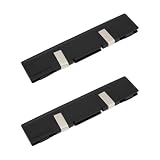
- - Broad Compatibility: Compatible with DDR DDR2 DDR3 desktop DIMM modules. Not compatible with SODIMM laptop memory.
- - Efficient Heat Dissipation: Aluminum alloy plates and included thermal pads draw heat away from RAM chips for steadier temperatures during gaming rendering and overclocking.
- - Low Profile Fit: Slim design reduces clearance issues near large CPU coolers and GPU backplates. Black finish blends with most PC builds.
- - Easy Installation: Peel and apply thermal pads enable quick tool free setup on bare modules and dual channel kits in tower PCs and workstations.
- - Value 2 Pack: Two heat spreaders equip paired modules for balanced airflow in home office classroom and small business systems.
Manual overclocking and sustained loads
A spreader becomes more defensible when you raise voltage, push beyond the kit’s rated profile, tighten timings aggressively, or run prolonged memory-heavy workloads. It may also help where four populated slots, high-capacity modules, high ambient temperatures, or weak airflow raise the thermal burden. In a workstation or server with dense DIMMs and sustained loads, thermal design is a reliability consideration; Innodisk, for example, markets spreader-equipped DDR4 and DDR5 modules for heavy workloads and harsher environments, though that is vendor positioning rather than independent comparative testing (Innodisk DDR5 RDIMM with heat spreader).
What matters more than a larger spreader?
Use this order when choosing or troubleshooting memory:
Best Value
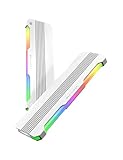
- 【 Built for Modern Desktop PCs 】Ideal for today’s gaming, creative, and productivity systems, delivering reliable performance and broad compatibility while remaining flexible enough to support future AI-ready builds as system demands evolve.
- 【 Family Modular Design 】 Designed to pair seamlessly with the RH02 ARGB Turbo-Cooled Memory Heatsink, allowing users to add active memory cooling when additional thermal headroom is needed.
- 【 Broad DDR4 & DDR5 Compatibility 】 Compatible with a wide range of standard-height desktop DDR4 and DDR5 memory modules, offering versatile fit and long-term upgrade flexibility.
- 【 Excellent Heat Dissipation 】 Premium aluminum construction with an optimized surface design rapidly reduces heat, helping keep memory modules stable during extended gaming, creative work, and heavy multitasking.
- 【 Full Physical Protection 】 The solid aluminum heatsink safeguards memory modules against bumps, pressure, and wear—helping extend lifespan while maintaining consistent performance.
- Capacity: buy enough memory for the workload.
- Compatibility: check the CPU, motherboard, BIOS, and memory kit support.
- Settings: compare data rate, timings, voltage, and XMP/EXPO profile.
- Stability: validate the intended settings on the actual system.
- Airflow: move case air through and away from the DIMM area.
- Clearance: confirm module height against the CPU cooler and case.
- Appearance: consider RGB and cover design after the practical requirements.
A front intake and rear or top exhaust arrangement can move heat away more effectively than swapping one thin passive cover for another. For severe tuning, a small fan aimed across the DIMMs can be more useful than a larger passive plate, though it adds noise, dust, and another clearance constraint. Lower voltage, lower frequency, or looser timings may also improve stability, but every change must be tested; lower voltage can itself make a profile unstable.
Independent reader supportYour contribution helps us test, update, and keep practical guides available for everyone.Is an aftermarket RAM heatsink worth buying?
Usually not as a first-line upgrade. It is a poor buy if the memory is stable, temperatures are not causing reproducible problems, the system is used for everyday work or gaming, or the heatsink costs close to a better memory kit or airflow improvement. It may make sense for bare DIMMs under elevated voltage, extreme tuning, a hot specialized system, or a build where appearance is a deliberate priority.
Do not remove a factory spreader casually. Removal can damage chips or small components, tear pads, leave adhesive residue, compromise warranty support, or result in worse contact with a replacement. If the module works within its operating range, changing its cover is rarely worth that risk.
Check cooler clearance before buying
Module height can matter more than cooling performance when a large dual-tower CPU cooler or compact case is involved. Kingston lists one standard FURY Beast DDR5 module at approximately 34.9 mm tall and a taller RGB variant at approximately 42.23 mm; dimensions are model-specific, so check the exact module and cooler specifications rather than relying on a family name (Kingston FURY Beast dimensions; Kingston FURY Beast RGB product page). Low-profile RAM is often the better choice if the CPU cooler has limited DIMM clearance.
How to tell whether your RAM needs better cooling
There is no single safe temperature threshold that applies to every memory IC, module design, voltage, and workload. A temperature reading alone does not prove that a spreader is needed. Look for a repeatable connection between heat and instability, such as errors after prolonged testing or problems that appear only after the system has warmed up. Crashes or hardware errors after enabling XMP/EXPO can also come from the memory controller, BIOS, motherboard, or a faulty kit rather than heat.
Quick Recap
- Test the system at its normal JEDEC memory setting.
- Enable the intended XMP or EXPO profile and test again with a memory-focused stress test.
- Monitor DIMM temperatures if the module or motherboard exposes a sensor; different tools exercise memory differently, and passing one test does not prove complete stability.
- Repeat testing after the system has been under load long enough to heat-soak.
- If errors occur, try a lower frequency or looser timings, review voltage carefully, and improve case airflow before buying a new spreader.
- If the problem persists, investigate BIOS, CPU memory-controller limits, motherboard support, and the kit itself. Consider directed DIMM airflow if evidence points to a thermal limit.
Choose by build type
| Build or use | Practical choice |
|---|---|
| Budget or everyday PC | Prioritize capacity, compatibility, and a good price; a spreader is optional if the module is used within specification and the case has reasonable airflow. |
| Gaming PC with XMP/EXPO | Choose a stable, compatible kit with suitable timings and voltage. A basic factory spreader is fine, but do not pay a large premium for the cover alone. |
| Manual overclocking | Consider thermal monitoring and airflow across the DIMMs; a spreader can add margin, but does not guarantee a stable overclock. |
| Workstation or dense DIMM setup | Follow the platform and memory vendor’s thermal guidance, especially for sustained workloads and elevated ambient temperatures. |
| Large air cooler or compact case | Measure clearance and favor low-profile modules if needed. |
| RGB or showcase build | A taller or illuminated spreader may be worth it for appearance, provided it fits and the price premium is for features you actually want. |
The buying decision
- Same price and adequate clearance? A basic factory spreader is a reasonable bonus for protection and appearance.
- Large price difference? Put the money toward capacity, better timings, compatibility, or case airflow instead.
- Aggressive tuning or a hot sustained workload? Verify that errors are thermal and address airflow and settings before choosing an aftermarket cooler.
- Clearance is tight? Choose low-profile RAM over a taller cover.
Product prices and availability are accurate as of the date/time indicated and are subject to change. Any price and availability information displayed on Amazon at the time of purchase will apply.

