
An LCD TV inverter board is found mainly in older televisions with CCFL fluorescent backlights. It converts the power supply’s DC output into the high-frequency, high-voltage power required by those lamps. A dark or briefly illuminated screen does not prove that the inverter has failed: worn CCFL tubes, protection shutdown, the power board, wiring, the main board, or—on newer sets—the LED driver can produce the same symptoms.
Confirm the backlight type, identify the exact board number and revision, and use the model-specific service manual before buying parts or making live measurements.


What the inverter board does
In a CCFL television, the power path is:
AC input → power supply → inverter → CCFL lamps → illuminated LCD panel
The inverter switches a lower-voltage DC supply into high-frequency, high-voltage output for the fluorescent tubes behind the LCD panel. The main board normally supplies an enable command and, depending on the chassis, a brightness or PWM control signal. Protection circuits monitor lamp current, transformers, output stages, and feedback; an abnormal reading can shut the backlight down.
#1 Best Overall
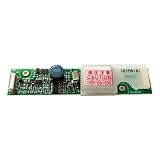
- Designed as a direct replacement for 121PW181, ideal for 12.1" LCD panels using CCFL backlight systems.
- Converts standard 12V DC input into stable high-voltage AC output to power one or more CCFL lamps. Ensures bright, flicker-free backlight performance even on aging LCD panels.
- No soldering or modification required—simply match connector type and screw into place. Works out-of-the-box for most legacy LCD monitors and industrial equipment.
Input voltages, enable logic, dimming methods, connector pinouts, and lamp arrangements vary by chassis. Do not apply a generic pinout to a different model. A Sony service manual, for example, documents its own connector and shutdown logic rather than a universal standard (Sony KDL-46X4500/KDL-55X4500 service manual).
First determine whether the TV has a CCFL inverter
Clues that it is a CCFL set
- An older LCD television with a separate board carrying several thin, insulated high-voltage leads toward the panel.
- Board markings such as INV, INVERTER, or SSI.
- Several lamp connectors along the panel edge.
Clues that it is LED-backlit
- No separate CCFL inverter board.
- Backlight wiring comes from the power board or an integrated LED-driver section.
- Labels such as LED OUTPUT, LED+, LED−, or BL-ON.
“LCD” describes the display panel, not its light source. Many later LCD televisions use LED strips and an LED driver rather than a CCFL inverter. ShopJimmy’s inverter reference explains that these boards are associated with older CCFL televisions (backlight inverter example).
Symptoms that can involve the inverter or backlight
These signs are useful screening clues, not proof of a failed inverter:
| Symptom | Possible causes | Useful next check |
|---|---|---|
| Sound with a dark screen | CCFL lamp, inverter, LED driver, power board, or backlight protection | Perform the flashlight test and check the backlight supply and enable signal. |
| Backlight flashes for one or two seconds, then turns off | Weak/open lamp, transformer, current-sense fault, inverter, or protection shutdown | Follow the service manual’s lamp and shutdown procedure. |
| Picture is visible but very dim | Aged lamps, brightness setting, driver fault, or failing backlight | Compare settings and inspect the backlight system. |
| Flickering or repeated start attempts | Lamp wear, loose connector, inverter output fault, or unstable supply | Inspect connectors and verify low-voltage input. |
| No power at all | Outlet, cord, fuse, standby supply, power board, or main board | Start at AC input and standby power; do not start by replacing the inverter. |
| Vertical lines or a half-screen image | T-Con, LVDS connection, panel, or panel driver | Investigate the video path, not the inverter. |
| One side or section is dark | Local CCFL lamp, lamp connector, LED strip, or driver channel | Compare channels using the model-specific procedure. |
| Television shuts down after startup | Protection reacting to an abnormal lamp load or inverter condition | Use the service manual’s error-code and shutdown flowchart. |
“Sound but no picture” only shows that some television functions are operating. It does not identify the failed board.
Use the flashlight test correctly
In a dark room, display a known input or the TV menu and shine a flashlight obliquely across the screen. A faint menu or moving image suggests that the LCD and video path are producing a picture while the backlight is absent. This is a screening test, not confirmation of an inverter fault; it cannot distinguish a lamp, inverter, LED driver, power, or protection problem. General symptom guidance is illustrated in ShopJimmy’s board overview and backlight video (board roles and symptoms; backlight symptoms).
Rank #2
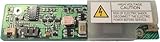
- Compatible LCD Models: 104PWBR1-B, 104PWCR1-B
- Inverter Board Models: HPC-1363A, HIU-484
- Type: LCD Power Inverter Board
- Essential for providing power to the LCD backlight
- Facilitates proper functionality of the LCD panel
Safety before opening the television
CCFL televisions combine mains voltage, stored capacitor energy, and high-voltage inverter output with a fragile glass panel.
- Unplug the set before disconnecting the inverter, lamps, or backlight wiring, and follow the service manual’s discharge instructions.
- Never bypass a fuse or install a different type or rating.
- Do not casually probe CCFL outputs while the television is operating. Live high-voltage testing belongs to trained technicians using rated probes and controlled procedures.
- Use an isolation transformer and current-limited setup where appropriate for qualified work.
- Support the LCD panel evenly; never press on the glass or work with it face-down on an unstable surface.
- Wear appropriate eye protection, beware of sharp chassis edges, and photograph every connector before removal.
Sony service documentation specifically calls for AC disconnection during inverter or CCFL service and warns about panel and backlight damage (Sony service precautions). Additional safety and removal information is available in this service document (iFixit service document).
Step-by-step diagnosis
1. Record identifying information
Photograph the brand and full model number, chassis or version number, inverter and power-board part numbers, revision suffixes, connector labels, wire orientation, blink-code pattern, and whether the backlight flashes at startup. The TV model helps locate documentation, but the board’s printed part number is normally the safer purchasing reference. ShopJimmy advises searching by part number because a model number alone may not establish compatibility (parts-matching FAQ).
Free tools Windows power users keep installed
One-click scans. No signup required.
2. Complete external checks
- Confirm that the outlet and power cord work.
- Try a known-good input and cable.
- Check remote and front-panel response.
- Listen for sound and watch for a brief backlight flash.
- Perform the flashlight test.
- Record any repeating power-LED blink pattern.
3. Obtain the model-specific service manual
Look for the inverter input rail, standby and switched supplies, backlight-enable signal, dimming/PWM signal, connector pinout, expected voltages, error codes, shutdown logic, removal instructions, and replacement part numbers. Examples include the Sony manual, an LG troubleshooting flow, and a Philips service manual.
4. Inspect with power disconnected
After unplugging and allowing discharge time, remove the rear cover only when the set is safely supported. Look for burned areas, cracked solder joints, bulging capacitors, open fuses, discolored transformers, cracked ferrite cores, damaged MOSFETs or driver ICs, loose or carbonized lamp sockets, pinched high-voltage wires, corrosion, and evidence of previous repairs. A blown fuse is a clue, not a diagnosis; a replacement fuse that opens immediately indicates a downstream fault.
5. Check the low-voltage side first
Using the service manual and properly rated equipment, verify that the inverter receives its required supply voltage, that the backlight-enable command appears when the TV starts, and that any dimming signal is present. If supply or enable is missing, investigate the power board, main board, wiring, or control logic before condemning the inverter. Do not probe exposed inverter outputs as a beginner.
6. Separate lamp failure from inverter failure
An inverter can start and then shut down because it detects an open or weak CCFL tube, arcing or insulation breakdown, abnormal transformer load, current-sense imbalance, failed output transistor, or feedback fault. Individual-channel lamp tests and high-voltage detection procedures are chassis-specific and technician-level tasks. A replacement inverter may behave exactly like the original when the real fault is an aging lamp. A Vizio training presentation illustrates this protection behavior (inverter and lamp isolation example).
Component-level inverter repair
Component repair is suitable only for someone who can read schematics, identify semiconductor and capacitor ratings, desolder multilayer boards, test diodes, MOSFETs, transformers and current-sense resistors, and inspect solder joints under magnification. Possible parts include input fuses, electrolytic capacitors, switching MOSFETs, driver ICs, rectifiers, current-sense resistors, transformer-related parts, and overheated joints.
A kit is not a diagnosis. The board-specific Samsung kit, for example, states that soldering experience is required (component repair kit). It will not correct a failed lamp, transformer, driver IC, or upstream supply unless those faults are separately addressed.
Replacing the inverter board
Board replacement is generally the least complex option once the fault and compatibility are established.
- Unplug the TV and document every connector and cable orientation.
- Remove the rear cover while supporting the chassis and panel.
- Compare the replacement’s exact part number, revision, connector count, and layout with the original.
- Inspect lamp sockets and wiring for carbonization or damage.
- Transfer connectors one at a time without pulling on wires.
- Check that no cable is pinched and that the board is secured correctly.
- Reassemble and test only under a safe procedure; do not operate an exposed high-voltage circuit casually.
Visually similar boards can differ in output channels, connectors, revisions, or control requirements. ShopJimmy’s compatibility guidance emphasizes the board number rather than relying on the TV model alone (compatibility FAQ). A used replacement can also carry the same age-related failure, and a defective lamp can make a good replacement board shut down.
Outdated Drivers Are Slowing You Down
One free scan finds every outdated or missing driver and matches the right update for your exact hardware.Free scan · exact hardware matchPC Slower Than It Used to Be?
A free scan shows the junk files, broken settings and background clutter dragging Windows down - then fixes them in one click.Free scan · Windows 10 & 11If the television uses LED backlighting
Do not order a CCFL inverter for an LED set. Diagnose the LED driver section, LED strips, backlight-enable command, and power-board outputs instead. The same flashlight test can show that video is present, but LED strip testing and driver voltages require the model’s service documentation. Some televisions have a separate LED-driver board; others integrate the driver into the power board.
Independent reader supportYour contribution helps us test, update, and keep practical guides available for everyone.Repair or replace the television?
Repair is more attractive when
- The panel is undamaged and the rest of the television works normally.
- The exact inverter is available at a modest cost.
- You can identify the board number and revision confidently.
- The set has picture quality, size, or features that are difficult to replace.
Replacement is more attractive when
- The LCD glass or panel is cracked.
- CCFL lamps require panel disassembly.
- Several boards are defective.
- The exact inverter is unavailable or unusually expensive.
- Professional labor approaches the cost of another working TV.
As of August 18, 2026, a model-specific ShopJimmy T501045.00MSS inverter listing showed $19.99, reduced from $24.95, with a stated 180-day warranty; that is one listing, not a universal price (listing). iFixit’s catalog showed Samsung inverter-related examples around $172.99, $179.99, and $345.99 on that date, with limited availability on some listings (iFixit inverter catalog). Used or donor boards may be found through ShopJimmy’s eBay storefront (ShopJimmy eBay store), but condition and compatibility vary.
ShopJimmy estimates that replacement TV panels can approach approximately 80% of a television’s cost; that is a vendor estimate, not a universal rule (FAQ). For professional service, request a diagnosis fee, parts and labor estimate, confirmation of the failed component, and warranty terms before authorizing work.
A practical decision tree
- No power: begin with outlet, cord, fuse, standby supply, power board, and main board.
- Power present: check for sound, a flashlight-visible image, and a brief backlight flash.
- Faint image visible: investigate the backlight system rather than the video path first.
- Backlight flashes then stops: investigate lamp load, protection, inverter, and control signals.
- CCFL set: diagnose lamps and inverter. LED set: diagnose strips and LED driver.
- Supply or enable missing: repair upstream power, wiring, or control circuitry.
- Supply and enable correct: investigate inverter, lamps, feedback, or driver channels.
- Part unavailable or panel/lamp work excessive: compare professional repair and replacement-TV costs.
Frequently Asked Questions
Can an LCD TV work with a bad inverter?
The television may still produce sound and video data, but a CCFL set cannot illuminate its screen normally when the inverter system is not supplying the lamps.
Recommended Free Tools
Best Value

- CA-288 Universal 26inch-55inch LED LCD TV Constant Current Inverter Board Backlight Driver Module DC 19-45V to DC 60-165V
Why does the picture appear for a second and disappear?
The inverter may be entering protection because of a weak or open CCFL lamp, abnormal transformer load, current-sense fault, control problem, or an inverter-board failure.
Can a bad CCFL lamp damage the inverter?
An abnormal lamp load can trigger protection and may stress inverter components. Confirm the lamp condition before assuming a replacement inverter is the complete repair.
Can I use a universal inverter board?
Only when its electrical ratings, lamp outputs, connectors, enable logic, dimming method, and mechanical fit are explicitly compatible. An exact board-number match is safer.
Can I repair the board without a schematic?
Component repair without a schematic or board-specific procedure is risky because identical symptoms can come from the lamp, transformer, driver IC, feedback circuit, or upstream supply.
Quick wins for a faster PC:
Fix the driver behind crashes, sound loss and screen glitchesFind Drivers →Repair Windows errors before they cause bigger problemsFix Now →Scan for outdated or missing drivers - takes under a minuteDriver Scan →Why does a replacement board also shut down?
The original problem may be a worn CCFL tube, damaged lamp connector, incorrect board revision, missing enable signal, or another protection-triggering load.
Quick Recap
Product prices and availability are accurate as of the date/time indicated and are subject to change. Any price and availability information displayed on Amazon at the time of purchase will apply.

