
Outdated Drivers Are Slowing You Down
One free scan finds every outdated or missing driver and matches the right update for your exact hardware.Free scan · exact hardware matchWindows Errors? Fix Them Before They Spread
Repair common Windows errors and clear accumulated junk for a smoother, more stable PC - no reinstall needed.Free scan · no reinstallHP announced the Z1 G3 All-in-One Workstation in April 2016 as the third generation of its Z1 workstation line. It paired a 23.6-inch 3840×2160 display with selected Intel Core or Xeon processors and optional NVIDIA Quadro graphics. The key change was a smaller, lighter design than the Z1 G2: more pixels in less physical screen area, with a genuine workstation configuration but less room to grow than a tower.
What HP announced
The Z1 G3 was a professional all-in-one PC aimed at designers, engineers, architects and other users of workstation software. Its 2016 platform used Intel Skylake-era processors and NVIDIA Maxwell-generation mobile Quadro graphics. HP offered configurations with Windows 10 Pro, Windows 7 Professional downgrade rights, or Linux-ready options in its family specifications. It is a discontinued product, not a current HP workstation for sale; HP’s Z1 G3 support page remains a source for setup and maintenance documentation.
“Xeon” describes selected configurations, not every Z1 G3. Likewise, Quadro graphics were optional: some configurations relied on integrated Intel graphics.
Display and chassis: 4K in a smaller footprint
The Z1 G3 replaced the Z1 G2’s 27-inch QHD screen with a 23.6-inch UHD panel. HP documentation identifies a 3840×2160 resolution; contemporary coverage reports a 60 Hz refresh rate, 300 cd/m² brightness, 100% sRGB coverage and an anti-glare finish. At approximately 8.3 megapixels, the panel offered substantially more pixel detail, but the smaller diagonal meant less physical workspace for a full-screen image or multiple windows. See HP’s product specification and contemporary display coverage.
#1 Best Overall

- AI-powered Technology: Advanced artificial intelligence capabilities integrated into the system for enhanced performance and productivity
- Processor Manufacturer: Intel processor technology delivers reliable and powerful computing performance
- Processor Type: Core Ultra 9 processor provides exceptional speed and multitasking capabilities for demanding applications
- Processor Model: 285 model featuring cutting-edge architecture for superior computational power
- Processor Core: Tetracosa-core (24 Core) configuration with 24 threads enables seamless handling of intensive workloads and parallel processing tasks
Display Daily reported that the G3 was 47% smaller, 51% lighter and 21% cheaper than the Z1 G2. Those are contemporary reported comparisons, not independent measurements or universal price guarantees. The practical benefit was a more compact desk installation; the trade-off was losing the predecessor’s larger screen.
Processor, memory and graphics options
Core or Xeon processors
HP listed Skylake-era Core i3, i5 and i7 processors as well as Intel Xeon E3-1200 v5-series options. Contemporary configurations included Xeon E3-1245 v5 and E3-1270 v5 models. These were entry-level workstation-oriented Xeons of the 2015–2016 period, not the later Xeon W platform. Exact processor availability varied by configuration; HP’s 2016 family data sheet and later HP data sheet document the range.
Memory and ECC
The launch-era family material specified up to 64 GB of DDR4-2133 across four SODIMM slots. A later data sheet lists DDR4-2400 support, so the transfer rate depends on the document version and configuration rather than a single timeless specification. ECC memory was available with supported Xeon configurations; other configurations used non-ECC unbuffered memory. ECC can correct certain single-bit memory errors, which can help in long-running professional workloads, but it does not make the whole computer fault-tolerant or guarantee faster applications. The 64 GB figure is system memory, not storage capacity.
Integrated and Quadro graphics
Graphics options included Intel HD Graphics 530, Intel HD Graphics P530 with supported Xeon processors, NVIDIA Quadro M1000M with 2 GB, and Quadro M2000M with 4 GB. HP’s QuickSpecs describe a single MXM graphics expansion position; installing a discrete GPU disabled integrated graphics. The Quadro options mattered principally for professional-driver support and certification in selected CAD, design, engineering and visualization applications—not as a guarantee of superior gaming performance. Specifications are documented in the Z1 G3 QuickSpecs.
Free tools Windows power users keep installed
One-click scans. No signup required.
Rank #2
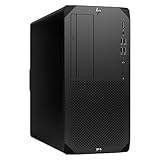
- Experience responsive performance, built-in security and remote management capabilities with the core i9 2 GHz processor
- Windows 11 Pro OS makes you more productive and creative
- 1 TB SSD capacity offers amazing storage room for all your critical data
- With 32 GB of memory, run as many programs as you want without losing the execution performance
- Gigabit Ethernet can be useful in circumstances when a large number of file transfers are needed, such as when you perform backups over the network to a server
Storage, connectivity and expansion
Factory storage configurations ranged from SATA hard drives to SATA SSDs, self-encrypting SATA SSDs and HP Z Turbo Drive G2 NVMe PCIe SSDs. SATA drive configurations could support integrated RAID 0 or RAID 1, depending on controller and configuration. RAID 0 combines drives for throughput but has no redundancy; RAID 1 mirrors data at the cost of usable capacity. Neither replaces a separate backup.
The family data sheet lists three M.2 positions—two for storage modules and one for WLAN—plus the MXM graphics position, an SD 4.0 reader and USB connectivity including USB 3.0. Networking included Intel I219LM Gigabit Ethernet, with optional Intel 8260 802.11ac Wi-Fi and Bluetooth 4.2. HP also listed Remote Graphics Software support. Users could configure memory, storage and graphics within supported options, but an all-in-one is inherently less flexible to service or upgrade than a tower. The display is tied to the system, so replacing the computer can mean replacing a still-usable monitor.
Why it was a workstation, and what that meant in 2016
The Z1 G3 combined selectable Xeon processors, possible ECC memory, Quadro graphics and HP’s professional software support positioning. HP cited ISV certifications, HP Performance Advisor, Remote Graphics Software and its Total Test Process. A contemporary HP-related release reported more than 115,000 hours in that test process; this is HP’s testing claim, not an independent reliability benchmark. See the contemporary report.
That combination made the system a plausible compact workstation for supported CAD, 3D modeling, engineering visualization, design, and some photo or video work. The label alone does not establish performance in a particular application: results depend on the exact CPU, GPU, memory and software version, and no benchmark result should be inferred from the Quadro name. Certification applied to selected software and configurations, not every application then or now.
What’s actually slowing this PC down?
Pick the symptom - the matching free tool is one click away.
Rank #3
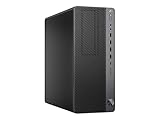
- 9th Generation Intel Eight Core i7 9700 3.0Ghz
- 32GB DDR4 RAM Installed | 1TB NVMe PCIe SSD Installed
- Fresh install and activated Windows 10 with zero bloatware. Windows 10 will be activated via your unit's unique digital license and ready to go right out of the box.
- NOT Included: Keyboard, Mouse and WiFi (Sold Seperately)
- Connectivity Technology: Ethernet
Launch pricing and regional availability
Prices were configuration- and country-specific. TechRadar reported a UK entry configuration at £1,558 including VAT, delivery and a three-year onsite warranty; it included a Xeon E3-1225, 8 GB memory, a 256 GB SSD and Quadro M1000M. Its reviewed higher-end system used a Xeon E3-1270 v5, 64 GB ECC memory, two 512 GB HP Z Turbo Drive SSDs in RAID 0 and Quadro M2000M. The reviewed configuration should not be confused with the lower-priced offer. Details are in TechRadar’s review.
HP Japan listed ¥190,000 and availability from June 23, 2016; that was a regional launch figure, not a global MSRP. No reliable U.S. launch price is established here. See HP Japan’s announcement.
Should you consider a Z1 G3 in 2026?
As a historical system or an inexpensive used machine for legacy software, it may still be of interest. It is not a sensible default for demanding current workloads: its Skylake processors and Maxwell-generation GPUs are old, its all-in-one construction constrains upgrades, and current application, driver and operating-system support must be checked individually. Compare any used example against a newer workstation and monitor rather than relying on its original workstation branding.
Quick Recap
Checks before buying used
- Verify the exact processor before assuming ECC support, and confirm whether installed SODIMMs are ECC or non-ECC.
- Identify the GPU: the M1000M has 2 GB of graphics memory; the M2000M has 4 GB.
- Check SSD health and whether a two-drive system uses RAID 0; keep a current backup before relying on it.
- Inspect the panel for dead pixels, uneven brightness, backlight aging and image retention.
- Confirm that the stand, power adapter and any proprietary cooling or graphics parts are present and serviceable.
- Check support for the exact software and driver stack you intend to run. A Quadro badge does not certify compatibility with every current application.
- Use HP’s model-specific support and service documentation, rather than generic Z-series instructions.
How it compares with other workstation formats
| Format | What it offers | Main trade-off |
|---|---|---|
| Modern workstation tower with 4K monitor | Broad upgrade, GPU and service options; replace the computer or display independently. | More desk space and separate components to buy and manage. |
| Mobile workstation with dock | Portability and a single computer that can be replaced without replacing the desk display. | Typically less sustained performance than a comparable desktop workstation. |
| Small-form-factor or mini workstation | Smaller than a tower and generally more serviceable than an all-in-one. | GPU size and thermal capacity may be limited. |
| Professional all-in-one | Integrated display and computer simplify deployment and reduce cabling. | Repair and upgrade choices remain constrained, as they were on the Z1 G3. |
Product prices and availability are accurate as of the date/time indicated and are subject to change. Any price and availability information displayed on Amazon at the time of purchase will apply.
The Tool Desk
Outbyte PC Repair FREERepair Windows errors before they cause bigger problemsFix Now →Outbyte Driver Updater FREEFix the driver behind crashes, sound loss and screen glitchesFind Drivers →
