
Quick wins for a faster PC:
Repair Windows errors before they cause bigger problemsFix Now →Fix the driver behind crashes, sound loss and screen glitchesFind Drivers →Clear out junk files and repair common Windows errorsFree Scan →Usually, only for the right vintage system. Mushkin High Performance Rev 3 222 is 168-pin PC133 SDRAM valued for aggressive 2-2-2 timings and period overclocking potential. It can be an excellent match for a carefully tuned Pentium III, Celeron, Athlon, or similar build, but it is rarely worth a large premium in a stock retro PC. A tested, compatible ordinary PC133 DIMM will normally deliver nearly the same everyday experience.
What Mushkin Rev 3 222 actually is
This is vintage 168-pin SDRAM—not DDR, DDR2, or any modern DIMM standard. “PC133” identifies the intended memory-clock class. “222” describes the principal timing values:
- CAS latency: 2
- RAS-to-CAS delay: 2
- RAS precharge: 2
Those values are normally written as 2-2-2. They describe latency at a supported clock; “222” is not a frequency rating by itself. Contemporary coverage associated Rev 3 with 7.5 ns Infineon SDRAM and 2-2-2 operation (Pcekspert; Hartware).
Do not automatically transfer specifications between Mushkin Rev 2, Rev 3, and other “222” products. Period discussions show that several variants circulated, so the chips and markings on the individual module matter (AnandTech discussion).
Free tools Windows power users keep installed
One-click scans. No signup required.
#1 Best Overall

- 512 MB SDRAM memory upgrade
- 168 pin DIMM; PC133 speed
- This desktop memory is both MAC and PC compatible
- This allows SDRAM to burst the second and subsequent, contiguous characters at a rate of 10ns
- Lifetime warranty
Why enthusiasts wanted it around 2000–2001
Rev 3 combined PC133 operation, low latency, enthusiast-oriented binning, and the possibility of running a higher front-side bus without immediately relaxing timings. A contemporary product description presented operation around 150 MHz at 2-2-2 (Pcekspert). A PC Perspective recommendation reported Mushkin 222 memory stable to 145 MHz in one particular configuration, which is useful historical context but not a universal specification (PC Perspective).
The premium was real at the time: an AnandTech buyer discussion cited about $133 for a 128 MB Rev 3 stick in late 2000 (AnandTech). That is historical pricing, not a 2026 value.
What performance to expect today
At stock PC133
Running 133 MHz at 2-2-2 can reduce memory latency versus 3-3-3, but the practical difference is usually modest and platform-dependent. It is most relevant in memory-sensitive benchmarks, shared-memory graphics, and enthusiast builds. DOS games, Windows 98/Me software, and ordinary Windows 2000 workloads generally benefit more from reliable compatibility than from a premium timing label.
Rank #2

- 256MB PC-133MHZ UDIMM
- DR COMPUTER MEMORY
Above 133 MHz
The 150 MHz figure should be treated as a period capability claim, not a promise for every surviving module. Results depend on the chipset and BIOS, module count, chip density and bank layout, CPU front-side bus, command settings, voltage, and the module’s decades-old condition. A particular stick may need 3-3-3 timings at 140–150 MHz or may not reach those clocks at all.
Do these 3 things before closing this tab:
1Repair Windows errors before they cause bigger problems2Fix the driver behind crashes, sound loss and screen glitches3Clear out junk files and repair common Windows errorsOn many period boards, increasing the FSB also overclocks the CPU, PCI bus, AGP bus, or other devices. Memory headroom alone does not make the complete overclock safe.
Compatibility: verify the platform before buying
“PC133” is not enough to establish compatibility. Check the motherboard manual and BIOS options for:
Rank #3
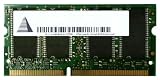
- Capacity: 256 MB
- Memory Type: SDRAM - SO DIMM 144-pin
- Upgrade Type: Generic
- 168-pin, unbuffered SDRAM support and the relevant voltage
- Maximum DIMM size and total memory
- Supported chip density, ranks, and bank organization
- ECC versus non-ECC requirements
- Registered versus unbuffered operation
- Whether mixed DIMMs are supported at the desired settings
For example, the Asus P3V133 manual documents 168-pin SDRAM and capacity limits, but its table is not a compatibility guarantee for another board or another DIMM layout (P3V133 manual). Older chipsets may accept a 128 MB module while misreporting or failing with a high-density 256 MB or 512 MB module.
- Identify the exact motherboard model and revision.
- Read its memory-support table.
- Confirm the DIMM’s capacity and chip organization.
- Check whether the board can set memory and FSB clocks independently.
- Test the module alone before adding other DIMMs.
ECC or registered server SDRAM is not interchangeable with ordinary consumer SDRAM merely because both are 168-pin PC133.
Buying and authenticity checklist
- Request clear photographs of both sides, including chips and PCB.
- Record the exact Mushkin label, revision marking, capacity, and chip part numbers.
- Look for corrosion, oxidized contacts, cracked PCB material, bent pins, or damaged components.
- Prefer a seller who provides a real test configuration and a return period.
- Be cautious of “untested” modules, relabeled generic SDRAM, mixed-chip sticks, and label-only photographs.
- Treat an unsupported 150 MHz claim as marketing or anecdote unless the seller documents the board, timings, voltage, and test result.
A “Rev 3 222” sticker does not prove authenticity, current functionality, or guaranteed overclocking ability.
Rank #4
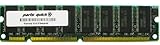
- Capacity: 512MB
- Form Factor: 168 pin DIMM
- Warranty: Lifetime
How to test a module properly
Use progressive testing rather than judging by one successful boot:
- Install the DIMM by itself and boot at conservative PC100 or PC133 timings.
- Confirm that the BIOS and operating system detect the full advertised capacity.
- Run a bootable memory diagnostic appropriate for the legacy machine.
- Set 133 MHz and 2-2-2 timings, then repeat several complete test passes.
- If the board supports it, raise frequency in small increments and retest after each change.
- Test every DIMM individually before testing a pair or mixed set.
- Verify stability in the intended operating system and applications, not only in the BIOS.
Memory errors, intermittent crashes, corrupted archives, or installation failures mean the setting is not stable. Higher voltage can sometimes help on enthusiast boards, but use only documented, conservative settings: voltage accuracy varies, and extra voltage adds heat and electrical stress to aging hardware.
Mixing it with other SDRAM
Combining Rev 3 with generic PC133 can force slower timings, a lower clock, or different command settings. Different bank layouts can also introduce instability even when each DIMM works alone. Matched modules are preferable for an overclocking build. Mixing is reasonable in a stock system only after thorough stability testing.
Best Value
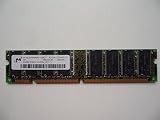
- 168pin 512MB PC133
Is the premium justified?
| Situation | Practical verdict |
|---|---|
| Stock PC133 system | Usually buy a cheaper tested DIMM; 2-2-2 offers limited everyday benefit. |
| Overclocked Pentium III, Celeron, Athlon, or similar build | Potentially worthwhile if the board supports the required clocks and the module is verified. |
| Period-correct high-end build | Worth considering for authenticity and low-latency tuning. |
| Collector display | Value depends on clean condition, provenance, and personal interest. |
| Untested listing | Usually poor value, especially at a premium, because failure risk is high. |
| Modern PC | Not compatible or relevant; modern systems require a different memory standard. |
Use relative price logic rather than an invented current valuation:
- Ordinary PC133 pricing: attractive if tested and compatible.
- Moderate premium: reasonable for a clean, verified Rev 3 intended for an enthusiast build.
- Large premium: makes sense only to a collector or benchmarker who specifically wants this model.
- Untested premium: generally a bad trade; return rights and test evidence matter more than the label.
Current used-market sale values were not established here, and historical retail prices should not be treated as today’s market price.
Alternatives
For a stock vintage computer, consider a tested generic PC133 DIMM or period parts from Crucial, Kingston, or another reputable source. Compatibility, density, testing, and return policy are more important than brand prestige. A cheaper module run at conservative timings is often the best-value solution.
Bottom line
Buy Mushkin Rev 3 222 when you have a compatible 168-pin SDRAM platform, a verified module, and a specific reason to want aggressive timings or FSB headroom. Its historical 2-2-2 reputation is genuine, but the approximately 150 MHz claim is not a guarantee for a decades-old stick in every motherboard. For an ordinary stock PC133 build, spend less on a tested compatible DIMM and put the money toward the parts that determine reliability.
Recommended Free Tools
Quick Recap
Product prices and availability are accurate as of the date/time indicated and are subject to change. Any price and availability information displayed on Amazon at the time of purchase will apply.

