
Free tools Windows power users keep installed
One-click scans. No signup required.
Use a clear, well-lit head-and-shoulders portrait with your face visible, a simple background, and an expression and outfit that fit the work you want your portfolio to represent. A professional studio is optional. Crop and test the image at the sizes your site actually displays, optimize the web file, add appropriate alt text, and make sure you have the rights to publish it.
What should a portfolio profile picture look like?
A portfolio portrait should help visitors recognize you and feel consistent with the rest of your site. A close-up showing your head and shoulders gives the face enough room to remain legible in a small avatar or card. Upwork’s guidance for freelancer profile photos likewise calls for a close-up of the head and shoulders with the face clearly shown; it notes that a professional studio is not required (Upwork profile photo requirements).


- Keep the face visible: Avoid sunglasses, objects, hair, or deep shadow obscuring your features.
- Choose a calm background: A plain wall or uncluttered setting keeps attention on you.
- Use a natural expression and posture: Select an image that feels like you and suits your field, rather than adopting a pose that feels forced.
- Avoid distracting additions: Text, watermarks, heavy effects, and distant or side-on shots make the image less useful as an identifying portrait.
Professionalism does not require a suit, studio lighting, or a particular kind of smile. The useful test is whether the image looks intentional, clear, and appropriate beside the portfolio’s writing and work.
DIY portrait or professional photographer?
Both can work. Upwork’s recommendations allow for a simple non-studio portrait as well as a more formal presentation. Choose based on the result you need, not on the assumption that one method is automatically more credible.
What’s actually slowing this PC down?
Pick the symptom - the matching free tool is one click away.
| Consideration | DIY photo | Professional photographer |
|---|---|---|
| Cost | Usually lower if you already have a suitable phone or camera and light. | Requires a fee; the amount depends on the photographer and session. |
| Control | You can take many expressions and styling options at your own pace. | A photographer can direct posture, expression, and framing. |
| Lighting consistency | Depends on your light source and setup. | A photographer can provide a controlled lighting setup. |
| Retouching | You handle edits or leave the image unretouched. | Retouching may be available; confirm the scope before booking. |
| Turnaround | You can select and export a photo as soon as you are satisfied. | Scheduling and image delivery add time. |
| Visual identity | Works well if you can match the portfolio’s tone and color. | Useful when you want a consistent, directed look across professional materials. |
If hiring someone, agree on intended web uses, delivery format, retouching, and permission to publish before the session. Payment for a session does not, by itself, establish who owns the resulting photograph or what uses are permitted.
How to take and crop the photo
- Plan the final crop first. Check whether the portfolio template uses a square image, a circular avatar, or a narrow card. Leave modest space above your head and at the sides so a tighter crop does not clip your hair or shoulders.
- Set up soft, even light. Face a window or use a large soft light source. Avoid harsh overhead light that creates strong shadows over the eyes. Make sure your face is unobstructed.
- Use a simple background. Move away from clutter, bright distractions, and objects that appear to grow out of your head in the frame.
- Take several variations. Try small changes in expression and posture, then choose the frame that looks natural and fits the portfolio’s tone.
- Crop a master image, then export a web copy. Keep enough room to make the different crops your site needs. Do not crop so tightly that a circular or mobile presentation cuts off your head.
- Preview the actual page. Inspect the image in its real layout at desktop and mobile widths; the source image alone does not show how a site’s crop will behave.
A useful crop is not necessarily identical across devices. If the site offers separate responsive renditions or focal-point controls, use them and verify that the face remains in frame. Adobe Portfolio says its largest generated rendition is 3840 pixels wide, but that is a platform-specific rendition limit, not a universal requirement for profile images.
Which file format, dimensions, and file size should you use?
Use JPEG for an ordinary photographic portrait. Use PNG if you genuinely need transparency or are exporting a graphic rather than a standard photo. Adobe Portfolio supports JPEG for photographs and PNG for graphics or transparency (Adobe Portfolio image sizing and optimization).
Export near the size of the image container rather than uploading an unnecessarily large original. Adobe Portfolio recommends 300KB–1MB for standard images and under 500KB for thumbnails or small images; these are its practical recommendations for Portfolio, not guaranteed limits or targets for every website. Smaller files generally load faster, especially on mobile. If your site generates responsive renditions, let it serve an appropriate size for each display rather than making every visitor download the largest file.
The Tool Desk
Outbyte PC Repair FREEClear out junk files and repair common Windows errorsFree Scan →Outbyte Driver Updater FREEFix the driver behind crashes, sound loss and screen glitchesFind Drivers →- Use RGB/sRGB for broadly reliable web color.
- Compress the exported image and inspect the result at its displayed size for visible artifacts.
- Do not upscale a small image simply to reach a larger pixel dimension.
- Follow your site builder’s upload constraints where they differ from Adobe’s guidance.
Adobe’s older accepted-format guidance also mentions 72 dpi and compression of 60 points or higher (Adobe Portfolio accepted file formats). For web display, pixel dimensions and actual file size are more directly useful than a print-resolution label such as dpi; check the current requirements of the platform you use.
Alt text, filenames, and placement
If the portrait communicates who the portfolio belongs to, give it a concise text alternative. W3C says informative images need text alternatives describing the information or function they represent (W3C Images Tutorial). For example, if it is accurate and useful in context, alt text might be “Jane Doe, UX designer.” Do not add a list of skills or search terms to the description.
If the image is purely decorative and contributes no information beyond nearby text, use an empty alt attribute (alt="") so assistive technology can skip it. Google recommends descriptive filenames and useful, context-appropriate alt text, while cautioning against keyword stuffing (Google guidance on Google Images). A descriptive filename such as jane-doe-ux-designer.jpg is clearer than IMG_1042.jpg, but it does not replace alt text.
Place the portrait near your name or introduction when it is meant to identify you. Check that the image still makes sense if images are disabled or fail to load: nearby text should identify the person, and the alt text should convey the portrait’s relevant purpose.
Make sure you can legally publish the image
Use a photo you took yourself or one you have permission or a license to publish. The U.S. Copyright Office says the person who takes an original photograph is generally its author and initial copyright owner (U.S. Copyright Office guidance for photographers). Therefore, being the person pictured—or paying for a photo session—does not necessarily mean you own the photograph’s copyright.
Rank #4

- Plenty Full Face Window Envelopes Set: the package comes with 100 sets of about 9 x 12 inches of full face window envelopes, enough quantity for your daily use, which are enough to ensure that you always have full face window envelopes on hand to hold creative photos or certificates, when you needed
- Window Envelopes 9 x 12'': each white full face window envelope is approx. 9 x 12 inches/ 23.5 x 31.11 cm, which is ideal for holding 7 x 9 inches photos; And the photo window of the 9 x 12 inches envelopes is about 7 x 9 inches/ 17.8 x 22.8 cm, so please check the size before ordering
- Quality Material: the full face window envelopes are made of heavy weight 140gsm paper, smooth surface and a convenient size are suitable for your various purposes and quality of need, easy to write; Please notice that the envelope doesn't contain a glue seal
- Window Design of Envelopes: these white window business envelopes are designed with a full face window, which are more intuitive display of the item what you want to display; Suitable for sending photos, certificates, invoices, headshots, letters, documents, checks, thank you notes, greeting cards, invitations and announcements
- Fit for Most Occasions: it's a good idea to use decals, markers or labels to easily customize these full face window envelopes for baby showers, birthdays, anniversaries, weddings, greetings, graduations, Thanksgiving Day, Christmas, Valentine's Day and many other holidays; In addition, it is nice to give to friends and family as a gift to display your most beloved memories of that day
For a commissioned or third-party image, retain written permission or license terms that cover your intended website use. The European Commission’s Publications Office advises obtaining prior authorization, optimizing images for the web, and considering privacy and personality rights (EU Publications Office guidance). Rules vary by jurisdiction and circumstances; identifiable people or locations may raise additional permissions or privacy questions. When in doubt, verify the applicable terms rather than assuming that an image found online is free to reuse.
Check the image on the finished portfolio page
Before publishing, check the portrait in the live or preview layout rather than judging only the original file. Review a desktop width and a narrow mobile width, and test on a slow connection if possible. Look for a clipped crop, a face that becomes too small, a file that delays the page, or low contrast against the page background. If you can, temporarily disable images and confirm the page still identifies you appropriately.
For an automated visual check, a screenshot can show what the rendered page looks like at a chosen URL. For example, after the page is published, you can request a screenshot using cURL:
Best Value
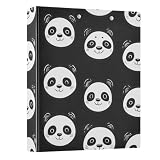
- Material:The ring round binder Stay organized and efficient with this 3 Ring Binder, made from high-quality PVC material that is scratch-resistant and long-lasting, waterproof and easy to clean
- Size: The compact size of 12.4x10.63x2.36in makes this 1.5 in binder organizer great for on-the-go professionals. Avaible in 1 pack and 2 packs, suitable for people with different occupations
- Versatile: The sleek design of 3 ring binders includes a flat metal clip on the left for securing papers and even doubling as a writing board, while the D-ring mechanism on the right can hold up to 200 sheets for easy organization and a transparent PVC pocket for storing loose items like photos or receipts
- Multi-Use: Keep your personal documents, recipes, or hobby materials organized and protected with this 3 Ring Binder. Our cute binders are also suitable for office storage, business storage, certificate storage, sheet music storage, drawing storage, home storage
- Organzier Helper: Keep all your documents in one stylish place with this aesthetic binder organizer. The unique gold metal clip enhances the overall appearance, making it a fashionable addition to your workspace. Perfect for students, teachers, or professionals
curl -G "https://api.screenshotneo.com/v1/shot" -d access_key=YOUR_API_KEY --data-urlencode url=https://your-portfolio.example -o portfolio.webpReplace the example URL with your portfolio address and use an API key. See the ScreenshotNeo API documentation for request options and response details.
Independent reader supportYour contribution helps us test, update, and keep practical guides available for everyone.Or skip the browser setup
ScreenshotNeo can capture the page with one GET request, returning a PNG, JPEG, WebP, or PDF. Its cleanup accepts cookie or consent banners and removes more than 60 known consent platforms, newsletter popups, and chat widgets before capture; each step can be turned off. Bot checks or CAPTCHAs, blank pages, timeouts, failed loads, and cache hits are not billed, and response headers indicate the page verdict and billing status. An MCP server provides take_screenshot, get_page_info, and capture_pdf tools for AI agents and MCP clients.
cURL:
curl -G "https://api.screenshotneo.com/v1/shot" -d access_key=YOUR_API_KEY --data-urlencode url=https://your-portfolio.example -o shot.webpPython:
import requests

r = requests.get(
    "https://api.screenshotneo.com/v1/shot",
    params={"access_key": "YOUR_API_KEY", "url": "https://your-portfolio.example"},
    timeout=90,
)
open("shot.webp", "wb").write(r.content)
Node.js:
const q = new URLSearchParams({
  access_key: 'YOUR_API_KEY',
  url: 'https://your-portfolio.example'
});
const res = await fetch(`https://api.screenshotneo.com/v1/shot?${q}`);
ScreenshotNeo’s Free plan includes 1,000 screenshots a month with no card; paid plans start at $5 for 3,000. The service is made by Yorker Media. See ScreenshotNeo for product details, or sign up free for 1,000 screenshots a month with no card.
Troubleshooting common portrait problems
- The face is cut off in a circle or card: Reopen the crop with more headroom and side space, then inspect the actual template crop at mobile and desktop widths.
- The image looks soft: Check whether the source is large enough for the displayed dimensions. Avoid enlarging a small original; use a sharper source and export close to the container size.
- The page loads slowly: Compress the web copy and avoid serving an oversized original where a smaller responsive rendition would do.
- Colors look different: Export in RGB/sRGB and check the result in a browser; platform handling can vary.
- The portrait has distracting shadows: Retake it facing a window or large soft light, avoiding direct overhead light.
- Screen readers announce a filename or skip useful information: Add concise alt text if the portrait identifies you; use
alt=""only when it is decorative. - You are unsure whether you can use the file: Check the license or written permission and retain a copy. Do not infer ownership from being photographed or paying for a session.
Frequently Asked Questions
Should my portfolio photo be the same as my LinkedIn photo?
It can be, if it still fits the portfolio’s tone and displays well in its crop. There is no requirement that the two images match.
Can I use a PNG for my headshot?
Yes, but for a normal photographic portrait JPEG is usually the more appropriate choice; PNG is useful when you need transparency or have a graphic.
Does a profile picture need to be a formal headshot?
No. A clear, intentional head-and-shoulders photo can work without a studio or formal styling.
Quick Recap
Product prices and availability are accurate as of the date/time indicated and are subject to change. Any price and availability information displayed on Amazon at the time of purchase will apply.

