
To add buy now, pay later (BNPL) to a WordPress store, you generally need WooCommerce and a compatible payment integration. The main routes are to enable Affirm, Afterpay/Clearpay, or Klarna through WooPayments; configure BNPL methods in the WooCommerce Stripe extension; or use a provider-specific integration. If you want to set your own installment schedule, use a merchant-managed payment-plan extension instead—this is different from consumer BNPL.
Choose the right kind of payment plan
First decide whether customers should apply for a third-party provider’s offer or pay according to installments your store defines. With third-party BNPL, the provider handles the customer’s installment payments and eligibility decision. A merchant-managed plan lets you specify the schedule and how payments are collected.
- Third-party BNPL: WooPayments and the WooCommerce Stripe extension document Affirm, Afterpay, and Klarna options. Which ones you can offer depends on location, account conditions, currency, and the customer’s cart.
- Merchant-managed installments: WooCommerce’s Payment Plans Suite lets a store create named plans with fixed-amount or percentage installments. Its documented automatic-charging mode uses Stripe card payments through the WooCommerce Stripe Gateway.
This guidance is for WooCommerce stores. A WordPress site that does not use WooCommerce needs a solution for its own commerce platform.
Check availability before installing anything
For WooPayments, the documented country coverage is account-specific, not a universal statement about direct integrations. WooCommerce lists Affirm for WooPayments accounts in Canada and the United States; Afterpay for accounts in Australia, Canada, New Zealand, the United Kingdom, and the United States; and Klarna for accounts in Austria, Belgium, Denmark, Finland, France (Pay in 3 only), Germany, Ireland, Italy, the Netherlands, Norway, Spain, Sweden, the United Kingdom, and the United States. Check the current WooPayments BNPL guide for the latest coverage and account conditions.
#1 Best Overall

- With Square Terminal, you can ring up sales, accept payments, and print receipts, all with one device. Use it at the counter or ring up customers anywhere in your store.
- Accept all major credit and debit cards and pay one low rate with no hidden fees and no long-term contracts.
- Process chip cards in just two seconds.
- Get your money as soon as the next business day.
- Use it cordlessly with the built-in battery, designed to last all day.
Before choosing an integration, check these factors against your products and customers:
- Merchant country and customer country: WooPayments BNPL is offered only when the customer’s billing country matches the merchant account’s country.
- Currency and cart size: WooPayments requires payment in the account country’s national currency, and the cart must fall within the selected provider’s minimum and maximum. Check the live limits for your account.
- Business and product eligibility: WooPayments says BNPL cannot be used for B2B transactions, subscriptions, or cross-border sales. It also identifies restricted product categories; review both its general restrictions and the relevant provider’s rules.
- Technical and checkout requirements: Confirm the extension supports your WordPress, WooCommerce, and PHP versions and works with your checkout setup.
- Fees and refunds: Ask the provider or review your account terms for applicable fees, refund deadlines, and whether transaction fees are returned. The official pages do not provide a complete current fee comparison across providers.
Option 1: Enable BNPL through WooPayments
If WooPayments is already connected and your account is eligible, this is the most direct route described in WooCommerce’s documentation.
Rank #2

- Use the, easy-to-use, and customizable POS to get started.
- Accept contactless payments, chip cards, Apple Pay, and Google Pay from anywhere, with improved connectivity, extended battery life, and enhanced security. Pay one low rate for every tap or dip.
- No long-term commitments or contracts, no monthly fees- and with offline payments, keep taking payments for up to 24 hours.
- Safely and securely accepts payments anywhere. Plus, get data security, 24/7 fraud prevention, and payment-dispute management at no extra cost.
- Use the, easy-to-use, and customizable POS to get started.
- In WordPress Admin, go to Payments > Settings.
- Find the Buy now, pay later section and enable the available methods: Affirm, Afterpay, and/or Klarna. The methods shown depend on the country selected for your WooPayments account.
- If WooPayments requests additional information, check the Stripe dashboard for missing account details, complete them, and wait for verification.
- Review the country, currency, cart-range, and product restrictions for each method you enabled.
- Test the customer checkout and order flow before promoting BNPL on your store.
WooCommerce says a BNPL promotion may appear on eligible product and cart pages. At checkout, the customer is redirected to the provider to sign in or create an account and accept an available plan. The provider pays the merchant for the order, less applicable fees, and collects installments from the customer. As WooCommerce puts it, “The customers are not paying you over time, they are paying the BNPL provider over time.”
Option 2: Configure BNPL in the WooCommerce Stripe extension
The WooCommerce Stripe extension documents Affirm, Afterpay, and Klarna among its supported payment methods. Availability still depends on Stripe and provider eligibility for your business and customers.
What’s actually slowing this PC down?
Pick the symptom - the matching free tool is one click away.
Rank #3

- 【Universal Compatibility】 - The MDB Payment Device to PC Converter is designed to connect a variety of MDB devices such as acceptors, bill receivers, and card readers effortlessly. It offers seamless integration with any vending equipment compliant with MDB specifications, ensuring versatility in your payment solutions.
- 【User-Friendly Interface】 - This USB adapter features a straightforward setup process. Simply connect it to your computer, and the adapter transforms MDB protocols into RS-232 serial protocols. This allows for easy communication between your vending machine and your PC, simplifying operations while providing reliable performance.
- 【Enhanced Control】 - With capabilities to control up to eight MDB-compatible devices simultaneously, this converter enhances your management efficiency. Whether you’re handling dispensers or bill acceptors, experience effective monitoring and command over your vending machine operations like never before.
- 【Robust Functionality】 - The MDB-PC USB converter supports a variety of interfaces, including cash interfaces (10H and 60H) and USD interfaces (40H). This broad support mechanism ensures compatibility across multiple configurations, making it an ideal solution for complex setups.
- 【Comprehensive Package】 - Each converter comes complete with required cables, a user guide, and a user agreement, providing everything you need for successful installation. Designed for easy implementation, enjoy a plug-and-play experience with reliable support for all essential MDB functions.
- Confirm your business is in a Stripe-supported country, your site is accessible over HTTPS, and your WordPress, WooCommerce, and PHP installations meet the extension’s current requirements. The Stripe extension requirements say preview countries are not supported; check the live documentation because technical requirements can change.
- In WordPress Admin, go to Plugins > Add New.
- Search for WooCommerce Stripe Gateway, then install and activate the extension.
- Open WooCommerce’s payment settings and connect your Stripe account by following the extension’s setup flow.
- Open the extension’s Payment Methods tab and enable the BNPL methods available to your account. Some account-level settings may need to be configured in Stripe’s dashboard.
- Test checkout and order handling before making the methods prominent to customers.
See WooCommerce’s documentation for installing and setting up the Stripe extension and its extension settings. The extension’s payment methods documentation describes the supported types, including BNPL.
Option 3: Use a provider-specific integration
Klarna for WooCommerce
WooCommerce documents a separate Klarna for WooCommerce integration. Its listed requirements include a Klarna account, WooCommerce 5.6.0 or newer, PHP 7.0 or higher, and pretty permalinks. The page warns that callbacks may fail to update order information if pretty permalinks are disabled. Those version numbers are the requirements listed on that documentation page, not confirmation of compatibility with every current store; check the current plugin listing and provider documentation before installation. Country coverage can also change.
Rank #4

- Effortless payments and printing: Accept card payments and print payment receipts on the spot with the built-in 40 mm thermal printer.
- Faster sales processing: Use pre-set menus and catalogs to make transactions faster and smoother for you and your customers.
- Reliable and portable: Featuring a 6.5" HD touchscreen made from Corning Gorilla Glass and a powerful battery that lasts all day.
- Seamless connectivity: Stay connected with free mobile data and WiFi, ensuring uninterrupted transactions.
- Real-time payment tracking: Monitor payments and issue refunds right from your device, so you're always in control.
Afterpay / Clearpay
WooCommerce also documents an Afterpay gateway. Its page says the store currency must correspond to the region of the Afterpay account and identifies Clearpay as the UK name. The page’s minimum WordPress and WooCommerce version requirements are historical, so verify current compatibility with the plugin listing or provider before relying on them.
Independent reader supportYour contribution helps us test, update, and keep practical guides available for everyone.Set up merchant-defined installments instead
If you need to control the installment amounts or timing rather than offer a third-party provider’s plan, consider WooCommerce’s Payment Plans Suite. It supports named plans with fixed or percentage installments and distinguishes automatic charges from payments customers make manually. The documented automatic mode works with Stripe card payments through the WooCommerce Stripe Gateway. Review the extension’s documentation to determine whether its plan behavior fits your products and checkout.
Crashes, No Sound, or Screen Glitches?
Random freezes, missing sound and display glitches usually trace back to one bad driver. Find and replace yours safely.Free scan · under a minuteWindows Errors? Fix Them Before They Spread
Repair common Windows errors and clear accumulated junk for a smoother, more stable PC - no reinstall needed.Free scan · no reinstallBest Value
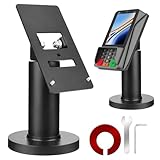
- Compatibility - This POS display stand is compatible for Pax A35, Pax S300. Note: Please carefully confirm the POS machine model before purchasing.
- Easy Installation - Installs quickly using the included type adhesive tape or can be permanently installed to any surface via a drilled hole and bolt mount. And can be removed by heating the area with a hairdryer and using string/thread to detach it if needed.
- Adjustable Card Terminal Mount - The 360-degree swivel allows cashiers to effortlessly turn the device left and right to assist customers without leaving their side, while the 65-degree tilt ensures the terminal is positioned at the optimal angle for various counter heights.
- Commercial Strength - Steel construction gives this universal POS stand durability for use as counter payment terminal in almost any setting.
- Perfect Height - The Pax A35 credit card payment machine stands' ideal height of 4.7" is designed for optimal counter alignment. It provides ample clearance for card insertion and can be adjusted using the tilt feature. Once the perfect tilt angle is set, secure it in place with the included Allen key and wrench to prevent unwanted movement.
Test checkout and plan for refunds
Do not assume that an enabled method will appear for every shopper or order. Check the customer-facing result for eligible products and carts, then verify that a successful test order is recorded and can be managed as expected in WooCommerce. Also review the provider’s current refund process before accepting BNPL orders.
WooCommerce’s WooPayments guide lists refund windows of 120 days for Affirm and 180 days for Afterpay and Klarna, and says transaction fees are not refunded. These are provider-specific operational rules that may change; confirm the applicable deadline and fee treatment in your current account documentation before processing a refund.
Quick Recap
Which route should you use?
| Route | Best fit | What to verify |
|---|---|---|
| WooPayments BNPL | A WooPayments merchant whose account country and customers qualify for one or more listed methods. | Account-country availability, customer billing country, national currency, cart range, product restrictions, and provider terms. |
| WooCommerce Stripe extension | A store connecting Stripe and choosing among payment methods available to its account. | Stripe country support, HTTPS, current software requirements, available methods, and account-level settings. |
| Provider-specific extension | A merchant seeking a direct integration such as Klarna or Afterpay/Clearpay. | Current plugin compatibility, supported countries and currency, provider onboarding, and checkout behavior. |
| Payment Plans Suite | A store that needs to define its own installment amounts or schedule. | Manual versus automatic collection, payment gateway compatibility, and whether the plan suits the product and customer agreement. |
Product prices and availability are accurate as of the date/time indicated and are subject to change. Any price and availability information displayed on Amazon at the time of purchase will apply.

