
You can start a blog without paying upfront by using a hosted platform’s free plan. Choose a subject, create an account, pick a blog name and theme, then publish and share a useful first post. The trade-off is that a free site usually uses the platform’s web address and may restrict branding, plugins, or ways to earn money.
Choose a free blogging platform
A hosted platform handles the website hosting and much of the technical setup, so you can publish without buying a hosting account or installing software. WordPress.com and Wix are two examples with documented free-start options; they are not a complete comparison of every blogging service.



| What to compare | WordPress.com | Wix |
|---|---|---|
| Free start | Its free plan has no time limit and does not require a credit card, according to WordPress.com. | You can create a functioning site without paying, according to the Wix Help Center. |
| Setup approach | Managed hosting, themes, a block editor, SSL, and basic publishing features are included in the free offering described on its free-plan page. | Choose a template or use its AI tools, then edit the site with a visual, no-code editor, as described on Wix’s blog page. |
| Address and branding | A free site uses a wordpress.com subdomain. A custom domain as the main address requires a paid plan, according to the plan page. | Connecting a domain and removing Wix ads are premium features, according to the Wix Help Center. |
| Growth features | Plugin installation requires a paid plan. WordAds is available on Premium and above; see plan features and monetization options. | Wix describes built-in SEO and analytics features and possible subscription, advertising, and product-sale routes on its blog page. Check the chosen plan’s eligibility before relying on a particular feature. |
| May suit you if… | You want a publishing-focused workflow and may value WordPress ecosystem features later. | You prefer a visual site builder and a template-led start. |
Plan limits and features can change. Review the current official plan details before choosing, especially if a custom domain, plugins, advertising, or a particular payment feature matters to you.
Know what “free” means
Address and platform branding
A free hosted blog generally lives at a platform subdomain rather than a custom domain you own. For example, WordPress.com says free sites use a wordpress.com address, and its plan guide says a custom domain as the main address requires a paid plan. Wix identifies domain connection and removing its ads as premium features. Choose a blog name that will still work if you later move to a custom domain.
Storage and features
WordPress.com lists 1 GB of storage for its free plan; that is a platform-published plan figure, not an independent performance measure, and the plan page may change. Its free plan also lists unlimited posts, themes, the block editor, basic analytics, spam protection, hosting, and SSL. Plugin installation is a paid-plan feature. Wix’s free-account help page confirms that a site can be created without payment, but check its current plan page for any specific storage, bandwidth, or feature limit you need.
Hosted WordPress.com is not the same as self-hosted WordPress
WordPress.com is a managed service: it handles hosting, security, and updates. WordPress.org is open-source software commonly installed on a hosting account. The software may be free, but a self-hosted site generally still entails paying for hosting and a domain and handling more of the setup yourself. Compare the total costs and responsibilities rather than treating open-source software as a cost-free hosted blog.
Rank #2
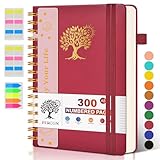
- 【A5 Spiral Notebook & 300 Numbered Lined Pages】This spiral journal notebook 5.9in x 8.5in features 300 numbered lined pages, 1 persona data page and 3 pages Content, offering extensive space for your notes, ideas, and sketches. The college ruled format makes it ideal for use as a journal for women, men.The 7mm line spacing ensures a comfortable writing experience, while the spiral bound design makes it a great choice for college ruled spiral notebooks and spiral bound journals.
- 【Strong Metal Twin-wire & 180° Lay Flat Design】Featuring a robust metal twin-wire binding, this notebook opens flat at 180°, ensuring a smooth and comfortable writing experience. This design is particularly advantageous for those using it as a business notebook, professional notebooks for work. This spiral bound notebook features a hardcover vegan leather cover with printed design adds an element of sophistication and style.
- 【Functional Accessories & Organizational Tools】This spiral journal notebook includes 1 pen holder that securely keeps your writing tool within reach, 2 elastic closure bands that protect your pages, and an inner pocket for storing small items like notes or receipts.3 index sticker tabs and one removable bookmark ruler assist in navigation.These features make it an excellent choice for school notebooks, or work notebooks, serving as a reliable spiral journal for college use.
- 【Easy Tear-off Design & Thick Paper Quality】The spiral bound notebook pages are Easy to tear-off, ideal for sharing notes or removing pages without hassle. The thick paper minimizes ink bleed-through, ensuring clarity and legibility in your notes. Whether you're using it as a daily journal, travel journal, or journaling notebooks, this lined notebook offers a smooth writing experience. As a wide ruled notebook, it's perfect for thorough note-taking.
- 【Versatile Use & Gift-worthy Design】This PERCUN spiral notebook is suitable for a wide range of uses. Whether you need it for school, college, work, or personal journaling, it's the perfect choice. It can be used as a diary, daily journal, or writing notebook. The college ruled pages are great for note-taking and studying. With its stylish design and practical features, this notebook is sure to become your go-to for all your writing needs.
Set up and publish your first post
- Choose a subject and a first reader question. Pick something you can keep exploring, then decide what a new reader should learn from your first post. For example, a cooking blog might begin with a guide to adapting one weeknight recipe for a smaller kitchen.
- Choose a hosted platform. Start with WordPress.com if a publishing-centered workflow appeals to you, or Wix if you prefer a visual builder and templates. Confirm that the free plan allows the features you need before creating the site.
- Name the blog and check its free address. Use a name that is clear, memorable, and flexible enough to work with a custom domain later. The free address will include the platform’s subdomain.
- Create an account and choose a theme or template. Keep the layout readable and the post page uncluttered. WordPress.com provides themes and a block editor; Wix offers template-led visual editing. WordPress.com’s beginner course covers theme activation, posts, pages, categories, and tags.
- Write one useful post and publish it. Answer a specific question with a descriptive title and practical detail. Do not wait for a perfect logo or a large archive: the first milestone is a published post that helps someone.
- Share the link and learn from responses. Send it to people likely to care about the subject. Use the platform’s available basic statistics and reader feedback to choose what to improve or write next; platform traffic claims are not a guarantee of your audience growth.
- Add structure as the blog grows. Create basic pages, such as an About page, and group related posts with categories or tags where the platform supports them. Add these as they become useful rather than delaying the first post.
Can you make money from a free blog?
Possibly, but earning money is not guaranteed, and access depends on the platform, plan, country, currency, and feature. WordPress.com lists payment buttons, paid newsletters and content, tips or donations, affiliate links, sponsored posts, online stores, and advertising as potential methods in its monetization guide. The guide says WordAds is available to sites on Premium and above. Although it also mentions third-party ad networks, check whether your plan permits the code or integration the network requires, along with that network’s own eligibility rules. Payment features may depend on supported countries and currencies.
Wix describes subscriptions, third-party advertising such as AdSense, and selling related products as possible approaches on its blog page. That does not establish that every method is available on every free plan. Verify feature eligibility for your account and location before building your plans around it. Treat a free blog first as a way to publish; do not assume it will generate traffic or income.
Do these 3 things before closing this tab:
1Repair Windows errors before they cause bigger problems2Fix the driver behind crashes, sound loss and screen glitches3Clear out junk files and repair common Windows errorsWhen is an upgrade worth considering?
Stay on the free plan until a specific limitation gets in the way. A paid plan may make sense if you need a custom domain, want to remove platform branding, need plugins, or want a monetization feature not included in your free tier. WordPress.com’s current plan guide also names the Automattic Affiliate Program for creators and influencers referring customers to Automattic products and services; eligibility and terms should be checked directly before relying on it. Upgrade for a clear need, not because a paid plan alone can ensure readers or revenue.
Quick Recap
Rank #3

- 【Leather Hardcover Spiral Notebook】Premium leather combine cardboard constituted a sturdy waterproof cover, prevent coffee、water from wetting the inner pages and against the notebook pages from bending, provides a comfortable writing surface. While 4 golden metal-corners and thick twin- spiral binding, further protect your important meeting records or work school note well. A kind side pen loop design, which reduce the frequency that losing pens.
- 【Large A4 Spiral Notebook】 Large a4 size 8.5"x11" notebook, standard 7mm space classic college ruled journals to meet your daily note writing needs. Our large A4 notebook offers ample space for detailed note-taking, journaling, and task management. Its spacious pages are perfect for capturing ideas, organizing thoughts, and managing projects, whether at work, school, or in your home office. “Memo No” and “Date” are at the top of each page for classification and reference.
- 【100 GSM Ink-friendly Paper】 This spiral notebook adopt 100gsm smooth paper is very thick, which avoids ink bleeding through and ghosting. Suitable for most pen types, such as ballpoint pens, fountain pens. Each line flows evenly, allowing you to focus on creativity and organization without interruptions. Each lined journal 50 sheets/100 pages, offering enough space to write in. Allowing you to write on both sides of every page to maximize your usable space.
- 【Easy Writing at 180°Lay Flat】Our spiral journal notebook has a sturdy gold-color double wire spiral with easy-to-turn pages, ensures the notebook lays flat when open,making writing a breeze even for left handed writers. Reading more convenient and taking notes more efficient. Removable ruler, Elastic closure band keep your spiral journal secure when closed and can also be used as a bookmark to keep track where you wrote. An expandable back pocket that is great for storing extra notes, cards, or other important items.
- 【Multiple Usage】The spiral journal notebook perfect for school, office, home, work organization, college, students, adults, travelers, professionals, business executives, scientists, and people in many other fields or anyone who like to write things down and needs to keep them organized. Suitable for writing journals, study, diary journals, drawing, sketching, travel journals, work notebooks or for taking notes in college classes or meetings. It's also a wonderful gift to work organization, back to school or family records.
Product prices and availability are accurate as of the date/time indicated and are subject to change. Any price and availability information displayed on Amazon at the time of purchase will apply.

