
Build the site around what patients need to do: understand your services, find the right clinician and location, check hours and insurance, prepare for a visit, request or book an appointment, reach staff, and get to the patient portal. Keep emergency directions prominent but separate from routine scheduling. Use a content system your staff can update, and assign named owners for clinical accuracy, operations, privacy, security, and accessibility.
1. Set the website’s goals, boundaries, and owners
Start with a short discovery document before choosing a theme or vendor. Record every service line, location, clinician, office hour, accepted payer, language option, emergency-routing rule, and patient journey. Define exactly where the public website ends and the scheduling system, EHR, and patient portal begin.
Assign approval responsibility
- Clinical owner: reviews medical descriptions, preparation instructions, after-visit information, and claims.
- Operations owner: maintains hours, locations, phone routing, clinician availability, insurance, billing, and cancellation rules.
- Privacy and security owner: inventories vendors, data flows, access, retention, logging, backups, and incident procedures.
- Accessibility owner: tests templates, forms, documents, booking journeys, and fixes after releases.
Set a review cadence and display a “last updated” date on material patient information. Do not publish unsupported cure, outcome, or superiority promises.
2. Use a patient-task site map
Organize navigation around questions patients ask, not internal departments. A practical starting structure is:
Quick wins for a faster PC:
Scan for outdated or missing drivers - takes under a minuteDriver Scan →Clear out junk files and repair common Windows errorsFree Scan →#1 Best Overall

- TOP QUALITY, LONG LASTING - We use only first-class materials to manufacture our signs. Made from 100% rust free strong Engravable Impact Acrylic, and will stay good as new even after many years of indoor or outdoor use. Plus, our signs are made in the USA!
- NO FADING - The graphics and wordings will withstand the elements and will not fade, no matter the sun, rain, or other extreme weather.
- MATRIAL TYPE - We use Hight quality laser Engravable Impact Acrylic to engrave our products.
- PERFECT SIZE - We have carefully designed this sign, considering every aspect. This unique size gives the ability for the wording to stand out and be easily understood without creating an aggressive environment!
- PROFESSIONAL GRAPHICS - Ideal for both home & yard use and for professional businesses, our signs are carefully designed to look sleek, authoritative, and easy to read.
| Page or area | What it must answer |
|---|---|
| Home | What the practice does, where it is, who it serves, and the next action to take. |
| Services | Plain-language descriptions, who a service is for, preparation, and how to request care. |
| Clinicians | Names, roles, specialties, credentials, languages, locations, and appointment routes. |
| Locations | Address, suite, parking or transit details, hours, phone, accessibility information, and map. |
| New Patients | What to bring, registration steps, insurance questions, preparation, and arrival expectations. |
| Insurance and Billing | Accepted plans, out-of-network cautions, estimates, payment methods, bills, and contact route. |
| Patient Forms | Accessible forms, instructions for returning them, and a safer alternative when forms contain sensitive data. |
| Appointment Request or Booking | Available appointment types, required information, confirmation, cancellation, and staff follow-up expectations. |
| Contact and Hours | Phone, office hours, holiday changes, response expectations, and non-urgent contact options. |
| Urgent-care and emergency instructions | When to call emergency services, where to seek urgent care, and what the practice can and cannot handle. |
| Patient Portal | A clear, secure handoff to the authenticated portal for records, messages, results, and established-patient tasks. |
| Privacy and accessibility statements | How information is handled, accessibility support, alternatives, and a way to report problems. |
3. Write content patients can act on
Service and clinician pages
Use short sections, descriptive headings, common terms, preparation instructions, and a visible call to action. Clinician biographies should distinguish credentials, specialty, role, languages, and the locations where each clinician practices.
Insurance, billing, and forms
Explain that plan participation and patient responsibility can change, identify whom to call for verification, and state whether estimates are guarantees. Do not ask patients to email medical histories or insurance documents unless the receiving system is approved for that use; direct them to the secure portal or designated workflow.
Rank #2

- 【High-Visibility Design】The 8-inch wide in use/available sliding door sign features bold white text on high-contrast red and green backgrounds. Perfect for exam room number signs and medical offices—clearly visible even from a distance.
- 【Easy Installation】With a strong adhesive sticker, the exam room privacy door sign can be installed on any flat surface, like wood, glass, or metal. No screws or magnets required—just peel and stick to your clean surface.
- 【Brushed Metal Looking】The premium"Available & In Use" sliding sign has a scratch-resistant, fingerprint-proof finish that elevates any room appearance—great for therapists, medical offices, and private workspaces.
- 【Withstand Daily Use】Crafted from sturdy materials, the in use sign for door resists cracking and fading—even in high-traffic schools, clinics, hospitals, sessions, x-ray rooms, therapy areas, or other public spaces.
- 【Smooth Slider, Clear Status】Easily toggle between "In Use" and "Available" with a smooth glide. The exam room signs printed with numbers 1-4 meet your needs of multiple rooms, helping keep the status simple and prevent awkward interruptions.
Urgency and safety
Put emergency instructions where they can be found without booking. State when to call local emergency services, when to use urgent care, and how to reach the practice for non-emergent questions. Never imply that an appointment request is monitored as an emergency channel.
4. Design a responsive, accessible front end
Target WCAG 2.1 Level AA. The U.S. Department of Health and Human Services’ 2024 rule summary identifies that standard for covered web content and mobile apps and lists May 11, 2026, for recipients with 15 or more employees and May 10, 2027, for smaller recipients, subject to exceptions and legal developments. Verify the current rule and your organization’s status before relying on those dates.
Rank #3

- TOP QUALITY, LONG LASTING - We use only first-class materials to manufacture our signs. Made from 100% rust free strong Engravable Impact Acrylic, and will stay good as new even after many years of indoor or outdoor use. Plus, our signs are made in the USA!
- NO FADING - The graphics and wordings will withstand the elements and will not fade, no matter the sun, rain, or other extreme weather.
- MATRIAL TYPE - We use Hight quality laser Engravable Impact Acrylic to engrave our products.
- PERFECT SIZE - We have carefully designed this sign, considering every aspect. This unique size gives the ability for the wording to stand out and be easily understood without creating an aggressive environment!
- PROFESSIONAL GRAPHICS - Ideal for both home & yard use and for professional businesses, our signs are carefully designed to look sleek, authoritative, and easy to read.
Build accessibility into components
- Use a logical, single-to-six heading hierarchy and semantic landmarks.
- Make every function operable with a keyboard, with a visible focus indicator and no keyboard trap.
- Use readable type, sufficient contrast, responsive reflow, and zoom support.
- Give links meaningful labels such as “Request a dermatology appointment,” rather than “Click here.”
- Provide concise labels, instructions, validation, and recovery messages for every form field.
- Supply useful alternative text for informative images; mark decorative images appropriately.
- Caption prerecorded video and provide transcripts where needed.
- Make PDFs and other downloads accessible, or offer an equivalent HTML or staff-assisted route.
- Do not rely on color alone to communicate status, errors, or urgency.
HHS has said inaccessible electronic health technology may constitute discrimination. ADA.gov likewise explains that inaccessible web content can deny equal access and points to WCAG and Section 508 as useful technical references.
5. Choose a safe appointment and form workflow
Decide whether the public site will link to a scheduling vendor, embed a vendor-controlled flow, or send requests into a practice-management or EHR integration. Expose only the minimum necessary information. Keep routine booking separate from emergency instructions.
Rank #4
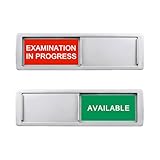
- Examination in Progress/Available Sign:This 2 colors clearly display the exam room status, directly indicating whether the room is in use. No need to question, saves communication time, improving work efficiency.
- Easy to distinguish: This color options sign is bright, fits for any occasion, easy to notice from a distance. These color tags can send a non-verbal cue to doctors and staff, reminding them to instantly check on the status of patients, customers or rooms.
- Smooth slider: The slider can show the colors as needed at any time. The balance in sign ensures the state of the selected content remains unchanged. If you want to change the status, please manually slide.
- Magnetic and adhesive sticker opion:Works on stainless steel, wood cabinet doors etc.
- Fit for any work place: Our examination options sign is easy to install and slide quickly, meeting your room’s privacy or reminder. It’s suitable for any public places such as offices, hospitals, libraries, exam rooms, etc. It is helpful for your work or life.
Compare the main approaches
| Approach | Strengths | Risks and checks | Best fit |
|---|---|---|---|
| Link to an authenticated scheduler or portal | Small public attack surface and clear boundary for sensitive data. | More page transitions; confirm mobile usability, return path, language support, and accessibility. | Practices that already have a capable scheduling or portal system. |
| Embedded vendor scheduler | Fewer visible transitions and potentially higher task continuity. | Review scripts, cookies, data recipients, keyboard behavior, screen-reader support, consent, uptime, and vendor contract. | Practices needing a smoother flow and able to govern a third-party embed. |
| Custom practice-management or EHR integration | Can align availability, routing, confirmations, and staff queues closely with operations. | Highest implementation and maintenance burden; requires strong testing, monitoring, access control, and change management. | Multi-provider or multi-location practices with integration resources. |
Test the complete booking journey
- Offer only appointment types and locations that staff can fulfill.
- Test availability, time zones, clinician schedules, holidays, cancellations, rescheduling, confirmations, and reminders.
- Submit duplicate and incomplete requests to verify prevention, error text, and staff routing.
- Confirm that a patient knows whether the request is immediate, pending staff approval, or fully booked.
- Check that portal handoff, sign-in, password recovery, and return navigation work on mobile and desktop.
- Test keyboard-only use, screen readers, zoom, contrast, and error recovery on the booking path itself.
Listings such as the official WordPress.org entries for DocBooker and Webba Booking describe features including calendars, custom forms, doctor or clinic management, notifications, records, and optional portal or payment functions. Those feature descriptions do not establish HIPAA compliance. Before adoption, verify architecture, business-associate terms, data residency, retention, access controls, integrations, support, and local requirements.
Independent reader supportYour contribution helps us test, update, and keep practical guides available for everyone.6. Apply HIPAA-aware privacy and security controls
The HIPAA Privacy Rule covers protected health information in any medium; the Security Rule covers electronic protected health information. Other federal, state, and local privacy, consumer-protection, records-retention, and professional rules may also apply. Have qualified compliance counsel or your privacy officer determine the obligations for your practice and vendors.
What’s actually slowing this PC down?
Pick the symptom - the matching free tool is one click away.
Best Value
- These vintage beer art pieces will brighten up any living space! These funny decor pieces also make great gifts to family and friends for any occasion. Our unique and funny signs make great presents for any occasion! :
- FUNNY DECOR PIECES THAT LAST: These wall decor pieces are made from high-quality, fade-resistant tin and are built to last. Put them up anywhere - these funny metal signs won't chip, fade or break!
- EASY TO INSTALL NOVELTY SIGNS: These funny wall signs are made from flexible and lightweight in, making them incredibly easy to install. You can hang these funny door signs using thumb screws or even strong adhesive in minutes!
- Each of our decor signs measure 7.8x11.8 inches. They're made just the right size so you can put them anywhere around your house or office. These rustic metal signs will go great anywhere.
- YOUR SATISFACTION GUARANTEED: We're dedicated to your satisfaction. If you're unhappy with your purchase, please reach out to us so we can improve your overall experience.
Map every data recipient
Inventory the host, content management system, CDN, analytics, advertising pixels, chat widget, video provider, forms, scheduler, portal, payment service, maps, email platform, support tools, and backups. For each, record what information is sent, whether it can identify a patient, where it is stored, who can access it, how long it is retained, and how it is deleted.
Use contracts and controls that match the data
- Determine whether a vendor is handling PHI and whether a business associate agreement is required.
- Minimize fields and avoid collecting clinical details that are not necessary for the stated task.
- Use encryption in transit and at rest where appropriate, unique accounts, least-privilege access, multifactor authentication, logging, backups, patching, and an incident-response plan.
- Review consent and privacy notices for analytics, cookies, communications, and recordings; remove unapproved tracking.
- Keep public content free of patient-specific information and prevent sensitive values from appearing in URLs, analytics events, page titles, or error logs.
Understand tracking and appointment risk
HHS Office for Civil Rights guidance explains that tracking on authenticated portals generally has access to PHI and that appointment or symptom-checker flows can disclose PHI to vendors. A vendor may be a business associate and require a BAA. The guidance also discusses a 2024 court order vacating part of earlier guidance for certain unauthenticated-page circumstances. Treat that decision as a narrow legal development, not permission to install tracking indiscriminately; document your own data flows and obtain current legal advice.
7. Make the site discoverable without making medical claims
Create one useful page for each meaningful service and location. Keep the practice name, address, and phone number consistent across the site and local listings. Use descriptive page titles, headings, clinician credentials, hours, and non-diagnostic FAQs that answer real logistics questions. Keep statements factual and consistent with professional licensing, advertising, and local rules.
8. Select a maintainable platform and operating model
Compare options on the factors that affect patient outcomes, not just initial appearance:
| Factor | Questions to answer |
|---|---|
| Patient-task completion | Can a patient find a service, location, phone number, preparation instruction, and appointment route quickly? |
| Accessibility | Are templates, forms, embedded tools, PDFs, maps, and booking states testable and fixable? |
| Privacy and security | What data leaves the site, under which contract, with what access, logging, retention, and incident support? |
| Scheduling and portal integration | Does availability stay accurate, and are cancellations, confirmations, staff queues, and portal handoffs reliable? |
| Editing workflow | Can authorized staff update hours and content without bypassing review or exposing sensitive data? |
| Performance and support | Does it load well on mobile, and who responds when a booking, form, or security issue fails? |
| Portability and total cost | Can you export content and data, change vendors, and account for licenses, implementation, maintenance, audits, and remediation? |
| Practice fit | Does it support a solo clinician, multiple providers, or multiple locations without confusing scheduling rules? |
9. Validate before launch
- Check mobile and desktop layouts, headings, focus order, contrast, zoom, screen readers, captions, PDFs, maps, and all forms.
- Verify every phone number, address, office hour, holiday exception, insurance statement, clinician credential, and emergency instruction.
- Run real booking scenarios, including cancellations, duplicate submissions, unavailable clinicians, time-zone changes, and staff follow-up.
- Confirm portal handoff, confirmation messages, redirects, broken-link handling, backups, monitoring, and recovery procedures.
- Review scripts, pixels, cookies, chat, recordings, consent notices, privacy statements, and vendor contracts; remove anything not approved.
- Obtain clinical, operational, privacy, security, and accessibility sign-off before publishing.
10. Maintain the website as a clinical operations system
Assign an owner for routine edits and a named reviewer for each high-risk content type. Review hours, locations, insurance, clinician rosters, appointment rules, emergency directions, forms, portal links, integrations, certificates, software updates, backups, and accessibility after major changes. Re-test the complete patient journey whenever the scheduler, EHR, portal, analytics, hosting, or design system changes.
Quick Recap
Product prices and availability are accurate as of the date/time indicated and are subject to change. Any price and availability information displayed on Amazon at the time of purchase will apply.

