
The right Instagram post mockup generator depends on what you mean by “mockup.” For a product or design shown in a realistic scene, use a product-mockup tool such as Canva Mockups or Placeit. For a preview of a composed social post, create the post layout in a design editor and export it for review or publishing. These are different outputs, even though both are often called mockups.
What an Instagram post mockup can show
Canva defines a mockup as “an artistic showcase or rendering of a product or design.” In practice, an Instagram mockup can mean either of two things:
- A product-in-scene rendering: your artwork appears on a phone, package, clothing item, or other realistic surface. This is useful for showing how a design or product might look in context.
- A social-post layout preview: a designed post appears as a composition intended for Instagram, with its own image, typography, and other creative elements. This is useful for reviewing the post itself before sharing or publishing it.
A product rendered on a phone is not the same as a preview of how Instagram will display a post. A mockup is a designed image, not a guarantee of the live app’s interface, cropping, or placement. If you need to show an actual Instagram post in a presentation, capture or place the published post separately and check that you have permission to use its content.
Which generator should you use?
| Need | Best fit from the available information | What to check |
|---|---|---|
| Put existing artwork into a lifelike scene, then work it into an Instagram design | Canva Mockups | Whether a suitable mockup template is available, which editing and export options your plan offers, and the applicable asset terms. |
| Browse browser-based mockups or design templates, including social-post formats | Placeit | Whether the particular template suits your output, its current price, export options, and license terms. |
| See how your composed post will look as a graphic | A social-post layout in a design editor | Design for the intended placement and verify the current platform specifications before publishing. |
| Capture a web page or public post URL as an image | A website screenshot tool such as ScreenshotNeo | This captures a page, not a product-in-scene mockup or a designed Instagram post. |
This is a fit guide, not a ranking of image quality. The available product details support Canva’s mockup workflow and Placeit’s browser-based template service, but do not establish a controlled comparison of their output quality or a complete comparison of features.
#1 Best Overall

- COMPLETE SOCIAL-MEDIA PHOTO-BOOTH KIT – Turn any celebration into a camera-ready party with a large selfie frame made of double layer corrugated board, 8 playful props, 3 writable speech bubbles, a dry-erase pen and setup supplies. Assembly required.
- DECORATIVE - Add the finishing touche to your front porch, yard or entrance. You can adjust the height of the banner to fit a wreath on the front.
- WRITE YOUR OWN PARTY MESSAGE – Personalize the blank speech bubbles and frame with names, captions or inside jokes using the included white dry erase pen. For multiple uses. #Writeyourownhashtag!
- STURDY, CREATIVE PARTY DECOR – High-resolution graphics, matte-laminated cardstock props and a reinforced frame create an eye-catching display designed for repeated posing and play.
- POSE, PLAY & MAKE UNFORGETTABLE MEMORIES – Turn birthdays, showers, weddings, anniversaries, graduations and holiday parties into laughter-filled celebrations with share-worthy photos guests will treasure.
Make a product-in-scene mockup with Canva
Canva’s mockup generator describes a workflow that turns an image into a lifelike preview for use in a Facebook or Instagram post. The essential distinction is that you place an existing image into a scene or product mockup; you can then bring the result into a broader Canva design.
- Prepare the image you want to show. Use a clean, sufficiently large source file and make sure you have the right to use it.
- Open Canva’s Mockup Generator and upload the image.
- Choose a mockup that matches the story you need to tell: for example, a design shown on a device or another relevant object. Check that the chosen scene does not imply a product or feature your image does not represent.
- Place and adjust the image in the mockup. Review its crop, scale, color, and surrounding scene so the artwork remains legible.
- Bring the result into a Canva design if you need to add post text or other layout elements. Review the complete composition at the size at which it will be seen.
- Export or share using an option available to your account and plan. Canva lists formats including JPG, PNG, PDF, and SVG on its Mockups page, but check the exact export available for your design and plan before relying on a format.
Canva’s Mockups page describes image uploads, mockup templates, editing, collaboration, sharing, and publishing, including to social media. The page also says Free users can create and use up to 2,500 mockups; Canva says additional use requires Canva Pro. Confirm the current allowance and plan terms on Canva before starting a project that depends on this limit.
Rank #2

- Perfect for Groups: Large size 40" x 30", This selfie frame is designed to fit 1-4 people comfortably in one shot. No more squeezing in! It creates a fun, inclusive photo opportunity for families, couples, and best friends to capture memorable moments together
- Weatherproof & Sturdy: Unlike flimsy cardboard props that bend or get soggy, our photobooth frame is made from high-grade 4mm thick corrugated plastic. this selfie frame is durable, waterproof, making it ideal for both indoor parties and outdoor events without worrying about durability
- Quick Assembly: Contains 6 corrugated plastic pieces, 12 plastic rods, and 10 stickers.Assembly can be completed in 5 minutes,this photo frame props Light enough for one-handed lifting, yet rigid enough to hold its shape
- DIY Photo Prop Fram: Using this blank photo frame, you can DIY according to various holiday themes, such as birthday parties, wedding check-in, Christmas, graduation parties, Halloween, and other festivals. You can use your imagination on it, write, draw, and put on decorations, create a personalized selfie frame
- 2-in-1 Display Options: Use it as a classic handheld prop or pair it with a welcome sign stand (not included) to create a hands-free photo booth. This hanging feature transforms the prop into an elegant welcome sign and allows guests to pose freely without holding the frame.
When Placeit is a better fit
Placeit’s pricing page describes social media post templates that comply with platform formats and names Instagram, Facebook, Pinterest, and YouTube. Placeit describes its service as a browser-based mockup, video, and design-template creator. It may be a practical place to look when you want a ready-made template for a social post or a product scene.
The available product information does not establish Placeit’s exact current prices, detailed editing controls, or how its output compares in quality with Canva’s. Preview the specific template and confirm the current purchase or subscription terms rather than assuming all templates, downloads, or uses cost the same.
What’s actually slowing this PC down?
Pick the symptom - the matching free tool is one click away.
Rank #3

- Happy Birthday Frame Photo Prop: let the memory never fade, this happy birthday frame photo prop will definitely add a sumptuous layer of fun to your birthday party, suitable for make unforgettable memories, come and make your birthday an unforgettable one with this exciting photo frame prop, create your own birthday party
- Unforgettable Birthday Keepsake: every birthday is a milestone and this happy birthday frame Prop creates an impeccable keepsake, keep it spice it up by decorating according to the birthday theme, but one thing is guaranteed, you are creating a memento that would be cherished for years
- Easy to Assemble: our birthday photo frame is easy to assemble and will not test your patience; In addition, the structure is more solid to meet your needs for long term use; The package contains 1 birthday photo frame and comes with 6 pieces of acrylic adhesive; You can use these adhesives to assemble the photo frame together to add fun and creativity to your space
- Safe Material: quality matters and we promise just that, comprising of hollow board material, this happy birthday photo frame has a long lifespan; It is sturdy and suitable for posing with, this white frame is a suitable prop that allows you to celebrate your birthday in style
- Suitable Party Accessory: add the personalize accessory to your birthday decor, with our happy birthday frame props, get ready to elevate the party atmosphere, whether group pictures or single photos, this prop will surely add the surprise factor to your party
Placeit’s Help page says downloads come with a commercial license. Read the applicable Placeit license information for the asset and intended use; do not treat a general statement as a substitute for checking the terms that apply to your particular download.
Build a social-post preview instead of a product mockup
If your goal is to preview the post artwork rather than show a design in a realistic scene, create the post as a layout. Start with the placement you intend to use, then arrange the image, text, and other elements as one composition. Canva can integrate a generated mockup into a broader design, but the available sources do not establish that every mockup template is itself a preview of Instagram’s live interface.
Rank #4
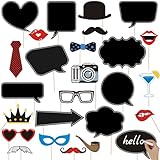
- 💕【Awesome Insta-Themed Party Supplies】: You will get 35pcs Insta-Themed Social Media Party Selfie Photo Booth Props with Speech Bubble DIY Photo Props, high-resolution digital printing with eye-catching details and true-to-life colors. No reflections or fading. Lightweight and easy to carry.
- 🎉 【Insta-Themed Party Photo Booth Props Kit】–These Insta-Themed party photo props are designed with much funny elements, which look cute and chic for adults and kids - everyone will love these insta themed photo booth props. Take entertaining and shareable party photos of your friends and family while making memories with these funny insta-themed photo booth props!
- 🎉 【Premium Quality】- This social media party decorations photo booth props kit is made of high quality thick cardstock, strong and durable, fold-able and portable, can withstand repeated handling and folding without tearing or damage.
- 🎉 【Easy to Use】: Don't worry about the assembly process. Simply attach the bamboo sticks to the props using the adhesive materials provided, ensuring a secure and long-lasting setup. The user-friendly assembly process saves you time and effort, allowing you to focus on enjoying the event.
- ❤ 【Hassle Free Service】- 100% satisfaction: all items are carefully checked before going up to sell, If they do not meet your need, our customer service are hassle free for you to resolve your issue.
- Keep key text and visual details easy to read at the size the post will appear.
- Inspect the exported image rather than assuming the editor’s canvas is identical to the final file.
- Check current Instagram requirements for the placement and publishing method you will use; specifications can change, and the sources cited here do not establish current dimensions or file-size limits.
- If you need a realistic image of an actual Instagram page or post, distinguish that from a designed mockup. A screenshot records what a browser page displays; it does not create a product rendering.
Choose based on output, editing, export, and rights
Before committing to a generator, check these points against the exact project:
- Output: Does it produce a product-in-scene image, or a social-post layout? Make sure the deliverable matches the brief.
- Workflow: Can you upload and place your own artwork, then continue editing the result in the same tool? Canva describes that integrated workflow.
- Template fit: Find a scene or layout that suits your product and visual identity. A large template library is not useful if the relevant scene is unavailable.
- Editing: Canva lists controls such as cropping, color, text, and image editing. Check the actual editor and plan for the controls you need. Detailed Placeit editing controls are not established by the available product information.
- Export and publishing: Canva lists several export formats and sharing or publishing options. Verify which format and action are available for your account, design, and intended destination.
- Cost and usage limit: Check the current plan, mockup allowance, and any paid-use requirements directly with the provider before producing a large batch.
- Rights: Check terms for both the generated mockup and the underlying image, template, or other asset. Canva says generated mockup images are royalty-free for personal and commercial projects subject to its stated restriction against reselling or redistributing them as new mockups or images. Read the applicable terms for your use.
Canva’s Mockups page displays “+75M customers trust Canva Worldwide.” That is Canva’s own marketing claim; the page does not state a publication year or methodology, so it should not be read as an independently verified market statistic.
Best Value

- USAGE-Write down sweet words,special drawing or graffiti works to decorate photos according to specific scenes.
- APPLICABLE OCCASIONS-Make fun during taking photograph and express special love to lovers on wedding,engagement,graduation ceremony,birthday party,festival carnival,dionysia,etc.
- EASY USE-Just stick the wood bar onto card board by adhesive pad,then write down words with chalk pen and wipe off with damp cloth for reuse.
- MATERIAL-Made of specialty paper.Sturdy,light and durable.
- PACKAGE-Includes 10pcs wooden sticks,10pcs black card boards and 24pcs glue pads.
Smartmockups is now part of Canva Mockups
Do not treat Smartmockups as a separate current competitor without qualification. Canva’s newsroom announcement says Smartmockups joined Canva in February 2021 and describes the tool as now being Canva Mockups. If you see older instructions or comparisons using the Smartmockups name, look for the current Canva Mockups destination instead.
Or skip the browser setup
If the job is capturing a page URL as an image—not generating a product mockup—ScreenshotNeo is a website screenshot API and MCP server. A single GET request can return a PNG, JPEG, WebP, or PDF. Use the code that matches your environment; replace the example URL with the public page you want to capture. See the ScreenshotNeo documentation for parameters and response details.
curl -G "https://api.screenshotneo.com/v1/shot" -d access_key=YOUR_API_KEY --data-urlencode url=https://stripe.com -o shot.webpimport requests
r = requests.get("https://api.screenshotneo.com/v1/shot", params={"access_key": "YOUR_API_KEY", "url": "https://stripe.com"}, timeout=90)
open("shot.webp", "wb").write(r.content)const q = new URLSearchParams({ access_key: 'YOUR_API_KEY', url: 'https://stripe.com' });
const res = await fetch(`https://api.screenshotneo.com/v1/shot?${q}`);ScreenshotNeo accepts cookie or consent banners as a visitor and removes 60+ known consent platforms, newsletter popups, and chat widgets before capture; each step can be turned off. Bot checks or CAPTCHAs, blank pages, timeouts, failed loads, and cache hits cost nothing, and response headers identify the page verdict and whether the request was billed. Its MCP server offers take_screenshot, get_page_info, and capture_pdf tools for Claude, Cursor, and other MCP clients. The Free plan includes 1,000 shots per month with no card; paid plans start at $5 for 3,000 shots. Sign up for 1,000 free screenshots a month with no card.
Common mistakes to avoid
- Using a scene mockup when the brief asks for a post preview: a device or product rendering may look polished but does not show the post layout itself. Confirm the deliverable before designing.
- Assuming an exported mockup matches Instagram’s interface: the mockup is artwork. Preview the design separately and verify current publishing requirements.
- Picking a template before checking rights: review the terms for the template, image, and generated output, including any limits on redistribution.
- Budgeting from an old tutorial: plan limits and pricing can change. Check the provider’s current plan page and the specific template or feature you intend to use.
- Confusing a screenshot with a generated mockup: a screenshot tool captures a web page; it does not place artwork into a realistic product scene or design a social post.
Frequently Asked Questions
Is Smartmockups still a separate service?
Canva’s newsroom announcement says Smartmockups joined Canva in February 2021 and that the tool is now Canva Mockups.
Can I use a Canva mockup for commercial work?
Canva says its generated mockup images are royalty-free for personal and commercial projects, subject to its restriction against reselling or redistributing them as new mockups or images. Review Canva’s current terms for your specific use.
Does ScreenshotNeo create Instagram mockups?
No. It captures a web page from a URL; it does not generate product-in-scene images or compose social-post artwork.
Quick Recap
Product prices and availability are accurate as of the date/time indicated and are subject to change. Any price and availability information displayed on Amazon at the time of purchase will apply.

