
To export WebP to JPG, open the .webp file in an editor that supports WebP, choose Export, Export As, or Save As, select JPEG/JPG, set the quality if offered, and save a new file. Merely changing photo.webp to photo.jpg does not convert the encoded image.
JPEG is lossy and has no transparency channel. Keep the original WebP, choose a background for transparent pixels, and check the exported dimensions, orientation, colors, and appearance before replacing the source.
Choose the right conversion method
| Method | Best for | Main trade-off |
|---|---|---|
| Image editor export | One image or occasional conversions | Menu names and quality controls vary by application |
| Local image-processing tool | Repeated or batch conversion | Requires installation and checking that the build reads WebP and writes JPEG |
| Online converter | A file you cannot process locally | You must evaluate the service’s upload, retention, and privacy terms; no particular service is endorsed here |
For a single file, an editor is usually the least complicated route. For a folder or automated workflow, use a locally installed converter with documented WebP input and JPEG output. Google’s WebP documentation describes the reference decoder tool dwebp; its documented output choices are PNG, PAM, PPM, and PGM rather than JPG, so it is not a direct WebP-to-JPEG command. ImageMagick’s official format reference lists both WebP and JPEG support, but installed builds and command syntax can differ.
Export one WebP file in an image editor
- Open the source. Launch an editor that can decode WebP and open the
.webpfile. - Start an export. Use the application’s Export, Export As, or Save As command. Do not overwrite the original until the result has been checked.
- Select JPEG. Choose JPEG or JPG as the output format. These labels refer to the same image format.
- Set quality. If a quality slider or numerical setting appears, choose a level appropriate for the image. Higher quality generally retains more detail and produces a larger file; lower quality produces a smaller file with more compression artifacts. The exact scale differs between editors.
- Handle transparency. If the WebP contains transparent pixels, select a background color during export or place the image over a background layer first. JPEG cannot store alpha transparency.
- Save to a new filename. Use a name such as
photo-export.jpg, then reopen or preview it.
The exact menu path depends on the editor and operating system. Product interfaces change, so use the labels available in your installed version rather than following a platform-specific path that may not match your screen.
Recommended Free Tools
#1 Best Overall

- ALL-IN-ONE DIGITAL PHOTO CONVERTER: Digitize your precious memories instantly. This versatile photo scanner for old pictures to digital effortlessly converts 35mm slides, 135 & 110 film negatives, printed photos (3R, 4R, 5R), and business cards into high-quality JPEGs. The ultimate all-in-one slide scanner to protect and modernize your family archives.
- EXTRA-LARGE 5" HD VIEWING SCREEN: Relive memories with stunning clarity. Unlike traditional models, our film scanner features a vibrant 5-inch LCD screen with wide viewing angles. Easily preview, edit, and instantly watch your vintage 135/110 negatives transform into brilliant color photos—no squinting or external monitors required.
- STANDALONE & NO COMPUTER NEEDED: Experience hassle-free digitizing with intuitive "One-Touch" buttons. This negative scanner operates entirely offline—no complicated software, apps, or drivers to install. User-friendly and straightforward, it makes the perfect gift for parents and grandparents wanting to convert their slide collections with ease.
- FAST SCANNING & INSTANT ARCHIVING: Declutter your home and rescue physical photos from fading. This high-speed picture scanner captures images in seconds and saves them directly to the provided SD card. Once digitized, simply plug the device into your PC or Mac via USB to easily transfer, share, or display your photos on digital frames.
- COMPLETE BUNDLE & 3-YEAR WARRANTY: Start scanning right out of the box! This comprehensive photo digitizer kit includes the scanner, film/slide holders, photo trays, an 8GB SD card, cleaning brush, power adapter, and USB cable. Backed by a reliable 3-year warranty and customer support for complete peace of mind.
Convert WebP files in a repeatable local workflow
For batch work, choose a local image-processing application whose installed build reports support for both WebP input and JPEG output. ImageMagick’s format documentation lists both formats. Before processing a large collection, check the help or format list supplied by your installation; package maintainers can enable different delegates and options.
Plan the batch job
- Keep the original files in a separate directory or use a new output directory.
- Decide whether every image should use one JPEG quality setting or whether photographs and graphics need different settings.
- Choose a background for transparent WebP assets before conversion.
- Preserve dimensions unless the workflow also requires resizing.
- Test several representative files, including a transparent graphic, a photograph, and an unusually large image.
Why the reference decoder is not enough for JPG output
Google identifies cwebp and dwebp as reference applications in the libwebp distribution. The documented dwebp outputs are PNG, PAM, PPM, and PGM. A two-stage route through a lossless intermediate can therefore be possible, but it adds another conversion step and depends on the tools installed on your system. Use it only when you have verified the exact commands and formats for your environment.
Metadata is tool-dependent
Do not assume that camera metadata, color profiles, comments, or other ancillary data will survive. Retention depends on the editor, encoder, and export settings. Check the destination file with the same application or metadata utility used in your workflow if that information matters.
Rank #2

- SAVE OLD PHOTO MEMORIES: 1422MP Digital Film Scanner Lets You View, Edit and Convert Your Old Color and BandW Negatives 135, 110, 126mm and 50mm Slides 135, 110, 126mm to Digital Files and Save Directly to SD Card (NOT INCLUDED)
- 5” LCD DISPLAY WITH GALLERY MODE: Features Large, Crystal-Clear Screen with Wide Viewing Angle for Instantly Previewing and Editing Photos | Great for Sharing with Friends and Family or Using as an Elegant Digital Picture Frame in Home or Office
- CONVENIENT EASY-LOAD FILM INSERTS: Quick-Feeding Tray Technology Allows for Continuous Loading Action, Making Scanning Fast and Simple Includes 50mm Slide Holder, Adapters for 135, 110 and 126 Films, Cleaning Brush, USB and HDMI Cables
- EDITING WITH A SINGLE TOUCH: Advanced Capture Software Enhances, Resizes and Converts Photos Via Easy ‘Scan’ Button—No Complex Screens or Settings | Easy Options Let You Choose Film Type, Adjust ColorBrightness and Assign DateTime
- SUPER CHIC. UBER COMPATIBLE: Device Handles All Your Old Slides and Negatives, Supports SD or SDHC Cards Up to 32GB (NOT INCLUDED) and Connects to Any Type-C USB-Enabled Computer | Gorgeous Design Blends Seamlessly w Your Home Décor
Quality and file-size implications
JPEG compression is lossy
Exporting to JPEG can discard image information. Repeatedly opening and re-exporting an already-lossy image can accumulate additional degradation, so retain the original WebP and generate JPEG derivatives from that source when possible.
What’s actually slowing this PC down?
Pick the symptom - the matching free tool is one click away.
WebP size figures are not promises for your JPG
Google’s WebP overview reports general comparisons of WebP with JPEG and PNG: WebP was described as 25–34% smaller than comparable JPEG images at equivalent SSIM quality, and lossless WebP as 26% smaller than PNG. Those are broad format comparisons, with no publication year shown on the retrieved page; they are not a prediction for an individual file and do not mean that exporting WebP to JPG will reduce its size.
Inspect the result instead of trusting the extension
- Open the JPEG at 100% zoom and look for blockiness, ringing around text, banding, or softened fine detail.
- Compare pixel dimensions with the source.
- Check that orientation has not changed.
- Inspect transparent edges after compositing them against the selected background.
- Verify that the output actually identifies as JPEG in the editor or file-inspection utility.
Transparency, color, and editing decisions
WebP can contain transparency; JPEG cannot. Transparent pixels must be composited against a solid or image background during export. If the asset is a logo, icon, overlay, or product cutout that must remain transparent, use PNG or another format with an alpha channel instead of JPG.
Rank #3

- PRESERVE YOUR PRECIOUS MEMORIES: Breathe new life into faded films with this 22MP digital film scanner. It effortlessly converts 135/110mm negatives and 135/110/126mm/Super 8 slides into high-resolution digital files. You can save photos directly to SD card (supports FAT32 or EXFAT up to 64GB, SD card NOT included).
- LARGE 5” LCD & GALLERY MODE: Instantly preview and edit your digitized photos on the vibrant 5-inch HD screen, featuring an extra-wide viewing angle. When you aren't scanning, easily activate Gallery Mode to transform the device into a stylish desktop digital photo frame—perfect for displaying cherished moments and sharing them with family.
- FAST, ONE-TOUCH SCANNING: Digitize your old color, B&W, and monochrome films into standard JPEG formats in seconds with just a single click. The intuitive built-in software lets you bypass complicated computer programs—simply use the onboard buttons to select your film type, adjust color and brightness, or add date/time stamps.
- EASY PC EXPORT & TV VIEWING: Want to back up your files or view them on a larger screen? Connect the scanner to your PC or Mac using the included Type-C to USB cable (select "USB Upload" on the menu) to easily transfer data. You can also use the included HDMI cable to connect the device directly to your TV and host a nostalgic family slide show!
- COMPLETE ALL-IN-ONE KIT: Everything you need to get started is right in the box! Includes the film scanner, Type-C USB cable, HDMI cable, power adapter, cleaning brush, user manual, 36-month warranty, and 5 dedicated film adapters (135/110 negative clips, and 135/110/Super 8 slide clips). Note: The device must be plugged into a power source during use.
A JPEG export also reflects the encoder and settings selected by the application. If exact color reproduction matters, inspect the result in a color-managed viewer and confirm which profile the export embeds. The available evidence does not establish one universal metadata or profile-preservation behavior across editors.
Common problems and fixes
“The file still looks like WebP”
Changing the filename extension does not re-encode the data. Open the original and perform an actual export with JPEG selected. Confirm the output format using your editor’s file information.
“JPEG is not listed”
The application may not support JPEG export, or a required image-format component may be missing. Try an editor or local image tool that documents JPEG output, and verify WebP input support before installing or processing a batch.
Rank #4
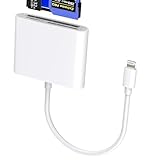
- 【Lightning 3-in-1 Card Reader】 Lightning to multi-slot adapter with CF (CompactFlash only), SD, and microSD. Plug and play—no app or power required. Open the Files app to import/export photos, videos, and documents (Word/PPT/Excel). (Please note! The specific read speed is related to the memory card!)
- 【Formats & Transfer】 Supports Compact Flash/SDXC/SDHC/SD/MMC/RS-MMC/microSD/TF/microSDXC/microSDHC/UHS-I. Reads JPEG/RAW and 4K H.264/MPEG-4. Two-way transfer about 14–20 MB/s improves workflow. (Please note! This card reader cannot read two slots at the same time. This prevents interference between devices and ensures stable data transfer.)
- 【Stable Chip, Portable Build】 Upgraded controller targets steady data; ABS housing is light and durable for travel kits or outdoor shoots. Short tail cable reduces strain and is easy to store. (Note!!! Only supports iOS 13 and above systems.)
- 【For Lightning Devices】 Compatible with for iPhone 14/13/12/11 Pro Max/X/8/7/SE/SE2 and for iPad with Lightning port; supports the card families above for import/export. (Please note: The CF card reader supports Compact Flash cards and does not support CFexpress Type A/Type B/Type C cards. Wi-Fi SD cards are not supported.) As well as other Lightning-interface devices.
- 【What You Get & Support】 Package includes 1× Lightning three-in-one card reader. We offer a 60-day money-back guarantee and a 1-year warranty. If you have questions about the item you received, contact us; our team replies within 24 hours. For quality issues, we provide free return/exchange.
“The background turned black or white”
The source likely contains transparency. JPEG has no alpha channel, so the exporter used a default background. Set the desired background explicitly or keep the asset in PNG/WebP when transparency is required.
“The result has visible artifacts”
Increase the JPEG quality setting and export again from the untouched WebP. Avoid chaining exports from an already-compressed JPEG.
“The output is unexpectedly huge”
JPEG size depends on image dimensions, visual complexity, encoder behavior, and quality settings. Lower the quality carefully, resize when the use case permits, and compare the result visually rather than targeting a fixed size.
Best Value

- Preserve Precious Memories – Convert Film, Slides & Negatives to Digital: Easily digitize your old photo memories with this all-in-one photo scanner. Supports color and B&W 35mm/135, 110, 126 negatives, 50mm slides, and Super 8 film. Save images directly to the built-in 128MB memory or an external SD card (up to 64GB, FAT32/EXFAT - not included). The perfect slide scanner for old slides to digital conversion!
- 5” Large LCD Display – Instant Preview & Playback: View and edit your photos in real time with the bright 5-inch screen. The high-resolution LCD display offers a wide viewing angle—perfect for previewing scans or sharing memories with family and friends. Doubles as a stylish digital picture frame for your home or office.
- One-Touch Scanning – Simple, Fast, Intuitive: No tech skills required! With one-touch scanning and easy navigation, you can convert slides to digital in seconds. Adjust color, brightness, and date/time with built-in software. No complicated settings—just load, press “Scan,” and save. Ideal for anyone converting 35mm slides to digital.
- HDMI & USB Output – View on TV or Transfer to PC: After scanning, connect via Type-C USB to transfer photos to your computer, or use the included HDMI cable to display images on your TV. Great for family viewing sessions or backing up your scanned memories from the negative scanner to your preferred device.
- Full Accessory Kit + 12-Month Warranty: Includes everything you need to get started: Scanner, USB cable, HDMI cable, power adapter, film holders for 135, 110, 126, Super 8, cleaning brush, and a detailed user manual. Backed by a full 12-month warranty for peace of mind.
“A batch conversion fails on some files”
Check those files individually. They may use WebP features or dimensions unsupported by the installed build, or the build may lack a required delegate. Consult the local tool’s format list and help, then test with a small subset before rerunning the complete job.
Independent reader supportYour contribution helps us test, update, and keep practical guides available for everyone.Verify a conversion before distributing it
- Keep the untouched WebP as the source of truth.
- Open the JPG in a separate viewer or editor.
- Compare dimensions, orientation, crop, transparency treatment, and important details.
- Check the file size and confirm that the receiving website or application accepts JPEG.
- For a batch, spot-check files from different source types and review failures separately instead of assuming every output is valid.
Or skip the browser setup
If what you really need is a JPG image of a public webpage, you can capture the page directly instead of downloading a WebP asset and converting it. ScreenshotNeo is a website screenshot API and MCP server. It can return PNG, JPEG, WebP, or PDF; before capture it can accept cookie or consent banners and remove more than 60 known consent platforms, newsletter popups, and chat widgets. Bot checks, CAPTCHAs, blank pages, timeouts, failed loads, and cache hits are not billed, and each response reports the page verdict and billing status in headers.
Use the API documentation at https://screenshotneo.com/docs/ for output and capture options. The following one-call examples capture https://stripe.com; replace only the target URL when appropriate and supply your own access key.
cURL
curl -G "https://api.screenshotneo.com/v1/shot" -d access_key=YOUR_API_KEY --data-urlencode url=https://stripe.com -o shot.webpPython
import requests
r = requests.get("https://api.screenshotneo.com/v1/shot", params={"access_key": "YOUR_API_KEY", "url": "https://stripe.com"}, timeout=90)
open("shot.webp", "wb").write(r.content)
Node.js
const q = new URLSearchParams({ access_key: 'YOUR_API_KEY', url: 'https://stripe.com' });
const res = await fetch(`https://api.screenshotneo.com/v1/shot?${q}`);
Set the API’s output format to JPEG when you need a JPG response. ScreenshotNeo also supports full-page capture with lazy images loaded, element selection, device presets, custom viewports, retina scale, PDF options, custom CSS and JavaScript, clicks, selector or network-idle waits, request blocking, headers, cookies, user agents, authorization, timezone, geolocation, transparent backgrounds, resizing, chosen cache TTLs, signed links, asynchronous jobs, webhooks, bulk capture of up to 100 URLs per call, a usage API, and an OpenAPI specification. Its parameter names are compatible with those used by other screenshot APIs, which can simplify migration.
Do these 3 things before closing this tab:
1Repair Windows errors before they cause bigger problems2Fix the driver behind crashes, sound loss and screen glitches3Clear out junk files and repair common Windows errorsEvery plan includes the features. The Free plan provides 1,000 screenshots per month with no card; paid plans start at $5 for 3,000 shots, with yearly billing giving two months free. Create a free ScreenshotNeo account to try it without a card.
Frequently Asked Questions
What do the ScreenshotNeo billing headers tell me?
The response includes X-Page-Verdict and X-Billed headers, so your integration can distinguish a clean capture from a bot check, blank page, timeout, failed load, or cache hit and see whether the response was billed.
Can ScreenshotNeo convert a local WebP file into JPG?
No. ScreenshotNeo captures webpages addressed by URL. Use an image editor or local image-processing tool for a file already stored on your computer; use ScreenshotNeo when the desired JPG is a webpage screenshot.
Quick Recap
Product prices and availability are accurate as of the date/time indicated and are subject to change. Any price and availability information displayed on Amazon at the time of purchase will apply.

