
The Tool Desk
Outbyte Driver Updater FREEFix the driver behind crashes, sound loss and screen glitchesFind Drivers →Outbyte PC Repair FREERepair Windows errors before they cause bigger problemsFix Now →To create an animated Open Graph image, export a short looping GIF, host it at a stable HTTPS URL, and reference that URL with og:image in the page’s <head>. The Open Graph protocol does not require preview consumers to play animation, so design the first frame as a complete static image. After deployment, test the real URL in the social networks and messaging apps your audience uses; each service may cache or render the preview differently.
What an animated Open Graph image actually is
Open Graph (OG) metadata turns a web page into a rich sharing object. The page supplies a title, type, canonical URL and image in its HTML head; a crawler fetches those values when someone shares the URL. The protocol defines og:image as an image URL and provides structured fields for its MIME type, dimensions, secure URL and alternative text (Open Graph Protocol).


An animated preview normally means a GIF supplied as og:image. That is different from uploading a GIF directly as a social post or advertisement, and different again from a video preview. Open Graph also defines og:video; Google documents video thumbnails separately and uses og:video:image for a video thumbnail (Google Search Central). None of these specifications guarantees that a consumer will animate the asset.
Design the GIF so a static fallback still works
Use a practical canvas
A 1200 × 630 pixel canvas is a commonly recommended cross-platform choice, but it is guidance rather than an Open Graph requirement. Platform dimensions and cropping rules can change; keep the headline, logo and key context inside a generous safe area rather than against an edge. The first frame should communicate the page without motion, because a service may display only that frame. The OG Image Size Guide, updated July 2026, recommends 1200 × 630 and warns that animated GIFs commonly appear as their first frame.
Keep motion short and restrained
- Make the opening frame a finished title card, not a blank lead-in.
- Use a brief loop that reinforces the subject instead of flashing text too quickly to read.
- Check file dimensions and byte size against the current guidance of each destination.
- Export a PNG or JPEG fallback when broad compatibility is more important than animation.
Create and export the animated asset
- Storyboard the frames. Put the page title and identifying visual in frame one. Add subsequent frames for a subtle transition, chart movement or product state.
- Render a raster sequence. Export each frame at the final canvas size. Avoid relying on transparency or fonts that may be substituted during export.
- Encode a looping GIF. Set a deliberate frame delay and loop count (normally infinite for a link preview). Inspect the result in a local image viewer and in a browser.
- Check the static fallback. Save frame one as a PNG and compare it at thumbnail size. If the GIF is too heavy or the destination refuses it, use that PNG at the same stable URL pattern.
- Publish the file. Host the GIF on a URL that preview crawlers can retrieve without authentication, interstitials or client-side redirects. HTTPS is preferable, and the URL should remain stable when possible.
Add the required Open Graph metadata
Place the following tags in the server-returned HTML <head>. Replace every example value with the canonical page and the absolute URL of your hosted file.
<head>
  <meta property="og:title" content="Article title">
  <meta property="og:type" content="article">
  <meta property="og:url" content="https://example.com/article">
  <meta property="og:image" content="https://example.com/images/article-preview.gif">
  <meta property="og:image:type" content="image/gif">
  <meta property="og:image:width" content="1200">
  <meta property="og:image:height" content="630">
  <meta property="og:image:alt" content="A concise description of the image">
</head>
The four basic properties are og:title, og:type, og:image and og:url. The image type, width, height and alt tags are structured, optional fields, but accurate values help consumers interpret the asset. Use og:image:secure_url when you need to provide an HTTPS alternative to a non-secure image URL. Keep the canonical URL in og:url identical to the page you want represented.
Use Next.js conventions or generate images in code
Static GIF convention
In the Next.js App Router, place a file named opengraph-image.gif in a route segment. Next.js recognizes the convention and emits the corresponding Open Graph tags. This is convenient for a manually prepared GIF tied to one route.
Programmatic route images
Next.js also supports JavaScript or TypeScript image-generation routes. Its documentation says generated images are statically optimized at build time and cached by default; request-time APIs or uncached data make the route dynamic instead. A generated route is useful when titles or artwork vary by article, but make sure the data needed to render it is available in the chosen build or request path. See Next.js metadata files: opengraph-image and twitter-image for the current file and code conventions (updated July 9, 2026).
Recommended Free Tools
| Approach | Best fit | Trade-off |
|---|---|---|
| Prepared GIF file | A page or route with a hand-authored animation | Simple to inspect and deploy; changes require replacing or regenerating the file |
| Programmatically generated image | Many pages with route-specific titles or visuals | Automates variation, but rendering and data availability depend on the framework path |
Verify what crawlers and users will see
- Inspect the response HTML. View source or fetch the deployed URL and confirm that the OG tags are present in the initial HTML, not only after browser JavaScript runs.
- Open the image URL directly. Confirm it returns the intended GIF with a correct content type, no login page and no expiring token.
- Use a platform debugger or preview flow. Submit the deployed page URL to the inspection tool available to the site owner, then share it in representative desktop and mobile clients. OG preview tooling documentation lists generator and validator utilities (OG Image Generator documentation).
- Wait for cache refresh. A preview can remain stale after you change metadata or the file. LinkedIn explains that cached sharing data may take time to update (LinkedIn: Make your website shareable).
- Compare static and animated results. Check whether the client displays a moving GIF, its first frame, or no image. Treat that observation as client-specific, not as a protocol guarantee.
Why animation may not play
The Open Graph protocol specifies the og:image resource, not a universal animation player. A consumer may download only the first frame, convert the image, suppress motion for performance or safety, or apply its own size limits. The July 2026 secondary guidance says first-frame rendering is common “almost everywhere”; use that as a warning, not an official guarantee. Never put the only headline, logo or essential explanation in a later frame.
Do not infer link-preview behavior from ad specifications. LinkedIn lists GIF frame limits for single-image ads separately from its website-sharing metadata. Likewise, a GIF uploaded directly to a social post follows that product’s media rules and is not evidence that an og:image GIF will animate.
Troubleshoot missing, stale or broken previews
The preview has no image
- Cause:
og:imageis absent, relative, misspelled or emitted only after client-side rendering.
Fix: Put an absolute URL and all core tags in the server HTML head; verify with “view source.” - Cause: The crawler cannot reach the asset because of authentication, robots restrictions, a firewall or a redirect chain.
Fix: Test the image URL from an unauthenticated request, remove blocking that affects legitimate preview crawlers, and use a stable public URL. - Cause: The declared type or dimensions do not match the file.
Fix: Inspect the actual response headers and image properties, then correctog:image:type, width and height.
The old image persists
Consumers cache OG data. Confirm the new HTML and asset first, then use the platform’s debugger or reshare flow to request a refresh where supported. Changing only the filename does not guarantee that every service will discard its cached page.
The GIF is blank or starts with the wrong scene
Some encoders place a transparent or delayed frame first. Re-export with a complete, opaque opening frame and inspect frame order before uploading. If the resulting file is too large, reduce frame count or dimensions, or publish a static PNG.
Quick wins for a faster PC:
Clear out junk files and repair common Windows errorsFree Scan →Fix the driver behind crashes, sound loss and screen glitchesFind Drivers →Repair Windows errors before they cause bigger problemsFix Now →Next.js shows an unexpected image
Check route-segment placement and naming, then determine whether the image route is build-time or request-time. Dynamic data that is unavailable at build time can produce a fallback or stale cached output; follow the current Next.js metadata-file guidance and redeploy after changing a static asset.
Rank #4
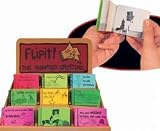
- Animated Greeting The Flipit will show you the magical secrets of animation with yourown flip book
- . Flip through it and watch how it comes to life
- The flip books are assorted greetings.
- Ages 5+
Performance, reliability and maintenance
- Keep the animation visually useful at thumbnail scale and avoid unnecessary frames.
- Use a content-addressed or versioned filename when you need deterministic cache invalidation, while retaining a stable canonical page URL.
- Declare dimensions that match the encoded file; incorrect metadata can cause poor layout or rejection.
- Monitor the deployed asset for accidental access controls, expired signed URLs and content-type regressions.
- When motion is not essential, a static PNG or JPEG removes animation-compatibility uncertainty and often reduces transfer cost.
Or skip the browser setup
ScreenshotNeo is a website screenshot API and MCP server. Instead of building a browser capture pipeline for a still fallback or a frame used in your OG artwork, make one GET request. It removes cookie banners, newsletter popups and chat widgets before capture; bot checks, blank pages and failed loads are not billed; and its MCP server lets Claude, Cursor and other MCP clients take screenshots. The free plan includes 1,000 screenshots per month with no card, and paid plans start at $5 for 3,000.
Use the API documentation at screenshotneo.com/docs/. cURL:
curl -G "https://api.screenshotneo.com/v1/shot" -d access_key=YOUR_API_KEY --data-urlencode url=https://stripe.com -o shot.webpPython:
import requests
r = requests.get("https://api.screenshotneo.com/v1/shot", params={"access_key": "YOUR_API_KEY", "url": "https://stripe.com"}, timeout=90)
open("shot.webp", "wb").write(r.content)
Node.js:
const q = new URLSearchParams({ access_key: 'YOUR_API_KEY', url: 'https://stripe.com' });
const res = await fetch(`https://api.screenshotneo.com/v1/shot?${q}`);
Responses identify page and billing outcomes with X-Page-Verdict and X-Billed headers, so failed loads and cache hits are distinguishable from clean captures. Sign up free for ScreenshotNeo to get 1,000 screenshots each month with no credit card.
Frequently Asked Questions
Does Open Graph support an animated-image property separate from og:image?
No. An animated GIF is normally supplied through the same og:image property used for a static image; the protocol does not define a cross-platform animation guarantee.
Should I use GIF or video for a moving preview?
That depends on the consumer. GIF link previews and video previews follow different metadata and product rules, so choose the format supported by the destinations you have verified rather than assuming one will replace the other.
Can I put the OG tags in JavaScript-generated head markup?
Only if the sharing crawler receives them in the fetched HTML. Server-rendered metadata or a framework convention is safer than relying on browser-only execution.
Quick Recap
Product prices and availability are accurate as of the date/time indicated and are subject to change. Any price and availability information displayed on Amazon at the time of purchase will apply.
What’s actually slowing this PC down?
Pick the symptom - the matching free tool is one click away.

