
Quick wins for a faster PC:
Clear out junk files and repair common Windows errorsFree Scan →Scan for outdated or missing drivers - takes under a minuteDriver Scan →Repair Windows errors before they cause bigger problemsFix Now →The best portfolio set combines a readable first-screen image with a full-page or focused section capture. Use Chrome DevTools for occasional manual work, Playwright when you need repeatable files, and deliberate viewport sizes when demonstrating responsive design. Before publishing any client or third-party page, check your contract and the rights to the material shown.
Choose the screenshot that proves your point
Start with the question your case study must answer. A single image rarely communicates an entire project well, so choose a small, purposeful set.
First-screen (viewport) capture
A viewport screenshot preserves the detail a visitor sees without scrolling. It is usually the strongest opening image for a portfolio project because type, hierarchy, navigation and the main visual remain readable.
Full-page capture
A full-page image shows the page’s structure and section order, including content below the fold. It is useful as an overview, but an extremely tall image can make text unreadable when displayed on a portfolio page. Pair it with close views of important sections.
#1 Best Overall

- Includes 24 permanently bound, top-loading sleeves that display up to 48 letter-size pages.
- Designed for standard 8.5" × 11" documents: Lightweight presentation book fits US letter-size papers.
- Clear front cover and spine inserts let you add labels or title pages for easy identification.
- Durable plastic covers with non-glare polypropylene sleeves help protect documents from dirt and moisture for everyday presentation and storage.
- Holds standard 8.5" × 11" documents.
Area or element capture
Capture a selected region or a specific DOM node when the work is a component, card, form, navigation pattern or other reusable detail. This keeps the subject large enough to inspect.
Responsive and device presentations
Use a deliberately chosen narrow viewport when responsive behavior is part of the work. Chrome Device Mode can emulate a viewport and optionally show a device frame. Describe the result as an emulated viewport capture unless you separately checked the design on a physical device.
Prepare a portfolio-ready capture
- Define the evidence. Decide whether you need the first screen, page structure, a component, a responsive state or an interaction state.
- Set the page state. Load the intended route, dismiss anything that obscures the design, and put the interface in the state you want to show. If an interaction matters, capture each meaningful state separately.
- Choose dimensions deliberately. Record the viewport width and height for responsive examples. Do not imply that an emulated device is a physical-device test.
- Check loading. Wait for important images, fonts and dynamic content. A screenshot taken during layout shift can show a broken or misleading composition.
- Review at display size. Confirm that headings, labels and key imagery remain legible where the image will actually appear.
- Remove accidental UI. Browser chrome, DevTools panels and extension controls should not appear unless they are part of the explanation.
- Caption precisely. State the route, viewport and state shown. A still image demonstrates appearance at one moment; it does not demonstrate the full interaction.
Capture with Chrome DevTools
Chrome’s DevTools documentation describes viewport, full-size, device-frame, area and node workflows. Menu names can change between Chrome releases, so use the labels currently displayed in your version.
- Open the page in Chrome and open DevTools.
- Turn on Device Mode when you need a controlled responsive viewport. Enter the width and height, or select a device profile.
- Open the Device Mode options menu and choose Capture screenshot for the visible viewport.
- Choose Capture a full size screenshot to include content outside the viewport.
- For a device-style presentation, enable the device frame in a device-specific mode before capturing.
- For a component, use DevTools’ node or area screenshot workflow and select the element or rectangle you want.
Use the normal viewport command for a polished hero image, full size for a structural overview, and node or area capture for close-ups. If lazy-loaded images are missing, scroll through the page first, allow them to load, then capture again.
Rank #2

- 30-Pocket Portfolio Display Book: Each art binder with 30 bound clear sheet protectors, letting you show 60 pages of 9x12" letter size or smaller. Folder measures 12 7/8" (L) x 9 11/16" (W) x 11/16" (G).
- Customizable Spine Title: You can label and identify your watercolors, sketches, scrapbook, art pieces, sheet music, certificates, and other projects by customizing the reversible spine insert.
- High Transparency & Lies Flat When Open: Our presentation book with crystal clear PP sheet protectors offers complete transparency for checking through and organizing. Bound sheet protector lies flat when open, free your hands.
- Archival Quality & Heavy Duty: Made from durable and light weight polypropylene which is archival quality, acid-free, non-stick, and non-glare, and water-proof. Thickened and sturdy cover won’t easy to crack and keeps your clear sleeves from being damaged.
- Multi-Function: Not only suitable for long-term storage but also for displaying your paintings, photos, artwork, drawing, stencils. Great gift for students, teachers, office workers, secretaries, musicians, painters, etc.
Automate repeatable captures with Playwright
Playwright is appropriate when you capture many routes, repeat a release review, or need identical browser settings. Its screenshot API saves an image to a file, and fullPage: true captures the full scrollable page. Screenshot output can be scaled in CSS pixels or according to device pixel ratio; use the higher-resolution option only when the extra pixels improve the intended display.
Install Playwright in a Node project, then create capture.mjs:
import { chromium } from 'playwright';

const browser = await chromium.launch();
const page = await browser.newPage({
  viewport: { width: 1440, height: 900 },
  deviceScaleFactor: 1
});

await page.goto('https://example.com', { waitUntil: 'networkidle' });
await page.screenshot({ path: 'portfolio-first-screen.png' });
await page.screenshot({ path: 'portfolio-full-page.png', fullPage: true });
await page.locator('header').screenshot({ path: 'portfolio-header.png' });

await browser.close();
Run it with node capture.mjs. Replace the URL and selector with your project. For a responsive pair, create separate pages with intentional widths, such as a desktop viewport and a narrow mobile viewport, and label each output. If a page never reaches network idle because of analytics or streaming requests, wait for a stable selector instead:
await page.goto('https://example.com', { waitUntil: 'domcontentloaded' });
await page.locator('main').waitFor({ state: 'visible' });
await page.screenshot({ path: 'stable-view.png', fullPage: true });
Automation improves consistency, not truth. Verify that consent dialogs, authentication boundaries, animations and lazy content are in the intended state before publishing.
Rank #3
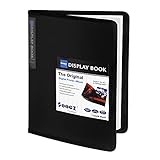
- 30-Pocket Portfolio Display Book: Each art binder with 30 bound clear sheet protectors, letting you show 60 pages of 8.5x11" letter size or smaller. Folder measures 11 1/2" (L) x 9 11/16" (W) x 9/16" (G).
- Customizable Spine Title: You can label and identify your watercolors, sketches, scrapbook, art pieces, sheet music, certificates, and other projects by customizing the reversible spine insert.
- High Transparency & Lies Flat When Open: Our presentation book with crystal clear PP sheet protectors offers complete transparency for checking through and organizing. Bound sheet protector lies flat when open, free your hands.
- Archival Quality & Heavy Duty: Made from durable and light weight polypropylene which is archival quality, acid-free, non-stick, and non-glare, and water-proof. Thickened and sturdy cover won’t easy to crack and keeps your clear sleeves from being damaged.
- Multi-Function: Not only suitable for long-term storage but also for displaying your paintings, photos, artwork, drawing, stencils. Great gift for students, teachers, office workers, secretaries, musicians, painters, etc.
Review a portfolio set before publishing
- Coverage: one readable first-screen view plus a full-page overview or selected section views.
- Legibility: inspect the actual rendered size, not only the original pixel dimensions.
- Accuracy: check URL, content state, loaded images, fonts and responsive breakpoint.
- Context: explain whether the screenshot is an emulated viewport, a component crop or a full-page capture.
- Privacy: remove personal information, private customer data, unpublished copy and credentials.
- Interaction: use separate images for menus, validation, hover or modal states instead of implying one still shows every behavior.
- File handling: use descriptive names such as
project-home-desktop-1440.pngand keep an untouched original if you later resize for the portfolio.
Publication rights and client approval
A screenshot can reproduce copyrighted text, photography, illustrations, logos and other material from the underlying site. The U.S. Copyright Office’s “How to Obtain Permission” guidance explains that permission or a license is one way to establish a lawful intended use, while permission is not required for every use and legal limitations may apply. That general guidance does not decide whether a particular portfolio image is permitted.
Check the client agreement for portfolio-display language, identify third-party assets, and ask the client or rights holder when public display is uncertain. Keep written approval with the project record. If the work is under a confidentiality or launch embargo, wait for the permitted date. These steps protect both the client relationship and your attribution record.
Which capture method fits your workflow?
| Need | Best starting method | Reason |
|---|---|---|
| One clean viewport image | Chrome DevTools “Capture screenshot” | Captures the currently visible composition. |
| Whole page below the fold | Chrome DevTools “Capture a full size screenshot” | Includes the page outside the viewport. |
| Component or selected region | DevTools node or area capture | Isolates the detail you need to discuss. |
| Responsive or device-frame presentation | Chrome Device Mode | Sets an emulated viewport and optional frame. |
| Recurring, scripted captures | Playwright | Produces repeatable files with controlled settings. |
| Convenience scrolling workflow | A current full-page extension | Consider only after checking its current features and privacy terms. |
Or skip the browser setup
ScreenshotNeo is a website screenshot API and MCP server. One request returns a PNG, JPEG, WebP or PDF. It accepts cookie and consent banners before capture and removes more than 60 known consent platforms, newsletter popups and chat widgets; each cleanup step can be turned off. Bot checks or CAPTCHAs, blank pages, timeouts, failed loads and cache hits are not billed, and response headers identify the page verdict and billing result.
For a one-off portfolio image, see the ScreenshotNeo documentation and call the API:
The Tool Desk
Outbyte Driver Updater FREEFix the driver behind crashes, sound loss and screen glitchesFind Drivers →Outbyte PC Repair FREERepair Windows errors before they cause bigger problemsFix Now →curl -G "https://api.screenshotneo.com/v1/shot" -d access_key=YOUR_API_KEY --data-urlencode url=https://stripe.com -o shot.webpPython:
import requests
r = requests.get("https://api.screenshotneo.com/v1/shot", params={"access_key": "YOUR_API_KEY", "url": "https://stripe.com"}, timeout=90)
open("shot.webp", "wb").write(r.content)
Node.js:
const q = new URLSearchParams({ access_key: 'YOUR_API_KEY', url: 'https://stripe.com' });
const res = await fetch(`https://api.screenshotneo.com/v1/shot?${q}`);
Beyond a basic URL, ScreenshotNeo supports full-page capture with lazy images loaded, CSS-selector element capture, dark mode, 12 device presets or any viewport, retina scale, PDF paper settings and page ranges, custom CSS and JavaScript, pre-capture clicks, hidden selectors, waits for selectors, delays or network idle, blocking ads, trackers, requests or resource types, custom headers, cookies, user agents and Authorization, timezone and geolocation, transparent backgrounds, resizing, selectable cache TTLs, signed public-image links, asynchronous jobs with signed webhooks, bulk capture for up to 100 URLs per call, a usage API and an OpenAPI specification. Existing parameter names used by other screenshot APIs also work.
Rank #4

- 72-Pocket Portfolio Display Book: Each art binder with 72 bound (non-refillable) top-loading clear sheet protectors, letting you show 144 pages of 8.5x11" letter size or smaller. Folder measures 11 1/2" (L) x 9 11/16" (W) x 1 1/2" (G).
- Elastic Band for Secure Protection:Features a robust elastic band closure that keeps your portfolio folder closed and adds security to your documents. Enjoy peace of mind knowing your files are secure and won’t spill out or get damaged.
- High Transparency & Customisable Spine: Our presentation book with crystal clear PP sheet protectors offers complete transparency for checking through and organizing. You can label and identify your watercolors, sketches, scrapbook, art pieces, sheet music, certificates, and other projects by customizing the reversible spine insert.
- Archival Quality & Durable: Made from durable and light weight polypropylene which is archival quality, acid-free, non-stick, and non-glare, and water-proof. Thickened and sturdy cover won’t easy to crack and keeps your clear sleeves from being damaged.
- Multi-Function: Not only suitable for long-term storage but also for displaying your paintings, photos, artwork, drawing, stencils. Great gift for students, teachers, office workers, secretaries, musicians, painters, etc.
An MCP server provides take_screenshot, get_page_info and capture_pdf tools for Claude, Cursor and other MCP clients, so an AI agent can create captures without you wiring browser automation. Plans include 1,000 screenshots per month free with no card; paid plans start at $5 for 3,000 shots. Create a free ScreenshotNeo account.
Troubleshooting common capture problems
The page is cut off
Use full-size capture or Playwright’s fullPage: true. If content is lazy-loaded, scroll it into view first or wait for the relevant selector.
Cookie banners or chat cover the design
Dismiss them manually in DevTools, hide the selectors in your automation, or use ScreenshotNeo’s cleanup before capture.
Free tools Windows power users keep installed
One-click scans. No signup required.
Fonts or images are missing
Wait for the font and image elements, confirm the page is online, and capture after layout stabilizes. A network-idle wait can be unsuitable for pages with persistent connections; wait for a specific visible selector instead.
Best Value
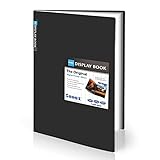
- Come with Black Inner Sheets: Each sleeve has a black inner sheet which makes for a great background if your inserted art is smaller than 11.18" x 17.4". Not only make your paintings flat and wrinkle-free but also let you insert or remove the drawings fast and easily.
- Customizable Spine Title: You can customize your watercolors, sketches, newspaper pages, art pieces and illustrations by using the reversible spine insert. It’s a good choice for a better classification and easily find the artwork you want.
- High Transparency & Lies Flat When Open: Our presentation book with crystal clear PP sheet protectors offers complete transparency for checking through and organizing. Bound sheet protector lies flat when open, free your hands.
- Heavy Duty & Excellent Protection: Made from durable polypropylene which is archival quality, acid-free, non-stick, and non-glare, and water-proof. Thickened and sturdy cover won’t easy to crack and keeps your clear sleeves from being damaged.
- Large 11x17 or A3 Art Portfolio Folder: Folder measures 17 3/4" (L) x 11 13/16" (W) x 13/16" (G). Suitable for artwork storage and displaying your 11.18" x 17.4" or A3 artwork.
The mobile image looks unlike a real phone
It is an emulated viewport. Check the layout on a physical device separately before describing it as device-verified.
A repeated run produces different pixels
Control viewport, device scale, color scheme, timezone, locale and page state; disable animations where appropriate and wait for deterministic content.
An automated request fails
Check authentication, redirects, robots or bot challenges, resource blocking and timeout settings. With ScreenshotNeo, inspect the X-Page-Verdict and X-Billed response headers to distinguish a clean capture from a failed or non-billable result.
Recommended Free Tools
Frequently Asked Questions
Should I publish one giant full-page screenshot?
Usually no. Pair a full-page overview with readable first-screen and section images so viewers can inspect both structure and detail.
Does a Chrome device-frame screenshot prove the site works on that phone?
No. It shows an emulated viewport. A separate physical-device check is needed for device-specific claims.
Can a screenshot prove an interaction works?
No. It records one state. Use captions and separate captures for menus, validation, hover, modal or other states.
Do I automatically have permission to show a client website in my portfolio?
Not necessarily. Check the contract and relevant third-party rights, and request permission when public display is unclear.
Do these 3 things before closing this tab:
1Scan for outdated or missing drivers - takes under a minute2Repair Windows errors before they cause bigger problems3Fix the driver behind crashes, sound loss and screen glitchesQuick Recap
Product prices and availability are accurate as of the date/time indicated and are subject to change. Any price and availability information displayed on Amazon at the time of purchase will apply.

