
What’s actually slowing this PC down?
Pick the symptom - the matching free tool is one click away.
The best free mind mapping software depends on your workflow: Xmind is the strongest polished dedicated mapper, Freeplane is the best offline and open-source choice, MindMeister is best for small collaborative projects, Miro is best for team whiteboards, and draw.io is best for private local diagramming. Most cloud tools impose limits on maps, boards, exports, storage, or AI.
There is no universal winner because “free” can mean free forever, a limited free tier, or a temporary trial. The shortlist below separates those models and explains what happens when you reach each product’s limits.
Key takeaways
- Xmind Free allows up to 10 manually created online maps, includes 10 Xmind AI credits, and supports Windows, macOS, Linux, iOS/iPadOS, and Android.
- Freeplane is the strongest fit for offline, local-first mind mapping without a subscription, although its interface is less modern and collaboration is not its main strength.
- MindMeister Free includes three mind maps and unlimited collaborators, making it useful for small group projects but restrictive for a large personal map library.
- Miro Free includes three editable boards; older boards remain available but only the three most recent boards stay editable.
- draw.io is free, open source under Apache 2.0, requires no sign-up, and supports local storage, desktop use, and exports such as SVG, PNG, and PDF.
- GitMind Free permits up to 10 mind maps or whiteboards, while Ayoa’s post-trial free version retains 10 maps but removes AI and makes whiteboards and task boards view-only.
What is the best free mind mapping software?
Xmind is the best default choice for most people who want a dedicated, attractive mind-mapping application. Xmind combines a focused node-and-branch workflow with desktop and mobile apps, basic themes, link publishing, presentation features, and a small amount of AI access on its free plan. Xmind is not the best choice for everyone: Freeplane is better for local-first offline work, MindMeister is better for a small collaborative group, and draw.io is better when privacy and general diagramming matter more than automatic mind-map layout.
Use the following decision rules:
- Choose Xmind for polished personal maps, studying, writing, planning, and presentations.
- Choose Freeplane for large or complex offline maps and a subscription-free local workflow.
- Choose MindMeister when several people need to edit a small number of browser-based maps together.
- Choose Miro when a mind map is one part of a workshop, whiteboard, roadmap, or visual planning session.
- Choose draw.io when you need mind maps alongside flowcharts, technical diagrams, and locally stored files.
- Choose GitMind when AI-assisted mapping and cloud synchronization are central to the workflow.
- Choose Ayoa when a mind map needs to connect directly to tasks, outlines, whiteboards, or Gantt views.
Free mind mapping software compared
The table separates dedicated mind-mapping applications from broader diagramming and whiteboard platforms. “Free limit” refers to the limits stated on the vendors’ pricing or product pages; plan details can change.
The Tool Desk
Outbyte PC Repair FREERepair Windows errors before they cause bigger problemsFix Now →Outbyte Driver Updater FREEScan for outdated or missing drivers - takes under a minuteDriver Scan →#1 Best Overall

- VISUAL COMMUNICATION: This task list board can outline specific tasks, checklist, deadlines, status etc., it's big and has plenty of space for writing, team members can review individual job quickly
- INCREASING PRODUCTIVITY: Help employees reduce workloads, improve productivity. Have visual task tracker infront of them, Let them work with clear expectations
- ERASABLE TASK LIST: The surface is laminated by dry erase film, wipe off easier than traditional whiteboard. You can remove completed tasks easily after a long time
- BUILT TO LAST: The dry erase task board is made of thick construction paper, double lamination & 4 grommets on the corners make it tear-resistant, it can be used year after year, but lightweight poster allows us to mount on wall alone without tools
- COMPLETE PACKAGE: This large paper task tracker comes rolled-up in sturdy tube and includes mounting tapes and eraser for convenient installation and immediate use
| Tool | Best for | Free limit or model | Offline and storage | Collaboration | Export and AI | Platforms |
|---|---|---|---|---|---|---|
| Xmind | Polished dedicated mapping | Up to 10 manually created online maps; $0 plan | Desktop apps are available, but do not assume the free plan provides unlimited offline use without checking the current desktop terms | Published links; advanced collaboration is paid | 10 AI credits; advanced export and watermark removal are associated with paid plans | Windows, macOS, Linux, iOS/iPadOS, Android |
| Freeplane | Offline power users | Free local desktop software; current license and release should be checked in the project documentation | Local-first desktop workflow | Not primarily a real-time collaboration tool | Export and add-on behavior depends on the current version | Desktop-focused; verify current packages and mobile availability |
| MindMeister | Small collaborative groups | Three mind maps; free plan is listed as $0 forever | Cloud-first; free-plan privacy and export limits apply | Unlimited collaborators | Templates, presentations, and beta AI creation/editing; private maps and file exports are listed with paid plans | Browser, iOS, Android |
| Miro | Team brainstorming and workshops | Three editable boards; only the three most recent remain editable | Cloud whiteboard | Strong shared-board workflow | Broader board tools and templates; free export details should be checked before relying on them | Browser and supported apps |
| draw.io / diagrams.net | Privacy-friendly diagramming | Free forever; no sign-up required | Local files, desktop app, and user-selected storage providers | Depends partly on the selected storage or integration | SVG, PNG, PDF, and editable diagram output; no built-in AI requirement | Browser and desktop |
| GitMind | AI-oriented cloud mapping | Up to 10 mind maps or whiteboards; image and member quotas apply | Cloud synchronization across platforms | Up to five members per “planet” on the free plan | Regular-format export; paid plans add higher-definition export and larger quotas | Cross-platform access |
| Ayoa | Mind maps connected to tasks | Seven-day Ultimate trial, then a free version with a 10-map limit | Cloud-first | Shared maps; broader team features are paid | AI is removed after the trial; whiteboards and task boards become view-only | Verify current web and app support |
For current plan details, compare Xmind’s pricing page, MindMeister’s plan comparison, Miro’s pricing page, GitMind’s free-plan limits, and Ayoa’s trial and free-version terms before signing up.
Which free mind mapping tool is best overall?
Xmind is the best overall free dedicated mind mapper when visual polish, a conventional mind-map workflow, and broad device support matter more than unlimited maps or fully local storage. The current $0 plan lists up to 10 manually created online maps, basic themes and stickers, three-day version history, published map links, up to five Pitch slides, and 10 Xmind AI credits. Xmind lists support for Windows, macOS, Linux, iOS/iPadOS, and Android on its official pricing page.
Xmind suits students, writers, individual professionals, and anyone who wants to turn a central idea into branches quickly without learning a general diagram editor. Xmind also works well when the final result needs to be presented rather than treated only as a private outline.
What are Xmind Free’s limitations?
Xmind Free is a limited free tier, not an unlimited service. The online-map ceiling, short version history, limited AI credits, and restrictions around advanced exports, collaboration, and watermark removal matter if Xmind becomes part of a daily workflow. Xmind’s paid plans list features such as unlimited collaborative maps, longer version history, editable Gantt functions, task conversion, richer exports, and 500 AI credits per month; check the current Xmind pricing table for the plan and billing terms available in your region.
Do not automatically treat Xmind’s desktop availability as proof of unlimited free offline use. Offline editing, local-file behavior, synchronization, and free-plan licensing can differ by operating system and product version, so verify those details before storing your only copy of important work in Xmind.
Which free mind mapping software works best offline?
Freeplane is the best candidate for a serious offline and local-first workflow. Freeplane is designed around desktop map files and deep hierarchical organization rather than browser collaboration. Freeplane is especially suitable for research notes, study material, long outlines, knowledge organization, and complex maps that should remain usable without an internet connection.
The trade-off is presentation and convenience. Freeplane can feel more technical than Xmind or a modern browser application, and real-time collaboration is not its primary use case. Users should consult the current Freeplane documentation for the latest download packages, license information, file behavior, export options, scripting, add-ons, and platform support before publication or deployment.
Freeplane is the better answer when “free” means “usable indefinitely without a subscription and stored locally.” Freeplane is not automatically the better answer when a group needs browser-based co-editing, mobile feature parity, or polished presentation templates.
Free tools Windows power users keep installed
One-click scans. No signup required.
Which free mind mapping tool is best for collaboration?
MindMeister is the best dedicated collaborative choice for a small group that can work within three maps. MindMeister’s $0 plan lists three mind maps, unlimited collaborators, templates, presentations, Focus mode, MeisterTask integration, iOS and Android apps, and beta AI creation and editing. The combination is useful for a group assignment, meeting map, or shared brainstorming exercise.
Rank #2

- 100% ERASABLE - Well treated dry erase reusable film. We use well treated film on the surface of our calendar, which make the surface is smooth enough and the writing can be wiped clearly. It cooperates well with all kinds of whiteboard marker, dry erase marker and chalkboard marker.
- GIANT SIZE CALENDAR (38” x 50”) WITH 4-YEARLY CALENDAR AND WEEKLY CALENDAR- Our giant calendar allows you to use it flexibly according to your requirement. One two-yearly calendar and one dry erasable weekly planner are included.
- BIG WRITING ROOM- The size of square per date is 6.5 inch by 5.5 inch. Each square is divided into seven parts, enough room to write your plan of each day.
- BONUS PACKAGE /ERASERS/TAPES/EYELET -With ALL our jumbo calendar, you use it on the spot without buying any other accessory. 1 eraser, 8 silver eyelet with gasket, 8 high quality transferable mounting tapes. We want to provide the most comprehensive package for our customers so you could begin to organize your work and life easily and quickly.
- QUICKLY MOUNT WITHOUT BUBBLE AND CAN BE REMOUNTED EASILY - Two easy mounting methods are provided. First one is using wood push pins and the second one is using transferable PET sticker. You can mount it easily within 2-3 minutes and say goodbye to annoying bubble and crease. You won’t need to buy a new calendar if you want to remount your calendar to other place later.
The three-map ceiling is significant. MindMeister Free should not be confused with unlimited free storage, unlimited private maps, or unlimited exports. The vendor lists private maps and file exports with its Personal plan rather than the free plan. MindMeister also states that displayed prices are per user, exclude VAT, and may vary by region at checkout; consult the official MindMeister pricing page for current terms.
MindMeister is a good fit when collaborators need to edit together but the group can archive or delete finished maps. MindMeister is a poor fit for a student, consultant, or researcher who expects to maintain dozens of separate maps at no cost.
Is Miro good for mind mapping?
Miro is good for collaborative visual thinking, but Miro is a whiteboard-first platform rather than a pure mind-mapping specialist. Miro is stronger than a dedicated mapper when a session combines mind maps with sticky notes, diagrams, tables, documents, slides, Kanban boards, timelines, and workshop activities.
Miro’s free plan lists three editable boards. Additional boards can exist, but only the three most recent boards remain editable; older boards become view-only. That rule makes Miro useful for occasional workshops but less suitable for maintaining a large personal library of editable maps. See Miro’s current pricing page for the active free-board rules.
Choose Miro over Xmind or MindMeister when spatial flexibility and group interaction matter more than rapid keyboard-based branch creation. Choose a dedicated mapper when you want automatic hierarchy, fast child-node entry, compact map layouts, and a clean map library.
Which free mind mapping tool is best for privacy and local storage?
draw.io, also known as diagrams.net, is the strongest privacy-friendly choice when you need mind maps plus general diagramming. draw.io describes its product as free forever, open source under the Apache 2.0 license, usable without sign-up, and available as both an online tool and a desktop app. The product also supports local saving and lets users choose among storage providers. draw.io says users can choose where to store their data and that the company cannot access it; read the official draw.io product information for the vendor’s current wording.
draw.io supports SVG, PNG, PDF, and editable diagram output, and it can handle flowcharts, network diagrams, organization charts, process maps, and technical drawings in addition to mind maps. The broader scope is its main advantage and its main drawback: automatic branch layout and rapid node entry may feel less fluid than in Xmind, Freeplane, or MindMeister.
PC Slower Than It Used to Be?
A free scan shows the junk files, broken settings and background clutter dragging Windows down - then fixes them in one click.Free scan · Windows 10 & 11Crashes, No Sound, or Screen Glitches?
Random freezes, missing sound and display glitches usually trace back to one bad driver. Find and replace yours safely.Free scan · under a minuteCollaboration in draw.io depends partly on where the file is stored and which integration is used. A locally saved file is not the same as a real-time shared document, so decide whether the priority is local control or simultaneous editing before choosing a storage workflow.
Which free mind mapping tool is best for AI?
GitMind is the clearest AI-oriented option in this shortlist, but AI quotas and cloud-storage considerations should prevent readers from treating it as an unlimited free service. GitMind Free lists up to 10 mind maps or whiteboards, regular-format export, cross-platform synchronization, up to 30 images in a mind map, up to 10 images in a whiteboard, one “planet,” and up to five members per planet. GitMind lists paid higher-definition export and larger quotas on its pricing page.
Xmind is also worth considering for limited AI experimentation: Xmind Free includes 10 AI credits, while the Premium plan lists 500 AI credits per month alongside features such as text-to-map, document summarization, and work breakdown. Ayoa advertises AI-powered mapping and AI summaries on its Ultimate plan, but Ayoa’s free-version FAQ says AI access is removed after the seven-day Ultimate trial; those terms appear on the Ayoa pricing page.
Rank #3

- 100% Erasable Guarantee - Special treated dry erase reusable film. We use specially treated film on the surface of our calendar, which guarantee the surface is smooth enough and the writing can be wiped clearly. It cooperate well with all kinds of whiteboard marker, dry erase marker and chalkboard marker.
- Dry Erase Monthly Calendar (25” x 38”) With 2-Yearly Calendar And Weekly Calendar- Our Monthly calendar allows you to use it flexibly according to your requirement. Two two-yearly calendar and two dry erasable weekly planner are included.
- No Fold And Space Saving- Our dry erase calendar is rolled up in a tube, so there is no any fold. You can roll up our white board poster easily if you want to save your place remount it to other place later.
- Quickly Mount Without Bubble And Can Be Remounted Easily - Two easy mounting methods are provided. First one is using eyelet and wood push pin and the second one is using transferable PET sticker. You can mount It easily within 2-3 minutes and say goodbye to annoying bubble and crease.
- Bonus Package/Erasers/Tapes-With All our jumbo calendar, you use it on the spot without buying any other accessory. 1 magnetic eraser, high quality transferable mounting tapes. We wanted to provide comprehensive package for our customers so you could begin to organize your life easily and quickly.
AI-generated maps are best treated as first drafts. Use AI to organize notes, summarize material, expand an outline, or suggest branches, then verify relationships, omissions, names, dates, and conclusions manually. Do not upload confidential business plans, private health information, unpublished research, or sensitive student work until the provider’s current privacy and AI-data policies have been checked.
Do these 3 things before closing this tab:
1Repair Windows errors before they cause bigger problems2Scan for outdated or missing drivers - takes under a minute3Clear out junk files and repair common Windows errorsWhat is the difference between a dedicated mind mapper and a diagram tool?
A dedicated mind mapper prioritizes hierarchy and speed, while a general diagram or whiteboard tool prioritizes flexible placement and many visual formats. The central topic in a mind map normally branches into related ideas, with child nodes representing hierarchy and cross-links representing relationships that do not fit a simple tree.
| Need | Dedicated mind mapper | Diagram or whiteboard tool |
|---|---|---|
| Fast node creation | Usually optimized for keyboard shortcuts and adding child or sibling nodes | Often requires selecting, drawing, or positioning objects manually |
| Automatic layout | Usually central to the product | May be limited or require manual formatting |
| Other visual formats | Usually focused on maps, outlines, notes, and presentations | Often supports flowcharts, processes, technical diagrams, tables, and canvases |
| Real-time workshops | Available in some cloud products | Usually a core strength, especially in whiteboard platforms |
| Local file control | Strongest in desktop or open-source tools | Strong in local-file diagram editors such as draw.io |
| Best match | Study outlines, writing, planning, knowledge organization | Team workshops, system design, process mapping, mixed visual work |
Miro and draw.io can both create mind maps, but calling either product a pure mind-mapping application hides the manual-layout and broader-canvas trade-offs. Freeplane, Xmind, MindMeister, GitMind, and Ayoa are more directly designed around mind-map structures.
How do free mind-mapping tools differ on exports and portability?
A tool is not fully useful as a free workspace if you can create maps but cannot take important work with you in a durable, editable format. Before committing to a cloud product, check whether the free plan exports PDF, PNG, SVG, Markdown, OPML, plain text, or the product’s native editable format.
| Portability question | Why it matters | Risk if the answer is unclear |
|---|---|---|
| Can the map be exported as PDF? | Useful for submission, printing, and stable visual archiving | You may lose access to a finished presentation after a plan change |
| Can the map be exported as SVG or PNG? | Useful for documents, slides, and high-quality visual reuse | Image export may be restricted, low resolution, or watermarked |
| Can the structure be exported as Markdown, OPML, or plain text? | Preserves hierarchy in a form that other applications can often reuse | Vendor lock-in becomes harder to escape |
| Does the native editable file remain available? | Preserves branches, notes, links, and formatting for later editing | A PDF or image may preserve appearance but not structure |
| Are notes, attachments, and links included? | Determines whether the export is a complete archive | The visible map may survive while supporting research disappears |
| Is export free and watermark-free? | Important for school, work, and client deliverables | A “free” account may not produce a professional final file |
Xmind’s pricing page associates PNG, SVG, PDF, Markdown, and Office Suite export without a watermark with its paid Pro plan, so do not assume every listed format is free. GitMind Free advertises regular-format export while HD export is listed with paid plans. draw.io lists SVG, PNG, PDF, and editable diagram output on its product page. These distinctions are documented on the Xmind, GitMind, and draw.io pages.
Recommended Free Tools
What should you check before choosing a free mind-mapping app?
- Check the actual map or board limit. A three-map limit, a 10-map limit, three editable boards, and unlimited local files produce very different long-term experiences.
- Check what happens at the limit. Some services let users open old maps but prevent new maps or editing. GitMind states that after 10 mind maps are created, existing maps remain accessible but new maps cannot be created without upgrading.
- Check privacy. Determine whether an account is required, where maps are stored, whether public links are enabled, how deletion works, and whether AI uploads have separate retention rules.
- Check offline behavior. A downloadable application, a browser cache, and genuine offline editing are not interchangeable. Test opening, editing, saving, and exporting a map with the internet disconnected.
- Check collaboration details. “Unlimited collaborators” does not mean unlimited maps, private maps, storage, version history, or administrator controls.
- Check export before doing serious work. Create a test map with notes, links, attachments, and cross-links, then export it and confirm what survives.
- Check platform support. Confirm Windows, macOS, Linux, browser, iOS, Android, and tablet support for the exact functions you need rather than assuming feature parity.
- Check AI quotas separately. Ten AI credits can be useful for testing but may not support regular document summarization or map generation.
- Check accessibility. Test keyboard navigation, screen-reader behavior, zoom, contrast, touch targets, and whether colors are the only way information is communicated. Ayoa advertises support related to dyslexia, ADHD, and autism, but those claims are vendor-stated rather than an independent accessibility certification.
- Check commercial terms. Pricing can depend on country, currency, tax, billing interval, and promotional dates. MindMeister explicitly notes that its displayed prices exclude VAT and may vary by region.
Which tool should students use?
Students should choose Freeplane for offline study, Xmind for polished study maps and presentations, MindMeister for group assignments, and draw.io for technical subjects that mix maps with diagrams.
Freeplane is useful when an unreliable connection, long-term access, or local storage matters. Xmind is easier to recommend when the student wants attractive layouts and a presentation-friendly result. MindMeister works when several students need to edit the same small set of maps, but its three-map ceiling and free-plan export restrictions should be checked first. draw.io is particularly useful for computing, engineering, systems, and process-heavy coursework.
Students should export important work before a semester ends and keep both a visual copy, such as PDF, and a structural or native copy when available. A free cloud account should not be the only archive of an assessed project.
Which tool should businesses and teams use?
Teams should choose based on permissions, data handling, archival, and administration rather than the free plan’s visual features alone. Miro is the natural fit for workshops and shared canvases, MindMeister is convenient for a small number of collaborative maps, and Ayoa is relevant when mapping must feed into tasks and Gantt views.
Rank #4
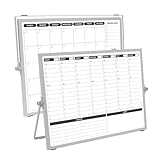
- 【Double Sided】Double-sided board features weekly calendar with time slots on one side and monthly planner with to-do list on the other side
- 【Installation】Compact 16"×12" size perfect for desk or wall use, includes stand for desktop placement and wall mounting capability
- 【For Family】1)For your kid’s nursing care so they can write down the time meds, daily activities, etc. 2)To transmit information to other family members 3)For the aged to remind them about appointments, pills, and idea's for food so that they are constantly reminded when they go in the kitchen to pay attention and check off items
- 【For Office】Perfect for the office schedule, it is a great way to stay on top of appointments and deadlines or as a huddle board to set expectations and goals at work
- 【Visual】This weekly calendar White Board is a solid option for those seeking a visual way to organize your schedule
A consumer free tier is not automatically appropriate for confidential planning. Check whether the service provides private maps, access controls, version history, backups, single sign-on, compliance documentation, data residency, guest permissions, and permanent deletion. If those requirements cannot be verified, use a local-first tool such as Freeplane or a locally stored draw.io workflow for sensitive material, subject to the organization’s own security policy.
How can you avoid vendor lock-in?
Export important maps regularly and keep more than one representation of every critical map. Save a PDF or SVG for visual viewing, preserve the native editable file, and use Markdown, OPML, or plain text when the application supports a structural export.
- Keep the original native file rather than only an image.
- Export before deleting a map or reaching a free-plan limit.
- Preserve research links and notes separately if exports omit them.
- Store an offline backup of important work.
- Test reopening exported files before relying on them.
- Do not publish sensitive maps through a public link merely to avoid a private-map restriction.
Final recommendations by use case
| If you need… | Choose first | Accept the trade-off |
|---|---|---|
| A polished conventional mind-map app | Xmind | Online-map, export, collaboration, and AI limits on the free plan |
| Offline and local-first mapping | Freeplane | Older-looking interface and weaker real-time collaboration |
| A small shared group map | MindMeister | Only three free maps and paid private-map/export features |
| Remote workshops and visual brainstorming | Miro | Only three most-recent boards remain editable on the free plan |
| Mind maps plus technical diagrams | draw.io | More manual layout and less specialized mind-map automation |
| AI-assisted cloud mapping | GitMind | Map, image, member, export, and cloud-use quotas |
| Maps that become tasks and Gantt plans | Ayoa | Seven-day trial, 10-map free version, no post-trial AI, and view-only task boards and whiteboards |
The practical answer is workflow-specific: start with Xmind for a dedicated free mapper, Freeplane for offline control, MindMeister for limited collaborative work, Miro for workshops, draw.io for local diagrams, GitMind for AI experimentation, or Ayoa for mapping-to-task workflows. Recheck the vendor’s current pricing and feature pages before committing because free-plan limits and export rules are volatile.
Frequently Asked Questions
What is the best completely free mind-mapping software?
Freeplane is the best fit when “completely free” means an offline, local-first desktop workflow without a subscription. draw.io is another strong free-forever option, especially when you also need flowcharts and technical diagrams; both trade some cloud convenience and specialized polish for control.
Can I make unlimited mind maps for free?
You can create maps without a recurring subscription in local-first tools such as Freeplane, subject to the software’s current terms and your computer’s storage. Popular cloud products in this comparison impose limits: Xmind lists 10 manually created online maps, MindMeister lists three maps, Miro lists three editable boards, GitMind lists 10 maps or whiteboards, and Ayoa lists 10 maps after its trial.
Which free mind-map tool works offline?
Freeplane is the clearest offline recommendation because it uses a local desktop workflow. draw.io also supports local saving and a desktop app. Browser-based cloud tools may offer some offline behavior, but offline editing and synchronization should be tested for the exact product, operating system, and plan before relying on them.
Is Xmind free?
Xmind has a $0 free plan, but Xmind Free is limited rather than unlimited. The current plan lists up to 10 manually created online maps, 10 AI credits, basic themes, three-day version history, and published links; advanced exports, watermark removal, and collaboration features are associated with paid plans.
Are free AI mind maps safe for private information?
Free AI mind maps should not be treated as automatically safe for private information. Before uploading confidential material, review the provider’s current privacy and AI-data policies, including retention, model-training, deletion, account access, and whether uploaded documents are shared with other services.
The Bottom Line
Bottom line: Start with Xmind if you want the best-looking dedicated free mind mapper, Freeplane if you need offline and local control, MindMeister if a small group must collaborate, Miro if the map belongs inside a workshop, draw.io if privacy and broader diagrams matter, GitMind if AI is central, or Ayoa if maps must become tasks. Treat every cloud “free” plan as conditional: check map limits, editing after the limit, exports, privacy, offline access, and AI quotas before making it your long-term workspace.
Quick Recap
Product prices and availability are accurate as of the date/time indicated and are subject to change. Any price and availability information displayed on Amazon at the time of purchase will apply.

