
Do these 3 things before closing this tab:
1Repair Windows errors before they cause bigger problems2Fix the driver behind crashes, sound loss and screen glitches3Clear out junk files and repair common Windows errorsCloudflare alternatives depend on the capability you need to replace: Amazon CloudFront fits AWS-native sites, Fastly suits programmable edge workloads, Akamai and Imperva target enterprise security, Azure Front Door and Google Cloud CDN fit their respective clouds, and Sucuri is practical for WordPress. No single competitor matches Cloudflare’s entire breadth, pricing, and self-service model.
Cloudflare is unusually broad: one account can cover authoritative DNS, reverse-proxy CDN delivery, TLS certificates, DDoS mitigation, WAF rules, bot management, rate limiting, load balancing, edge functions, analytics, Zero Trust access, tunnels, storage, and domain services. The right replacement therefore depends on whether you are replacing the whole stack or only one part of it.
Key takeaways
- Amazon CloudFront is the strongest starting point for organizations already using AWS, especially because current flat-rate plans can bundle CDN, WAF, DDoS protection, DNS, logging, TLS, edge compute, and S3 credits.
- Fastly is the best fit for developers who value programmable edge logic, APIs, real-time configuration, and rapid purging more than low entry pricing.
- Akamai and Imperva are enterprise-oriented choices for large-scale delivery, managed security, compliance, support, and traffic-engineering requirements.
- Azure Front Door and Google Cloud CDN with Cloud Armor are the natural cloud-native alternatives for Microsoft Azure and Google Cloud environments.
- Sucuri is a managed WordPress and website-security service, not a complete replacement for Cloudflare’s edge-computing, Zero Trust, DNS, and distributed-application platform.
- Changing DNS does not complete a Cloudflare migration: TLS, origin protection, cache behavior, WAF rules, client-IP headers, logs, Workers, tunnels, and rollback procedures also require testing.
What are the best Cloudflare alternatives?
The best Cloudflare alternative depends on the workload, cloud platform, security requirements, geography, support expectations, and billing model. Use this table as a starting point rather than a universal ranking.
| Provider | Best for | CDN and delivery | WAF and DDoS | DNS | Edge compute | Pricing model | Main drawback |
|---|---|---|---|---|---|---|---|
| Amazon CloudFront | AWS-native organizations | Cloud CDN with AWS origin integrations | CloudFront plans include AWS WAF and DDoS capabilities | Route 53 included in current flat-rate plans | Serverless edge compute included in current plans | Flat-rate plans or usage-based pricing | More AWS complexity; plans are priced per distribution |
| Fastly | Programmable edge applications | Developer-focused global delivery | Security products are available, commonly quote-based | Not positioned here as a Cloudflare-style bundled DNS replacement | Strong programmable edge and Compute products | Published packages plus quote-based services | High published entry prices and greater technical demands |
| Akamai | Large enterprises and global traffic | Enterprise delivery and traffic engineering | Broad security portfolio, including Prolexic DDoS mitigation | Enterprise portfolio; quote-based in this comparison | Enterprise edge capabilities | Contract and sales-led | Procurement and implementation are less self-service |
| Imperva | Security-first WAF and WAAP | Security-led application delivery | WAF and application/API protection | Not presented as a complete DNS replacement | Not its primary differentiator | Generally quote-based | May require a separate CDN or delivery architecture |
| Azure Front Door | Microsoft Azure environments | Global HTTP delivery, routing, and failover | WAF, bot protection, and DDoS capabilities | Works with Azure networking and DNS services | Azure-integrated edge functionality | Usage-based | Azure-specific configuration and billing |
| Google Cloud CDN plus Cloud Armor | Google Cloud environments | Cloud-native CDN with Google load balancing | Cloud Armor supplies the security layer | Uses Google Cloud networking and DNS components | Cloud-native integrations rather than one bundled control plane | Usage-based | Requires separate CDN and security modeling |
| Gcore | Media, gaming, downloads, and international delivery | Global CDN with media and large-file features | Vendor states that L3, L4, and L7 DDoS mitigation and WAF are available | Not established in this comparison as a full Cloudflare DNS replacement | Not its primary positioning | Verify current quote and entitlements | Vendor performance claims need independent testing |
| Sucuri | WordPress and managed website security | Cloud WAF/CDN for websites | Managed website firewall and malware response | Not a complete Cloudflare DNS-platform replacement | Not a general-purpose edge-compute platform | Per-site monthly or annual plans | Less suitable for APIs, microservices, and traffic engineering |
| Bunny | Simple CDN and media delivery | Lower-complexity CDN candidate | Verify current WAF, bot, and DDoS coverage directly | Verify current DNS scope directly | Not established as Cloudflare-equivalent edge compute | Verify current pricing | Feature and security coverage were not sufficiently verified in the research |
Why is Cloudflare difficult to replace?
Cloudflare is not one product. A full replacement may need separate services for authoritative DNS, CDN caching, reverse proxying, TLS termination, certificate management, Layer 3/4 DDoS protection, Layer 7 WAF, bot management, API security, rate limiting, load balancing, health checks, edge functions, storage, logs, observability, Zero Trust access, tunnels, and domain registration.
PC Slower Than It Used to Be?
A free scan shows the junk files, broken settings and background clutter dragging Windows down - then fixes them in one click.Free scan · Windows 10 & 11Outdated Drivers Are Slowing You Down
One free scan finds every outdated or missing driver and matches the right update for your exact hardware.Free scan · exact hardware match#1 Best Overall

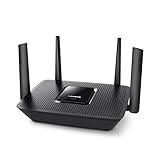
- Dual-band Wi-Fi with 5 GHz speeds up to 867 Mbps and 2.4 GHz speeds up to 300 Mbps, delivering 1200 Mbps of total bandwidth¹. Dual-band routers do not support 6 GHz. Performance varies by conditions, distance to devices, and obstacles such as walls.
- Covers up to 1,000 sq. ft. with four external antennas for stable wireless connections and optimal coverage.
- Supports IGMP Proxy/Snooping, Bridge and Tag VLAN to optimize IPTV streaming
- Access Point Mode - Supports AP Mode to transform your wired connection into wireless network, an ideal wireless router for home
- Advanced Security with WPA3 - The latest Wi-Fi security protocol, WPA3, brings new capabilities to improve cybersecurity in personal networks
A provider that replaces Cloudflare’s CDN may not replace Cloudflare Workers, Access, Tunnel, R2, Turnstile, Magic Transit, Load Balancing, or custom security rules. A WordPress security service may protect a website effectively while offering none of the controls required by a distributed API or media platform.
Cloudflare’s current Network & CDN plans list Free, Pro, Business, and custom Contract options. The Cloudflare plans page lists Pro at $20 per month when billed annually or $25 month-to-month, and Business at $200 per month when billed annually or $250 month-to-month; pricing and included features should be rechecked for the reader’s billing country and date.
Which Cloudflare alternative is best for AWS?
Amazon CloudFront is the strongest starting point when an application, storage layer, load balancer, identity system, logs, or origin already runs on AWS. CloudFront can consolidate delivery and related services inside AWS rather than adding another vendor control plane.
Current CloudFront flat-rate plans bundle CDN delivery, AWS WAF, DDoS protection, bot management and analytics, Route 53 DNS, CloudWatch Logs ingestion, TLS certificates, serverless edge compute, and S3 credits. The AWS CloudFront pricing page lists Free at $0 per month, Pro at $15, Business at $200, and Premium at $1,000 per month per distribution, plus custom pricing. Request and data-transfer allowances differ by plan, and the stated no-overage treatment applies to those published plan allowances.
The Tool Desk
Outbyte PC Repair FREEClear out junk files and repair common Windows errorsFree Scan →Outbyte Driver Updater FREEFix the driver behind crashes, sound loss and screen glitchesFind Drivers →Why choose CloudFront?
- CloudFront integrates naturally with Amazon S3, Application Load Balancer, API Gateway, and AWS-hosted applications.
- AWS Identity and Access Management, account controls, and consolidated billing can simplify governance for an existing AWS team.
- Flat-rate plans can make eligible AWS workloads easier to forecast than purely per-request pricing.
- Edge compute is available through AWS tooling rather than requiring a separate edge platform.
What are CloudFront’s trade-offs?
CloudFront is not automatically cheaper than Cloudflare. Compare the number of distributions, requests, data transfer, WAF requirements, logging, S3 credits, origin transfer, support, AWS account structure, traffic spikes, and non-AWS origins. A small site seeking a simple DNS-proxy-CDN dashboard may find CloudFront unnecessarily complex.
Which Cloudflare alternative is best for programmable edge computing?
Fastly is the strongest candidate when programmable edge logic, real-time configuration, APIs, instant purging, dynamic applications, personalization, or complex caching matter more than low entry pricing.
Fastly’s published pricing lists Network Services Basic at $1,500 per month and Starter at $6,000 per month, while Compute Starter is listed at $500 per month. Several security products are quote-based. These published package prices are materially higher than Cloudflare’s entry-level plans, so Fastly is usually a developer or enterprise evaluation rather than a bargain CDN choice.
Fastly requires more technical expertise and careful review of package requirements, security pricing, support, and regional traffic conditions. Fastly’s own Cloudflare alternatives overview correctly frames CDN selection around architecture, performance, security, pricing, and support instead of claiming one provider is universally best.
Recommended Free Tools
Rank #2

- Tri-Band WiFi 6E Router - Up to 5400 Mbps WiFi for faster browsing, streaming, gaming and downloading, all at the same time(6 GHz: 2402 Mbps;5 GHz: 2402 Mbps;2.4 GHz: 574 Mbps)
- WiFi 6E Unleashed – The 6 GHz band brings more bandwidth, faster speeds, and near-zero latency; Enables more responsive gaming and video chatting
- Connect More Devices—True Tri-Band and OFDMA technology increase capacity by 4 times to enable simultaneous transmission to more devices
- Unique Design, More RAM, Better Processing - A unique housing design provides optimal heat dissipation, combined with a 1.0 GHz dual-core CPU and 512 MB High-Speed Memory, the AXE75 is designed for long-term reliability and performance.
- EasyMesh-compatible - Extend network range even more by adding EasyMesh-compatible routers, extenders, or wireless powerline adapters for a seamless, whole-home connection. Eliminate dead zones, drops, and lag as you move across your home.
Which alternatives suit enterprise security and global delivery?
A kamai: enterprise-scale delivery and DDoS mitigation
Akamai is primarily an enterprise alternative for global delivery, traffic engineering, application security, media, commerce, financial, public-sector, and multinational workloads. Akamai’s content delivery portfolio and Prolexic DDoS mitigation service are relevant when procurement, support, mitigation capacity, and contractual accountability matter as much as self-service setup.
Akamai is generally sales-led and contract-based. Do not treat it as a simple Cloudflare replacement with a publicly comparable monthly price; a responsible estimate requires traffic profile, security scope, regions, support, and contract terms. Akamai may be excessive for a hobby site, but there is no strict company-size cutoff—the operational and procurement requirements are what matter.
Imperva: security-first WAF and WAAP
Imperva is better evaluated as a WAF, WAAP, and application-security alternative than as a low-cost CDN replacement. Imperva’s Web Application Firewall product page is relevant to organizations prioritizing application and API protection, security operations, managed controls, and compliance.
Imperva pricing is generally quote-based, and a separate CDN or delivery architecture may be needed. Imperva is therefore a poor fit for someone who only wants a free, simple DNS and CDN dashboard, but a stronger candidate when security depth is more important than Cloudflare’s breadth.
What does AWS Shield add to a cloud security design?
A CDN and a WAF do not cover every DDoS scenario. AWS Shield documentation describes Shield Advanced as providing automatic mitigation for sophisticated Layer 3, Layer 4, and Layer 7 DDoS events, application-specific controls, and Shield Response Team guidance. The exact protection and cost depend on the AWS design and service tier.
Which Cloudflare alternative is best for Azure?
Azure Front Door is the natural starting point for Microsoft-centric organizations because Azure Front Door combines global HTTP delivery, application routing, failover, WAF, bot protection, DDoS capabilities, private origin access, and real-time analytics within Azure’s environment.
Microsoft’s Azure Front Door product page describes support for dynamic and static content delivery, global HTTP load balancing, customizable routing, WAF, bot protection, DDoS protection, private origin access, and real-time analytics. Microsoft states that Front Door has no upfront costs or termination fees and uses pay-for-what-you-need pricing; use the Azure Front Door pricing page and calculator rather than inventing a representative monthly total.
Azure Front Door is less attractive for teams outside the Microsoft ecosystem because terminology, permissions, and billing are Azure-specific. Cost estimation requires traffic, requests, rule usage, regions, and related Azure services.
Quick wins for a faster PC:
Repair Windows errors before they cause bigger problemsFix Now →Scan for outdated or missing drivers - takes under a minuteDriver Scan →Clear out junk files and repair common Windows errorsFree Scan →Which Cloudflare alternative is best for Google Cloud?
Google Cloud CDN combined with Cloud Armor is the strongest fit for teams already operating Google Cloud load balancing, Compute Engine, Google Kubernetes Engine, Cloud Storage, or related services. Google Cloud CDN supplies delivery while Cloud Armor supplies the security layer when WAF and DDoS controls are required.
Google Cloud CDN is not a single Cloudflare-style control plane covering every service. Google Cloud’s CDN pricing page directs customers to product-specific pricing and a calculator. Traffic geography, cache behavior, egress, request volume, load balancing, and security-policy assumptions must be modeled together.
Which Cloudflare alternatives are strongest for media, gaming, and downloads?
Gcore is a credible candidate for global CDN delivery, media, gaming, streaming, downloads, and regional performance testing. Gcore’s CDN product page states that its network has more than 210 points of presence and more than 200 Tbps of capacity, and that it offers built-in Layer 3, Layer 4, and Layer 7 DDoS mitigation and next-generation WAF capabilities. Those are vendor-stated figures, not independent performance benchmarks.
Gcore also lists HTTP/3 beta, HTTP/2, WebSockets, dynamic acceleration, origin shielding, and token authentication on its product page. Confirm current availability, regional coverage, pricing, SLA, support, compliance, and security entitlements contractually. Test from the actual countries where users watch, play, download, or upload; a published PoP count does not prove lower latency for a particular audience.
Bunny is another candidate for simple CDN, media, image, video, and download delivery. The supplied research did not verify a sufficiently reliable current extract of Bunny’s pricing or security coverage, so check the official Bunny pricing page before purchase. Bunny should not be assumed to provide Cloudflare-equivalent WAF, bot management, Zero Trust, DNS, or edge-compute breadth.
What is the best Cloudflare alternative for WordPress?
Sucuri is the most practical option in this comparison for WordPress owners and smaller websites that need managed WAF protection, malware scanning, cleanup, blocklist monitoring, and security support. Sucuri is not a like-for-like replacement for Cloudflare’s entire network and developer platform.
The current Sucuri Website Security Platform page lists Basic Firewall at $9.99 per month, Pro Firewall at $19.98 per month, and broader platform-security plans beginning at $549 per year. The page generally describes plans as applying to one site, with multi-site discounts available. Distinguish firewall-only pricing from full website-security plans before comparing Sucuri with Cloudflare.
Sucuri is less suitable for APIs, microservices, gaming, complex distributed applications, advanced traffic engineering, or edge-compute workloads. Its value is managed website response, particularly when the buyer wants help cleaning an already compromised site rather than assembling a security stack.
Rank #4

- ALL-IN-ONE VPN SOLUTION FOR REMOTE WORK: Extends your corporate network to homes or remote offices, enabling access with enhanced security to resources without complex setup. Ideal for small businesses, entrepreneurs, and enterprises supporting remote or hybrid teams
- ENTERPRISE-GRADE SECURITY & ENCRYPTION: Helps protect sensitive data using IPSec, PPTP, L2TP, OpenVPN, SSL, and strong encryption (DES, 3DES, AES), reducing risk from external threats in an increasingly digital landscape
- FOLLOWS NDAA & TAA FOR ENHANCED TRUST: Made in Taiwan. Meets government and industry standards, making it well-suited for agencies and businesses under strict regulations, while providing reassurance for any organization seeking elevated data protection
- DUAL WAN FAILOVER FOR CONTINUOUS CONNECTIVITY: Automatically switches to a backup internet source if the primary goes down, minimizing disruptions to crucial tasks like video calls or file sharing. Load balancing ensures optimized bandwidth for smoother, more reliable performance
- SIMPLIFIED MANAGEMENT: Web-based and SNMP tools offer clear visibility and control, reducing complex troubleshooting and making it easier to deploy
How should you compare Cloudflare alternatives?
1. Define the replacement scope
Write down whether the project replaces DNS, CDN, reverse proxying, TLS, WAF, Layer 3/4 DDoS mitigation, Layer 7 protection, bot management, API security, rate limiting, load balancing, health checks, edge compute, logs, Zero Trust access, tunnels, storage, or only one function. A vendor may technically offer a feature as an add-on, an enterprise-only product, a regional service, or a separately billed component.
2. Compare billing units, not headline prices
| Billing question | Why it changes the comparison | Examples from the researched options |
|---|---|---|
| Is the charge fixed or usage-based? | Traffic spikes and cache misses can change the monthly bill. | CloudFront has published flat-rate and usage-based models; Azure Front Door and Google Cloud CDN are usage-based. |
| What is the billing unit? | Two apparently similar prices may apply to different quantities. | CloudFront flat-rate pricing is per distribution; Sucuri commonly prices per site; Fastly publishes package pricing. |
| Are WAF and security rules included? | A low CDN price may exclude the protection being replaced. | Current CloudFront flat-rate plans include AWS WAF and DDoS capabilities; Imperva security pricing is generally quote-based. |
| Are logs and support extra? | Operational visibility and incident response can cost more than delivery. | CloudFront plans list CloudWatch Logs ingestion; enterprise vendors may quote support and response separately. |
| What happens during an attack? | Overages, emergency support, mitigation scope, and origin protection affect total cost. | CloudFront allowances, DDoS layers, and each provider’s contract terms must be checked specifically. |
The supplied pricing snapshot is dated August 16, 2026. Prices, included allowances, currencies, and product packaging can change, so official pricing pages should be checked immediately before publication or purchase.
3. Test network fit from real user regions
Evaluate user and origin locations, traffic by region, IPv4 and IPv6 behavior, HTTP/2 and HTTP/3 requirements, WebSockets, dynamic versus cacheable traffic, regional restrictions, data processing, and sovereignty. A provider’s advertised global network is not an independent benchmark.
4. Evaluate security depth
Compare managed WAF rules, custom rules, positive security models, API schema enforcement, bot detection, credential-stuffing defense, rate limiting, Layer 3/4 mitigation, Layer 7 mitigation, origin concealment, threat intelligence, security logs, incident response, compliance reports, and certifications. A WAF inspects application requests; a WAF is not automatically a substitute for volumetric or protocol-level DDoS mitigation.
5. Evaluate developer operations and support
Check API completeness, Terraform or infrastructure-as-code support, CLI tools, Git-based configuration, preview environments, rollback controls, purge behavior, rule testing, log search, runtime languages, execution limits, support channels, response-time commitments, dedicated teams, emergency DDoS assistance, migration support, and contractual escalation.
Independent reader supportYour contribution helps us test, update, and keep practical guides available for everyone.Should you use a full-stack, modular, or multi-CDN replacement?
A full-stack replacement uses one vendor or cloud ecosystem for most services. Examples include CloudFront with Route 53, WAF, Shield, and Lambda@Edge; Azure Front Door with Azure WAF and related networking; Fastly’s delivery, Compute, and security products; or Akamai’s delivery and security portfolio. Full-stack designs reduce the number of integrations but may increase vendor dependence.
A modular replacement separates specialists: one provider for DNS, another for CDN, another for WAF or bot management, another for DDoS mitigation, and another for monitoring. Modular architecture can produce better individual components, but it adds configuration, policy synchronization, incident coordination, certificate management, and more failure points.
A multi-CDN design uses DNS steering, traffic management, or load balancing to distribute requests across providers. Multi-CDN does not automatically improve security. It can complicate client-IP preservation, cache consistency, TLS automation, WAF policy synchronization, logging, and incident response.
What’s actually slowing this PC down?
Pick the symptom - the matching free tool is one click away.
Best Value

- OneMesh Compatible Router - Form a seamless WiFi when work with TP-Link OneMesh WiFi Extenders
- Next-Gen Wi-Fi 6 Technology – The Archer AX10 leverages advanced Wi-Fi 6 features like OFDMA and 1024-QAM to deliver improved efficiency across your entire network. Perfect for high-bandwidth activities like streaming, gaming, and smart home connectivity.
- Next-gen Dual Band router - 300 Mbps on 2. 4 GHz (802. 11n) plus 1201 Mbps on 5 GHz (802. 11ax)
- Connect more devices than ever before - Wi-Fi 6 technology simultaneously communicates more data to more devices using OFDMA and MU-MIMO while reducing lag dramatically
- Powerful Dual-Core 900MHz Processor – Handles multiple data streams simultaneously for reliable performance across your devices. Ensures smooth streaming, online gaming, and video conferencing without buffering or lag.
Cloudflare specifically warns that putting another CDN or WAF in front of Cloudflare can reduce the accuracy of Layer 3/4 DDoS mitigation because traffic may appear to come from a limited set of third-party CDN IP addresses. Read Cloudflare’s guidance on third-party services and DDoS protection when designing a chained or hybrid architecture.
How do you migrate away from Cloudflare safely?
Before switching
- Export or document DNS records, page and redirect rules, WAF custom rules, rate limits, cache rules, transform rules, Workers or other edge functions, load-balancing pools, health checks, Access policies, origin certificates, and firewall allowlists and blocklists.
- Inventory every hostname, including the apex domain,
www, APIs, admin panels, WebSockets, mail records, download hosts, image or media subdomains, staging domains, verification records, and third-party integrations. - Identify dependencies on Workers, KV, Durable Objects, R2, Queues, Access, Tunnel, Spectrum, Magic Transit, Turnstile, Load Balancing, Cloudflare-managed certificates, and the registrar.
- Confirm that the origin can handle temporary direct traffic during cutover and that the replacement provider can reach the origin.
DNS and TLS checks
- Lower DNS TTLs before migration, while remembering that resolvers do not all honor a lower TTL immediately.
- Confirm certificate issuance for the apex, wildcard, and every required hostname.
- Verify HTTP-to-HTTPS redirects, origin certificates, trust chains, DNS validation, CNAME delegation, nameserver requirements, DNSSEC signing, and DS records.
- Do not delete old DNS records until mail, verification, API, monitoring, and third-party integrations have been tested.
How do you prevent origin exposure?
Allow the replacement provider to reach the origin without allowing unrestricted direct Internet access. Use provider IP allowlists where practical, mutual TLS or authenticated origin pulls, private connectivity where available, origin firewall rules, separate management endpoints, direct-origin monitoring, and correct client-IP header handling.
A migration that exposes the origin IP can allow attackers to bypass the new CDN and WAF. Verify that application logs preserve the real client IP and that security rules inspect the intended headers.
What cache behavior must you test?
Test Cache-Control headers, cookies, Authorization headers, query-string normalization, compression, range requests, purge behavior, stale-if-error behavior, HTML caching, personalized pages, APIs, large files, signed URLs, e-commerce checkout, cart paths, and webhook responses. “CDN enabled” does not mean dynamic HTML or API responses are safe to cache.
What security paths must you test?
Test login, password reset, administration, payment flows, webhooks, GraphQL, REST APIs, WebSockets, uploads, mobile clients, IPv6, non-browser clients, legitimate crawlers, search-engine verification, and monitoring probes. Check false positives, blocked requests, rate limits, bot challenges, and the client-IP address visible to both the application and WAF.
Use a staged cutover and rollback
- Create the replacement configuration and test it through a temporary hostname.
- Validate origin headers, caching, TLS, WAF decisions, logs, redirects, WebSockets, and API behavior.
- Route a low-risk hostname first.
- Monitor errors, latency, cache-hit ratio, origin load, blocked requests, TLS failures, and direct-origin traffic.
- Switch production DNS or traffic steering only after the low-risk test succeeds.
- Keep the old configuration available until TTLs, caches, and operational dependencies stabilize.
- Document rollback steps instead of merely retaining an old provider account.
Which provider should you choose?
| Your priority | Best starting point | Why | Check before committing |
|---|---|---|---|
| AWS integration and consolidated billing | Amazon CloudFront | Deep AWS integration and current bundled flat-rate options | Distributions, allowances, WAF scope, logs, origin transfer, and AWS complexity |
| Programmable edge logic | Fastly | Strong Compute, APIs, real-time controls, and purge workflows | Package minimums, security quote, support, and technical requirements |
| Enterprise global delivery | Akamai | Broad delivery, security, traffic engineering, and enterprise support | Contract, SLA, implementation, procurement, and total scope |
| Security-first WAF or WAAP | Imperva | Application and API security focus | CDN architecture, pricing, managed rules, compliance, and support |
| Azure-native delivery | Azure Front Door | Global routing, WAF, bot protection, and Azure integration | Usage-based cost, permissions, and related Azure services |
| Google Cloud delivery | Google Cloud CDN plus Cloud Armor | Natural fit with Google load balancing and Google Cloud origins | Separate CDN/security costs, egress, geography, and policy design |
| Media, gaming, or international delivery | Gcore | CDN features aimed at media, gaming, downloads, and global traffic | Independent regional testing, SLA, pricing, and vendor claims |
| WordPress malware response | Sucuri | Managed WAF, scanning, cleanup, and blocklist monitoring | Per-site pricing and limits compared with the required platform scope |
| Simple low-cost CDN delivery | Bunny, after verification | Potentially simpler for assets, media, and downloads | Current pricing and WAF, bot, DDoS, DNS, and support coverage |
For most readers, start by identifying the missing Cloudflare function. Choose CloudFront for AWS, Fastly for programmable edge control, Azure Front Door for Azure, Google Cloud CDN with Cloud Armor for Google Cloud, Sucuri for managed WordPress security, and Akamai or Imperva when enterprise support and security controls justify a sales-led evaluation. Choose Gcore or Bunny only after testing the specific delivery and security requirements.
Frequently Asked Questions
Can I replace Cloudflare by changing my domain’s nameservers?
Changing nameservers or DNS routing moves traffic control, but it does not migrate Cloudflare Workers, Access, Tunnel, R2, Turnstile, WAF rules, cache behavior, TLS settings, logs, load balancing, or origin protection. Export those dependencies and test the replacement before cutover.
Is Amazon CloudFront cheaper than Cloudflare?
Amazon CloudFront is cheaper than Cloudflare only for particular traffic profiles and service combinations. Compare distributions, requests, data transfer, WAF, logs, S3 credits, origin transfer, support, AWS dependencies, and traffic spikes; the current CloudFront flat-rate plans have defined allowances and are priced per distribution.
Free tools Windows power users keep installed
One-click scans. No signup required.
Is a CDN the same as DDoS protection?
A CDN and DDoS protection are not the same service. CDN caching can reduce origin load, while DDoS protection depends on network capacity, traffic visibility, mitigation layers, routing, and the provider’s response capabilities.
What is the best Cloudflare alternative for WordPress?
Sucuri is the most practical option in this comparison for WordPress owners who need managed WAF protection, malware scanning, cleanup, blocklist monitoring, and security support. Sucuri does not replace Cloudflare’s complete DNS, edge-compute, Zero Trust, storage, and distributed-application platform.
The Bottom Line
There is no universal Cloudflare winner. Select the provider that matches the function being replaced, then compare the complete architecture: delivery, WAF, DDoS layers, DNS, TLS, origin protection, logs, support, geography, and billing. A successful migration preserves security and operational visibility—not merely the DNS records.
Quick Recap
Product prices and availability are accurate as of the date/time indicated and are subject to change. Any price and availability information displayed on Amazon at the time of purchase will apply.

