
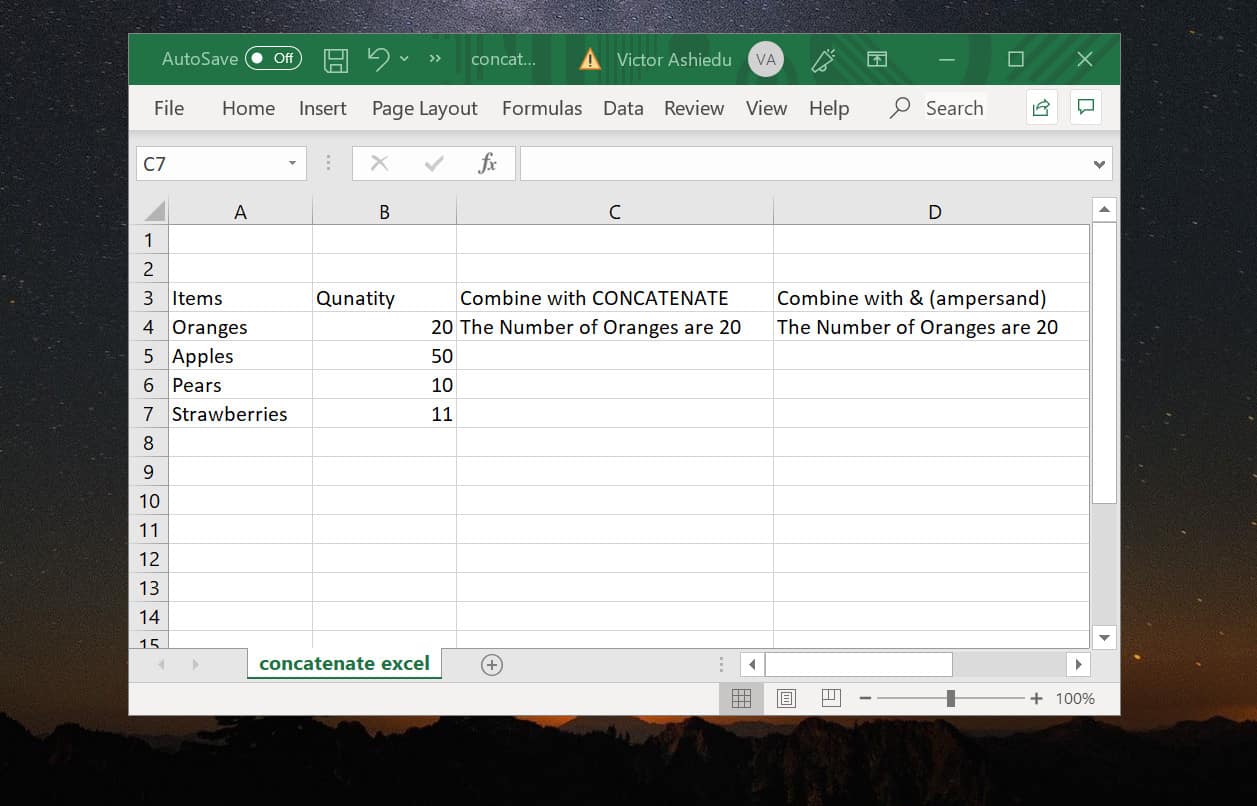
Do you want to join data in Excel? You need the Concatenate function and in this guide, I’ll show you how to do that as well as use the ampersand operator.
What is Concatenate in Excel?
Concatenate is joining two strings into one continuous string. You can join two strings using the CONCATENATE function or the “&” (ampersand) operator.


This guide shows how to use these two methods with examples.
Option 1: Concatenate Columns
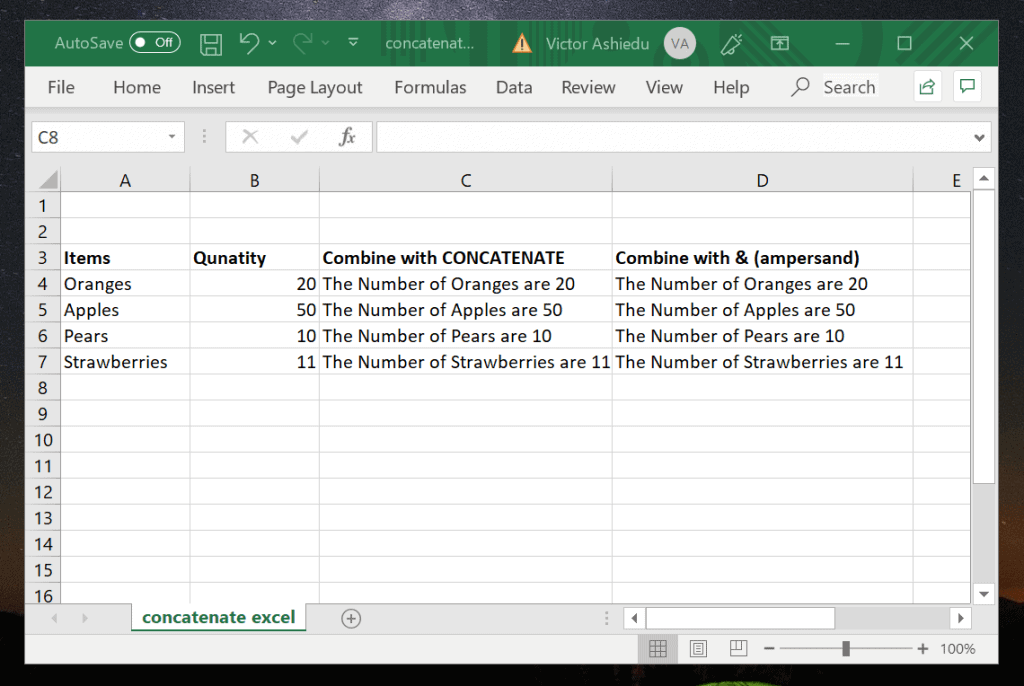
The image above shows two columns, A and B. Column C shows how to concatenate the columns using CONCATENATE function. Column D shows how the columns are combined using the “&” (ampersand) Operator.
The Tool Desk
Outbyte Driver Updater FREEFix the driver behind crashes, sound loss and screen glitchesFind Drivers →Outbyte PC Repair FREEClear out junk files and repair common Windows errorsFree Scan →In this section, I will demonstrate how to combine column A and column B using CONCATENATE or “&” (ampersand) Operator.
How to Concatenate with the CONCATENATE Function
The syntax of CONCATENATE Function is:
CONCATENATE(text1, [text2], [text3])
text1, text2 and text3 are the different strings you wish to combine.
Refer to the image above. In this example, I want to combine cells A and B to form the sentence “The Number of cellA are cellB”. The formula for cell C4 is shown below:
=CONCATENATE("The Number of", " ",A4, " ", "are"," ", B4)
Concatenate in Excel using the CONCATENATE function is simply adding the strings you wish to combine within the bracket “()”. Each string is then followed by a comma (,).
To add an empty space, use ” ” – quote marks with space between them.
How to Concatenate with the “&” (ampersand) Operator
To concatenate with “&” (ampersand) Operator:
On the cell you want to combine the columns, enter the equal to sign (=), followed by “&”. Unlike in CONCATENATE, with ampersand (&) each value is separated by & instead of a comma (,).
Here is the formula for cell D4:
="The Number of" & " " & A4 & " " & "are" &" " &B4
To add an empty space use double quotes with a space.
Option 2: Adding Space, Comma, and Other Characters
In the last section I demonstrated how to concatenate two columns. In this section, I will demo how to add commas, spaces and other special characters.
Rank #3

- Used Book in Good Condition
If you have read this guide to this point, you will notice that when I included a text string or space, I used double quotes around them.
To add an empty space, simply include two quotes with a space, ” “. You can also use the same method to include a comma or any other character.
As an example, to combine the two texts below separated by a comma and a stop:
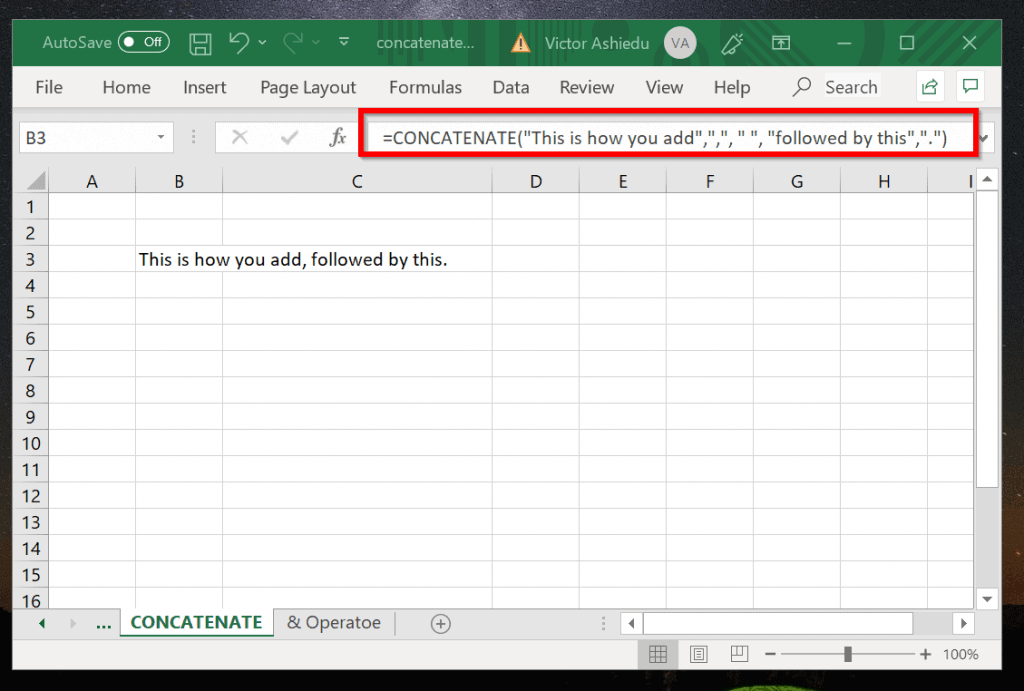
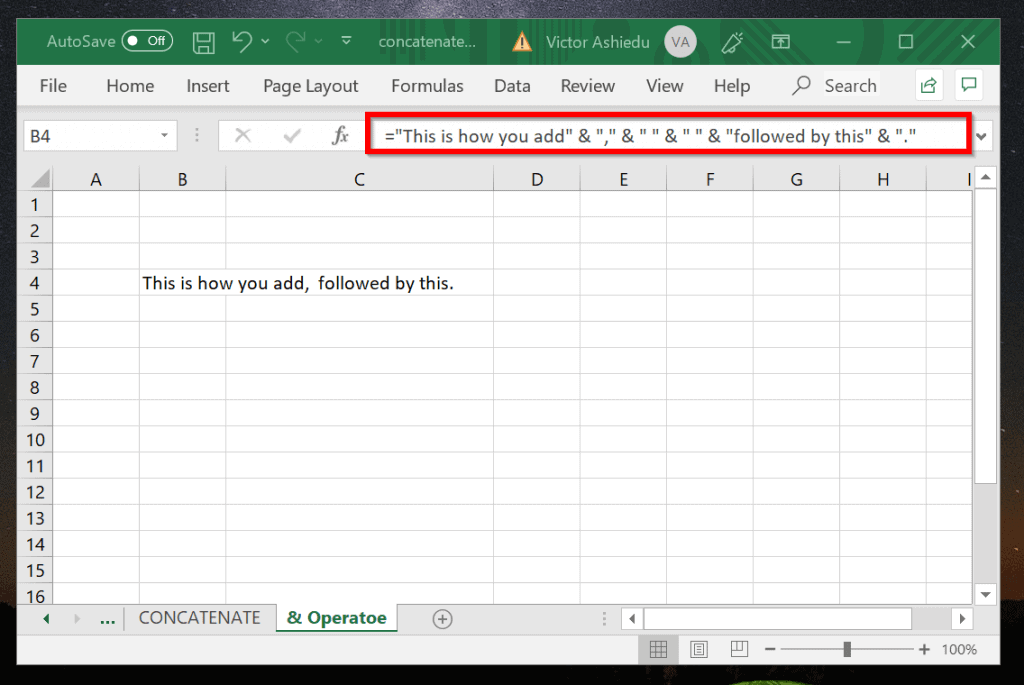
This is how you add, followed by this.
Use the CONCATENATE formula below:
=CONCATENATE("This is how you add",",", " ", "followed by this",".")
You can achieve the same result using the & operator formula shown below:
Rank #4

- Product Type:Office Products
- Item Package Dimension:8.4 Inches L X 11.0 Inches W X 0.04 Inches H
- Item Package Quantity:1
- Country Of Origin: United States
="This is how you add" & "," & " " & " " & "followed by this" & "."
Here are the results in Excel:
More Examples of Excel Concatenate
In the last section of this guide I will show one more example.

Refer to the image above. The worksheet contains products and their prices. In the example, I combined columns A and B in C with the formula below:
=CONCATENATE(A3, " ", TEXT(B3, "$#,#0.00"))
The cells are combined with CONCATENATE. But the second cell, B3 is formatted with the TEXT function. TEXT formats the numbers in column B to include the $ sign. It also adds 2 decimal places to the numbers.
Conclusion
Concatenate in Excel is very useful if you want to join 2 strings into 1. In this guide, I have demonstrated different ways to do this.
What’s actually slowing this PC down?
Pick the symptom - the matching free tool is one click away.
I hope you found this article helpful. If you did, please feel free to share your thoughts by utilizing the “Leave a Reply” form located at the bottom of this page.
You could also use the “Was this page helpful?” buttons below to give us your feedback.
Quick Recap
Product prices and availability are accurate as of the date/time indicated and are subject to change. Any price and availability information displayed on Amazon at the time of purchase will apply.


