
Recommended Free Tools
iTechGuides is reader-supported. When you buy through links on our site, we may earn an affiliate commission. As an Amazon Associate I earn from qualifying purchases. Learn more
A directory has no single universal checksum: you must define which entries and properties count, how they are encoded and ordered, and how their hashes are combined. For a practical integrity check, hash each file with SHA-256, bind each digest to its relative path in a deterministic manifest, then hash that manifest to produce one root digest.
What a directory checksum represents
A checksum is the result of hashing bytes. A filesystem directory, however, is a collection of entries rather than one portable byte sequence. To obtain one reproducible digest for a directory tree, define a canonical representation of that tree and hash it.
At minimum, a useful representation records each included file’s type, relative path and content digest. A recursive design can also include directories and symbolic links. The root digest then changes when any included record changes. Without a defined format and inclusion policy, two values both called “the directory checksum” may describe different things.
Free tools Windows power users keep installed
One-click scans. No signup required.
Choose what the checksum includes
Write down the policy before generating a digest. These choices determine what a match actually guarantees:
#1 Best Overall

- FIDO2 & Passkey Ready: Business-ready and FIDO2 L1 certified. This key is supported by major management suites and is ideal for both individual and enterprise deployment. Works seamlessly with Gmail, Facebook, GitHub, Dropbox, Coinbase, and more.
- Universal Connectivity (USB-A ): Features a built-in USB-A connector—simply unfold the key and plug it into your compatible PC or laptop for seamless authentication on the go.
- Dedicated Manager App: Use the Thetis Manager App for the initial hardware PIN setup. Setting the PIN on the device first ensures a smooth registration process. Once the PIN is configured, you can begin registering the key across your favorite FIDO2-compatible online services.
- Ultra-Durable & Portable: Featuring a rotating metal cover, this key is water, crush, and tamper-resistant. It fits easily on a keychain and requires no batteries or network connectivity.
- Check FIDO2 compatibility before purchase - Known limitations: ID Austria is not supported (requires FIDO2 Level 2). Windows Hello login only works with Windows Enterprise editions that support Entra ID, and NFC is NOT supported.
- File contents: Hash the bytes of every included file. SHA-256 is a practical choice for common integrity checks; Microsoft’s PowerShell 7.5 documentation says
Get-FileHashuses SHA256 by default. Microsoft Learn: Get-FileHash - Names and paths: Include paths relative to a stated root if renames and file swaps should change the result. Excluding names makes a digest unable to distinguish some trees whose file contents are the same but arranged differently. Avoid absolute paths when results should be portable between machines or locations.
- Directories: Decide whether to represent directories explicitly. Doing so allows the checksum to distinguish an empty directory from no directory, if empty directories are meaningful to your use case.
- Symbolic links: Choose whether to hash the link-target text, follow the link and hash the target’s contents, or record a link marker and target. Following links can reach outside the root or encounter cycles, so define boundaries and cycle handling if you choose it.
- Metadata: Include only properties that matter, such as executable bits or permissions. Content hashes alone do not capture timestamps, ownership, sparse-file layout or extended attributes.
- Ordering and encoding: Define an unambiguous path encoding, record format and byte ordering for entries. Sort deterministically; relying on a filesystem’s enumeration order can produce different results across runs or platforms.
These choices are not cosmetic. A file-content-only digest can miss a rename; a path-aware digest cannot. A digest that omits permissions will not detect a permission change.
Build one root digest
A portable design is a deterministic manifest or Merkle-style tree: hash file contents, create canonical records for entries, then combine those records recursively. Each record should use a type marker so a file, directory and link cannot be confused. The exact record serialization is part of the checksum format and must be stable.
Rank #2

- A FIDO security key with PUF technology provides a unique, hardware-rooted trust anchor that resists tampering and cyber attacks, offering stronger security than conventional designs.
- FIDO2 Certified Protection – Enjoy phishing-resistant security with FIDO2 certification, ensuring top-tier account safety across Windows, macOS, Linux, iOS iOS, Android and more.
- Easy to use & Portable – Designed with a compact USB-C interface, Clife key fits easily on your keychain for secure access anywhere. Simply plug in and authenticate with ease.
- Universal Compatibility – Works seamlessly with hundreds of FIDO2/U2F compliant services, including popular cloud, email, and social platforms.
- Backup recommended – To ensure continuous access, register a backup Clife security key as a spare in case your primary key is lost.
- Set the root and inclusion rules. Choose the directory to scan, the relative-path convention, excluded entries, metadata fields, and the symlink and empty-directory policies.
- Hash each included file. Compute its SHA-256 digest from file bytes. Record the digest alongside its canonical relative path and entry type.
- Encode and sort records. Serialize each record unambiguously, then sort records using the byte-order rule you specified. Do not rely on the order returned by a directory listing.
- Combine records recursively. For each directory, hash its ordered child records; use the resulting digest as that directory’s value. The top-level directory digest is the root checksum.
- Keep generated output out of the input tree. Store a manifest elsewhere or explicitly exclude it. Otherwise, creating the manifest changes the tree being hashed and can make the next run differ.
- Run against a stable tree. If files change during traversal, the result may combine data from different moments. Coordinate writes or use a stable snapshot when a consistent view is important.
This describes a deterministic design, not a particular tested script. A checksum is reproducible only when its record format and all of these policies are shared by the systems producing and verifying it.
Do these 3 things before closing this tab:
1Fix the driver behind crashes, sound loss and screen glitches2Clear out junk files and repair common Windows errors3Scan for outdated or missing drivers - takes under a minuteHashing files in PowerShell is only the first step
In PowerShell, Get-ChildItem -Recurse -File can enumerate files and Get-FileHash -Algorithm SHA256 can calculate their individual hashes. Get-FileHash hashes files; it does not by itself define a canonical directory representation or aggregate file hashes into a path-aware root checksum. You still need to bind each digest to its relative path, serialize and sort the records consistently, and hash the result.
Rank #3
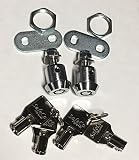
- Secure Tubular Keys
- High Security
- Additional Keys Available
- Also available Keyed Different upon request
- Key Removable 12 and 3 oclock positions
For example, a manifest that lists file hashes but omits relative paths checks the collection of contents under its chosen rules, not the arrangement of those contents. A path-aware manifest can detect a rename, provided its paths are relative to the same defined root. Keep the manifest outside the scanned tree or exclude it explicitly.
Independent reader supportYour contribution helps us test, update, and keep practical guides available for everyone.Choose the approach that fits the job
| Approach | What it represents | Best fit | Main limitation |
|---|---|---|---|
| Custom deterministic manifest plus root digest | The fields and inclusion rules you define | Cross-platform directory integrity checks or comparisons | You must specify canonical encoding, ordering, symlinks and metadata. |
| Git tree object | Git’s tree-and-blob model, with names, types and object IDs | Identifying tracked repository state | It follows Git semantics and does not represent every filesystem property or untracked item. Git documentation: Git’s core data model |
| Merkle tree | Hierarchically combined child digests | Comparing large collections or narrowing down changed subtrees | You still need a defined leaf and parent encoding and tree-construction rule. NIST CSRC Glossary: Merkle tree |
Git tree objects are useful for a repository’s tracked state, not as a general-purpose checksum of everything currently on disk. A Merkle tree is a way to structure the calculation; it does not eliminate the need to define exactly what each leaf and parent represents. The Dirhash Standard likewise describes selectable name and data inputs.
Rank #4
- Keyscan CS125-36
Use a digest for the right security purpose
SHA-256 is suitable for common integrity checks. NIST describes the SHA-2 and SHA-3 families and notes SHA-1’s deprecation for security uses in its Hash Functions resource. But a digest alone does not prove who created a directory or its checksum. If an attacker could replace both, obtain the expected digest through a trusted channel or use a signature or authenticated manifest.
Crashes, No Sound, or Screen Glitches?
Random freezes, missing sound and display glitches usually trace back to one bad driver. Find and replace yours safely.Free scan · under a minutePC Slower Than It Used to Be?
A free scan shows the junk files, broken settings and background clutter dragging Windows down - then fixes them in one click.Free scan · Windows 10 & 11Even a matching digest means only that the inputs represented under the same rules match. It says nothing about properties the checksum format omitted, and a traversal over a changing directory may not reflect a single consistent snapshot.
Quick Recap
Product prices and availability are accurate as of the date/time indicated and are subject to change. Any price and availability information displayed on Amazon at the time of purchase will apply.

