
Google documents how to install Chrome offline on another computer, but its instructions do not offer or identify version 145.0.7632.160. The version exists as an official Chromium source tag dated March 2, 2026; that does not prove Google currently provides a consumer installer for it. If you need a supported installation, use Google’s current download route. If you already have an installer, transfer it to the target computer and verify the installed version.
Is Chrome 145.0.7632.160 available as an official offline installer?
The version number is real: the Chromium source repository has a tag for 145.0.7632.160, and a Chrome Release Bot commit dated March 2, 2026, says “Incrementing VERSION to 145.0.7632.160.” That confirms the version’s identity, not that Google currently offers a downloadable consumer installer for it. View the Chromium source tag.
Google’s offline-install instructions explain how to download Chrome for a different computer, but do not name this build. Google’s Enterprise help also says old MSI versions are unavailable and directs administrators to the latest stable version. The available official documentation therefore does not establish whether Google still hosts an offline installer for exactly 145.0.7632.160, or for which operating systems. Google Chrome Enterprise help.
How to install Chrome offline on another computer
-
On a computer with internet access, open Google’s Chrome installation instructions and follow the option to download Chrome for a different computer.
Quick wins for a faster PC:
Clear out junk files and repair common Windows errorsFree Scan →Scan for outdated or missing drivers - takes under a minuteDriver Scan →Special offer. See more information about Outbyte and uninstall instructions. Please review EULA and Privacy policy.#1 Best Overall
Sale ELECTOP Ethernet Adapter for Chromecast with Google TV, USB Type C to RJ45 Ethernet Network Adapter Compatible with Chromecast HD/4K and More Streaming TV Sticks(Adhesive Tape Included)
- ★ Say Goodbye to Unstable WIFI Connection: Suffering from unstable connection when connected wifi signal for your Google TV ethernet adapter? Our Ethernet Adapter can effectively enable you with more stable and faster internet access, solving the problem of weak WiFi signal. Connect it, then you can enjoy smooth video feast now!
- ★ Specially Designed for Chromecast: Your Chromecast with USB C ports perfectly fit our Chromecast ethernet adapter, such as Chromecast HD, Chromecast 4K which are the most popular types in Google TV. In addition, the Chromecast with Google TV ethernet adapter also support Smartphones, Tablets in USB Type C connection. Attention: It do not fit for VPN.
- ★ Easy to Set Up: Plug and work instantly, No driver needed. Just simply connect your Ethernet Adapter for Chromecast into Google TV USB Type C port and plug in an Ethernet cable directly from your router, it will be activated.(Additional Power cable is suggested for sufficient power supply via USB Type C port)
- ★ 10/100 Mbps Ethernet: Rely on the speed and reliability of wired internet to achieve Full 10/100Mbps ethernet speed. USB Type C at 480Mbps can realize reliable and faster LAN access. Equipped with Led indicator, which can exact show the working states of this Google TV ethernet adapter.
- ★ Thoughtful & Perfect Design: Made of Aluminum alloy material for quick heat dissipation during long-time TV shows. Comes with 2pcs self-adhesive tapes, which is convenient for you to locate this Chromecast with Google TV ethernet adapter in proper location, avoiding poor contact between Chromecast ethernet adapter and LAN Wires due to hanging in the air.
-
Choose the target computer’s operating system under Chrome family / Other platforms. Confirm that the installer offered is intended for that operating system and architecture.
-
Transfer the downloaded installer to the target computer using removable media or another method available to you.
-
Run the installer on the target computer and follow its prompts. Google’s instructions describe this offline installation route, but do not certify that an installer obtained elsewhere is genuine or that a particular old build remains supported.
-
After installation, check Chrome’s version in the browser’s About Chrome page. Do not assume the installer installed 145.0.7632.160 unless the displayed version confirms it.
The Tool Desk
Outbyte PC Repair FREERepair Windows errors before they cause bigger problemsFix Now →Outbyte Driver Updater FREEFix the driver behind crashes, sound loss and screen glitchesFind Drivers →Special offer. See more information about Outbyte and uninstall instructions. Please review EULA and Privacy policy.
Choose between the current download and an existing installer
|
Option |
Version exactness |
Google provenance and support |
Best fit |
|---|---|---|---|
|
Google’s current download |
May install a version other than 145.0.7632.160. |
Use Google’s official download route; Google says its latest stable version is available. Its Enterprise help says old MSI versions are not available. |
A supported installation when the exact historical build is not essential. |
|
An installer already obtained for another computer |
Exactness depends on the installer; verify the installed version. |
Google documents transferring and installing an installer offline, but that guidance does not validate an installer’s origin or ongoing support. Free tools Windows power users keep installed One-click scans. No signup required. Special offer. See more information about Outbyte and uninstall instructions. Please review EULA and Privacy policy.
Rank #2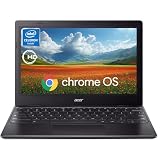
Acer 311 Chromebook Laptop, 11.6'' HD IPS Display, 4GB LPDDR4 RAM, 64GB EMMC, Intel Celeron N4500, Intel UHD Graphics, 10 Hours Battery Life, USB3.1,Wi-Fi5, Chrome OS, Black
|
Installing Chrome on a computer without internet access, provided the installer is appropriate for its operating system and architecture. |
Avoid treating third-party software archives as equivalent to Google’s current download. An archived installer may be outdated, and the official documentation cited here does not confirm an exact-build download from Google.
Independent reader supportYour contribution helps us test, update, and keep practical guides available for everyone.Check the target computer’s system requirements
Google’s cited support pages list these requirements. They describe Chrome platform support generally; they do not confirm that version 145.0.7632.160 is offered for or compatible with every listed platform. Requirements can vary by locale or change, so check Google’s current page for the target device.
-
Windows, Intel: Windows 10 or later, with an Intel Pentium 4 or later processor that supports SSE3.
Special offer. See more information about Outbyte and uninstall instructions. Please review EULA and Privacy policy. -
Windows, ARM: Windows 11 or later.
-
Mac: macOS 12 Monterey or later, according to the cited English-language support page.
-
Linux: 64-bit Ubuntu 18.04 or later, Debian 10 or later, openSUSE 15.5 or later, or Fedora Linux 39 or later; the cited page also specifies an Intel Pentium 4 or later processor with SSE3.
See Google’s Chrome installation and system-requirement information before transferring an installer.
Quick Recap
Product prices and availability are accurate as of the date/time indicated and are subject to change. Any price and availability information displayed on Amazon at the time of purchase will apply.

