
Quick wins for a faster PC:
Fix the driver behind crashes, sound loss and screen glitchesFind Drivers →Clear out junk files and repair common Windows errorsFree Scan →iTechGuides is reader-supported. When you buy through links on our site, we may earn an affiliate commission. As an Amazon Associate I earn from qualifying purchases. Learn more
The five best iOS apps to detect and block annoying calls on iPhone are RoboKiller, Nomorobo, Truecaller, YouMail, and Hiya. RoboKiller is strongest for heavy robocall volume, Nomorobo specializes in telemarketing, Truecaller leads for caller ID, YouMail offers the best free-to-start voicemail toolkit, and Hiya focuses on scam intelligence.
No app is best for everyone, and some iPhone owners may not need a subscription at all. Apple includes call screening, unknown-caller silencing, carrier-identified spam filtering, and individual number blocking. Start with those free controls, then choose a third-party app according to whether you want aggressive rejection, caller identification, screening, voicemail management, or scam warnings.
Key takeaways
- RoboKiller is the best choice for people receiving a high volume of robocalls and spam texts, but its subscription is required after the trial.
- Nomorobo is the most focused specialist for robocalls and telemarketing, with a choice between blocking calls and identifying them.
- Truecaller is the strongest caller-ID and reverse-lookup choice, but its newer caller-ID experience requires iOS 18.2 or later and a paid subscription according to its U.S. App Store listing.
- YouMail provides the most useful free starting point, including known-spammer blocking, text blocking, optional voicemail, smart greetings, and a Privacy Scan.
- Hiya is the best fit for scam warnings and AI-voice risk signals, although its advanced features are limited by country, device, iOS version, carrier, and plan.
- Apple’s built-in tools can screen, silence, filter, and block calls without a separate app, so they are the right baseline for privacy-sensitive users.
Which app is best for detecting and blocking annoying calls on iPhone?
RoboKiller is the best overall pick for heavy spam volume, while Nomorobo is better for focused robocall filtering, Truecaller is better for caller identification, YouMail is better for free protection plus voicemail, and Hiya is better for scam intelligence. The right choice depends on what happens after the app detects a call: the app may label it, silence it, screen it, reject it, or send it to voicemail.
| Reader priority | Best choice | Reason |
|---|---|---|
| Maximum robocall blocking | RoboKiller | Aggressive call and text protection, answer bots, reporting, and scam-trend information. |
| Focused robocall and telemarketing filtering | Nomorobo | Specialist detection with a choice between blocking and identification. |
| Caller ID and reverse lookup | Truecaller | Caller identity, reputation information, number lookup, and family-protection features. |
| Free protection plus voicemail | YouMail | Its free tier includes known-spammer blocking, text blocking, optional voicemail, smart greetings, and a Privacy Scan. |
| Scam warnings and AI-voice alerts | Hiya | Caller intelligence, screening, fraud warnings, and AI-voice risk detection in supported markets. |
| No separate subscription or account | Apple’s built-in controls | Included iPhone screening, silencing, spam filtering, and contact blocking. |
What is the difference between caller ID, spam labeling, screening, silencing, and blocking?
Caller ID identifies a caller; spam labeling displays a warning; screening asks an unknown caller to identify themselves; silencing prevents the phone from ringing while preserving voicemail and call history; and blocking or rejecting prevents the call from reaching you in the normal way. These outcomes are not interchangeable.
Popular on Amazon

- REDUCE UNWANTED CALLS & TAKE BACK CONTROL – The CPR V100K helps reduce unwanted spam, scam and robocalls on your landline. Known nuisance numbers in the preloaded database are blocked automatically, while new unwanted callers can be blocked at the touch of a button.
- 100,000 KNOWN NUISANCE NUMBERS PRELOADED – Includes a large database of known nuisance numbers for immediate protection. The database contains reported nuisance numbers from across the USA and is not a list of 100,000 numbers specific to your local area.
- BLOCK NEW CALLERS WITH ONE TOUCH – Scam callers frequently change or spoof their phone numbers, so no call blocker can stop every unwanted call automatically. When a new unwanted number gets through, simply press the large red BLOCK NOW button to prevent repeat calls from that number. Store up to 10,000 additional numbers.
- SIMPLE TO USE – NO APP OR SUBSCRIPTION – Connect the V100K to your compatible landline and start taking control of unwanted calls. No app, Wi-Fi, monthly subscription or external power supply required. The large display and tactile BLOCK NOW button make it particularly easy to use.
- IMPORTANT COMPATIBILITY INFORMATION – Requires an active Caller ID service. Designed for compatible traditional analog landline services. Not compatible with many internet-based or digital VoIP telephone services. Please check your telephone service before ordering.
| Action | What the caller experiences | What you experience | Best use |
|---|---|---|---|
| Labeling | The call proceeds normally. | You see a label such as spam or scam and decide whether to answer. | People who need to identify unfamiliar legitimate callers. |
| Screening | An automated system asks for the caller’s name and reason. | You receive the response before deciding whether to answer. | People who want protection without suppressing every unknown number. |
| Silencing | The phone does not ring. | The call can remain in Recents, voicemail, or a filtered list. | People who prefer fewer interruptions but still want missed calls recorded. |
| Blocking or rejection | The call is rejected or diverted according to the service’s design. | The phone does not normally ring. | People receiving persistent, clearly unwanted calls. |
| Voicemail diversion | The call is routed to voicemail. | You can review the message later. | People who want a buffer rather than an outright rejection. |
The FTC’s guidance on unwanted calls treats these as different call-blocking and call-labeling outcomes. A database cannot guarantee that every newly spoofed number will be identified, and an aggressive blocker can sometimes intercept a wanted call.
Should you use Apple’s built-in iPhone call controls first?
Yes. Apple’s built-in tools are free, require no third-party account, and may be sufficient if you mainly want unknown callers silenced or carrier-identified spam filtered. Apple says iPhone can use Apple Business Connect, supported carriers, and supported caller-identification apps to identify incoming calls.
Turn on a caller-identification app
- Open Settings.
- Tap Apps.
- Tap Phone.
- Tap Call Blocking & Identification.
- Turn on the supported apps you want to use.
Screen or silence unknown callers
- Open Settings > Apps > Phone.
- Choose the relevant unknown-caller setting.
- Select Never, Ask Reason for Calling, or Silence, depending on the options shown on your iPhone.
With Ask Reason for Calling, iPhone answers an unknown call, asks the caller for their name and reason, then rings your phone and presents the response. With Silence, unsaved callers go directly to voicemail and remain visible in the call list.
Outdated Drivers Are Slowing You Down
One free scan finds every outdated or missing driver and matches the right update for your exact hardware.Free scan · exact hardware matchPC Slower Than It Used to Be?
A free scan shows the junk files, broken settings and background clutter dragging Windows down - then fixes them in one click.Free scan · Windows 10 & 11Filter spam identified by your carrier
Under Settings > Apps > Phone, Apple provides Unknown Callers and Spam filtering options. Carrier-identified spam or fraud calls can be silenced, sent to voicemail, and moved to a Spam list. See Apple’s current instructions for screening, filtering, and blocking calls on iPhone.
Block one number manually
Open the caller or contact in the Phone app, then choose Block Contact. To manage blocked numbers, open Settings > Apps > Phone > Blocked Contacts.
Apple’s controls are preferable when you want a no-cost, lower-complexity solution. A dedicated app becomes more useful when you need a specialized spam database, reverse lookup, automatic answer handling, text filtering, voicemail replacement, or richer screening.
What are the five best iPhone call-blocking apps?
1. RoboKiller: best for aggressive robocall blocking
RoboKiller is the best iPhone app for people overwhelmed by robocalls and spam texts. Its U.S. App Store listing describes database-based spam detection, answer bots that divert callers to recorded responses, spam-text blocking, community reporting, call history and transcripts, and a Radar feature for emerging scam trends.
RoboKiller is a strong fit when the priority is reducing interruptions rather than identifying every unknown caller. Answer bots can waste a spammer’s time or keep the call away from you, but users who dislike automated call handling may find the approach too aggressive.
- Best for: Heavy robocall volume, spam texts, and users interested in answer bots.
- Free versus paid: The app is free to download, but the listing says a subscription is required after the trial.
- iOS requirement: Verify the current App Store compatibility before installing; the supplied listing does not provide a dependable minimum version for this comparison.
- Privacy and workflow: Answer bots, transcripts, and call-routing functions involve more third-party call handling than Apple’s basic controls.
- Who should skip it: People seeking a free, low-permission solution or who want every unknown call to ring normally.
RoboKiller claims that up to 99% of unwanted calls are eliminated within seven days. That is a vendor claim, not an independently verified test result. The RoboKiller U.S. App Store listing displayed approximately 414,000 ratings and a 4.5-star average when checked on August 18, 2026; ratings and prices can change.
2. Nomorobo: best specialist robocall and telemarketing filter
Nomorobo is the best focused choice for robocalls, telemarketers, neighbor spoofing, spam texts, and phishing attempts. The app lets users choose between blocking calls and identifying them, which makes Nomorobo a better fit than an aggressive reject-only approach for people worried about missing a legitimate call.
- Best for: Readers primarily bothered by automated calls and telemarketing.
- Detection claims: Nomorobo says it protects against more than 10 million robocallers, telemarketers, and scammers and identifies more than 1,500 new robocallers daily. These are company claims.
- Free versus paid: The listing says plans include a free trial and subscriptions auto-renew unless canceled at least 24 hours before renewal. A dependable current U.S. price was not exposed in the retrieved listing, so check the App Store before subscribing.
- Privacy positioning: Nomorobo says it does not access call logs. Review the current privacy policy rather than treating that statement as a complete privacy audit.
- Who should skip it: Users who want reverse lookup, a full caller-identity ecosystem, voicemail replacement, or data-broker removal.
Do not force-quit Nomorobo after setup. The app’s listing warns that force-quitting can prevent background refreshing, which can interfere with detection updates. The Nomorobo U.S. App Store listing displayed approximately 22,000 ratings and a 4.5-star average on August 18, 2026.
Also popular on Amazon

- Created by a Concerned Father to Protect His Kids and Family: WaveBlock was born from a father's determination to protect his children. Driven by concern over their extended use of electronic devices, he developed electromagnetic wave blockers designed to help reduce exposure to electronic signals.
- Smarter Alternative to Common Options: WaveBlock offers a thoughtfully designed solution made with premium materials and exceptional attention to detail.
- Thoughtfully Developed and Patented Design: WaveBlock has invested over $1 million into the research and development of its patented stickers, which have been tested in professional lab settings to evaluate their performance.
- Designed and Assembled in the USA: WaveBlock stickers are designed and assembled in the USA. We aim for consistent quality in every product.
- Satisfaction Commitment: WaveBlock stickers are the result of extensive design and development efforts aimed at delivering reliable performance. If your product arrives damaged, we’re happy to assist with a prompt replacement.
3. Truecaller: best for caller ID and number lookup
Truecaller is the best choice when identifying an unfamiliar caller matters as much as blocking spam. Truecaller emphasizes caller ID, spam and fraud identification, number lookup, blocking, searches of previously identified calls, and family protection. Its AI-powered Assistant is available in selected countries, including the United States, but availability can vary.
- Best for: Reverse lookup, caller reputation information, and domestic or international caller identification.
- iOS requirement: The listing says the newer caller-ID experience requires iOS 18.2 or later, while general app compatibility is listed as iOS 17.0 or later. A specific feature can therefore require a newer iOS release than the app itself.
- Setup: Enable Truecaller under Settings > Apps > Phone > Call Blocking & Identification.
- Price: The U.S. App Store showed Premium at $9.99 per month or $74.99 per year when checked on August 18, 2026. Prices can vary by account, promotion, tax, and region.
- Who should skip it: People who only want basic call silencing or who are uncomfortable with a broad caller-identity database and subscription.
Truecaller’s U.S. App Store privacy label says the app may collect categories including identifiers, usage data, diagnostics, and user content. App Store privacy labels are developer-provided disclosures, not independent audits. The Truecaller App Store listing displayed approximately 252,000 ratings and a 4.4-star average on August 18, 2026.
4. YouMail: best free starting point and voicemail toolkit
YouMail is the best option for starting free while adding voicemail, screening, and privacy tools later. YouMail Free includes known-spammer call blocking, text blocking, optional in-app voicemail, smart greetings, and a Privacy Scan according to the U.S. App Store listing.
- Best for: Free-to-start protection, visual voicemail, smart greetings, call screening, and privacy-related tools.
- iOS requirement: The listing requires iOS 15.0 or later.
- Paid features: YouMail Plus adds call screening and data-broker removal. Other plans add broader capabilities, but plan contents should be checked before purchase.
- Observed U.S. prices: The App Store showed Plus at $7.99, annual Plus at $71.99, Essentials at $14.99, annual Essentials at $144.99, and Complete at $24.99 on August 18, 2026. These prices are not permanent guarantees.
- Who should skip it: People who want only a passive caller-ID label and do not want account setup, voicemail changes, or broader data-management features.
YouMail says its free service uses reports from more than 13 million users, but that is a company claim. The listing also uses absolute protection language; no call blocker stops every scam call. YouMail’s privacy label lists contacts, user content, identifiers, usage data, diagnostics, and tracking-related usage data among categories that may be collected. Read the YouMail U.S. App Store listing before granting permissions or subscribing.
What’s actually slowing this PC down?
Pick the symptom - the matching free tool is one click away.
5. Hiya: best for scam intelligence and newer screening features
Hiya is the best fit for users who want caller context, fraud warnings, call screening, and AI-voice risk signals rather than only automatic rejection. Hiya’s listing describes caller ID, spam and scam blocking, number lookup, call screening, real-time fraud warnings, and AI-voice or deepfake detection.
- Best for: Scam-specific warnings, caller intelligence, and users interested in AI-voice detection.
- iOS requirement: The current listing requires iOS 17.6 or later.
- Geography: Call Screener, AI Voice Detection, and Fraud Detection are currently listed as available only in the United States and Canada. Other features may be available in supported regions.
- Price: The U.S. App Store showed Premium at $3.99 per month, $9.99 per quarter, or $24.99 per year on August 18, 2026.
- Who should skip it: Users outside supported countries, on incompatible devices or iOS versions, or anyone wanting guaranteed rejection instead of warnings and screening.
Hiya explicitly says its AI-voice and fraud detection cannot identify every scam or unwanted call. Treat an AI-voice alert as a risk signal, not proof that a call is fraudulent. Hiya’s privacy label lists user content, identifiers, usage data, and diagnostics among data categories that may be collected. The Hiya U.S. App Store listing displayed approximately 238,000 ratings and a 4.5-star average on August 18, 2026.
How do the five apps compare?
The comparison below uses the capabilities described in the supplied U.S. App Store listings. “Yes” means the listing describes the capability; exact behavior can depend on iOS, carrier, region, plan, and app configuration.
| App | Caller ID | Robocall blocking | Scam detection | Screening | Text protection | Voicemail | Lookup | Free tier | Minimum iOS listed |
|---|---|---|---|---|---|---|---|---|---|
| RoboKiller | Yes | Strong focus | Yes | Answer bots | Yes | Call history/transcripts | Limited by service design | Trial/download only; subscription after trial | Check listing |
| Nomorobo | Identification option | Strong specialist focus | Yes | Block or identify | Yes | Not its main focus | Not its main focus | Free trial | Check listing |
| Truecaller | Strong focus | Yes | Yes | Assistant in selected markets | Not the main listed focus | Not its main focus | Yes | Paid subscription for described caller-ID/blocking feature | iOS 17.0 app; iOS 18.2 newer caller ID |
| YouMail | Yes | Known spammers | Yes | Paid Plus feature | Yes | Strong focus | Not its main focus | Yes | iOS 15.0 |
| Hiya | Strong focus | Yes | Fraud and AI-voice warnings | Yes, supported markets | Not its main listed focus | Not its main focus | Yes | Check current offer | iOS 17.6 |
These apps should not be ranked by App Store ratings alone. Detection databases, blocking behavior, recoverability after a false positive, iOS integration, privacy disclosures, subscription terms, and carrier compatibility matter more than popularity.
Recommended Free Tools
How should you install and configure an iPhone call-blocking app?
- Choose one app first. Start with one database so you can tell which service is labeling, silencing, or rejecting a call.
- Check compatibility and pricing. Confirm the iOS requirement, country availability, trial terms, subscription price, and whether your carrier already offers similar protection.
- Install and activate the app. Create an account only when the app requires one, and read requests for contacts, call management, voicemail, notifications, and tracking.
- Enable iOS integration. Open Settings > Apps > Phone > Call Blocking & Identification, then turn on the app.
- Select the least aggressive mode that solves the problem. Use labels or screening if you regularly receive legitimate calls from unsaved numbers; use blocking or silence for persistent, clearly unwanted traffic.
- Protect legitimate callers. Save doctors, schools, employers, delivery services, clients, utilities, and other important numbers in Contacts. Learn where the app stores blocked calls and how to mark a number legitimate.
- Test for several days. Review Recents, voicemail, filtered lists, and text messages. Confirm that expected calls still arrive and that the app’s labels are understandable.
- Keep the app maintained. Allow required background activity. Do not force-quit Nomorobo, because its listing says force-quitting prevents background refreshing.
What should you do if the app does not block calls?
If calls continue to ring, first confirm that the app is enabled under Settings > Apps > Phone > Call Blocking & Identification. Installing an app alone is not enough. Then check the app account, its block-versus-label setting, notification permissions, carrier compatibility, iOS version, and whether the number is newly spoofed.
| Problem | Likely cause | Action |
|---|---|---|
| The app does not appear in Call Blocking & Identification | Incompatible iOS version, region or carrier limitation, missing activation, outdated app, or configuration failure. | Update iOS and the app, complete activation, restart the iPhone, and check the app’s support instructions. |
| Calls are labeled but still ring | The app is in identification mode rather than a reject or silence mode. | Change the app’s blocking behavior, or use Apple’s Silence or Spam controls if appropriate. |
| A legitimate call was filtered | False positive, unsaved number, or an overly aggressive setting. | Review the app’s filtered list or voicemail, mark the number legitimate, add it to Contacts, and reduce filtering strength. |
| The app stops updating | Background activity was restricted or the app was force-quit. | Reopen the app, review Background App Refresh and battery settings, and do not force-quit Nomorobo. |
| Voicemail behavior changed | The service uses call forwarding, in-app voicemail, screening, or a second number. | Review forwarding instructions and carrier settings before disabling or uninstalling the service. |
| Two services behave inconsistently | Carrier filtering and multiple caller-ID apps may overlap. | Temporarily disable all but one service, test it, then add another only if necessary. |
| A trial is about to renew | App Store subscriptions normally renew automatically unless canceled. | Open your Apple Account subscriptions, cancel before the renewal deadline, and confirm what features remain after cancellation. |
How can you avoid false positives and missed legitimate calls?
Do not silence every unknown number if you depend on calls from doctors, schools, delivery drivers, recruiters, government agencies, emergency services, utility providers, or new clients. Apple’s Ask Reason for Calling option is a useful compromise because the caller can explain the purpose before your phone rings.
Caller-ID databases also cannot reliably defeat every spoofed number. Scammers can display a local number, a number resembling your own, or a legitimate organization’s number. The FTC warns about fake caller-ID information and neighbor spoofing. Never treat a familiar displayed number as proof that the caller is genuine; independently contact a bank, government agency, or business using a trusted number when a caller requests money, passwords, verification codes, or sensitive information.
Also popular on Amazon
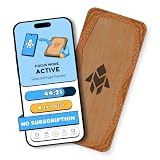
- Turn Your Phone Back Into a Tool: Humanodoro combines a smart Pad and free app to reduce scrolling and pause distracting apps, helping you focus at work, study with fewer interruptions, and stay present during family time.
- Two Focus Modes: Use Pad Mode when your phone should stay on the Pad for deep focus. Use Tap Mode when your phone goes with you, useful apps stay available, and selected distracting apps show a pause screen before you open them.
- How Humanodoro Works: Choose your session length and focus mode, tap your phone to the Smart Pad, and the timer starts. When the session ends, see what you achieved, earn rewards, and build a streak that helps the habit stick.
- Track Progress in the App: See your daily goal, focus time, streaks, levels, and badges in the Humanodoro app. Stats and calendar views help you stay on track, with optional friend, family, or coworker connections for extra motivation.
- Smart Inside, Natural Outside: A smart chip inside the Pad helps the app detect your phone during sessions, while the casing is made from natural wood and cork for a warm, desk-friendly feel. Made in the EU.
Recovering a blocked caller
- Check the app’s blocked, filtered, or recent-call history.
- Check Apple’s Unknown Callers and Spam lists.
- Review voicemail and any app-generated transcripts.
- Mark the number as legitimate or add it to the app’s allowlist, if available.
- Save the number in Contacts.
- Temporarily switch from blocking to labeling or screening if false positives continue.
What privacy issues should you check before installing?
Read the app’s current privacy policy and App Store privacy label before granting access. Check whether the service requests contacts, call history, identifiers, usage data, diagnostics, user content, tracking permission, voicemail recordings, transcripts, or call forwarding. A feature-rich voicemail or screening service can require substantially more data and routing access than Apple’s built-in controls.
Do these 3 things before closing this tab:
1Scan for outdated or missing drivers - takes under a minute2Clear out junk files and repair common Windows errors3Fix the driver behind crashes, sound loss and screen glitchesApp Store privacy labels are developer-provided disclosures, not independent audits. The FTC also advises consumers to review the privacy policy because some call-blocking apps access contacts. A privacy-sensitive user may reasonably choose Apple’s built-in screening or a carrier’s service instead of a third-party app.
How do subscriptions and carrier services change the choice?
Prices below are U.S. App Store prices observed on August 18, 2026, not permanent prices. The App Store can show different prices because of region, tax, promotion, account, or plan changes.
| Service | Observed pricing or status | Subscription caution | Best commercial fit |
|---|---|---|---|
| RoboKiller | Free download; subscription required after trial. | Confirm the exact renewal price before starting the trial. | Heavy spam volume and aggressive protection. |
| Nomorobo | Free trial and paid plans; reliable current App Store price was not exposed in the retrieved listing. | The listing says subscriptions auto-renew unless canceled at least 24 hours before renewal. | Focused robocall filtering. |
| Truecaller | $9.99 monthly or $74.99 yearly Premium observed. | Caller ID and spam blocking described in the listing require a paid subscription. | Caller ID and reverse lookup. |
| YouMail | Plus $7.99; annual Plus $71.99; Essentials $14.99; annual Essentials $144.99; Complete $24.99 observed. | Check which voicemail, screening, and data-removal features belong to each plan. | Free-to-paid voicemail, screening, and privacy tools. |
| Hiya | $3.99 monthly, $9.99 quarterly, or $24.99 yearly Premium observed. | Advanced features vary by country, device, operating system, carrier, and plan. | Lower-cost scam intelligence and screening. |
| Apple built-in controls | Included with iPhone software; no separate subscription. | Does not provide the specialized databases, reverse lookup, or voicemail replacement offered by some apps. | No-cost, lower-complexity protection. |
Before paying, check your wireless carrier’s included spam-labeling or call-blocking service. The FTC recommends checking your phone provider’s website or customer service. A carrier tool may filter at the network level and avoid a separate account, although it may be less configurable and tied to one carrier.
Does the Do Not Call Registry stop spam calls?
No. The National Do Not Call Registry can reduce legitimate sales calls, but scammers who ignore the law can continue calling. The registry is a supplementary measure, not a replacement for Apple’s controls, a carrier service, or a dedicated app. Report scam calls rather than trusting the registry to block them.
Free tools Windows power users keep installed
One-click scans. No signup required.
Which iPhone call-blocking app should you choose?
- Choose RoboKiller if spam calls and texts are frequent enough that aggressive blocking and answer bots justify a subscription.
- Choose Nomorobo if your main problem is robocalls and telemarketing and you want a specialist service with block-or-identify control.
- Choose Truecaller if you need to identify unfamiliar callers and search phone numbers before answering.
- Choose YouMail if you want a useful free starting point and may also need voicemail, screening, smart greetings, or data-broker tools.
- Choose Hiya if scam intelligence, fraud warnings, and AI-voice risk signals matter more than guaranteed automatic rejection.
- Choose Apple’s built-in tools if you want free protection with no third-party subscription, or if privacy and simplicity matter more than specialized databases.
Whichever option you choose, begin with one service, enable it under Settings > Apps > Phone > Call Blocking & Identification, test legitimate callers, and review the filtered-call and subscription settings before relying on it.
Frequently Asked Questions
Do iPhone call-blocking apps block every spam call?
No. No iPhone call-blocking app reliably blocks every spam or scam call. Spoofed and newly used numbers can evade databases, and aggressive filters can occasionally block legitimate callers.
What is the best free way to stop unknown calls on an iPhone?
Apple’s built-in call controls are the best free starting point: use Ask Reason for Calling, Silence for unknown callers, carrier-identified Spam filtering, and Block Contact for individual numbers. YouMail also offers a free tier with known-spammer blocking, text blocking, optional voicemail, smart greetings, and a Privacy Scan.
Can I use more than one spam-call app on my iPhone?
You can, but starting with one app is usually better. Multiple caller-identification services can create overlapping labels, inconsistent blocking behavior, and additional data exposure.
Why are legitimate calls being silenced or blocked?
A legitimate call may be filtered because the number is unsaved, the app’s database is wrong, or the filtering mode is too aggressive. Review the app’s blocked list and voicemail, mark the caller legitimate, save the number in Contacts, and switch to screening or labeling if necessary.
The Bottom Line
Bottom line: RoboKiller is the best pick for heavy robocall volume, Nomorobo is the best specialist filter, Truecaller is the best caller-ID tool, YouMail is the best free-to-start voicemail option, and Hiya is the best scam-intelligence choice. Apple’s built-in screening and spam controls remain the right first step for anyone who wants free, simple, and more private protection.

