
iTechGuides is reader-supported. When you buy through links on our site, we may earn an affiliate commission. As an Amazon Associate I earn from qualifying purchases. Learn more
The best monitors for triple screen setup in 2026 are three matching 27-inch or 32-inch 1440p gaming monitors with at least 144–165Hz, Adaptive-Sync, VESA mounting, narrow bezels, and identical geometry. For most sim racers, three 27-inch 1440p IPS displays offer the safest balance of sharpness, cost, mounting space, and GPU demand.
A triple-screen purchase is not really a one-monitor decision. You need three matching panels, a suitable stand or VESA arm system, three compatible outputs from the graphics card, cables with enough bandwidth, and a simulator or game that can render the screens correctly. A monitor that is excellent alone can be awkward or expensive to use in a triple arrangement.
Key takeaways
- Three matching 27-inch 1440p IPS monitors are the best mainstream starting point for most triple-screen gaming and sim-racing setups.
- Three 27-inch 2560×1440 monitors create a combined 7680×1440 desktop, while three 4K panels require rendering roughly 24.9 million pixels per frame.
- Three 27-inch panels are approximately 70.5 inches wide before bezels and angled placement; three 32-inch panels are approximately 83.7 inches wide before those additions.
- Three identical monitors simplify resolution, refresh rate, color, Adaptive-Sync, bezel alignment, VESA mounting, and future replacement.
- Buying three monitors can also require a triple-monitor stand, VESA hardware, cables, and possibly a graphics-card upgrade.
Which monitors are best for a triple screen setup in 2026?
For most buyers, the best overall direction is a set of three matching 27-inch 1440p IPS gaming monitors running at 144–180Hz. The LG UltraGear 27GS75Q-B is a particularly strong mainstream candidate because LG lists a 27-inch 2560×1440 IPS panel, 180Hz native refresh, 200Hz overclocked mode, 1ms GtG manufacturer rating, Adaptive-Sync support, and a virtually borderless three-sided design.
Free tools Windows power users keep installed
One-click scans. No signup required.
The best 32-inch direction is a matching set of 1440p displays for a larger cockpit or a longer viewing distance. The LG UltraGear 32GS75Q-B provides a 32-inch 1440p IPS panel, 180Hz refresh, DisplayHDR 400, a manufacturer-rated 1ms GtG response time, and Adaptive-Sync features. The LG UltraGear 32G620B-B is a lower-cost, contrast-oriented 32-inch candidate with 1440p resolution and a listed 200Hz refresh rate.
Popular on Amazon
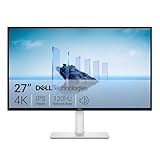
- Improved ComfortView Plus: Reduces harmful blue light emissions to ≤35%, for all-day comfort without sacrificing color accuracy.
- Refresh rate: A smooth, tear-free experience with AMD FreeSync Premium (refresh rate up to 120Hz) and an ultra-low 0.03ms response time create a captivating experience for work and play.
- Vivid colors: Immerse yourself in breathtaking 4K visuals with in-plane switching technology. Enjoy vibrant colors with 99% sRGB. The 1500:1 contrast ratio and HDR readiness deliver excellent depth and detail.
- Re-engineered sound quality: Enjoy more detailed sound with spacious audio featuring greater output power, deeper frequency response and more decibel range than the previous generation.
- Ultra-thin bezel: Designed with a sleek, modern aesthetic and an ash white finish, this display features ultra-thin bezels for a refined, minimalist design.
These are shortlist recommendations based on the supplied specifications and current specialist coverage, not the results of a controlled hands-on comparison of all 15 monitors. Stock, price, panel revision, and exact regional specifications should be checked before purchasing three units.
Quick comparison: 15 monitors for a triple-screen setup
The following list is a practical buying shortlist rather than a laboratory ranking. Products marked as candidates require final verification of current price, stock, exact model number, VESA details, and regional specifications before publication or purchase.
| Monitor | Size and resolution | Panel or design | Refresh information | Best use | Important caution |
|---|---|---|---|---|---|
| LG UltraGear 27GS75Q-B | 27-inch, 2560×1440 | IPS; virtually borderless on three sides | 180Hz native; 200Hz overclocked | Best mainstream 27-inch triple | Verify the desired refresh mode and stock |
| LG UltraGear 32G620B-B | 32-inch, 2560×1440 | LCD; HDR10; sRGB coverage listed by LG | 200Hz listed | Large 32-inch value-oriented triple | Confirm VESA and bezel geometry |
| LG UltraGear 32GS75Q-B | 32-inch, 2560×1440 | IPS; DisplayHDR 400; virtually borderless on three sides | 180Hz | Best 32-inch IPS alternative | Price and availability may be less favorable |
| LG UltraGear 27GR75Q-B | 27-inch, 2560×1440 | IPS; virtually borderless on three sides | 165Hz | Value 27-inch 1440p triple | Older model; verify revision and price |
| AOC Q27G4XED | 27-inch, QHD listed in coverage | Panel details require verification | High-refresh candidate; verify exact figure | Budget 27-inch triple | Confirm US availability and specifications |
| AOC Q27G4XN | 27-inch, QHD | VA-oriented budget candidate | 180Hz listed in specialist coverage | Budget contrast-focused triple | Check dark-motion behavior and VESA details |
| AOC Q27G41ZE | 27-inch; resolution requires verification | Panel details require verification | High-refresh candidate | High-refresh value option | Verify resolution, stand, VESA, and stock |
| AOC CQ32G4VE | 32-inch, 1440p reported by community users | Curved; 1500R reported in community discussion | 150Hz reported in community discussion | Curved 32-inch value triple | Confirm the exact retail specification |
| Dell S3222DGM | 32-inch; curved 1440p model family | VA-oriented curved design | Verify current exact specification | 32-inch curved value option | Confirm refresh, VESA, and current availability |
| ASUS TUF Gaming VG27AQ | 27-inch, 1440p | Established gaming-monitor line | Verify exact refresh mode | Mature 27-inch option | May be less attractive if newer models cost similarly |
| Samsung Odyssey G5 27-inch | 27-inch; exact model must be checked | Curved VA family | Verify exact regional model | Budget curved 27-inch triple | Check VA smearing and model number |
| Samsung Odyssey G5 32-inch | 32-inch; exact model must be checked | Curved VA family | Verify exact regional model | Budget curved 32-inch triple | Confirm curvature and 2026 model identity |
| Samsung Odyssey G7 32-inch | 32-inch; exact model must be checked | Premium curved LCD | Verify exact regional model | Premium high-refresh LCD triple | Three-unit cost and curve matching |
| LG UltraGear 27GR95QE OLED | 27-inch, 1440p OLED | OLED; exact finish and support require verification | High-refresh OLED candidate | Premium OLED triple | Cost, reflections, and burn-in management |
| Samsung Odyssey OLED G9 | 49-inch ultrawide alternative | Single 32:9 OLED panel | Verify exact model | Alternative to three monitors | Not a literal triple-screen setup |
How should you choose the screen size?
Choose 27-inch monitors for a compact cockpit, a desk-based setup, lower total cost, and easier GPU and mounting requirements. Choose 32-inch monitors when the rig is wide enough, the seating position is farther from the displays, and greater peripheral immersion or larger cockpit details matter more than footprint.
| Factor | 27-inch triple | 32-inch triple |
|---|---|---|
| Approximate panel-only width | About 70.5 inches for three panels | About 83.7 inches for three panels |
| Fit | Easier to fit on desks and cockpit frames | Requires a larger room, desk, or dedicated rig |
| 1440p pixel density | Higher and generally sharper | Lower, but text and cockpit details appear larger |
| Mounting | Usually easier on monitor arms | Heavier and more demanding on arms and stands |
| GPU demand at equal resolution | Same pixel count as 32-inch 1440p | Same pixel count as 27-inch 1440p |
| Best viewing situation | Shorter or moderate eye-to-screen distance | Farther seating position and larger dedicated cockpit |
The panel-only widths are approximate 16:9 dimensions. The final footprint is wider because the side monitors angle outward and the stand, bezels, and rear housings add space. A three-screen rig should be measured at the intended side-screen angle rather than by adding panel widths alone.
Is 1080p, 1440p, or 4K best for triple screens?
1440p is the most balanced choice for current triple-screen builds. Three 2560×1440 displays produce a combined 7680×1440 desktop, although a simulator may use a dedicated triple-display rendering mode instead of treating the screens as one ordinary desktop.
| Resolution | Best for | Advantages | Trade-offs |
|---|---|---|---|
| 1080p | Entry-level systems and weaker GPUs | Lowest rendering demand; inexpensive; suitable for high frame-rate targets | Less sharp, with more visible pixels on 27-inch and 32-inch screens |
| 1440p | Most mainstream gaming and sim-racing builds | Good clarity, broad high-refresh availability, and a more manageable GPU load than triple 4K | More demanding than triple 1080p |
| 4K | High-end enthusiast rigs prioritizing detail | Maximum cockpit and scenery sharpness | Triple 4K renders roughly 24.9 million pixels per frame and requires a much larger budget and stronger GPU |
Do not assume that a graphics card that handles one 4K monitor well will handle three 4K monitors well. Ray tracing, shadows, reflections, weather, foliage, traffic, texture quality, and simulator-specific CPU limits can reduce frame rates further. Upscaling and frame generation may help where the chosen game supports them, but those features do not remove the need to verify frame-time behavior.
Which panel type is best: IPS, VA, or OLED?
IPS is the safest default for most triple-screen buyers because angled side panels benefit from consistent viewing angles, predictable color behavior, and generally clean motion. VA can be a good value choice when contrast and darker night scenes matter more. OLED delivers the best contrast and response characteristics but makes the three-panel purchase much more expensive and introduces additional care considerations.
| Panel | Why choose it | Triple-screen concern |
|---|---|---|
| IPS | Consistent viewing angles, broad 1440p selection, and generally reliable motion clarity | Lower native contrast and possible IPS glow; HDR quality varies by model |
| VA | Higher native contrast and often lower pricing | Some models show dark-level smearing; overdrive behavior varies |
| OLED | Very high contrast, rapid pixel response, and strong HDR potential | Three-panel cost, reflections, static cockpit content, panel-care routines, and warranty questions |
Community reports disagree about IPS and VA for sim racing. Some users consider modern VA panels satisfactory, while others report distracting smearing and prefer IPS. Those reports are anecdotal rather than controlled testing, so the exact model, firmware, overdrive mode, refresh range, and personal sensitivity matter.
OLED is also environment-dependent. Community users have reported reflections between glossy OLED side screens when the displays face one another. A matte LCD may be more practical in a bright room or when the side panels are angled aggressively. OLED is not automatically a poor choice, but buyers should review panel-care instructions and warranty language, especially if dashboards, lap timing, menus, or desktop applications remain static for long periods.
Are flat or curved monitors better for triples?
Flat monitors are easier to align and are the safer choice for a mixed gaming-and-work desk. Curved monitors can create a more enveloping racing view when all three panels share the same curvature and the mount is designed around the seating position.
| Screen shape | Best fit | Main risk |
|---|---|---|
| Flat | Compact rigs, productivity, and predictable geometric alignment | Less wraparound immersion than a carefully aligned curved system |
| Curved | Fixed seating positions and dedicated sim-racing cockpits | Mismatched curvature, reflections, and more complex mount geometry |
No single curvature radius is universally best. The appropriate radius depends on eye distance, panel size, side-screen angle, and the simulator’s projection model. Never mix different curvature radii in a permanent triple unless you have confirmed that the resulting sightline is acceptable.
Windows Errors? Fix Them Before They Spread
Repair common Windows errors and clear accumulated junk for a smoother, more stable PC - no reinstall needed.Free scan · no reinstallOutdated Drivers Are Slowing You Down
One free scan finds every outdated or missing driver and matches the right update for your exact hardware.Free scan · exact hardware matchWhat refresh rate do triple-screen games need?
A 144–180Hz monitor is the sensible mainstream target, while 100–144Hz remains acceptable for budget systems and 200–240Hz is most useful for high-end systems that can sustain very high frame rates. A high refresh specification does not guarantee smooth triple-screen performance because the GPU must render the complete combined resolution.
| Refresh range | Practical position |
|---|---|
| 100–144Hz | Acceptable for budget builds and lower-end graphics hardware |
| 144–180Hz | Best general-purpose target for modern triples |
| 200–240Hz | Useful for high-end competitive systems with consistently high frame rates |
| Above 240Hz | Increasingly difficult to justify in triple-screen simulation unless the game and GPU sustain the required performance |
Stable frame times are more important than chasing the monitor’s maximum refresh number. Use the simulator’s frame-time graph, identify spikes, and reduce the settings that cause those spikes rather than assuming a nominal 180Hz or 240Hz mode will be fully utilized.
Do all three monitors need to be identical?
Buy three identical units whenever possible. Matching models simplify resolution, refresh rate, color, brightness, Adaptive-Sync behavior, bezel geometry, VESA hardware, and future replacement.
Also popular on Amazon

- DO MORE ON ONE SCREEN: See every detail on the wider display featuring a 21:9 aspect ratio; Ultra WQHD provides the simplest way to maximize screen real estate and experience truly seamless multitasking on just one screen.Brightness (Typical) : 300 cd/㎡. Static Contrast Ratio 3000:1.
- ENJOY A BILLION COLORS W/ INCREDIBLE DEPTH: With HDR10 that displays over 1 billion colors compared to 16.7 million for typical SDR technology, dark colors are darker and the brightest are even brighter; Content is experienced as the creator intended
- CARE FOR YOUR EYES DAY and NIGHT: An ambient light sensor on the monitor detects lighting in your workstation and automatically adjusts brightness; Eye Saver Mode minimizes excessive blue light, and Flicker Free relieves eye strain
- SEE CONTENT SMOOTHER, EVEN GAMING: A faster than average refresh rate updates the image on screen more often every second; 100Hz refresh rate reduces lag and motion blur when playing games, watching videos, or working on design projects
- STAY IN SYNC WITH THE ACTION: AMD Radeon FreeSync keeps the refresh rate of your monitor and graphics card in sync to reduce image tearing for a superfluid entertainment experience; Watch movies and play games without interruptions
Mixing monitors can work for a temporary setup, but avoid combining 27-inch and 32-inch screens, flat and curved screens, different aspect ratios, different resolutions, different curvature radii, or OLED and LCD panels. Even apparently identical products can change panel revision or firmware, so record the exact model code and buy all three at once when practical.
Do these 3 things before closing this tab:
1Repair Windows errors before they cause bigger problems2Scan for outdated or missing drivers - takes under a minute3Clear out junk files and repair common Windows errorsBuying one monitor now and two later creates several risks: the original model may be discontinued, the panel revision may change, firmware behavior may differ, the price may rise, or matching stock may disappear. A replacement panel that looks similar in a product listing may have a different curve, bezel, brightness, or refresh behavior.
What mounting features matter most?
VESA compatibility and physical geometry matter more in a triple rig than the included desktop stand. A dedicated triple-monitor stand or adjustable VESA arm system is generally needed for accurate height, angle, and distance adjustment.
Before ordering, confirm the VESA pattern, panel weight without the stand, arm load capacity, clearance around the rear housing, and whether the VESA mount is recessed. MSI’s multi-monitor setup guidance specifically discusses VESA mounting and weight capacity for multi-monitor arrangements.
Inspect the lower bezel as well as the side bezels. A thick bottom bezel or protruding lower lip can prevent screens from meeting cleanly when the monitors are mounted close together or angled inward. “Virtually borderless” usually means a narrow bezel on three sides; it does not mean the image has no physical separation.
How many GPU outputs and cables are required?
Most gaming triple setups should connect each monitor directly to a suitable output on the graphics card. Confirm three independent outputs, the DisplayPort or HDMI version, the bandwidth required for the selected resolution and refresh rate, cable length, and whether Adaptive-Sync works through the chosen input.
Daisy-chaining is not a general solution for high-refresh gaming triples. Dell’s multi-monitor documentation explains that supported display count depends on the GPU and the combination of resolution, refresh rate, color depth, and cable configuration. Daisy-chaining can be useful in compatible office workflows, but a gaming triple should use direct GPU connections unless the exact GPU, monitors, cables, and software path have been verified.
Use equal-length, suitably rated cables where practical, route cables with enough slack for side-screen adjustment, and avoid assuming that a dock, adapter, or laptop USB-C connection can drive three high-refresh gaming displays at the desired settings.
Which games support triple-screen rendering?
Triple-screen quality depends on the game or simulator, not just the monitors. Native triple-screen support generally provides better perspective correction and bezel compensation than simply stretching one desktop image across three panels.
Recommended Free Tools
Games may support triples through native independent projection, NVIDIA Surround, AMD Eyefinity, borderless-window spanning, or a configuration file. Support varies by title, graphics API, GPU vendor, driver, and simulator version. A game that merely stretches one image across three screens can distort the side views or produce an incorrect field of view.
Check the specific title before buying. Confirm whether the title supports independent screen angles, bezel correction, per-screen field of view, and the resolution generated by the selected GPU spanning method.
What are the 15 best monitor choices for triples?
The recommendations below define “best” by use case. Official specifications are linked where the dossier supplies an official product page. Prices are research signals rather than current guarantees and exclude the stand, cables, tax, shipping, and possible GPU upgrades.
1. LG UltraGear 27GS75Q-B — best mainstream 27-inch 1440p triple
The LG UltraGear 27GS75Q-B is the strongest default candidate for many buyers because its 27-inch 1440p IPS format balances sharpness, physical size, GPU demand, and availability. LG lists 180Hz native refresh, 200Hz overclocking, a manufacturer-rated 1ms GtG response time, Adaptive-Sync features, HDR10, and a virtually borderless three-sided design.
Quick wins for a faster PC:
Clear out junk files and repair common Windows errorsFree Scan →Scan for outdated or missing drivers - takes under a minuteDriver Scan →Best for: mainstream sim racing, gaming, and productivity. Watch for: verify the exact refresh mode, VESA details, current US stock, and whether three units are available from the same revision.
Also popular on Amazon

- ALL-EXPANSIVE VIEW: The three-sided borderless display brings a clean and modern aesthetic to any working environment; In a multi-monitor setup, the displays line up seamlessly for a virtually gapless view without distractions
- SYNCHRONIZED ACTION: AMD FreeSync keeps your monitor and graphics card refresh rate in sync to reduce image tearing; Watch movies and play games without any interruptions; Even fast scenes look seamless and smooth.
- SEAMLESS, SMOOTH VISUALS: The 75Hz refresh rate ensures every frame on screen moves smoothly for fluid scenes without lag; Whether finalizing a work presentation, watching a video or playing a game, content is projected without any ghosting effect
- MORE GAMING POWER: Optimized game settings instantly give you the edge; View games with vivid color and greater image contrast to spot enemies hiding in the dark; Game Mode adjusts any game to fill your screen with every detail in view
- SUPERIOR EYE CARE: Advanced eye comfort technology reduces eye strain for less strenuous extended computing; Flicker Free technology continuously removes tiring and irritating screen flicker, while Eye Saver Mode minimizes emitted blue light
2. LG UltraGear 32G620B-B — best mainstream 32-inch value direction
The LG UltraGear 32G620B-B is a candidate for buyers who want a larger 32-inch image without moving to triple 4K. LG lists 2560×1440 resolution, 200Hz refresh, a manufacturer-rated 1ms GtG response claim, HDR10, sRGB coverage, G-SYNC compatibility, and FreeSync Premium.
Best for: larger dedicated rigs and longer viewing distances. Watch for: three 32-inch panels need roughly 83.7 inches of panel width before bezels and angle, and the buyer should confirm VESA compatibility and rear-housing clearance.
3. LG UltraGear 32GS75Q-B — best 32-inch IPS alternative
The LG UltraGear 32GS75Q-B combines a 32-inch 1440p IPS panel with 180Hz refresh, a manufacturer-rated 1ms GtG response time, DisplayHDR 400, sRGB 99% rated coverage, Adaptive-Sync support, and a virtually borderless three-sided design according to LG.
The Tool Desk
Outbyte PC Repair FREERepair Windows errors before they cause bigger problemsFix Now →Outbyte Driver Updater FREEScan for outdated or missing drivers - takes under a minuteDriver Scan →Best for: buyers who want 32-inch immersion but prefer IPS viewing consistency. Watch for: a three-unit purchase can be considerably more expensive than budget VA alternatives, and price and availability should be checked before committing.
4. LG UltraGear 27GR75Q-B — best value-oriented 27-inch IPS option
The LG UltraGear 27GR75Q-B remains a relevant candidate for a 27-inch 1440p triple because LG lists an IPS panel, 165Hz refresh, a manufacturer-rated 1ms GtG response time, G-SYNC Compatibility, FreeSync Premium, HDR10, and a virtually borderless design.
Best for: buyers who find the older model at a strong price. Watch for: panel revision, current pricing, stock, and whether a newer 27-inch model offers better value.
5. AOC Q27G4XED — best budget 27-inch candidate
The AOC Q27G4XED appears in current sim-racing coverage as a low-cost 27-inch QHD candidate. The supplied research does not establish a complete official specification set or controlled triple-screen test for this model.
What’s actually slowing this PC down?
Pick the symptom - the matching free tool is one click away.
Best for: a value-focused 1440p build when three units can be sourced together. Watch for: exact US availability, panel type, refresh mode, VESA pattern, bezel shape, and return practicality.
6. AOC Q27G4XN — budget contrast-oriented 27-inch candidate
The AOC Q27G4XN is listed in specialist coverage as a 27-inch QHD high-refresh candidate at roughly $150 per display in the research snapshot. The VA-oriented design may provide stronger native contrast than a conventional IPS alternative.
Best for: budget triple-screen buyers who value contrast. Watch for: VA dark-level smearing, which varies by model and overdrive setting, plus the availability of three matching units.
7. AOC Q27G41ZE — high-refresh value candidate
The AOC Q27G41ZE appears in current triple-screen coverage as a high-refresh value option. The supplied dossier does not provide enough verified detail to treat the resolution, VESA pattern, stand geometry, or refresh mode as settled for every market.
Best for: buyers prioritizing high refresh at a value price. Watch for: verify the complete regional specification sheet before buying three.
8. AOC CQ32G4VE — curved 32-inch value candidate
The AOC CQ32G4VE is a candidate for a curved 32-inch triple. Community users have reported using three 1440p 1500R units at 150Hz, but that is anecdotal evidence and should not replace verification of the exact retail model.
Best for: dedicated rigs designed around a matching curved radius. Watch for: confirm the curve, refresh rate, panel behavior, VESA support, and whether the side-screen angles suit the intended eye distance.
Also popular on Amazon

- CRISP CLARITY: This 23.8″ Philips V line monitor delivers crisp Full HD 1920x1080 visuals. Enjoy movies, shows and videos with remarkable detail
- INCREDIBLE CONTRAST: The VA panel produces brighter whites and deeper blacks. You get true-to-life images and more gradients with 16.7 million colors
- THE PERFECT VIEW: The 178/178 degree extra wide viewing angle prevents the shifting of colors when viewed from an offset angle, so you always get consistent colors
- WORK SEAMLESSLY: This sleek monitor is virtually bezel-free on three sides, so the screen looks even bigger for the viewer. This minimalistic design also allows for seamless multi-monitor setups that enhance your workflow and boost productivity
- A BETTER READING EXPERIENCE: For busy office workers, EasyRead mode provides a more paper-like experience for when viewing lengthy documents
9. Dell S3222DGM — 32-inch curved value option
The Dell S3222DGM is frequently cited as a lower-cost 32-inch curved choice for sim-racing setups. Research coverage places the price signal around $279–$300 per monitor, but that figure is not a guaranteed current US price.
The Tool Desk
Outbyte Driver Updater FREEScan for outdated or missing drivers - takes under a minuteDriver Scan →Outbyte PC Repair FREERepair Windows errors before they cause bigger problemsFix Now →Best for: buyers wanting a larger curved 1440p-class display at a value-oriented price. Watch for: confirm the exact refresh specification, VESA support, model availability, and whether three matching units remain in stock.
10. ASUS TUF Gaming VG27AQ — mature 27-inch option
The ASUS TUF Gaming VG27AQ is an established 27-inch 1440p gaming-monitor candidate that can make sense when discounted and available in a matching batch.
Best for: buyers who prefer a mature gaming-monitor line. Watch for: exact refresh mode, panel revision, bezel geometry, and whether newer 27-inch 1440p models offer better triple-screen value.
11. Samsung Odyssey G5 27-inch — budget curved 27-inch family
The 27-inch Samsung Odyssey G5 family is a commonly cited curved budget option for sim racing. The exact model number matters because G5 specifications vary by generation and market.
Quick wins for a faster PC:
Clear out junk files and repair common Windows errorsFree Scan →Fix the driver behind crashes, sound loss and screen glitchesFind Drivers →Best for: buyers who specifically want a compact curved setup. Watch for: verify resolution, refresh rate, curvature, VESA compatibility, and VA motion behavior before buying three.
12. Samsung Odyssey G5 32-inch — budget curved 32-inch family
The 32-inch Samsung Odyssey G5 family offers the larger curved format that some dedicated cockpits can accommodate. The supplied research does not establish one universal 2026 specification for every 32-inch G5 listing.
Best for: larger rigs and users sitting farther from the screens. Watch for: confirm the exact model number, curvature, refresh rate, VESA pattern, and matching stock.
13. Samsung Odyssey G7 32-inch — premium high-refresh LCD candidate
The 32-inch Samsung Odyssey G7 is a premium high-refresh LCD candidate with a more ambitious feature set than the G5 family. The three-monitor cost and exact regional model should be confirmed before treating the G7 as a practical triple recommendation.
Best for: enthusiasts who want a premium curved LCD experience. Watch for: matching curvature, stand load capacity, reflections, and the total cost of three displays.
14. LG UltraGear 27GR95QE — premium OLED triple
The LG UltraGear 27GR95QE is the premium image-quality option in this shortlist because OLED can provide exceptional contrast and rapid pixel response. Research signals place the monitor at approximately $700 each, which would put three panels near $2,100 before accessories when that price applies.
Best for: enthusiasts who prioritize OLED contrast and can manage the cost. Watch for: static dashboards and desktop content, panel-care routines, reflections, warranty terms for burn-in, and the difficulty of replacing one matching OLED later.
15. Samsung Odyssey OLED G9 — best single-panel alternative, not a triple
The Samsung Odyssey OLED G9 is not one of the best monitors for a literal triple screen setup; it is an alternative to buying three monitors. A 49-inch 32:9 panel provides a seamless wide image with fewer cables and no center bezels, but it does not provide independently angled side displays or the same game-support options as native triples.
Research signals place some Odyssey OLED G9 listings around $1,099–$1,400 depending on the comparison and market. Those figures are volatile and should be rechecked. Best for: users who want one seamless ultrawide workspace. Watch for: different field-of-view geometry, less independent screen positioning, different simulator support, and the impact of a single-panel failure.
Also popular on Amazon

- Low blue light: The improved ComfortView Plus reduces harmful blue light emissions to ≤35%, for all-day comfort without sacrificing color accuracy.
- Refresh rate: A smooth, tear-free experience with AMD FreeSync Premium (refresh rate up to 120Hz) and an ultra-low 0.03ms response time create a captivating experience for work and play.
- Vivid colors: Immerse yourself in breathtaking 4K visuals with in-plane switching technology. Enjoy vibrant colors with 99% sRGB. The 1500:1 contrast ratio and HDR readiness deliver excellent depth and detail.
- Re-engineered sound quality: Enjoy more detailed sound with spacious audio featuring greater output power, deeper frequency response and more decibel range than the previous generation.
- Easy connectivity: Keep your desk organized and clutter-free with a single USB-C cable (up to 65W power delivery).
How much does a triple-monitor setup cost?
The real cost is three monitors plus a triple stand, VESA hardware, cables, shipping and tax, and possibly a GPU upgrade. A monitor advertised at $150 does not produce a complete $150 solution.
| Example monitor price signal | Three-monitor calculation | What is excluded |
|---|---|---|
| AOC Q27G4XN: approximately $150 each | Approximately $450 for three | Stand, cables, tax, shipping, and GPU upgrade |
| AOC Q27G4XED: approximately $190 each | Approximately $570 for three | Stand, cables, tax, shipping, and GPU upgrade |
| Dell S3222DGM: approximately $279–$300 each | Approximately $837–$900 for three | Stand, cables, tax, shipping, and GPU upgrade |
| LG 27GR95QE OLED: approximately $700 each | Approximately $2,100 for three | Stand, cables, tax, shipping, and GPU upgrade |
These are price signals reported in the supplied 2026 research snapshot, not guaranteed current US prices. The specialist price coverage should be used as a starting point only; verify live retailer pricing and stock immediately before publication or purchase.
Triple monitors or a 49-inch ultrawide?
Choose triple monitors when you want independently angled side views, native triple-screen projection, or separate physical displays. Choose a 49-inch ultrawide when seamless image continuity, simpler cabling, and a cleaner desk matter more.
Recommended Free Tools
| Decision factor | Three monitors | 49-inch ultrawide |
|---|---|---|
| Image continuity | Center and side bezels remain visible unless managed | One uninterrupted panel |
| Geometry | Side-screen angle can be adjusted around the seating position | Fixed ultrawide geometry |
| Hardware | Three panels, stand, multiple cables, and more setup work | One panel and simpler cabling |
| Game support | Can benefit from native triple projection, but support varies | Requires ultrawide support and a compatible field of view |
| Failure risk | One failed panel does not necessarily remove all display output | A single-panel failure affects the entire display |
| Work use | Three independent work areas | One very wide workspace |
Current sim-racing monitor coverage commonly contrasts 27-inch triples with 34-inch and 49-inch ultrawides, but an ultrawide is not a drop-in equivalent for every simulator or workflow.
What should you check before buying?
- Measure the space. Measure the desk or cockpit at the intended side-screen angle, not just the straight panel width. Three 27-inch panels are approximately 70.5 inches wide before angle and hardware; three 32-inch panels are approximately 83.7 inches wide.
- Measure eye distance. Match screen size and curvature to the distance from your eyes to the center screen and the simulator’s projection settings.
- Confirm three GPU outputs. Make sure the graphics card has three suitable DisplayPort or HDMI outputs, not merely three physical ports with insufficient bandwidth.
- Calculate the rendering load. Triple 1440p is 7680×1440; triple 4K is roughly 24.9 million pixels per frame. Leave performance headroom for weather, reflections, traffic, and other demanding settings.
- Buy identical units. Confirm the exact model code and, when possible, purchase all three in one order.
- Check mounting compatibility. Confirm VESA pattern, panel weight, recessed mounting depth, arm clearance, and stand load capacity.
- Inspect bezels and the lower lip. A protruding bottom bezel can prevent close alignment even when the side bezels look narrow.
- Check input behavior. Verify that the required resolution, refresh rate, and Adaptive-Sync mode work through the intended input.
- Confirm game support. Look for native triple-screen projection, field-of-view controls, and bezel compensation for the games you actually play.
- Plan returns and replacement. A retailer with practical returns and a product with stable availability can be more valuable than a slightly cheaper discontinued model.
How should you set up the three monitors?
- Install the triple stand or VESA arms and confirm that the arms can hold the monitors without sagging.
- Mount the center screen first, then place the side screens at equal angles and equal distances from the driving or flying position.
- Set identical resolution, refresh rate, scaling, brightness, color temperature, and Adaptive-Sync behavior on all three monitors.
- Connect each monitor directly to the graphics card with suitable cables unless the exact daisy-chain configuration has been verified.
- Update the graphics driver and monitor firmware where the manufacturer provides a supported update path.
- Enable the game’s native triple-screen mode when available. Otherwise, configure the appropriate NVIDIA Surround, AMD Eyefinity, borderless spanning, or title-specific configuration.
- Enter the physical screen width, bezel width, eye distance, side-screen angle, and field-of-view values required by the simulator.
- Apply bezel compensation carefully. Compensation should correct the image geometry without hiding important cockpit information.
- Test frame times in the actual simulator. Reduce demanding settings when frame-time spikes appear instead of judging performance only by average frames per second.
- Recheck alignment after the cockpit or desk has been moved. Small changes in screen angle or eye position can alter the projected perspective.
How were these monitors evaluated?
A triple-screen ranking should give more weight to geometry and ownership practicality than a conventional single-monitor review. A transparent scoring framework is:
| Criterion | Weight |
|---|---|
| Triple-screen geometry and bezel design | 20% |
| Image quality and motion handling | 15% |
| Resolution-to-GPU balance | 15% |
| Refresh rate and Adaptive-Sync | 15% |
| Mounting and physical adjustability | 10% |
| Price when buying three | 10% |
| Availability of three matching units | 5% |
| Inputs, cables, and compatibility | 5% |
| Warranty and return practicality | 5% |
That framework prevents a monitor from ranking highly merely because it advertises a faster refresh rate, HDR support, a manufacturer-rated 1ms response time, a larger screen, or a curved gaming design. In a triple setup, bezel geometry, mounting, matching stock, total cost, and GPU load can matter more than single-screen extras such as speakers, a USB hub, or the included stand.
Frequently Asked Questions
Are three 27-inch monitors better than one 49-inch ultrawide?
Three 27-inch monitors are better when independently angled side views, native triple-screen projection, or three separate work areas matter most. A 49-inch ultrawide is better when seamless image continuity, simpler cabling, and a cleaner installation matter more.
Should all three monitors in a triple setup be identical?
Yes, three identical monitors are the least troublesome choice because resolution, refresh rate, color, curvature, bezel geometry, Adaptive-Sync, and mounting behavior match. Mixed monitors can work, but avoid mixing sizes, resolutions, aspect ratios, curvature radii, panel types, or flat and curved designs.
Is 1440p worth it over 1080p for triple screens?
1440p is usually worth it for a modern triple-screen setup because it improves clarity while demanding substantially less rendering power than triple 4K. Triple 1080p remains sensible for weaker GPUs, very high frame-rate targets, or a smaller budget.
Can three gaming monitors be daisy-chained?
Three gaming monitors should normally connect directly to the graphics card unless the exact GPU, monitor, cable, resolution, refresh rate, and Adaptive-Sync combination has been verified. Daisy-chain support depends on those factors and is more commonly useful in compatible office workflows.
Is OLED worth buying three times for sim racing?
OLED can be worth buying three times for enthusiasts who prioritize contrast and rapid response, but the cost, reflections, static cockpit content, panel-care requirements, and burn-in warranty terms make OLED a specialist choice rather than the safest default.
Free tools Windows power users keep installed
One-click scans. No signup required.
The Bottom Line
For most buyers, purchase three matching 27-inch 1440p IPS monitors with 144–180Hz refresh, Adaptive-Sync, VESA mounting, and narrow bezels. Move to 32-inch 1440p panels when the cockpit is large and the viewing distance is greater. Choose 1080p for weaker GPUs, 4K only for high-end systems, VA when contrast and price lead the decision, and OLED only when premium image quality justifies the cost and maintenance considerations.
Before ordering, verify three matching units, the exact panel revision, VESA and bezel geometry, three suitable GPU outputs, cable bandwidth, simulator support, current price, return terms, and total cost including the stand and accessories.

