
iTechGuides is reader-supported. When you buy through links on our site, we may earn an affiliate commission. As an Amazon Associate I earn from qualifying purchases. Learn more
The best laptops for $600 in 2026 are usually Windows models with 16GB of RAM and a 512GB SSD, such as a properly configured ASUS Vivobook 16 or Lenovo IdeaPad Slim 3. Chromebook Plus models can offer better battery life and screens, while Lenovo’s Snapdragon-powered Slim 3x is appealing for battery-focused buyers who do not need perfect Windows-app compatibility.
This guide covers new U.S. laptops priced at or below $600 before tax, with sale pricing labeled separately. Laptop prices and configurations change quickly, so verify the exact processor, memory, storage, display, operating system, warranty, seller, and return policy before checkout.
Key takeaways
- A 16GB RAM and 512GB SSD configuration is the preferred target for a Windows laptop intended to last several years.
- The ASUS Vivobook 16 M1605 is the strongest overall Windows candidate when the specific configuration includes at least 16GB of RAM and a 512GB SSD; RTINGS currently names the model its best tested laptop under $600.
- The Lenovo IdeaPad Slim 3 Gen 10 AMD offers a Ryzen 5 8540U, 512GB SSD, and 15.3-inch 1920×1200 touchscreen, but the cited configuration has only 8GB of soldered RAM.
- The Lenovo IdeaPad Slim 3x combines Windows 11 on Arm, Snapdragon X, 16GB memory, and a 512GB SSD, but specialized software and peripherals may not work correctly.
- Chromebook Plus models are strong choices for web-first work, schoolwork, streaming, and simple administration, but ChromeOS does not replace Windows for every desktop application.
- 4GB Windows laptops, 64GB eMMC Chromebooks, and 128GB flash-storage Windows laptops are usually poor primary-computer purchases unless the user has unusually light needs.
What are the best laptops for $600 in 2026?
The best overall choice is a correctly configured ASUS Vivobook 16 M1605. The best mainstream Windows alternative is the Lenovo IdeaPad Slim 3 Gen 10 AMD, provided the buyer accepts its 8GB soldered-memory limitation or finds a 16GB version. The Lenovo IdeaPad Slim 3x is the most interesting battery-oriented Windows option, while the ASUS Chromebook Plus CM34 Flip is the most appealing Chromebook convertible.
RTINGS identifies the ASUS Vivobook 16 M1605 as its best tested laptop under $600 and lists the Acer Aspire 15 as an alternative. RTINGS also notes that the Acer Chromebook Plus Spin 714 can drop below $600 during sales even though its normal price is higher.
Popular on Amazon

- Efficient Intel Processor N150 delivers reliable performance for everyday computing tasks including web browsing, document editing, video streaming, and multitasking. 4GB DDR4 RAM ensures smooth operation when running multiple applications simultaneously. Perfect for students, home users, and professionals who need dependable performance for productivity work, online learning, video conferencing, and entertainment without lag or slowdowns.
- 128GB UFS storage provides fast boot times and quick application loading while offering ample space for documents, photos, videos, and essential software. Includes one-year subscription to Microsoft Office 365 Personal with Word, Excel, PowerPoint, Outlook, and 1TB OneDrive cloud storage—everything you need to create professional documents, spreadsheets, presentations, and manage email right out of the box.
- 14" HD (1366 x 768) anti-glare display delivers clear, comfortable viewing for extended work sessions with reduced eye strain. Narrow bezels maximize screen real estate for immersive content consumption. Integrated Intel UHD Graphics handles everyday visual tasks, HD video playback, and light photo editing. Ideal screen size balances portability with productivity—large enough for comfortable multitasking yet compact enough to carry anywhere.
- Comprehensive connectivity includes Wi-Fi 6 (802.11ax) for faster wireless speeds and improved network efficiency, Bluetooth 5.0 for wireless peripherals, USB-C port for modern accessories and fast data transfer, USB 3.2 ports, HDMI output for external displays or projectors, and 3.5mm audio jack. HD webcam with integrated microphone enables crystal-clear video calls for remote work, online classes, and staying connected with family and friends.
- Windows 11 Home operating system provides intuitive interface with enhanced productivity features, improved security, and seamless integration with Microsoft services. Full-size keyboard with numeric keypad for efficient data entry. Lightweight and portable design makes it easy to work from anywhere—home, office, classroom, or coffee shop. Long battery life supports all-day productivity. Backed by HP’s quality and reliability with customer support available.
The rankings below are recommendations by use case, not claims that every configuration in a product family is equally good. A product family can contain a worthwhile $599 model and a poor $349 model with 4GB of RAM, 128GB of storage, or a dim display.
Quick comparison: 12 laptops to watch
The table distinguishes stable recommendations from sale picks and watch-list models. “Verify live” means that the dossier identified the model as a candidate but did not establish a qualifying price and exact configuration for every U.S. listing on August 18, 2026.
| Rank | Laptop | Operating system | Known or target configuration | Display | Price status | Best for | Main drawback |
|---|---|---|---|---|---|---|---|
| 1 | ASUS Vivobook 16 M1605 | Windows 11 | Prefer 16GB RAM and 512GB SSD; processor varies | 16-inch class; verify resolution and panel | Starting price shown at $599.99; configuration-dependent | Best overall Windows value | Specifications vary substantially by SKU |
| 2 | Lenovo IdeaPad Slim 3 Gen 10 AMD | Windows 11 | Ryzen 5 8540U, 8GB soldered DDR5, 512GB SSD | 15.3-inch 1920×1200 IPS touchscreen, 300 nits, 45% NTSC | Verify current price | Mainstream productivity | 8GB RAM is not upgrade-friendly |
| 3 | Lenovo IdeaPad Slim 3x Snapdragon | Windows 11 on Arm | Snapdragon X, 16GB LPDDR5X, 512GB SSD | 15.3-inch 1920×1200 touchscreen | Verify current price | Battery-focused mobile work | Arm compatibility varies |
| 4 | ASUS Chromebook Plus CM34 Flip | ChromeOS | Up to Ryzen 5 7520C and up to 16GB memory; verify SKU | 16:10 touchscreen with 360-degree hinge | $499.99 sale price versus $599.99 reference price | Chromebook 2-in-1 buyers | “Up to” specifications do not describe every unit |
| 5 | Acer Chromebook Plus 515 | ChromeOS | Chromebook Plus configuration; verify RAM and storage | Large 15.6-inch-class screen; verify panel | Sale-sensitive; verify live | Large-screen web work | Support date and configuration require checking |
| 6 | Acer Chromebook Plus Spin 714 | ChromeOS | Premium Chromebook Plus configuration | Convertible touchscreen; verify exact resolution | Sale pick only when below $600 | Premium Chromebook deals | Usually exceeds the budget |
| 7 | Acer Chromebook Spin 314 | ChromeOS | Intel N200, 4GB LPDDR5, 64GB eMMC | 14-inch 1920×1200 touchscreen | $399.99 sale price signal | Basic schoolwork and streaming | 4GB RAM and 64GB storage limit longevity |
| 8 | Acer Aspire Go 15 Intel Core 3 | Windows 11 | Intel Core 3 N355, 8GB DDR5, 128GB UFS | 15.6-inch Full HD IPS touchscreen | $469.99 sale price signal | Large-screen light use | 128GB UFS is weak for a primary Windows laptop |
| 9 | Acer Aspire Go 15 Ryzen 5 | Windows 11 | Ryzen 5 7520U, 8GB LPDDR5, 512GB SSD | 15.6-inch Full HD IPS touchscreen | $629.99 sale price signal; qualifies only below $600 | Basic Windows productivity | Price is above the ceiling in the cited listing |
| 10 | Lenovo Chromebook 3 / IdeaPad 3 Chromebook | ChromeOS | Lightweight 14-inch Chromebook family; verify exact memory and storage | 14-inch class; verify resolution and brightness | Availability and price require verification | Simple, low-maintenance computing | Older or lower-end configurations may be limited |
| 11 | HP OmniBook 3 | Windows 11 | Prefer 16GB RAM and 512GB SSD; verify model number | Verify resolution, panel, and brightness | Sale pick; exact deal must be verified | Work and study deals | Family name covers multiple configurations |
| 12 | Dell 15 / Inspiron-class 15-inch model | Windows 11 | Prefer 16GB RAM and 512GB SSD; verify processor | Verify resolution and panel type | Sale pick; exact deal must be verified | Dell availability and support | Dell naming and configurations change often |
ASUS lists the Chromebook Plus CM34 Flip at a $499.99 sale price against a $599.99 reference price and shows the ASUS Vivobook 16 with a $599.99 starting price. ASUS also warns that displayed specifications may not apply to every configuration, which is why the exact product number matters.
Do these 3 things before closing this tab:
1Scan for outdated or missing drivers - takes under a minute2Clear out junk files and repair common Windows errors3Fix the driver behind crashes, sound loss and screen glitchesWhich laptop under $600 is best overall?
The ASUS Vivobook 16 M1605 is the best overall candidate when the exact unit available for $600 or less has 16GB of RAM, a 512GB SSD, and a reasonably bright 1920×1200 or 1920×1080 display.
The Vivobook 16 earns the top position because a large screen, modern mainstream processor options, and a full Windows software environment address the broadest range of student, home, and remote-work needs. The recommendation is based on the model’s current independent coverage and configuration logic, not hands-on testing by this article.
Do not buy the cheapest Vivobook 16 automatically. Check whether the listing has 8GB or 16GB of memory, whether the storage is a 512GB SSD or a smaller flash device, and whether the screen is IPS rather than a lower-quality panel. A $599.99 starting price is not proof that the $599.99 unit has the preferred specification.
Which Windows laptop offers the best value?
The Lenovo IdeaPad Slim 3 Gen 10 AMD is the best mainstream Windows value among the documented configurations, particularly for Office, browsing, video calls, schoolwork, and light photo editing.
Lenovo’s cited U.S. configuration uses a Ryzen 5 8540U processor, 8GB of soldered DDR5 memory, a 512GB SSD, and Windows 11. The 15.3-inch 1920×1200 IPS touchscreen has a 16:10 aspect ratio, 300-nit brightness, 60Hz refresh rate, and 45% NTSC color coverage. The official Lenovo specification page confirms those configuration details.
The display is useful for documents and multitasking, but 45% NTSC color coverage makes the laptop a poor choice for color-critical photography or video work. The soldered 8GB memory is the bigger long-term concern: browser tabs, video meetings, Office applications, and background processes can leave less headroom as software grows. Choose a 16GB version when available, even if the 8GB model costs less.
Is the Lenovo IdeaPad Slim 3x a good Windows-on-Arm laptop?
The Lenovo IdeaPad Slim 3x is a good battery-oriented option for ordinary productivity, but Intel- or AMD-based Windows laptops remain safer for buyers who depend on specialized software, unusual drivers, older utilities, or anti-cheat-protected games.
Lenovo lists the Slim 3x with a Snapdragon X processor, Windows 11 Arm, 16GB LPDDR5X memory, a 512GB SSD, integrated Qualcomm graphics, a 45-TOPS NPU, and a 15.3-inch 1920×1200 touchscreen. The official Lenovo product page provides the cited Slim 3x platform specifications.
Free tools Windows power users keep installed
One-click scans. No signup required.
Native Arm applications can perform efficiently, and many conventional x86 Windows applications run through emulation. Emulation does not guarantee identical performance or compatibility, however. Specialized VPN software, printer and scanner utilities, older hardware drivers, virtual machines, some games, and anti-cheat systems can present problems.
Choose the Slim 3x if the workload is mainly browser-based work, Microsoft 365, email, video calls, and ordinary Windows applications and battery efficiency is important. Choose an Intel or AMD Windows laptop if a school, employer, creative application, game, peripheral, or security tool requires a specific x86 driver or compatibility environment.
Also popular on Amazon

- SLIM. LIGHTWEIGHT. READY TO GO: The all-new slim design is perfect for busy lives on the go.
- SKILLFULLY DESIGNED. MILITARY TOUGH: Built with premium craftsmanship to withstand the occasional drop or ding.
- ALL-DAY, ALL-IN-ONE CHARGING: Power through your school day – and beyond – with a long-lasting 12-hour battery.¹
- 3X FASTER THAN THE PREVIOUS GENERATION OF WIFI: Crush your schoolwork in record time with Wi-Fi that’s three times faster than the previous generation of Wi-Fi.
- YOUR PHONE AND CHROMEBOOK WORK BETTER TOGETHER: Easily transfer files between devices, and control your phone right from your Chromebook.
Which Chromebook is best under $600?
The ASUS Chromebook Plus CM34 Flip is the strongest Chromebook 2-in-1 candidate because the cited sale listing combines Chromebook Plus positioning, a 16:10 touchscreen, a 360-degree hinge, Wi-Fi 6, and an FHD webcam.
ASUS describes the CM34 Flip listing with specifications available up to a Ryzen 5 7520C processor and 16GB of memory. “Up to” describes the product family, not necessarily the $499.99 unit in the shopping cart. Confirm the exact RAM, storage, processor, display, and support deadline before purchase.
What’s actually slowing this PC down?
Pick the symptom - the matching free tool is one click away.
The Acer Chromebook Plus 515 is the better direction for buyers who want a larger Chromebook screen, while the Acer Chromebook Plus Spin 714 is the better sale target for buyers seeking a more premium convertible. The Spin 714 should be called a sale pick rather than a permanent under-$600 recommendation because its normal price can exceed the budget.
Chromebook Plus is not a synonym for Windows. Chromebook Plus laptops are well suited to Google Docs, browser-based Microsoft 365, email, streaming, school portals, and web applications. Buyers who need full desktop Adobe applications, traditional Windows utilities, certain engineering tools, or Windows-only games should choose Windows instead.
Is the Acer Chromebook Spin 314 worth buying at $399.99?
The Acer Chromebook Spin 314 is worth considering at its cited $399.99 sale price only for basic browsing, streaming, schoolwork, email, and occasional Android or web applications.
The listed configuration uses an Intel N200 processor, 4GB of LPDDR5 memory, 64GB of eMMC storage, and a 14-inch 1920×1200 touchscreen. The touchscreen and convertible hinge add flexibility, but 4GB of RAM and 64GB of storage leave little room for heavy multitasking or local files.
Quick wins for a faster PC:
Repair Windows errors before they cause bigger problemsFix Now →Fix the driver behind crashes, sound loss and screen glitchesFind Drivers →Buy the Spin 314 for a controlled, web-first use case. Do not choose it as a general-purpose family Windows replacement, a local media library computer, a creative workstation, or a laptop expected to handle many demanding browser tabs for several years.
What are the other useful $600 laptop choices?
Acer Aspire Go 15 Intel Core 3: the cheap large-screen Windows option
The Acer Aspire Go 15 with an Intel Core 3 N355, 8GB of DDR5 memory, 128GB of UFS storage, and a 15.6-inch Full HD IPS touchscreen is a large-screen light-use option at the cited $469.99 sale price.
The low price comes with an important compromise. UFS storage is not the same as a 512GB SSD, and 128GB can fill quickly after Windows updates, applications, photos, and downloads. This configuration suits web work and cloud storage better than local-heavy computing.
Acer Aspire Go 15 Ryzen 5: the better storage configuration
The Acer Aspire Go 15 configuration with a Ryzen 5 7520U, 8GB of LPDDR5 memory, and a 512GB SSD is more practical than the 128GB UFS version, but the cited $629.99 sale price exceeds the $600 ceiling.
PC Slower Than It Used to Be?
A free scan shows the junk files, broken settings and background clutter dragging Windows down - then fixes them in one click.Free scan · Windows 10 & 11Crashes, No Sound, or Screen Glitches?
Random freezes, missing sound and display glitches usually trace back to one bad driver. Find and replace yours safely.Free scan · under a minuteThe Ryzen configuration becomes a legitimate recommendation only when a U.S. retailer reduces the exact SKU below $600. The two Aspire Go 15 models should not be treated as equivalent simply because they share a family name.
Lenovo Chromebook 3: simple and low maintenance
The Lenovo Chromebook 3 or IdeaPad 3 Chromebook family is suitable for buyers who want a lightweight, uncomplicated Chromebook for web applications and Google-account-based work.
Availability, storage, display quality, and memory vary by exact model. The Lenovo product page describes the Chromebook family’s automatic-update and Google-account integration features, but buyers should still check the individual device’s Auto Update Expiration date.
Also popular on Amazon

- 🔹 13th Gen Intel Core i5 Performance for Smooth Productivity: The Dell Inspiron 15.6-inch laptop is powered by the latest Intel Core i5-1334U processor with 10 cores and up to 4.6GHz Turbo Boost, delivering fast, reliable performance for multitasking, streaming, and everyday workloads. Perfect for professionals, students, and creatives who need desktop-level speed in a portable form.
- ✨ 15.6" FHD IPS Touchscreen with Crisp, Vibrant Detail: Enjoy sharp visuals and smooth touch control on the 15.6-inch Full HD (1920×1080) IPS touchscreen. With 220 nits brightness and slim bezels, the Dell laptop offers vivid color and clarity — ideal for work presentations, creative design, or entertainment.
- ⚙️ 20GB DDR4 RAM + 512GB PCIe SSD | Fast, Spacious, Ready to Go: Handle demanding tasks effortlessly with 20GB high-speed DDR4 memory and a 512GB PCIe SSD for lightning-fast boot-ups and file transfers.
- 🤖 Windows 11 Pro with Built-in Copilot AI for Smart Workflow: Work smarter with Windows 11 Pro and Copilot AI — your built-in assistant for drafting emails, summarizing content, and planning tasks. Enjoy advanced security, seamless productivity, and intuitive AI tools that make every workflow more efficient. Comes pre-installed with Windows 11 Pro.
- 📦 Sleek, Connected & Business-Ready: Dell Business Laptop stay productive with Wi-Fi 6 and Bluetooth 5.4 for fast, stable connections. The slim, modern design makes this Intel i5 laptop perfect for office, travel, or remote work.
HP OmniBook 3 and Dell 15: deal-driven alternatives
HP OmniBook 3 and Dell 15 or Inspiron-class 15-inch models are reasonable alternatives when a specific sale configuration includes 16GB of RAM, a 512GB SSD, and a usable IPS display.
Current deal coverage from TechRadar identifies HP OmniBook 3, ASUS Vivobook 14, and Dell 15 as sub-$600 work-and-study candidates. These models should be labeled deal picks because retailer price, processor, memory, storage, and display configurations change frequently.
How should you choose between Windows 11, ChromeOS, and Windows on Arm?
| Platform | Best for | Advantages | Important limitations |
|---|---|---|---|
| Windows 11 on Intel or AMD | Office desktop applications, Adobe software, programming tools, peripherals, and broad compatibility | Runs traditional Windows software; widest hardware and accessory choice | Budget models can have weak displays, trialware, inconsistent battery life, and only 8GB RAM |
| ChromeOS | Google Workspace, browser applications, email, streaming, and managed school use | Simple setup, low maintenance, generally strong efficiency, and good web-app integration | Windows-only software may not work; local storage is often small; Auto Update Expiration matters |
| Windows on Arm | Mobile productivity and buyers prioritizing efficiency | Native Arm apps can perform well; the Slim 3x offers 16GB RAM and 512GB storage | x86 emulation and specialized drivers can cause compatibility or performance problems |
Use Windows 11 on Intel or AMD when software compatibility is the priority. Use ChromeOS when the required applications are web-based. Use Windows on Arm when battery-focused productivity matters and the buyer has verified compatibility with every essential application and peripheral.
How much RAM and storage should a $600 laptop have?
A Windows laptop should preferably have 16GB of RAM and a 512GB SSD. An 8GB Windows laptop can be acceptable for light work at an unusually good price, but 16GB provides more room for browser tabs, video calls, Office applications, and background services.
A Chromebook should preferably have 8GB of RAM. A 4GB Chromebook can work for basic browsing and tightly controlled school use, but 4GB is a poor target for a primary laptop expected to last several years.
Recommended Free Tools
Choose a 512GB SSD when the laptop will hold photos, documents, applications, games, or offline media. A 256GB SSD can work for basic productivity if cloud storage or an external drive is practical. Avoid 64GB eMMC and 128GB flash storage in a primary Windows laptop unless the workload is exceptionally light.
The Acer Aspire Go 15 listings demonstrate the difference: the cited Intel model has 128GB UFS storage at $469.99, while the cited Ryzen model has a 512GB SSD at $629.99. The Acer listing shows why storage capacity and storage type must be checked separately.
What display should you expect for $600?
Prioritize a 1920×1080 or 1920×1200 resolution, an IPS panel, and at least 300 nits for comfortable indoor use. A 16:10 1920×1200 display provides more vertical workspace than a 16:9 1920×1080 panel.
Touchscreens are useful for convertible designs and tablet-style interaction, but touchscreen hardware can add cost and affect battery life. OLED displays are attractive for contrast and color but remain uncommon at this budget except in aggressive sales or older clearance models.
The Tool Desk
Outbyte PC Repair FREEClear out junk files and repair common Windows errorsFree Scan →Outbyte Driver Updater FREEScan for outdated or missing drivers - takes under a minuteDriver Scan →Resolution alone does not establish quality. The Lenovo IdeaPad Slim 3 Gen 10 AMD’s 45% NTSC color specification is acceptable for documents and ordinary media but is not a strong choice for color-critical creative work. A modern processor cannot compensate for a dim display, narrow color coverage, or a poor TN panel.
What ports and wireless features matter?
Check the exact SKU for USB-C charging and data support, at least two useful USB ports, HDMI for classroom projectors or external monitors, a headphone jack, and an SD or microSD slot when photography or removable storage matters.
Wi-Fi 6 or newer is preferable where available. Also check webcam resolution and whether the laptop has a physical privacy shutter. Port layouts frequently change between configurations in the same product family, so product-family reviews cannot substitute for the retailer’s exact specification sheet.
Independent reader supportYour contribution helps us test, update, and keep practical guides available for everyone.How reliable are laptop battery-life claims?
Manufacturer battery figures are estimates, not guaranteed runtime. Lenovo’s older IdeaPad Slim 3 AMD page claims up to 10 hours under MobileMark and up to 12 hours of 1080p video playback, but brightness, software, battery capacity, display type, and workload affect the actual result.
Also popular on Amazon
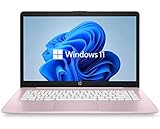
- 14" diagonal, 1366x768 resolution, HD BrightView LED, Glossy NON-TOUCH Display
The Lenovo specification page labels those figures as manufacturer battery estimates. Treat independent battery testing as stronger evidence when it exists, and do not convert an official “up to” claim into a promise of all-day battery life.
What should you avoid when buying a laptop under $600?
Skip these configurations unless the use case is unusually light
- A Windows laptop with 4GB of RAM.
- A primary Windows laptop with 64GB eMMC or 128GB flash storage.
- A 1366×768 TN display when a 1920×1080 or 1920×1200 IPS model is available.
- A Chromebook with an unclear or near-term Auto Update Expiration date.
- A Windows-on-Arm laptop for software known to require specialized x86 drivers.
- A listing whose qualifying price depends on undisclosed membership pricing, coupons, rebates, trade-in credit, or coupon stacking.
- A product advertised as “up to 16GB” or “up to Ryzen 5” without confirming what the exact shopping-cart SKU contains.
- A laptop described as a gaming machine without independent game testing or a discrete GPU.
How should you verify a laptop before buying?
- Copy the exact model number or retailer SKU. Do not rely on a family name such as “IdeaPad Slim 3” or “Aspire Go 15.”
- Confirm the processor. Compare the actual processor class rather than assuming that Core i7 or Ryzen 7 branding automatically beats every newer budget chip.
- Confirm memory and upgradeability. Look for 16GB on Windows and 8GB on ChromeOS where possible; check whether memory is soldered.
- Confirm storage type. Distinguish a 512GB SSD from 128GB UFS, 128GB flash, or 64GB eMMC.
- Inspect the display. Verify resolution, IPS or OLED status, brightness, refresh rate, aspect ratio, and color coverage.
- Check the operating system and software fit. Confirm Windows 11 edition, ChromeOS support status, or Arm compatibility before ordering.
- Check ports, webcam, charger, weight, warranty, and return policy. These details can vary within one family.
- Record the price and date. Mark the offer as ordinary, sale, member-only, coupon-dependent, open-box, or refurbished.
How should the $600 budget be defined?
This guide treats “under $600” as a new-product U.S. retail price of no more than $600 before sales tax. The price should be available to ordinary shoppers without requiring a trade-in, rebate, student discount, membership fee, or undisclosed coupon. Shipping, seller identity, warranty, and return terms should be checked separately.
Refurbished laptops are not included in the main ranking because condition, battery health, warranty, and seller standards vary. A refurbished business-class laptop can be a sensible alternative, but it should be evaluated in a separate category with its own warranty and return criteria.
Which laptop is right for each type of buyer?
| Buyer | Best direction | Why | What to verify |
|---|---|---|---|
| College or high-school student | Windows 11 Intel/AMD or Chromebook Plus | Choose Windows for school-specific desktop software; choose ChromeOS for browser-first coursework and simple administration | School requirements, webcam, weight, battery, support date, and ports |
| Remote worker | Windows 11 Intel/AMD | Broadest support for Office desktop apps, VPNs, printers, monitors, and workplace utilities | 16GB RAM, 512GB SSD, webcam, HDMI, USB-C, and employer software |
| Web-first household user | Chromebook Plus | Simple setup and strong fit for documents, email, streaming, and web applications | 8GB RAM, storage, Android/Linux needs, and Auto Update Expiration |
| Mobile worker prioritizing efficiency | Lenovo IdeaPad Slim 3x | 16GB memory, 512GB SSD, and a Snapdragon X Windows-on-Arm platform | Every essential application, VPN, printer, game, and peripheral |
| Light photo editor | Windows 11 with 16GB RAM and 512GB SSD | Local Windows applications and larger storage are more flexible | IPS display, brightness, color coverage, and application requirements |
| Casual gamer | Intel/AMD Windows laptop | Better compatibility than ChromeOS or Arm for conventional PC games | Actual game requirements; do not expect modern high-end gaming |
Should you buy a $600 laptop on sale?
Yes, but a sale price should change the label, not the standards. A Chromebook Plus Spin 714 or a Ryzen 5 Aspire Go 15 can become attractive below $600, but the buyer should still confirm memory, storage, display, warranty, and return terms.
The Tool Desk
Outbyte Driver Updater FREEFix the driver behind crashes, sound loss and screen glitchesFind Drivers →Outbyte PC Repair FREERepair Windows errors before they cause bigger problemsFix Now →A low price is not a bargain when it purchases 4GB of RAM, a tiny storage device, or software incompatibility. The best deal is usually the cheapest configuration that still meets the buyer’s workload, not the lowest advertised number in a product family.
Prices may change after publication. Product links may lead to retailers or manufacturers that use affiliate programs, and a listed price may apply only to one configuration or promotion. Confirm the final price, seller, specifications, availability, warranty, and return terms before checkout. Editorial rankings should not be changed solely because one retailer offers a higher commission.
Frequently Asked Questions
Is a Chromebook better than a Windows laptop under $600?
A Chromebook is better under $600 when the buyer mainly uses web applications, Google Workspace, email, streaming, and school portals. A Windows laptop is better when the buyer needs traditional desktop Office, Adobe software, specialized utilities, Windows-only games, or broad peripheral compatibility.
Is 8GB of RAM enough in 2026?
8GB of RAM is enough for light browsing, documents, email, and basic video calls, but 16GB is the preferred Windows specification for a laptop intended to last several years. Chromebook buyers should also prefer 8GB, while 4GB is best limited to basic, controlled use.
Can a $600 laptop run Photoshop?
A $600 Windows laptop with 16GB of RAM, a 512GB SSD, and a suitable IPS display can handle light Photoshop work, but budget integrated graphics and limited-color displays are not ideal for demanding or color-critical production. Check the exact application requirements and display color coverage.
Can laptops under $600 run games?
Laptops under $600 are mainly suitable for older, lightweight, competitive, or cloud-streamed games. Integrated graphics should not be marketed as suitable for modern high-end gaming without independent testing, and ChromeOS or Windows on Arm can introduce additional game-compatibility limits.
Are Snapdragon Windows laptops compatible with older software?
Snapdragon Windows laptops can run many x86 Windows applications through emulation, but compatibility and performance vary. Older utilities, specialized drivers, VPNs, virtual machines, anti-cheat systems, and unusual peripherals may not work correctly, so buyers with those requirements should generally choose Intel or AMD.
The Bottom Line
For most buyers, start with a Windows laptop that has 16GB of RAM, a 512GB SSD, and a 1920×1080 or 1920×1200 IPS display. Choose the ASUS Vivobook 16 M1605 or a comparable Lenovo IdeaPad Slim 3 configuration when the exact SKU meets those standards. Choose the ASUS Chromebook Plus CM34 Flip or another Chromebook Plus model when web-first simplicity matters more than Windows compatibility. Choose the Lenovo IdeaPad Slim 3x only after confirming that Windows on Arm supports every essential application and peripheral.

