
What’s actually slowing this PC down?
Pick the symptom - the matching free tool is one click away.
iTechGuides is reader-supported. When you buy through links on our site, we may earn an affiliate commission. As an Amazon Associate I earn from qualifying purchases. Learn more
The best metronome apps to improve your rhythm and timing depend on the weakness you are training. Soundbrenner is the best overall starting point, Time Guru is strongest for internal pulse, TonalEnergy suits students and teachers, and PolyNome or Tempo Advance fit complex programmed practice. Free apps are enough for basic tempo work.
A metronome app is more than a digital click, but advanced features only help when they match a specific musical goal. A beginner may need a clear beat and easy tempo controls, while a drummer, guitarist, vocalist, or advanced instrumentalist may need subdivisions, silent beats, odd meters, polyrhythms, tempo ramps, setlists, or MIDI.
Key takeaways
- The Metronome by Soundbrenner is the best overall choice for most musicians because it combines tempo practice, accents, subdivisions, a tuner, setlists, and practice tracking.
- Time Guru is the best specialist option for internal pulse because it can randomly mute beats or use programmed silent-beat patterns.
- TonalEnergy Tuner & Metronome is particularly useful for students, teachers, orchestral players, and wind players who also need tuning, recording, pitch tracking, or sound analysis.
- PolyNome and Tempo Advance are better suited to advanced players who need complex rhythm programming, song maps, or performance-oriented routines, but current platform support and pricing require verification.
- A free metronome app is usually sufficient for steady-tempo practice, tap tempo, ordinary accents, and common subdivisions; paid features become more useful for polyrhythms, gap clicks, setlists, and automated tempo changes.
What is the best metronome app to improve rhythm and timing?
The Metronome by Soundbrenner is the best overall metronome app for most musicians. The app offers custom time signatures, subdivisions, accents, saved rhythms, setlists, practice goals, a tuner, and—according to its Android listing—USB MIDI, Bluetooth MIDI, and Ableton Link support. Players who want targeted training may get better results from Time Guru for internal pulse, TonalEnergy for education and analysis, or PolyNome and Tempo Advance for complex programming.
“Best” is not a universal technical ranking. A simple click may be the best tool for a beginner learning to hold a steady beat, while a silent-beat trainer is more appropriate for a player who rushes when the click disappears. Store descriptions establish advertised features, but they do not independently prove that one app has better timing accuracy or lower audible latency than another.
Popular on Amazon
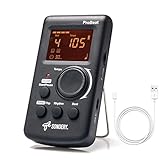
- Direct and fast setting of beat, tempo, rhythm by buttons and knobs. Easily reading color screen helps a lot to understand what you want out of your Sondery brand ProBeat digital metronome.
- Vocal counting option, and 3 types of digital sounds. Big sound out of a speaker. While the LED light on the top gives a clear visual tempo indication and the earphone plug is great for practicing without click or during performance.
- Easily setting tempo by a rotary dial ranging from 40 to 208bpm. 10 beat patterns including 0, 1, 2, 3, 4, 5, 6, 7, 8, 9. And Sondery ProBeat metronome covers all the needs of different rhythm training.
- Tap function allows you to enter your own tempo by each 2 taps. Timer function to set practice time length at 15 minutes, 30, 45 and 60 minutes. Sondery digital metronome helps improving your timing in a rich variety of musical styles.
- Digital metronome is powered by chargeable Li battery inside. Charge ProBeat metronome from any 5V USB power source. Pocket size 5*3*1inch. Weight only 0.26lb.
Quick comparison of the best metronome apps
| App | Best for | Platforms to verify | Standout feature | Pricing model or signal |
|---|---|---|---|---|
| The Metronome by Soundbrenner | Overall and all-in-one practice | iOS, Android; broader device support varies | Tuner, tracker, setlists, MIDI, and Ableton Link | Free tier plus Soundbrenner Plus subscription |
| Pro Metronome | Customization and visual feedback | iOS, Android | Visual modes, haptics, accents, polyrhythms, and rhythm training | Free tier, individual purchases, and subscription options |
| Time Guru | Internal pulse | iOS, Android | Random or programmed silent beats | Paid app; current store price varies by platform and region |
| TonalEnergy Tuner & Metronome | Students, teachers, and music analysis | iOS, Android, Chromebook; some functions are iOS-only | Tuner, recording, analysis, drones, and custom click tracks | Paid app; the U.S. iOS listing showed $6.99 in the research snapshot |
| PolyNome | Advanced rhythm programming | Verify iPhone, iPad, and Mac support | Complex rhythm construction and song maps | Reported base price and Pro upgrade require live verification |
| Tempo / Tempo Advance | iOS setlists and performance workflows | Verify the exact iOS edition | Setlists, polyrhythms, and advanced subdivisions | Verify the edition and current purchase model |
| Metronome Beats | Simple everyday practice | iOS, Android, and web availability reported; verify stores | Low learning curve and drum patterns | Free model; Pro options vary |
| Soundcorset Tuner & Metronome | Tuner-plus-metronome utility | iOS, Android | General-purpose tuning and click functions | Verify current advertising and in-app purchases |
| Yamaha Metronome | Minimalist practice | Verify current iOS and Android store status | Tap tempo and time-signature selection | Verify current price and availability |
| Metronome Pro | Browser-based programmed routines | Web browser | Multiple practice segments with tempos, meters, and durations | Free plan; the site displayed €10/month for Pro and €100/year for Pro+ |
| True Metronome | Mechanical-metronome-style sounds | iOS | Recorded mechanical-metronome sounds | Reported free version and $9.99 Pro upgrade; verify live listing |
Availability, features, ratings, and prices can differ between iOS, iPadOS, Android, Chromebook, Mac, Apple Watch, and web editions. Check the exact store listing before buying, especially for PolyNome, Tempo, Tempo Advance, Metronome Beats, Soundcorset, Yamaha Metronome, and True Metronome.
How were these metronome apps selected?
The shortlist weighs practice usefulness rather than star ratings alone. The relevant questions are whether an app provides stable and audible timing, fast tempo adjustment, tap tempo, downbeat accents, subdivisions, odd meters, background playback, visual or haptic feedback, programmable routines, and a sensible free or paid model.
- Timing controls: Can the player enter, tap, increase, or reduce tempo quickly?
- Rhythm controls: Can the app represent subdivisions, accents, changing meters, odd meters, or polyrhythms?
- Training depth: Does the app support silent beats, tempo ramps, recording, analysis, or practice routines?
- Performance use: Can the player save presets, build playlists, organize a setlist, or keep playback running in the background?
- Device fit: Does the relevant edition support the reader’s phone, tablet, computer, watch, MIDI setup, or browser?
- Value: Is the app free, limited by a free tier, sold once, divided into feature purchases, or subscription-funded?
1. The Metronome by Soundbrenner: best overall
The Metronome by Soundbrenner is the best general recommendation for musicians who want one approachable app that can grow with their practice. The official product page positions the app as more than a click, with rhythm tools, practice features, and Soundbrenner hardware integration.
The iOS listing advertises custom time signatures, subdivisions, beat accents, more than 20 metronome sounds, saved rhythms, setlist management, practice goals, streaks, reminders, widgets, and a built-in tuner with more than 100 tuning profiles. The current U.S. iOS listing should be checked for the latest operating-system requirement and purchase options; the listing in the research snapshot required iOS 17 or later.
The Android edition advertises USB MIDI, Bluetooth MIDI, and Ableton Link compatibility. Those features are documented in the Android Google Play listing, while Soundbrenner’s Android comparison article updated June 22, 2026 provides additional platform context.
Why it improves timing: Soundbrenner can cover the progression from a basic audible click to accents, subdivisions, saved exercises, and structured practice. The app is also a practical choice for musicians who want a tuner and practice tracker in the same place.
Main drawback: Soundbrenner has expanded into a broad practice ecosystem. Users who only need a click may find the extra tracking, reminders, and premium features unnecessary. Some functions are tied to Soundbrenner Plus, and iOS and Android feature parity should not be assumed.
Recommended Free Tools
Choose Soundbrenner if: You want the safest all-purpose starting point, use iOS or Android, and may eventually need MIDI, Ableton Link, setlists, or practice tracking.
2. Pro Metronome: best for customization and visual feedback
Pro Metronome is a strong choice for players who want extensive feedback and customization without immediately moving to a specialist rhythm-programming tool. The app supports dynamic time signatures, tap tempo, haptic feedback, dynamic accents, visual color and pendulum modes, background playback, power-saving playback, Apple Watch support, and Ableton Link.
The iOS listing for Pro Metronome advertises 13 time-keeping styles, including counting voice. Paid features include subdivisions, polyrhythms, playlists, practice mode, and rhythm training. The Android listing should be consulted separately because platform ratings, purchases, and feature availability are not interchangeable.
Why it improves timing: Visual pendulum and color modes can reinforce the beat, while haptics may help a player feel pulse without relying exclusively on sound. Dynamic accents and subdivisions make it easier to hear the hierarchy inside a measure.
Do these 3 things before closing this tab:
1Fix the driver behind crashes, sound loss and screen glitches2Repair Windows errors before they cause bigger problems3Scan for outdated or missing drivers - takes under a minuteMain drawback: The free-versus-paid boundary can be confusing. The current U.S. iOS listing showed a Pro purchase, separate feature purchases, and monthly and annual options rather than one simple universal price.
Choose Pro Metronome if: You want Apple Watch or Ableton Link support, visual and haptic feedback, or a flexible upgrade path toward polyrhythms and rhythm training.
3. Time Guru: best for developing internal pulse
Time Guru is the best metronome app for players who rush, drag, or lose time when the click stops. Time Guru can randomly mute beats or follow programmed muting patterns, requiring the musician to maintain the pulse without hearing every beat.
The iOS listing and Android listing advertise complex meter sequences, gradual tempo changes, a practice timer, drum-machine-style rhythmic patterns, tap tempo from 5–300 BPM, voice counting, and 35 sound sets. The Android listing also advertises cloud sync and preset import/export.
Also popular on Amazon

- English Voice Counting: Hear the beat counted aloud in English or switch to electronic beats. Use vocal cues to follow the beat during piano practice.improves its precision and ease of use. Moreover, they are durable.
- Separate Tempo, Beat and Rhythm Settings: Set the tempo from 40 to 208 BPM. Choose from 10 rhythm patterns and independent beat settings from 0 to 9 to match your practice exercises.
- USB-C Rechargeable: A full charge delivered more than 8 hours of use in our testing. Recharge by USB-C between lessons and practice sessions; runtime varies with settings.
- 3.5mm Headphone Output: Connect wired headphones through the 3.5mm output for personal listening during practice at home or between lessons.
- LCD Display for Instrument Practice: View tempo and beat settings on the screen while practicing piano, guitar or violin. The compact pyramid design is easy to place in your practice space.
How to use the defining feature: First practice a passage with every beat audible. Then mute occasional beats or bars and check whether the next audible click still aligns with the pulse you felt. Increase the amount of silence only when the basic pattern remains accurate.
Main drawback: Time Guru is a specialist trainer, not necessarily the best first app for a complete beginner. Random muting can be frustrating when a player has not yet learned the passage securely with an ordinary click.
Choose Time Guru if: Your specific timing problem is rushing, dragging, or depending too heavily on an audible click.
4. TonalEnergy Tuner & Metronome: best for students, teachers, and analysis
TonalEnergy Tuner & Metronome is the best choice for musicians who need a serious tuner and practice-analysis toolkit alongside an advanced metronome. TonalEnergy combines custom click tracks, meter and tempo changes, accelerandos, ritardandos, drones, chords, random beat or bar silencing, tuning, pitch tracking, sound analysis, recording, and other practice tools.
Outdated Drivers Are Slowing You Down
One free scan finds every outdated or missing driver and matches the right update for your exact hardware.Free scan · exact hardware matchWindows Errors? Fix Them Before They Spread
Repair common Windows errors and clear accumulated junk for a smoother, more stable PC - no reinstall needed.Free scan · no reinstallThe official TonalEnergy mobile page describes support across iOS, Android, and Chromebooks, with some functions limited to iOS. The official iOS user guide is useful when a teacher or student needs to understand the available controls. The U.S. iOS listing advertised 32 sounds and showed a $6.99 price signal in the research snapshot; regional prices and future changes may differ.
Why it improves timing: A player can combine a metronome with recording, pitch feedback, drones, and custom tempo changes. That combination is especially useful for lessons, ensemble preparation, orchestral practice, wind instruments, and students who need feedback beyond “did I stay with the click?”
Main drawback: TonalEnergy can overwhelm someone who wants only a large BPM dial and a clear sound. Platform parity is incomplete, so an iOS feature should not automatically be promised to an Android or Chromebook user.
Choose TonalEnergy if: You are a student, teacher, band director, orchestral player, or wind player who would otherwise need separate tuner, recorder, metronome, and analysis tools.
Quick wins for a faster PC:
Scan for outdated or missing drivers - takes under a minuteDriver Scan →Repair Windows errors before they cause bigger problemsFix Now →Fix the driver behind crashes, sound loss and screen glitchesFind Drivers →5. PolyNome: best for advanced rhythm programming
PolyNome is aimed at advanced musicians who need complex rhythm construction, song maps, and highly structured practice workflows. PolyNome belongs in a different category from a basic click because its value comes from building and navigating elaborate rhythmic material.
Current 2026 comparison coverage describes PolyNome as iPhone, iPad, and Mac software with complex rhythm tools and song-map functionality. The current comparison coverage should be treated as secondary context, not definitive evidence for present pricing. MusicRadar also reports an Android limitation in its metronome-app coverage.
Why it improves timing: Advanced players can work on layered rhythms, irregular meters, complex subdivisions, transitions, and complete song structures without stopping to reconfigure the click after every section.
Main drawback: PolyNome has a steeper learning curve, and current platform availability and pricing must be checked directly before publication or purchase. Do not assume Android support.
Free tools Windows power users keep installed
One-click scans. No signup required.
Choose PolyNome if: You are a drummer, educator, modern musician, or advanced player who needs song maps and complex programmed practice rather than a simple click.
6. Tempo and Tempo Advance: best for iOS setlists and performance workflows
Tempo and Tempo Advance are strong iOS candidates for setlists, polyrhythms, advanced subdivisions, and performance-oriented organization, but the exact edition matters. “Tempo” and “Tempo Advance” are related names, not interchangeable product labels.
Current comparative coverage discusses Tempo-family apps as options for iPhone users who need setlists and advanced rhythm tools. The 2026 iPhone comparison provides useful discovery context, but the exact App Store page, developer, edition, operating-system requirement, and purchase model should be opened immediately before publication.
Also popular on Amazon

- Enhanced Design Upgrade – The SQ-50-V improves on the classic SQ50 with a sleek new look, upgraded interface, and even easier operation for musicians of all levels.
- Precision Tempo Control – Effortlessly set tempos from 40 to 208 BPM using the intuitive 39-position rotary dial—ideal for dialing in accurate timing for practice or performance.
- Adjustable Volume & Click Options – Choose between two distinct click tones (high or low) and adjust the volume to suit your environment—perfect for solo practice or group rehearsals.
- Built-In Tone Generators (A & Bb) – Tune your instrument with the built-in A=440Hz tone or the optional Bb tone, making this metronome a versatile tool for brass, strings, and woodwind players alike.
- Visual Beat with LED & Earphone Jack – Follow the beat with a red LED light for visual cueing, or combine it with audible clicks. Includes an earphone jack for silent practice in any setting.
Why it improves timing: A setlist or programmed song map can preserve the correct tempo, meter, and click configuration across a rehearsal or performance. Advanced subdivisions and polyrhythms are useful when the musical challenge is more specific than “play steadily.”
Main drawback: Older articles may describe outdated versions or prices, and Android availability should not be assumed. A reader should verify whether the recommended feature belongs to Tempo, Tempo Advance, or a paid edition.
Choose Tempo Advance if: You use iOS and need a performance-friendly workflow with setlists, advanced rhythm options, and a possible one-time purchase rather than a recurring subscription. Treat the purchase details as subject to current App Store verification.
7. Metronome Beats: best simple cross-platform option
Metronome Beats is a good choice for beginners and routine practice when ease of use matters more than elaborate programming. The app is commonly positioned as a straightforward tool for speed training and basic rhythmic work, with drum patterns and reported availability across mobile and web platforms.
Current 2026 comparison coverage places Metronome Beats among accessible cross-platform options, while Soundbrenner’s iOS comparison provides additional feature context. Exact iOS, Android, web, advertising, and Pro details should be checked in the relevant store or website.
The Tool Desk
Outbyte PC Repair FREERepair Windows errors before they cause bigger problemsFix Now →Outbyte Driver Updater FREEFix the driver behind crashes, sound loss and screen glitchesFind Drivers →Why it improves timing: A low learning curve makes it easier to practice scales, chords, rudiments, vocal exercises, and passages consistently. A simple click that gets used every day can be more valuable than a sophisticated app that the player rarely opens.
Main drawback: Metronome Beats is less appropriate for complex song maps, advanced polyrhythms, or specialist gap-click training. Android Pro pricing and iOS features may differ.
Choose Metronome Beats if: You want a simple, widely available practice click and do not need a large practice-management system.
8. Soundcorset Tuner & Metronome: best tuner-plus-metronome utility
Soundcorset Tuner & Metronome is a practical utility for musicians who want tuning and metronome functions together, particularly on Android. The app is more naturally compared with general-purpose tuner-and-click tools than with complex rhythm sequencers.
The iOS listing referenced by current comparisons confirms the product category, but current advertising, permissions, purchases, and exact feature availability should be checked separately for iOS and Android.
Why it improves timing: Soundcorset keeps the basic tools needed for everyday practice in one utility. Players can tune, set a tempo, and begin working without learning an elaborate programming interface.
Main drawback: Soundcorset should not outrank Soundbrenner or TonalEnergy for complex rhythm programming, analysis, or professional setlists. Familiarity or store popularity is not independent evidence of superior timing accuracy.
Choose Soundcorset if: You want a conventional tuner-plus-metronome app and do not need advanced polyrhythms, silent-beat sequences, or programmable song maps.
9. Yamaha Metronome: best minimalist manufacturer option
Yamaha Metronome is a sensible minimalist alternative for players who want a recognizable manufacturer-backed app with straightforward controls. Yamaha’s official page documents tap tempo and time-signature selection.
The official Yamaha USA metronome page is the appropriate source for the documented feature set. Current operating-system availability, store status, and pricing should be verified before publication.
Also popular on Amazon
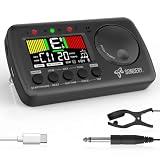
- 3 in 1 metrotuner. The MetroTune combines a tuner, a metronome and a tone generator in a pocket size device. Equipped with beautiful colors screen, 3 indicators, loud speaker, Mic and cable jack detections, earphone output, volume wheel and folding kickstand to make operation super easy.
- English vocal metronome with tap tempo. A broad range of tempo 30-260bpm, setting self tempo by tap, beats from 0 to 9, and various 8 rhythms. English vocal counting greatly helps follow the timing under a correct beat.
- Versatile tuner. The fast and accurate tuner features various tuning items for chromatic, guitar, bass, ukulele, acoustic guitar, electric guitar, violin, mandolin, piano, saxophone, trumpet, and other wind instruments, and also 12 different tuning keys, with pitch calibration from 410Hz to 450Hz, by tuning method using internal mic or enclosed pickup cord.
- Jog dial designed to easily use. The JOG Dial allows you to easily and quickly get a desired tempo for metronome, and to swift to a pitch in the Tone Generator and the Tuner.
- Power rechargeable. Plug to 5V USB power source with enclosed type C USB cord to charge the device. Equipped with a large LCD color screen and LED indicator, making it very user-friendly, especially in dark environments. MetroTune comes with instructions in seven languages, making it easy for musicians around the world to use.
Why it improves timing: Tap tempo and meter selection are enough to begin practicing steady pulse, accents, and common rhythmic patterns without managing subscriptions, trackers, tuners, or social features.
Main drawback: A manufacturer-backed app is not automatically more accurate, and the documented feature set appears narrower than specialist apps. Yamaha Metronome is not the obvious choice for polyrhythms, silent-beat training, or complex routines.
Quick wins for a faster PC:
Clear out junk files and repair common Windows errorsFree Scan →Fix the driver behind crashes, sound loss and screen glitchesFind Drivers →Repair Windows errors before they cause bigger problemsFix Now →Choose Yamaha Metronome if: You prefer a clean, uncomplicated click from an established instrument manufacturer.
10. Metronome Pro: best browser-based practice routines
Metronome Pro is the best option in this list for musicians who want programmable routines in a web browser. The service lets users create practice segments with different tempos, time signatures, durations, and count-ins, then save those routines.
The official Metronome Pro page displayed a free plan, Pro at €10 per month, and Pro+ at €100 per year in the research snapshot. The prices are in euros and may not equal the final price for a U.S. or other international customer.
Why it improves timing: A player can build a routine that moves from warm-up to subdivisions, tempo changes, and repertoire work without manually changing the app after every segment. That structure is useful for repeatable practice plans.
What’s actually slowing this PC down?
Pick the symptom - the matching free tool is one click away.
Main drawback: Metronome Pro is a web service rather than a conventional native mobile app. Recurring pricing may be poor value for someone who only needs a basic click, and offline operation should be confirmed before relying on it away from an internet connection.
Choose Metronome Pro if: You practice at a computer or tablet browser and want saved, segmented routines with programmed changes.
11. True Metronome: best for mechanical-metronome sounds
True Metronome is an iOS-focused alternative for musicians who prefer the sound of a mechanical metronome over a synthetic electronic click. Current discussion describes sounds recorded from real mechanical metronomes, a free version without ads or a subscription, and an optional reported $9.99 Pro purchase.
The reported App Store page should be checked directly for current features and price. A recent developer discussion mentions additional rhythm patterns, a tempo trainer, microphone tempo detection, presets, tap tempo, Apple Watch support, Siri, widgets, and Live Activities in Pro.
Windows Errors? Fix Them Before They Spread
Repair common Windows errors and clear accumulated junk for a smoother, more stable PC - no reinstall needed.Free scan · no reinstallCrashes, No Sound, or Screen Glitches?
Random freezes, missing sound and display glitches usually trace back to one bad driver. Find and replace yours safely.Free scan · under a minuteWhy it improves timing: A click that is pleasant and easy to hear can make consistent practice more sustainable. Different mechanical sounds may also help a player find a timbre that remains distinct from the instrument.
Main drawback: The available evidence is platform-specific and includes a recent self-promotion post rather than a complete official product overview. Treat the feature and price claims as provisional until the live App Store listing confirms them.
Choose True Metronome if: You use iOS, dislike synthetic clicks, and prefer a possible one-time Pro upgrade over a subscription.
Which metronome app is best for each practice goal?
| Practice goal | Best starting choice | Why | When to choose another app |
|---|---|---|---|
| Steady tempo | Metronome Beats or Yamaha Metronome | Both suit straightforward click practice with less setup. | Choose Soundbrenner if you also need a tuner, tracking, or setlists. |
| Subdivisions and accents | Soundbrenner or Pro Metronome | Both support configurable rhythmic emphasis and subdivisions. | Choose TonalEnergy for custom click tracks with analysis tools. |
| Internal pulse and stopping a rush | Time Guru | Random or programmed silent beats expose whether the player maintains time. | Use ordinary clicks first if the passage is not yet secure. |
| Odd or changing meters | TonalEnergy, Pro Metronome, or PolyNome | These options are better suited to changing meter and advanced rhythmic structures. | Verify the exact paid edition and platform before purchase. |
| Polyrhythms | Pro Metronome, PolyNome, or Tempo Advance | These apps are positioned for layered or advanced rhythmic practice. | Use TonalEnergy when tuning, recording, or analysis matters equally. |
| Tempo ramps | TonalEnergy, Time Guru, or Metronome Pro | These options advertise gradual or programmed tempo changes. | Use Soundbrenner or Pro Metronome for a broader general-purpose workflow. |
| Students and teachers | TonalEnergy | Tuner, recording, pitch tracking, analysis, drones, and metronome functions work together. | Choose Soundbrenner for simpler practice tracking and setlists. |
| Live setlists | Soundbrenner or Tempo Advance | Both are relevant to saved performance organization, subject to edition and platform. | Choose PolyNome for more complex song-map workflows. |
| Browser routines | Metronome Pro | Saved multi-segment routines are its defining advantage. | Choose a native app when offline or mobile background playback is essential. |
| No subscription | Time Guru, True Metronome, or a verified one-time-purchase edition of Tempo Advance | These are associated with paid-app or one-time-upgrade models in the research snapshot. | Check current store terms before treating a product as subscription-free. |
How should beginners use a metronome app?
Beginners should start with the simplest audible click that allows accurate playing, then add complexity only after the pulse is reliable. The app should support the exercise rather than become the exercise.
Free tools Windows power users keep installed
One-click scans. No signup required.
- Choose a workable tempo. Select a BPM at which the passage, scale, chord pattern, rudiment, or vocal exercise can be performed accurately. The best tempo is not necessarily the fastest comfortable tempo.
- Set the click to the main beat. Confirm which note value the BPM represents. Quarter-note BPM, dotted-quarter BPM, and eighth-note BPM create different rhythmic feels, especially in compound meter.
- Add subdivisions when necessary. Use eighth notes, triplets, sixteenths, or another appropriate subdivision when musical notes fall between the main clicks. Start slowly enough to hear that the spaces are even.
- Reduce the tempo when rushing begins. Rushing and dragging are evidence that the current speed or pattern is not secure. Do not preserve an arbitrary tempo at the cost of accuracy.
- Increase speed in small, appropriate stages. The right increment depends on the instrument, passage, tempo, and error rate. There is no universal rule that every exercise should increase by exactly 5 BPM.
- Introduce silent beats only after the normal pattern is secure. Mute selected beats or bars and test whether the next audible click still lines up with the internal pulse.
- Listen critically or record yourself. A practice streak or comfortable feeling does not prove improved timing. Recording and careful listening can reveal rushing, dragging, uneven subdivisions, and inconsistent attacks.
What do advanced metronome features actually train?
Each advanced feature targets a different timing skill, so more features do not automatically make an app better.
Also popular on Amazon

- Compact 3-in-1 Design: Combines a digital metronome, chromatic tuner, and tone generator in one pocket-sized unit. Easy to carry in your instrument case—perfect for daily practice, music lessons and performances
- Versatile Digital Metronome: Adjustable tempo from 30–260 BPM, 10 beat patterns (0–9), and 8 rhythm styles help you improve timing and groove across multiple musical genres
- Fast, Precise Tuning for Multiple Instruments: Supports A0–C8 tuning range, A4 calibration (430–450Hz), and ±0.5 cent accuracy. Ideal for guitar, bass, violin, ukulele, mandolin, flute, trumpet, and other string or wind instruments. (Note: This AMT-560 tuner is not suitable for piano tuning. )
- Clear Backlit Display & Multi-Sense Feedback: The large LCD screen with 45° angled design ensures perfect readability in any light. Combined with bright LED lights and clear sounds, it provides intuitive visual and auditory rhythm cues. Adjustable volume and headphone jack allow silent or loud practice anywhere
- Practical Tone Generator for Ear Training: Quickly switch modes to generate precise reference tones. An essential tool for developing intonation, perfect pitch, and meeting specific rehearsal or performance requirements
| Feature | Training purpose | Useful examples |
|---|---|---|
| Accents and beat hierarchy | Hearing downbeats, backbeats, weak beats, and the shape of a measure | Practice scales, grooves, or phrases while shifting emphasis. |
| Subdivisions | Placing notes evenly between main beats | Use eighth notes, triplets, sixteenths, or compound-meter groupings. |
| Silent beats or gap click | Maintaining internal pulse without constant external reinforcement | Time Guru and TonalEnergy advertise random or programmed muting. |
| Tempo ramps | Increasing speed without rushing or adding tension | Time Guru, TonalEnergy, and Metronome Pro support relevant forms of gradual or programmed change. |
| Odd and changing meters | Feeling unequal groupings and transitions between meters | Use 5/4, 7/8, compound meter, or sequences that change meter. |
| Polyrhythms | Coordinating two rhythmic layers at once | Useful for advanced drumming, contemporary music, and layered instrumental patterns. |
| Setlists and song maps | Moving through a performance or practice plan without stopping to reconfigure | Soundbrenner, Tempo-family apps, and PolyNome are relevant candidates. |
| Recording and analysis | Comparing felt comfort with audible timing and pitch evidence | TonalEnergy is the strongest fit when metronome practice and analysis belong together. |
Is a free metronome app enough?
A free metronome app is enough for most basic tempo practice. A free tier usually covers tap tempo, an audible click, common time signatures, basic accents, and ordinary speed work. A player does not need a subscription merely to practice scales, chords, rudiments, or a song passage at a steady tempo.
A paid app or upgrade becomes easier to justify when the player specifically needs polyrhythms, advanced rhythm trainers, programmable playlists, automatic tempo changes, complex click tracks, setlists, tuning, recording, or sound analysis. The important distinction is not simply free versus paid; it is whether the paid feature solves the timing problem being practiced.
| Payment model | What it means | Best fit |
|---|---|---|
| Genuinely free or free basic tier | Basic click functions are available, but advanced features may be limited or advertising may appear. | Beginners and ordinary speed practice. |
| One-time purchase | Pay once for the app or a Pro upgrade, subject to the developer’s current terms. | Users who dislike recurring fees and know which feature they need. |
| Separate feature purchases | Polyrhythms, playlists, practice modes, or trainers may be unlocked individually. | Users who want to pay only for selected capabilities. |
| Subscription | Advanced tools or an ecosystem may require monthly or annual payment. | Musicians who use tracking, cloud, setlists, hardware integration, or premium tools frequently. |
| Web subscription | Browser routines may be tied to an online account and recurring plan. | Players who value saved multi-segment routines and accept web-service limitations. |
What should you check before relying on a metronome app?
Bluetooth and wireless audio delay
Bluetooth headphones can make a correctly timed metronome sound late. Wireless audio introduces playback latency between the app and the ear, so perceived delay is not proof that the app’s timing engine is inaccurate. Compare the phone speaker, wired headphones, or a low-latency audio setup when precise practice matters.
Do these 3 things before closing this tab:
1Clear out junk files and repair common Windows errors2Fix the driver behind crashes, sound loss and screen glitches3Repair Windows errors before they cause bigger problemsBackground playback and lock-screen behavior
Test background playback before using an app in rehearsal or performance. A metronome may stop when the screen locks, battery-saving mode becomes active, another app takes audio priority, the operating system suspends background activity, or a Bluetooth device disconnects.
Platform parity
Do not assume that the iOS and Android editions of the same app have identical features. Watch support, flash and vibration, MIDI, audio routing, cloud sync, analysis, pricing, and subscription structure can differ by platform. Confirm the exact edition on the reader’s device.
Click audibility
A metronome sound must remain distinct from the instrument in the actual room where practice happens. Try different sounds and volume levels. A click that is too sharp, too quiet, too low-pitched, or too similar to the instrument can make accurate practice harder even if the app offers excellent controls.
Offline reliability
Verify offline operation instead of inferring it from a mobile app listing. Native mobile availability does not automatically establish that saved routines, cloud presets, or advanced features work without an internet connection.
Subscriptions and restored purchases
Read the current payment screen before starting a trial or buying an upgrade. Confirm whether the app uses a one-time purchase, individual feature unlocks, monthly billing, annual billing, advertising, an account, or cloud-dependent features. Pricing varies by country, platform, edition, and date.
How should you progress from a basic click to advanced rhythm training?
A sensible progression moves from an audible pulse to subdivisions, tempo control, silent beats, complex meters, and finally programmed routines. The progression prevents advanced controls from obscuring a basic timing problem.
- Basic click: Establish a steady pulse with the main beat audible.
- Subdivisions and accents: Practice even spacing and hear the hierarchy of the measure.
- Tempo ramps: Increase or decrease tempo gradually while preserving relaxed, accurate playing.
- Silent beats: Remove selected clicks to test internal pulse.
- Odd meters and polyrhythms: Work on unequal groupings or layered rhythmic patterns once ordinary meter is reliable.
- Programmable routines and setlists: Automate transitions between sections, tempos, meters, and songs when the practice or performance workflow genuinely requires it.
Final recommendations
Start with Soundbrenner if you want one capable, approachable app for general practice, tuning, tracking, and possible MIDI or Ableton Link use. Choose Metronome Beats or Yamaha Metronome when a simple click is all you need.
Choose Time Guru when your main weakness is losing the pulse without the click. Choose Pro Metronome for customizable audio, visual, and haptic feedback. Choose TonalEnergy when tuner, recording, pitch analysis, drones, and educational practice tools matter as much as the metronome.
Recommended Free Tools
Choose PolyNome or the correctly identified Tempo Advance edition for advanced programmed rhythms and setlists, after verifying current platform support and price. Choose Metronome Pro for browser-based routines, and consider True Metronome if a mechanical-metronome sound and a possible one-time iOS upgrade are more appealing than a subscription.
Frequently Asked Questions
What is the best free metronome app?
The Metronome by Soundbrenner is the best broad free starting point because it combines basic tempo practice with accents, subdivisions, saved rhythms, and other tools. Metronome Beats and Yamaha Metronome are better choices when you want a simpler interface. Free tiers and included features can change by platform and region.
Which metronome app is best for beginners?
Metronome Beats, Yamaha Metronome, or the basic functions of Soundbrenner are suitable for beginners because they can provide a clear audible pulse without requiring complex programming. Beginners should master steady tempo and subdivisions before using silent-beat or polyrhythm features.
Which metronome app can mute beats?
Time Guru is the clearest specialist choice for muting beats because it can randomly mute beats or use programmed muting patterns. TonalEnergy also advertises random beat and bar silencing. Silent-beat training works best after the player can perform the passage accurately with a normal click.
Which metronome apps support polyrhythms?
Pro Metronome, PolyNome, and Tempo Advance are the strongest candidates for polyrhythm practice in this shortlist. TonalEnergy and other apps may offer advanced rhythmic controls, but the exact feature depends on the edition and platform, so verify the current listing before purchase.
Are metronome apps accurate?
A metronome app can provide a useful timing reference, but store descriptions and developer claims do not independently prove superior timing accuracy. Bluetooth headphones can add audible playback delay, and audio routing or background interruptions can make a correctly scheduled click sound late.
The Bottom Line
The best metronome app is the app that targets your timing weakness without adding unnecessary complexity. Use Soundbrenner for the strongest all-around starting point, Time Guru for internal pulse, TonalEnergy for education and analysis, Pro Metronome for flexible feedback, and PolyNome or Tempo Advance for advanced programmed rhythm work. A basic free click remains enough for many players.

