
iTechGuides is reader-supported. When you buy through links on our site, we may earn an affiliate commission. As an Amazon Associate I earn from qualifying purchases. Learn more
Discord is the best voice chat app for online gamers overall in 2026 because it combines cross-platform voice, persistent communities, text chat, streaming, and moderation. TeamSpeak and Mumble are better for organized or self-hosted competitive teams, while native Xbox, PlayStation, Nintendo, Steam, and in-game chat can be the simplest choice for platform-specific groups.
There is no universal winner. A temporary squad needs different tools from an esports team, a privacy-focused community, or a group split between Xbox, PlayStation, PC, and mobile. The ranking below separates community platforms, dedicated voice servers, console party systems, game-platform chat, and voice chat built into individual games.
Key takeaways
- Discord is the best default for most gamers because voice, persistent text channels, screen sharing, streaming, moderation, and broad device access are available in one service.
- TeamSpeak is the specialist choice for organized competitive teams, but the official downloads page lists TeamSpeak 6 as beta software while TeamSpeak 3 remains a separate mature ecosystem.
- Mumble is the strongest open-source and self-hosting option, with low-latency voice, permissions, and data-control advantages that require more technical work.
- Xbox Party Chat, PlayStation Party Chat, Steam Chat, and Nintendo’s native systems are convenient when everyone belongs to the same platform family.
- Nintendo Switch 2 GameChat supports groups of up to 12 people, with up to four simultaneous video-chat or game-screen-sharing participants, but Nintendo Switch Online membership is required after March 31, 2026.
- Native in-game voice chat can beat a separate app for proximity, positional, or match-based communication, but features vary widely by game.
How were these gaming voice-chat apps ranked?
The ranking weighs voice consistency, latency controls, push-to-talk and voice activation, noise suppression and echo cancellation, per-user volume, platform coverage, persistent rooms, group practicality, streaming and screen sharing, moderation, privacy, setup burden, and cost.
The Tool Desk
Outbyte Driver Updater FREEFix the driver behind crashes, sound loss and screen glitchesFind Drivers →Outbyte PC Repair FREEClear out junk files and repair common Windows errorsFree Scan →The ranking does not claim that one service has the lowest latency or is the most secure in every configuration. Perceived delay depends on the network route, server location, codec, hardware, and game integration. Security also depends on whether the relevant feature is transport-encrypted, end-to-end encrypted, self-hosted, federated, or controlled by a centralized provider.
Popular on Amazon

- Equipped with immersive virtual 3D Surround sound and two gaming sound modes
- Wearable neckset audio and voice chat solution
- Connects directly to Xbox Controller with included audio cable
- Compatible with Xbox series x|s, Xbox One, & Windows 10
- Officially Licensed by Microsoft
| Rank | App or service | Best for | Main strength | Main weakness | Important limit |
|---|---|---|---|---|---|
| 1 | Discord | Most gamers | Voice, text, communities, streaming, and moderation in one place | Centralized service and busy interface | Premium features are optional; verify current console support |
| 2 | TeamSpeak | Competitive teams | Dedicated servers and granular permissions | More setup and administration | TeamSpeak 6 is listed as beta; TeamSpeak 3 is separate |
| 3 | Mumble | Open-source and self-hosted groups | Low-latency design, control, and permissions | Technical setup and weaker community features | Mumble 1.5.915 is listed as the current release; macOS binary availability requires attention |
| 4 | Steam Chat | Steam-based PC friend groups | Convenient communication inside Steam | Not a full community platform | Best for Steam-centered groups |
| 5 | Xbox Party Chat | Xbox-centered groups | Native console integration | Xbox ecosystem boundaries | Mixed-platform behavior should be checked before a session |
| 6 | PlayStation Party Chat | PlayStation-centered groups | Native PlayStation headset and party controls | Less useful for broader communities | Verify current PS5, PS4, PC, and mobile behavior |
| 7 | Nintendo Switch 2 GameChat | Switch 2 owners | Built-in voice, video, and screen sharing | Switch 2-only and membership-dependent after March 31, 2026 | Up to 12 voice participants; up to four video or screen-sharing participants |
| 8 | Element | Privacy-oriented communities | Matrix-based rooms and decentralized options | More complex and less gaming-focused | Encryption depends on the room, client, and setup |
| 9 | Guilded | Gaming-community organization | Gaming-oriented community structure | Current availability and product direction need checking | Do not rely on old feature lists |
| 10 | In-game voice chat | One specific game | Match, squad, proximity, or positional communication | Usually not persistent or cross-game | Capabilities vary by title |
1. Discord: best overall for most gamers
Discord is the best overall voice chat app for online gamers who want one place for live conversation, persistent communities, direct messages, game coordination, and streaming.
Why Discord ranks first
Discord combines persistent servers and voice channels with text chat, direct messages, screen sharing, streaming, moderation tools, bots, and broad desktop and mobile access. That combination makes Discord especially practical for a group that changes games, invites people from different platforms, or wants to continue chatting before and after a match.
Discord wins on workflow rather than on a proven universal latency record. A small squad can use a temporary call, while a clan can create roles, announcement channels, private rooms, onboarding rules, and moderation procedures. Users can also adjust individual participant volume, mute microphones, and choose push-to-talk or voice activation where supported by the client and platform.
What does Discord cost?
Basic voice chat does not require Nitro for an ordinary gaming call. Discord’s optional Nitro plan features include HD streaming, larger file sharing, custom profiles, custom emojis and stickers, additional server boosts, and a displayed server capacity of up to 200 servers. Do not buy Nitro solely to obtain basic voice chat.
Discord’s drawbacks
Discord is centralized, so account access, service policies, discovery, and data handling depend on the provider. The interface can feel crowded, public servers can expose users to scams, malicious links, impersonation, harassment, or poorly configured bots, and premium prompts can distract from the free core service. Parents and community administrators still need to configure permissions and supervise users; moderation tools do not make every server safe for children.
Choose Discord if: your group spans PC, mobile, and consoles, wants persistent text and voice, or needs streaming and community administration.
Skip Discord if: your team specifically wants dedicated voice-server infrastructure, self-hosting, or a privacy model with more control over the server.
Free tools Windows power users keep installed
One-click scans. No signup required.
2. TeamSpeak: best for competitive teams and dedicated servers
TeamSpeak is better than Discord for some competitive gaming teams because its voice-first architecture, dedicated-server model, and granular permission system suit clans, tournament groups, and administrators who want predictable rooms rather than a broad social platform.
TeamSpeak is a specialist recommendation, not a universal replacement. A dedicated server can provide organized permanent channels, server roles, controlled access, and a familiar workflow for teams that play together regularly. The trade-off is that someone may need to rent, configure, update, secure, back up, and moderate the server.
Which TeamSpeak version should gamers use?
The official TeamSpeak downloads page lists TeamSpeak 6 client version 6.0.0-beta4.1, TeamSpeak 3 client version 3.6.2, and TeamSpeak 3 server version 3.13.8 in the supplied research snapshot. The same page lists TeamSpeak 6 as beta software and provides TeamSpeak 6 server beta distribution through direct binaries, Docker, and GitHub. Version numbers and availability are volatile, so check the page before installation.
TeamSpeak 3 remains important because it is the established ecosystem, while TeamSpeak 6 should be described as beta rather than fully mature. Client and server version differences can affect compatibility and available features.
PC Slower Than It Used to Be?
A free scan shows the junk files, broken settings and background clutter dragging Windows down - then fixes them in one click.Free scan · Windows 10 & 11Crashes, No Sound, or Screen Glitches?
Random freezes, missing sound and display glitches usually trace back to one bad driver. Find and replace yours safely.Free scan · under a minuteChoose TeamSpeak if: your team values dedicated rooms, permissions, low-distraction voice, and administrative control.
Skip TeamSpeak if: your friends want instant phone access, public community discovery, streaming, or a zero-configuration invite experience.
TeamSpeak software and a hosted TeamSpeak server are not the same cost. Hosting fees vary by provider, slots, location, and billing period. A free client does not necessarily mean a free, turnkey community.
3. Mumble: best open-source, low-latency, self-hosted option
Mumble remains relevant because it offers open-source, low-latency voice chat and self-hosting for technically minded gamers who value control more than polished onboarding or community discovery.
The official Mumble project description emphasizes free and open-source software, low-latency voice, high quality, self-hosting, permissions, server APIs, data-security control, and positional-audio use cases. Those strengths make Mumble attractive to a private clan, a modded-game community, or an administrator who wants to operate the voice server independently.
What are Mumble’s limitations?
Mumble requires more technical knowledge than Discord. A group may need to install server software or pay a third-party host, configure permissions, maintain updates, handle backups, and troubleshoot connectivity. Community discovery, mobile convenience, and casual onboarding are weaker. Positional audio is not automatic for every game; it depends on game support, plugins, or integration.
The official Mumble 1.5.915 release information identifies 1.5.915 as the current release in the supplied research and notes that precompiled macOS binaries are unavailable for the 1.5 series. Mac users should read the project’s current installation guidance instead of assuming a familiar one-click package exists.
Also popular on Amazon

- Compatible with the original Xbox One wireless controller and the new white Xbox wireless controller - no batteries needed
- Chat privately with your friends while gaming in crystal-clear digital audio
- Lightweight and comfortable for long gaming sessions
- Responsive microphone with adjustable boom
- Mute and volume controls at your fingertips
Choose Mumble if: your group wants open-source software, self-hosting, permissions, and control of its voice infrastructure.
Do these 3 things before closing this tab:
1Repair Windows errors before they cause bigger problems2Fix the driver behind crashes, sound loss and screen glitches3Clear out junk files and repair common Windows errorsSkip Mumble if: your group needs a polished social platform, effortless mobile joining, or a large public community ecosystem.
4. Steam Chat: best for Steam-based PC friend groups
Steam Chat is good enough for a small PC group when everyone already uses Steam and the group mainly needs friend-to-friend communication, group messages, invitations, and quick coordination.
Steam Chat’s advantage is convenience: players are already signed into the Steam ecosystem, so a separate community account may be unnecessary. Steam-centered friends can coordinate without building a Discord server or managing a dedicated voice host.
Steam Chat is not a direct replacement for Discord’s full server ecosystem. It is less suitable for a large public community, a clan with extensive roles and moderation, a group spanning consoles, or a community that wants persistent cross-game organization independent of Steam accounts.
Choose Steam Chat if: your group is small, PC-based, and already lives in Steam.
Skip Steam Chat if: players use different consoles, need a public community, or want extensive streaming, moderation, and server organization.
5. Xbox Party Chat: best for Xbox-centered groups
Xbox Party Chat is usually the simplest voice option for an Xbox-only group because the console already handles party membership, headset routing, mute controls, and console-native communication.
Native party chat avoids asking every player to install and configure another app. It is a strong fit for a small private group that stays within the Xbox family. The limitations appear when players switch between Xbox, PC, mobile, PlayStation, or Nintendo hardware, or when a clan needs persistent channels, announcements, archives, bots, and broader community moderation.
What’s actually slowing this PC down?
Pick the symptom - the matching free tool is one click away.
Xbox’s exact support, account, privacy, and cross-device behavior can change. Consult the official Xbox support hub for current platform-specific instructions rather than relying on a fixed menu path from an older guide.
Choose Xbox Party Chat if: everyone is primarily on Xbox and the group wants the least setup.
Use Discord instead if: the party is cross-platform or needs a persistent community outside Xbox.
6. PlayStation Party Chat: best for PlayStation-centered groups
PlayStation Party Chat is usually the best first choice for a PlayStation-only group because it is integrated into the console’s party and headset controls.
Quick wins for a faster PC:
Clear out junk files and repair common Windows errorsFree Scan →Fix the driver behind crashes, sound loss and screen glitchesFind Drivers →Native PlayStation chat works well for small private groups that do not want another account or app. It is less convenient for communities that span PC and multiple console families, switch between many games, or need organized text channels, public onboarding, long-term moderation, and streaming workflows.
PlayStation menus and cross-device behavior vary by system and software version. Check the official PlayStation support hub for current PS5, PS4, PC, and mobile instructions before publishing or following an exact menu path.
Choose PlayStation Party Chat if: your friends are concentrated on PlayStation and need private party voice.
Use Discord or in-game chat instead if: the session includes other platforms or the game’s own team and proximity channels are more useful.
7. Nintendo Switch 2 GameChat and the Nintendo Switch Online app
Nintendo Switch 2 GameChat is the best native Nintendo voice-chat option for Switch 2 owners, while the original Nintendo Switch still uses the Nintendo Switch app for voice chat in compatible games.
Also popular on Amazon
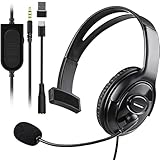
- Cross-Platform Compatibility: The one ear gaming headset easily connects to both PS5, PS4, Xbox Series S/X, Xbox One S/X controllers, N-Switch, PC, Laptop, Mac, iPad, Tablet and mobile devices via the 3.5mm jack (Does not work with older Xbox One controller)
- Convenient In-Line Controls: The one ear headphone convenient in-line controls place Chat Volume and Mic Mute right at your fingertips; The high-sensitivity microphone bends to ensures your every command is heard loud and clear while the 40mm speaker delivers chat audio from other players
- Ergonomic Design: Joso's single ear gaming headset for both left and right ears; Soft, skin-friendly faux leather ear cushions and an ergonomic, adjustable headband are designed to be comfortable to wear for long periods of time
- Lightweight & Durable Braided Cable: We use braided wire cable which is a durable material for long time use and better protects the oxygen-free copper wires inside to ensure higher audio transmission without signal loss and noise
- Multipurpose: It is not just a cross-platform unilateral gaming headset, but also a good choice for Business, UC, Skype, Lync, softphone, call center, office, online class, coach headset
What does Switch 2 GameChat support?
Nintendo’s GameChat support documentation says a GameChat group can include up to 12 friends. Up to four participants can use video chat and/or share their game screen at the same time. GameChat is exclusive to Nintendo Switch 2, and Nintendo says the console includes a built-in microphone.
The earlier open-access period ended on March 31, 2026. After that date, Nintendo Switch Online membership is required for GameChat. Users under 16 may also require parental or guardian setup depending on the Nintendo Account and safety configuration.
How does original Switch voice chat differ?
The original Nintendo Switch uses the Nintendo Switch app voice-chat system in compatible games. The arrangement requires a compatible game, a smart device, and Nintendo’s online service; the Nintendo Switch app overview states that voice chat is restricted to members aged 13 and older. Original Switch voice chat is therefore not the same product as Switch 2 GameChat.
Recommended Free Tools
| Nintendo setup | Voice solution | Key requirement or limit |
|---|---|---|
| Switch 2 | GameChat | Up to 12 voice participants; up to four video or screen-sharing participants; Nintendo Switch Online required after March 31, 2026 |
| Original Switch | Nintendo Switch app | Compatible game, smart device, Nintendo online membership, and age restriction of 13 or older for app voice chat |
How much does Nintendo Switch Online cost?
Official U.S. comparison material lists Nintendo Switch Online individual membership at $19.99 per year and Nintendo Switch Online + Expansion Pack individual membership at $49.99 per year. The same material lists a seven-day free trial subject to Nintendo’s eligibility and conversion terms. Check Nintendo’s live membership comparison page for current family-plan pricing because retrieved official snippets displayed inconsistent family prices.
Choose GameChat if: your group owns Switch 2 and wants Nintendo-integrated voice, video, or screen sharing.
Choose Discord or another service if: the group is cross-platform or needs persistent communities outside Nintendo hardware.
8. Element: best privacy-oriented and decentralized alternative
Element is suitable for gamers who prioritize privacy, decentralization, or control over mainstream gaming convenience, but Element is a Matrix client for secure collaboration and messaging rather than a gaming-first platform.
Do these 3 things before closing this tab:
1Clear out junk files and repair common Windows errors2Fix the driver behind crashes, sound loss and screen glitches3Repair Windows errors before they cause bigger problemsElement can provide persistent rooms and a federated architecture for private communities. The trade-off is more configuration: users may need to understand the difference between the Element client, Matrix homeservers, federation, and encryption keys. The service has a smaller gaming-community ecosystem and less gaming-specific polish than Discord.
The official Element site should be treated as the starting point for current client and service information. Do not assume every Element call or room is automatically end-to-end encrypted in every configuration. Encryption status depends on the room, client, and setup, and privacy comparisons should also consider server ownership and metadata exposure.
Choose Element if: persistent encrypted-community workflows, federation, and control matter more than gaming-specific convenience.
Choose Mumble instead if: self-hosted, voice-first gaming communication and low-latency design are the primary goals.
Recommended Free Tools
9. Guilded: a conditional gaming-community alternative
Guilded can be considered by gaming communities that want structured organization, but Guilded is not a safe unconditional recommendation without checking its current service status, ownership, terms, feature development, and regional availability.
Guilded has historically focused on gaming communities, scheduling, forums, media, and structured group organization. Older comparison articles should not be treated as proof that every previously advertised feature is still active. The current Guilded site should be checked immediately before sign-up or publication.
Choose Guilded only if: its live service, current policies, and required features meet your community’s needs today.
Choose Discord instead if: you need the more established default for cross-platform voice, community discovery, streaming, and integrations.
10. In-game voice chat: best for one specific game
Native in-game voice chat is the best choice when a game’s own system provides the exact match, squad, proximity, or positional communication your session needs.
A well-designed game voice system can automatically place teammates in the correct channel, follow the match or lobby, support team-only communication, or provide proximity and directional audio. Those features can be more useful than a general-purpose call when the group is focused on one title.
In-game chat is usually weaker for pre-game socializing, persistent communities, switching between games, clan administration, screen sharing, streaming, and long-term text history. Do not assume every game supports positional audio, voice recording, reporting, cross-platform voice, or reliable moderation. Check the specific game’s current documentation and test its controls.
Also popular on Amazon

- [Experience Next-Gen Sound] Level up your gaming gears with the Fifine H13 wired gaming headset. The new-gen 50mm dynamic driver of this usb gaming headset offers clear audio boost across high, mid, and low frequencies, revealing audio details with crystal clear clarity. The 7.1 surround sound blurs the line between the game and reality. Whether you're aiming in FPS or dodging in ARPG, this PC gaming headset with mic brings you into the action with clarity and power that feels real.
- [Stylish Rhombus-Frame with Dynamic RGB] Crafted with a futuristic rhombus shell and transparent earcups, this gaming headset with RGB Light catches the eye before the game even begins in your live streaming. Designed for streamers and gamers, you can long press the switch button on this usb headphones with microphone to toggle the RGB lights on or off. With just one click, you can switch between 11 lighting modes to set a vibrant holiday atmosphere that captivates your audience on Twitch, YouTube, or Discord—making it a truly eye-catching headset for games this season.
- [Comfortable Ergonomic Design] Designed for long sessions, the Fifine H13 headset for gaming features protein skin ear pads and soft memory foam cushions for all-day comfort. The USB PS5 gaming headsets with adjustable headband ensures a snug fit for any gamer, while the closed-back ear cups provide effective passive noise cancellation. Stay focused and immersed, blocking out distractions while playing for hours in FPS with this headset for gaming.
- [Designed for Multiple Platforms] This USB gaming headset with mic uses USB-A connection and supports Windows and Mac OS systems. It can be easily plugged and played on PC, MAC, PS5/PS4 with no extra software. The 7.55ft braided cable lets this gaming headphone with microphone reach behind your device easily , while giving players a greater range of movement and allowing them to use game consoles freely. (Tip:Not compatible with Xbox and PS controllers)
- [Intuitive Fingertip Control] Manage full audio control at your fingertips with in-line USB CONTROL BOX: activate immersive 7.1 surround sound, fine-tune your headset volume, switch EQ game modes, and banlance your game/chat audio for find the precise direction in the game. One-click mute and noise canceling button for the mic ensure your communication without background distractions, focus on your gameplay victory. (Tip: The indicator of the mic glows red when muted. Long press the EQ button to return to default mode.)
Choose in-game voice if: match-aware or proximity communication is central to the game.
Crashes, No Sound, or Screen Glitches?
Random freezes, missing sound and display glitches usually trace back to one bad driver. Find and replace yours safely.Free scan · under a minuteWindows Errors? Fix Them Before They Spread
Repair common Windows errors and clear accumulated junk for a smoother, more stable PC - no reinstall needed.Free scan · no reinstallUse Discord, TeamSpeak, or Mumble as well if: the group needs to remain together between games or outside the match.
Independent reader supportYour contribution helps us test, update, and keep practical guides available for everyone.Which voice chat app should you choose?
| Your situation | Best starting point | Why |
|---|---|---|
| Friends on PC, consoles, and mobile | Discord | Broad coordination, persistent rooms, text, and streaming |
| PC esports or ranked team | TeamSpeak or Mumble | Voice-first rooms, administration, and fewer social distractions |
| Technically capable self-hosted community | Mumble | Open-source software, permissions, and server control |
| Small Steam-only PC group | Steam Chat | No separate community platform is necessary for basic coordination |
| Xbox-only group | Xbox Party Chat | Native integration and straightforward headset controls |
| PlayStation-only group | PlayStation Party Chat | Native private party workflow |
| Switch 2 group | GameChat | Built-in voice, video, and screen sharing, subject to membership requirements |
| Original Switch compatible game | Nintendo Switch app | Official voice solution, but it requires a smart device and compatible title |
| Privacy-first community | Element or Mumble | Matrix or self-hosting options, with different technical and encryption trade-offs |
| One game with strong proximity or positional audio | Native in-game voice | Communication follows the match and player context |
What should you check before choosing a gaming voice app?
Use the following checklist before moving an entire group:
- Audio controls: Confirm push-to-talk, voice activation, automatic gain control, noise suppression, echo cancellation, mute, and per-user volume.
- Platform coverage: Check the exact Windows, macOS, Linux, Android, iOS, Xbox, PlayStation, Switch, and Switch 2 support rather than accepting a generic “cross-platform” label.
- Session behavior: Decide whether people need temporary calls, persistent rooms, voice that survives a game change, or match-created channels.
- Group size: Separate a formal participant limit from the number of people a group can practically manage.
- Community tools: Check text history, file sharing, streaming, video, screen sharing, roles, bots, announcements, and moderation.
- Privacy: Review account requirements, phone-number requirements, user discovery, data retention, server ownership, federation, and the precise scope of encryption.
- Reliability: Test restrictive NAT, firewalls, Bluetooth behavior, console privacy settings, and school or workplace networks before tournament day.
- Cost: Distinguish free client software from paid subscriptions, hosted servers, VPS costs, maintenance, backups, and premium extras.
How do you fix voice chat that works in the app but not in the game?
When voice works in the chat app but not in a game, the usual causes are a mismatched input device, microphone permissions, push-to-talk conflicts, exclusive device access, console privacy restrictions, Bluetooth profile switching, or firewall and NAT behavior.
- Confirm that the operating system can hear the microphone.
- Select the same microphone and output device in both the game and the chat app.
- Check the microphone mute state and each participant’s individual volume.
- Test voice activation before switching to push-to-talk.
- Check for a push-to-talk key conflict with the game.
- Disable exclusive audio-device control if the operating system exposes that setting.
- Reconnect the headset and restart the chat app after the headset is recognized.
- Review console privacy, communication, family, and account permissions.
- Test another network if the problem appears to involve NAT, firewall, or restrictive network rules.
Exact menu labels change across apps, consoles, operating systems, and versions, so use the current support documentation for the relevant platform rather than following one universal path.
Why does Bluetooth headset quality drop when voice chat starts?
Many Bluetooth headsets switch from a higher-quality stereo profile to a lower-bandwidth hands-free profile when the headset microphone becomes active. The behavior comes from the Bluetooth and operating-system audio profiles, not from one voice-chat app being universally worse.
A wired headset, USB headset, separate USB microphone with headphones, or console-certified wireless headset can avoid or reduce the problem. Hardware may matter more than changing apps when the actual complaint is muffled game audio, microphone quality, weak sidetone, or poor noise isolation.
How can a group avoid game-audio and voice-audio conflicts?
Set separate game and chat volume controls, adjust individual participant volume, use the console chat mixer where available, and use push-to-talk in noisy rooms. Avoid open speakers because speaker output can return through the microphone and create echo. Microphone monitoring can help only when the monitoring path does not add distracting delay.
How should gamers handle privacy and moderation?
Choose one primary voice channel before a session and disable duplicate microphones. A group split between Discord, Xbox or PlayStation party chat, Steam voice, in-game chat, and a tournament platform can create echoes, doubled audio, or missed teammates who joined another service.
For public communities, limit invite permissions, verify bots and links, enable blocking and reporting tools, restrict sensitive channels, and establish rules for harassment, impersonation, doxxing, and unauthorized recording. Recording voice conversations can raise consent and legal issues depending on the people and jurisdictions involved.
Child safety depends on account age settings, parental controls, supervision, server configuration, and the behavior of other users. No service in this list should be described as automatically safe for children merely because it includes moderation tools.
Self-hosting changes the responsibility rather than removing it. A Mumble or TeamSpeak administrator must manage updates, access, backups, permissions, abuse reports, and server security. Element users must understand homeserver choice, federation, room configuration, and encryption-key management.
Frequently Asked Questions
Is Discord still the best voice chat app for gamers in 2026?
Yes, Discord is still the best overall voice chat app for most gamers in 2026 because it combines cross-platform voice, persistent text channels, communities, streaming, screen sharing, and moderation. Discord is not automatically the lowest-latency or most private option, so competitive teams and privacy-focused communities may prefer TeamSpeak, Mumble, or Element.
What’s actually slowing this PC down?
Pick the symptom - the matching free tool is one click away.
Is TeamSpeak better than Discord for competitive gaming?
TeamSpeak can be better than Discord for organized competitive teams that need dedicated servers, granular permissions, and a voice-first environment. TeamSpeak requires more setup, and the official downloads page lists TeamSpeak 6 as beta software while TeamSpeak 3 remains a separate mature ecosystem.
What is the best voice chat for Nintendo Switch 2?
Nintendo Switch 2 GameChat is the best native voice-chat option for Switch 2 owners. Nintendo’s support documentation says GameChat supports up to 12 voice participants and up to four simultaneous video-chat or game-screen-sharing participants; Nintendo Switch Online membership is required after March 31, 2026.
What is the best self-hosted voice chat for gamers?
Mumble is the best self-hosted voice-chat option for many technically capable gaming groups because it is open source, designed for low-latency voice, and provides permissions and server-control capabilities. Self-hosting still requires administration, updates, backups, and either suitable hardware or third-party infrastructure.
The Bottom Line
Discord is the best default for most online gamers, but “best” depends on the group’s workflow. Use TeamSpeak for organized dedicated-server teams, Mumble for open-source self-hosting and control, Steam Chat for Steam-only friends, native console parties for single-platform groups, GameChat for Switch 2, Element for privacy-oriented communities, and in-game voice when match-aware or proximity communication is the feature that matters most.

