
To turn a prerecorded video into a YouTube Live broadcast, send it through a software or hardware encoder connected to YouTube Studio with the stream URL and stream key. A local encoder must keep sending the feed; a cloud prerecorded-streaming service is another option, but its reliability and terms should be checked with the provider. YouTube automatically archives streams under 12 hours, so plan separately if your broadcast will last 12 hours or more.
Before you start
Check that live streaming is enabled and your channel meets YouTube’s eligibility requirements. YouTube says first-time activation may take up to 24 hours. Its eligibility guidance says channels need verification, no live-streaming restrictions in the past 90 days, and the streamer must be at least 16 years old. See YouTube’s live-streaming eligibility guidance.
Use only video and audio you have the right to broadcast. YouTube scans live streams for third-party content matches; a match may trigger a warning or placeholder, and the stream may be interrupted or terminated. For licensed third-party material, YouTube says the rights holder may need to add your channel to its Content ID allowlist. Read YouTube’s copyright guidance for live streams.
Choose how to send the video
| Option | Where it runs | What to consider |
|---|---|---|
| Software encoder | On your computer; OBS is one example, not a YouTube requirement. | The computer and encoder need to keep sending the feed. YouTube’s guide explains connecting an encoder with the stream URL and key. |
| Hardware encoder | On a standalone encoder device. | YouTube lists hardware encoders as an option; the reviewed guidance does not recommend a particular model for prerecorded files. |
| Cloud prerecorded-streaming service | On the provider’s service, according to its advertised workflow. | Looping Stream describes sending a file or playlist to YouTube from its cloud service. This is a vendor claim, not an independent reliability comparison; check its current pricing and terms. |
For a local setup, YouTube’s encoder documentation is the primary reference. For an example of a cloud workflow, see Looping Stream’s service description.
Free tools Windows power users keep installed
One-click scans. No signup required.
#1 Best Overall

- 1x2 HDMI Splitter Duplicate/Mirror Only(Not Support Extend): avedio links HDMI Splitter can only duplicate same content from one HDMI input signal to two HDMI displays, transmit video and audio simultaneously, two displays can work at the same time. Note: This splitter not support dual-screen extension. Due to HDMI standards, it only mirrors one signal to two displays simultaneously.
- Not Support: 1.Not Extended,it not extend different content to two monitors; 2.Not a switcher, it not support connect two HDMI input signal to one monitor; 3.Not a audio extractor, not support connect to any audio device such as speaker,sound-bar...
- 4K Ultra HD Resolution: Powered HDMI Splitter support 4K@30Hz, Backward compatible with 1080p@50/60Hz/1080i@50/60Hz/720p@50/60Hz/720i@50/60Hz/576p@50Hz/576i@50Hz/480p@60Hz/ 480i@60Hz.Advise use HDMI 2.0 AWG 26 cable, for 4K,length≤16ft; for 1080P,length≤32.8ft
- Plug and Play: No external drivers required. Please connect a 5V 1A power adapter to ensure stable performance, avoid no signal output or screen flickering issue. Support HDMI v1.3/1.4,HDCP1.4 (Not Compatible With HDCP2.2). Support deep color 12 bit/16 bit. Support audio format: DTS-HD/Dobly-true HD/LPCM7.1/DTS/Dobly-AC3/DSD/HD(HBR)
- Package List: 1* 1 in 2 out HDMI splitter(size:2.48*2.05*0.51inch), 1*4FT high speed HDMI cable, 1 * 2.6 ft USB power cable( power adapter not included, plug the usb cable with power adapter into wall outlet is necessary); use HDMI 2.0 AWG 26 cable, length ≤16ft for 4k; length ≤32.8ft for1080P
Set up a stream with an encoder
- Enable live streaming and check eligibility. Allow time for first-time activation; YouTube says it may take up to 24 hours.
- Choose an encoder. Use software on a computer or a standalone hardware encoder. OBS is one software option, and its current setup guidance is available from the OBS Project community guide.
- Create or select the broadcast in YouTube Studio. Open Live Control Room and follow the prompts for the Stream tab and broadcast settings.
- Connect the encoder. If the encoder offers YouTube integration, follow its prompts. Otherwise, copy the server URL and stream key from Live Control Room into the encoder’s stream settings. Keep the stream key private; it is a credential that allows broadcasting to your channel.
- Start the feed and verify it. Start sending the video from the encoder, then check Live Control Room to confirm the stream is arriving and follow its current prompts to go live. The exact flow can vary with scheduled-stream settings.
- Monitor the broadcast and plan what happens next. Check the stream in Live Control Room. If it will run for 12 hours or longer, arrange an archive strategy rather than assuming YouTube will automatically save it.
Files, rights, and long-running streams
The available YouTube guidance does not establish that every file format or encoder configuration will work. Check the requirements for your chosen encoder, test the feed before relying on it, and confirm that you have the rights to all video and audio in the rotation. Do not assume that looping a file avoids copyright checks or guarantees uninterrupted streaming.
YouTube Help states: “All streams under 12 hours will be automatically archived.” This applies to streams shorter than 12 hours; do not rely on that automatic archive for a stream lasting 12 hours or longer. Decide how you will preserve or publish the content separately if an archive is important.
Rank #2

- 【1x4 HDMI Distribution】 Splits 1 HDMI input signal into 4 identical HDMI outputs simultaneously. Ideal for displaying the same content on four TVs or monitors. (Note: Duplicate/Mirror Mode ONLY, does not support Extend Mode).
- 【4K@30Hz Ultra HD】 Supports resolutions up to 4K@30Hz, 1080P@60Hz, and 3D video. Compatible with deep color (8/10/12 bit) and HDCP 1.4, delivering crystal-clear visuals for home theaters or retail displays.
- 【Stable Powered Performance】 Includes a 5V/2A AC power adapter for consistent signal transmission. Unlike USB-powered alternatives, it prevents screen flickering and signal drops even with long-distance cable setups.
- 【Universal Compatibility】 Seamlessly works with high-definition gaming systems, streaming media players, satellite boxes, laptops, and Blu-ray players. Compatible with all standard UHD TVs, projectors, and monitors.
- 【Durable Metal Design】 Features a rugged metal housing for superior heat dissipation and EMI protection. Designed for 24/7 reliable performance in conference rooms, schools, and commercial environments.
A computer-based encoder requires the local setup to keep sending video. A cloud service may advertise that it runs without a continuously operating local PC, but that is a provider claim, not proof of uptime. Review the service’s capabilities, costs, and terms before depending on it.
Independent reader supportYour contribution helps us test, update, and keep practical guides available for everyone.FAQ
Do I need OBS to stream a video file to YouTube?
No. YouTube supports encoder workflows using software or standalone hardware. OBS is one software option, not a required product.
Recommended Free Tools
Rank #3

- 【Bidirectional HDMI Switcher】This HDMI Switch offer 3 HDMI Ports, so you could connect two HDMI sources to one HDMI display, or connect one HDMI source to toggle between two displays.( NOTE: ONLY one of the display would work at a time! ) With 2 LED indicators, you can easily know which port is active from the LED light.
- 【4K High Resolution】Support 4k@60Hz and backward compatible with 2k/1080p. Enjoy 3D visual and experience immersive scenery as cinema. Note: please use standard HDMI 2.0 Cable, the total length of hdmi cable is no more than 3M if you need to get vivid 4K video.(HDMI Cable is not included.)
- 【Fast and Stable Transmission】This aluminum HDMI AB Switcher not only support high bandwidth 3.4Gbps data transmission, but also ensure stable and high-definition display of audio and video, reduce data transmission loss and improve signal transmission efficiency.
- 【Broad Compatibility】 HDMI Splitter Switcher compatible for most standard HDMI port devices. Support Input: computer, XBox 360, XBox One, PS3 / PS4 ,Blu-Ray DVD player etc. Output: HD-Ready or Full HD TVs, monitors, projectors etc.
- 【No External Power Needed】 This 4k HDMI Switch Box is easy to use, no external power is required, just simply press the button on the HDMI switch box to make shift of input or output source. It comes with lifetime technical support & friendly customer service and would solve your problem within 12 hours. So just feel free to contact us by message-centre if you encounter any problem while during the use.
Where do I find the YouTube stream key?
Find it in YouTube Studio’s Live Control Room while setting up the stream. Copy it into your encoder’s stream settings and keep it private.
Will YouTube automatically archive a 24/7 stream?
YouTube says streams under 12 hours are automatically archived. Its guidance does not promise automatic archiving for streams lasting 12 hours or more, so make a separate archive plan.
Rank #4

- HDMI Switching Simplified: Dive directly into your chosen media with a single button for hassle-free transitions between your game or movie without unplugging cables. Note: Manual button switching is supported. Automatic signal detection is not supported.
- - Enjoy 4K Excellence: Turn your regular viewing sessions into cinematic experiences with our HDMI switch that supports resolutions up to 4K@60Hz. Note: to guarantee a 4K60 display, please ensure that both the input and output HDMI cables are shorter than 3.3 feet with 30AWG, and that the combined length does not exceed 6.5 feet. Note: Supports one display at a time. Simultaneous dual display output is not supported.
- Huge Compatibility: Seamlessly compatible with a wide range of devices, this HDMI switch integrates everything from laptops and game consoles to TV screens and VR headsets. Note: This switch does not support HDMI CEC.
- What You Get: Anker HDMI Switch (2 in 1 Out, 4K HDMI), safety guide, 18-month warranty, and our friendly customer service.
Can I stream any video file?
Not necessarily. The reviewed sources do not establish universal file-format compatibility. Check your encoder’s current requirements, test the feed, and make sure you have rights to broadcast the video’s audio and visuals.
Can a licensed song still interrupt my stream?
It can. YouTube says live streams are scanned for third-party matches, and licensed material may still require the rights holder to allowlist your channel through Content ID.
Quick Recap
Best Value
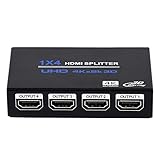
- HDMI Splitter 1x4: HDMI Splitter 1x4 distributes the 1 input HDMI signals to 4 identical HDMI output signal simultaneously, All 4 Output shows same signal can not different. (NOTE: This 1x4 HDMI splitter just mirror/duplicate the screen, do not support extend mode) NOTE: This is Not HDMI Switch, Dot Support 4 Input 1 Output
- Supported Audio: DTS-HD, Dolby-trueHD, DTS, Dolby-AC3, DSD etc. Video Format: 4K x 2K@30Hz, 3480x2160p, 3D and deep color 8/10/12 bit.This HDMI duplicator support up to UHD 4K@30Hz, QHD 2K@60Hz and FHD 1080P@120Hz. ONLY support 4K@60Hz in YCbCr. NOT support CEC, HDR, and VRR.
- Compatibility: HDCP compliant, support Output HDMI 1.4 HDCP 1.4, HDMI 2160P compatible. Input Device support: Computer, PS3, PS4, Xbox, Blu-ray DVD player, STB etc. Output HDMI Signal support device: projectors, Full HDTVs, monitor, etc.
- EASY TO USE: 1 input 4 outputs, plug and play, no need external driver, safety and Eco-friendly. You just need connecting the 4K 19+1 28AWG HDMI cable to your devices to enjoy your movies or games.The HDMI input supports 33Ft 19+1 HDMI Cable and Output Port Support 50Ft 19+1 HDMI Cable
- What you Get: 1 x HDMI Splitter 1 in 4 out, 1x 5V DC Power Supply, 1 x User manual. Enbuer ensures long-time satisfaction of your purchase, friendly and easy-to-reach customer service to solve your problems timely. If you have any problems, Please contact us we will slove immediately
Product prices and availability are accurate as of the date/time indicated and are subject to change. Any price and availability information displayed on Amazon at the time of purchase will apply.

