
You can keep your personal PC off during a YouTube livestream only if the encoder runs on another powered, connected system. One option is to configure an encoder on a suitable hosted server; another is to use a separate always-on device at home. YouTube still needs an encoder feed, and a remote host is a practical architecture—not a guarantee of uninterrupted streaming.
How YouTube Live Streaming Works
An encoder sends your live video to YouTube using a stream URL and stream key. YouTube distinguishes the incoming feed (a liveStream) from the viewer-facing event or video (a liveBroadcast). Its API documentation describes a 24/7 example in which a broadcast can end while the continuous stream remains live; that API model is not a guarantee about every YouTube Studio workflow.
| # | Preview | Product | Price | |
|---|---|---|---|---|
| 1 |
|
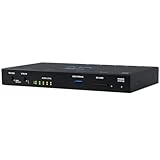
Aja HELO Plus H.264 Advanced Streamer and Recorder with 3G-SDI and HDMI | $2,101.00 | Buy on Amazon |
Turning off your PC stops an encoder running on that PC. YouTube does not provide a setting that keeps that encoder running after its host shuts down. To leave your PC off, move the encoder workload to a different device or hosted server that remains powered and connected.
Where Can the Encoder Run?
| Option | Does your PC need to stay on? | What to consider |
|---|---|---|
| Your PC | Yes | The encoder depends on your PC, its power, and its internet connection. |
| Separate local device | No | The separate device still needs to stay powered and connected; check encoder compatibility and capacity. |
| Hosted server | No | The encoder runs remotely, but you must validate compute capacity, sustained outbound bandwidth, reliability, monitoring, support, and total cost. |
A hosted server is a way to separate streaming from your personal computer, not a YouTube feature or an automatic reliability guarantee. No provider, plan, cost, or required server size has been validated here. Research those details before choosing a host.
#1 Best Overall
- Bluetooth Headphones for Kids: Connect any device including smartphones, tablets, and computers to wirelessly stream high quality, kid-friendly stereo sound for entertainment and/or education. Listen to music, watch movies, TV, and YouTube, or use for homework, audiobooks, and more
How to Set Up a Remote Encoder
- Check channel eligibility. YouTube recommends confirming that your channel is verified and has had no live-streaming restrictions in the previous 90 days.
- Choose and prepare the host. Select a separate local device or hosted server that can stay powered and connected and is capable of encoding your intended content. For a hosted server, verify the workload and network capacity with the provider; no particular server size is established here.
- Create or select the YouTube live stream. In YouTube’s live-streaming tools, get the stream URL and stream key for the encoder. Keep the key secret: it authorizes an encoder to send a feed to your channel.
- Configure the encoder. Enter YouTube’s stream URL and key on the device or server where the encoder will run. Use RTMPS where supported for encrypted ingestion.
- Test before relying on it. Start a test stream, check YouTube’s preview and stream health, and monitor audio and video quality. YouTube also recommends checking local archive growth.
- Monitor and maintain the setup. Confirm the encoder and host remain active, and use YouTube’s stream health information to help diagnose issues. Do not assume that a remote setup will recover automatically from every failure.
Protect Your Stream Key
Treat your stream key like a password. Do not publish it or share it with people who should not be able to send a feed to your channel. If it is exposed, reset it in YouTube’s Live Control Room and update the encoder with the new key.
Plan for Archives and Long Streams
YouTube’s encoder help says streams under 12 hours are automatically archived. Do not assume that a single uninterrupted stream longer than that will be archived in the same way. If you need an archive for longer broadcasts, research and test your recording plan rather than relying on an unverified assumption.
Independent reader supportYour contribution helps us test, update, and keep practical guides available for everyone.What to Check Before Choosing a Host
- Whether the server can run your chosen encoder and encode the intended content.
- Whether it can sustain the required outbound video traffic.
- Its reliability, recovery options, geographic location, monitoring access, and support.
- The full cost for the workload and traffic you expect.
- How you will test stream health and respond if the encoder or connection fails.
These factors determine whether a host suits your setup. Do not choose a provider based only on the fact that it is called a VPS or cloud server.
FAQ
Can I turn off my PC and keep my YouTube stream running?
Yes, if the encoder is running on another powered, connected system. If the encoder is running on your PC, shutting down that PC stops its feed.
Crashes, No Sound, or Screen Glitches?
Random freezes, missing sound and display glitches usually trace back to one bad driver. Find and replace yours safely.Free scan · under a minuteWindows Errors? Fix Them Before They Spread
Repair common Windows errors and clear accumulated junk for a smoother, more stable PC - no reinstall needed.Free scan · no reinstallCan I run a YouTube live stream from a VPS?
It is possible in principle to run an encoder on a hosted server, but you need to verify that the server can handle your encoding workload and sustained outbound traffic. No particular provider or server size is validated here.
Does YouTube keep the encoder running after my computer shuts down?
No. YouTube receives an encoder feed; it does not keep an encoder running on your behalf after its host is shut down.
What should I do if my stream key is exposed?
Reset the key in YouTube’s Live Control Room, then update the encoder configuration to use the new key.
Will YouTube automatically archive a 24/7 stream?
YouTube’s encoder help says streams under 12 hours are automatically archived. Do not assume the same for a single uninterrupted stream beyond that duration; research and test your archive plan.
Quick Recap
Product prices and availability are accurate as of the date/time indicated and are subject to change. Any price and availability information displayed on Amazon at the time of purchase will apply.

