
Yes, but “containers with Zephyr” can mean two different things. Official Zephyr Docker images run on a development machine or CI host to build Zephyr firmware. For container-like application isolation on a constrained embedded device, Project Ocre combines Zephyr operating-system services with WebAssembly execution. Neither means that the standard Zephyr kernel is a Docker daemon or that every Zephyr board can run Linux containers.
Two different ways to use containers with Zephyr
The key question is where the container runs. A development container packages the tools used to build Zephyr software. An embedded runtime aims to isolate applications on the device itself. These approaches solve different problems and use different execution models.

| Approach | Where it runs | What it does | Isolation or runtime model |
|---|---|---|---|
| Official Zephyr development or CI image | A developer workstation or CI host | Provides Zephyr build tools and SDK/toolchains for supported architectures so you can build firmware in a consistent environment. | A host-side container environment; the output is firmware for a target or simulator. |
| Project Ocre | A constrained embedded device, as an embedded containerization approach | Provides application isolation and container-oriented functions above Zephyr services. | Uses WebAssembly Micro Runtime (WAMR) for execution and includes OCI-like application containers, lifecycle operations, permissions, image validation, and inter-container communication. |
The official zephyrproject-rtos/docker-image repository describes developer and CI images that include the Zephyr SDK and toolchains for supported architectures. It publishes prebuilt images through GitHub Container Registry and Docker Hub. Project Ocre is described in the Zephyr Project’s April 12, 2024 announcement, “Ocre: A Tiny Open-Source Container Runtime for Embedded Systems.”
How a Zephyr development container fits into the build
With the official development image, Docker runs on the host. You mount a Zephyr workspace into that environment and use its tools to build an application. The resulting firmware is then flashed to a supported board or run using a simulator such as QEMU or native_sim. The board does not automatically run the development container.
Free tools Windows power users keep installed
One-click scans. No signup required.
#1 Best Overall
- Choose a matching Zephyr source version and image tag. Check the Docker image repository’s documented tags and the Zephyr release information; do not assume an image tag matches every source branch.
- Make the Zephyr workspace available to the container. The repository’s example workflow mounts the workspace so the container can access the source and build output.
- Build an application with the container’s Zephyr tools. The repository demonstrates running
west buildforsamples/hello_worldtargetingqemu_x86. - Run or deploy the result. Use a simulator target such as QEMU or
native_sim, or flash the firmware to a supported board. The firmware—not the host-side Docker image—is what runs on the embedded target.
This workflow is useful when a team wants a repeatable toolchain for onboarding or CI. The Docker image repository also describes forwarding port 5900 to test display samples with a VNC client; that applies to those display-sample workflows, not to every Zephyr build.
What Project Ocre adds for constrained devices
Ocre addresses the other meaning of the question: how to run isolated applications on hardware that cannot comfortably host a conventional Linux container stack. Its design uses Zephyr for core operating-system services and hardware support, with WAMR providing the execution layer. The project announcement describes a hardware-abstraction layer, OCI-like application containers, inter-container communication, lifecycle operations, a permissions model, and image validation.
Rank #2

- Flexible MCU Board: Incorporate the ESP32-C3 32-bit RISC-V chip, operating up to 160 MHz, mounted multiple development ports,
- Developer Friendly: Compatible with Arduino IDE, MicroPython, CircuitPython, PlatformIO, ESP IDF, Zephyr, Matter, ESPNow, Meshtastic, WLED, ESPHome, Home Assistant, Ubidots
- Outstanding RF performance: Complete Wi-Fi functions and Bluetooth Low Energy, while supporting communication over 100m with anFL antenna
- Elaborate Power Design: 4 working modes as low as 44 μA in deep sleep mode, while supporting lithium battery charge management
- Thumb-sized Design: 21 x 17.5mm, Seeed Studio XIAO series classic form factor
The Zephyr Project announcement gives an indicative memory comparison: it says a Linux-based Docker runtime typically requires 256 MB of system memory, while Ocre is around 256 KB. Those figures are the announcement’s comparison, not a universal benchmark for all Docker or Ocre configurations. They illustrate why an embedded-oriented runtime is a different proposition from running a conventional Linux container stack on a microcontroller.
Ocre should therefore be understood as an embedded containerization project, not as a mode that makes the standard Zephyr kernel Docker-compatible. Its WebAssembly-based execution and OCI-like concepts also should not be conflated with the Linux container isolation and tooling commonly used on a host.
Rank #3

- Powerful MCU Board: Incorporate the ESP32 S3 32-bit, dual-core, Xtensa processor chip operating up to 240 MHz, mounted multiple development ports, Arduino / MicroPython supported
- Advanced Functionality: Detachable OV2640 camera sensor for 1600*1200 resolution, compatible with OV3660 camera sensor, integrating additional digital microphone
- Great Memory for more Possibilities: Offer 8MB PSRAM and 8MB FLASH, supporting SD card slot for external 32GB FAT memory
- Outstanding RF performance: Support 2.4GHz Wi-Fi and BLE dual wireless communication, support 100m+ remote communication when connected with U.FL antenna
- Thumb-sized Compact Design: 21 x 17.5mm, adopting the classic form factor of XIAO, suitable for space-limited projects like wearable devices
Which approach should you use?
Use an official Zephyr development image for builds and CI
Choose this when your goal is to standardize the host environment, use a packaged Zephyr SDK and toolchains, or isolate build dependencies. The image helps build Zephyr firmware; it does not turn the target board into a Linux container host.
Evaluate Ocre for application isolation on an embedded target
Consider this path when the requirement is to package and isolate applications on constrained hardware using an embedded runtime. Assess whether the project’s execution model, hardware support, permissions, lifecycle behavior, and resource needs suit the specific application. Do not infer support for a particular board or production deployment solely from Zephyr’s general board coverage.
Rank #4
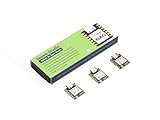
- Enhanced Connectivity: Combines 2.4GHz Wi-Fi 6 (802.11ax), Bluetooth 5(LE), and IEEE 802.15.4 radio connectivity, allowing you to apply the Thread and Zigbee protocols.
- Matter Native: Supports building Matter-compliant smart home projects thanks to its enhanced connectivity, achieving interoperability
- Security Encrypted on Chip: Powered by ESP32-C6, it brings enhanced encrypted-on-chip security to your smart home projects via secure boot, encryption, and Trusted Execution Environment (TEE)
- Outstanding RF performance: Has an on-board antenna with up to 80m BLE/Wi-Fi range, while reserving an interface for external UFL antenna
- Leveraging Power Consumption: Comes with 4 working modes, with the lowest being 15 μA in deep sleep mode, while also supporting lithium battery charge management.
Choose the board for the workload, not the word “container”
The Zephyr Project describes support for more than 1,000 boards across multiple CPU architectures. That breadth does not mean every board has the memory, storage, peripherals, or architecture needed for a particular workload—or for Ocre. Match the target to the application and verify its hardware requirements and software support.
Independent reader supportYour contribution helps us test, update, and keep practical guides available for everyone.Pin Zephyr and image versions together
Release status changes over time, so check the official Zephyr release table and the Docker image repository when choosing a branch and image tag. As of October 3, 2026, the release table lists these versions and dates:
The Tool Desk
Outbyte PC Repair FREERepair Windows errors before they cause bigger problemsFix Now →Outbyte Driver Updater FREEScan for outdated or missing drivers - takes under a minuteDriver Scan →Best Value
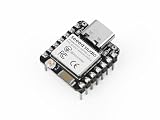
- Enhanced Connectivity: Built-in Wi-Fi 6 (2.4 GHz), Bluetooth LE, and IEEE 802.15.4 radio for Zigbee and Thread applications.
- Matter-Ready: Suitable for developing Matter-based smart home devices with broad protocol support.
- On-Chip Security: Secure boot, flash encryption, and trusted execution environment help enhance product security.
- Optimized RF Design: Onboard antenna offers long-range performance, with an option for an external U.FL antenna.
- Low Power Consumption: Includes multiple power modes, reaching as low as 15 μA in deep sleep. Integrated lithium battery charging support.
| Zephyr release | Status in release table | Release date | End of life |
|---|---|---|---|
| 4.4.0 | Latest stable | April 14, 2026 | April 12, 2027 |
| 4.3.0 | Stable | 2025 | October 15, 2026 |
| 3.7.0 (LTS3) | Long-term support | 2024 | July 27, 2029 |
The Docker image repository documents a v0.26-branch image for Zephyr 3.7 LTS. Verify the exact source branch and image tag before using that pairing; a Zephyr version number and a Docker image tag are not necessarily the same thing. The release documentation lists Zephyr 4.5 as targeted for October 2026, which is a planned date rather than confirmation that the release is available on October 3.
Quick Recap
Product prices and availability are accurate as of the date/time indicated and are subject to change. Any price and availability information displayed on Amazon at the time of purchase will apply.

