
Free tools Windows power users keep installed
One-click scans. No signup required.
iTechGuides is reader-supported. When you buy through links on our site, we may earn an affiliate commission. As an Amazon Associate I earn from qualifying purchases. Learn more
If Contact Form 7 (CF7) submissions are not appearing as Trello cards, trace one test submission through each stage: CF7 validation, the integration trigger, the outbound request, and Trello’s response. A successful-looking form interaction does not prove the card-creation request ran. The exact checks depend on your connector, so start with its event log and the actual HTTP response rather than assuming one cause.
Trace one submission from the form to Trello
Use a controlled test and follow the request in order. This identifies whether the failure is in CF7, the bridge, the network request, or Trello itself.

- Confirm CF7 accepted the submission. Check the form’s result and validation status. An integration may run only after successful validation. If CF7 reports a configuration or AJAX problem, consult its official documentation.
- Check whether the connector triggered. Look for the test submission in the connector’s event or delivery log. Confirm the integration is enabled for the form you tested and that its configured trigger matches the connector’s instructions.
- Inspect the outbound request. If the connector sends a webhook, verify the URL, method, headers, content type, and payload. Compare them with what the receiving endpoint expects.
- Read Trello’s response. Check the HTTP status and response body, then verify authorization and the intended destination list in the connector’s settings or request.
- Investigate platform limits or callback webhooks only if they fit your setup. A rate-limit response or object-limit error points to a different fix than a missing CF7 trigger. Trello callback webhooks are a separate traffic direction from a typical request that creates a card.
CF7 submits successfully, but no integration event appears
First establish that CF7 accepted the submission, not merely that the form appeared to send. Review the form’s validation result and any configuration or AJAX errors. Then check that the integration is active for the correct form and that its selected trigger is appropriate for your installed connector.
Do these 3 things before closing this tab:
1Repair Windows errors before they cause bigger problems2Scan for outdated or missing drivers - takes under a minute3Clear out junk files and repair common Windows errorsTrigger behavior is connector-specific. For example, WP Webhooks documents a CF7 integration using the wpcf7_mail_sent action and provides an event log that can show delivery status and payload. That hook is not a universal requirement for all CF7 integrations. See the WP Webhooks CF7 integration documentation for that product’s setup.
#1 Best Overall
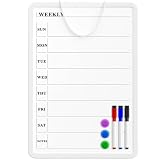
- Weekly Planner on One Side, Blank Whiteboard on the Other: This MaxGear dry erase calendar board features a double-sided design. One side is a weekly planner for scheduling and task tracking, while the other side is a blank whiteboard for notes, reminders, or drawings
- Double-Sided Magnetic Surface: Both sides of the board are magnetic, allowing you to attach notes, paper, or reminders on either the weekly planner side or the blank whiteboard side
- Works with Standard Dry Erase Markers: The smooth writing surface works with standard dry erase markers. The set includes 3 colorful dry erase markers, and you can also use other dry erase markers for clear writing and easy erasing
- Easy to Hang or Stick, Ready to Use: Includes a hanging rope and double-sided adhesive tapes, allowing you to hang the board on walls or doors or stick it to smooth surfaces like refrigerators—no other tools required
- AFTER-SALES SERVICE: 12-Month After-Sales Service. If you have any questions with our product, please feel free to contact us
The integration event appears, but the receiver gets no usable request
For a webhook-based route, compare the configured request with the receiver’s requirements. Check that the endpoint URL is valid and publicly reachable, the HTTP method is accepted, required headers are present, and the content type and body match the expected format. If you use custom JSON, make sure it is valid and that its field names and values match the receiver’s schema.
These settings vary by connector. CF7 Apps, for instance, documents POST and GET options, JSON or form data, headers, and custom body settings; it also says its webhook sends data after successful CF7 validation. Use its webhook documentation for that integration, and do not assume another bridge has identical options or timing.
Rank #2
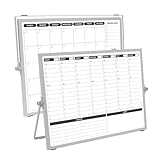
- 【Double Sided】Double-sided board features weekly calendar with time slots on one side and monthly planner with to-do list on the other side
- 【Installation】Compact 16"×12" size perfect for desk or wall use, includes stand for desktop placement and wall mounting capability
- 【For Family】1)For your kid’s nursing care so they can write down the time meds, daily activities, etc. 2)To transmit information to other family members 3)For the aged to remind them about appointments, pills, and idea's for food so that they are constantly reminded when they go in the kitchen to pay attention and check off items
- 【For Office】Perfect for the office schedule, it is a great way to stay on top of appointments and deadlines or as a huddle board to set expectations and goals at work
- 【Visual】This weekly calendar White Board is a solid option for those seeking a visual way to organize your schedule
Trello receives a request but does not create a card
Use the logged Trello status and response body to narrow the failure before changing credentials or fields. Check whether the connector is authorized and whether the configured destination is the intended list. A board identifier and a list identifier are not interchangeable assumptions: confirm the exact fields required by the request in the Trello API documentation and your connector’s settings. A secondary troubleshooting article also flags board-versus-list ID confusion as a lead, not proof of the cause: CF7-to-Trello troubleshooting.
Credential flows differ. The available information does not establish whether your installed integration expects an API key and token, OAuth, or another authorization method. Follow the documentation for that specific connector, and check that its credentials still have access to the destination board and list.
Rank #3

- Weekly Calendar Dry Erase Board: Weekly calendar layout, perfect for tracking events, to-do lists to help complete daily tasks, in addition to the to do list board, a hobby column is added for your convenience
- Premium Frame: The dry erase weekly calendar frame is made of high-quality aluminum material to ensure safety and long-term use. The weekly calendar whiteboard will add a touch of quality and luxury to your home and office
- Smooth Writing & Easy to Clean: The weekly wall calendar comes with a smooth and durable writing surface. It's easy to write on and easy to wipe clean without stains. You can ensure long lasting use
- Organizational Planning: This weekly calendar whiteboard(16" x 12") provide a clear and intuitive overview of your work tasks, class schedules, and to-do lists at a glance, helping you plan and prioritize better. Whether you use it for personal or professional use, it is a good choice
- Quality Service:If you have any questions or concerns about our products or services, please contact us and we will be happy to help within 24 hours
Intermittent failures may be rate limits
If Trello sometimes accepts requests and sometimes rejects them, inspect the response for HTTP 429 before concluding that the form or mapping is unreliable. Atlassian Support’s current rate-limit page, checked in 2026, states limits of 300 requests per 10 seconds per API key and 100 requests per 10-second interval per token; a request that exceeds a limit returns HTTP 429. These platform limits can change, so verify the current Trello API rate-limit guidance when diagnosing a live system.
Only troubleshoot Trello callback webhooks if your setup uses them
A standard CF7-to-Trello card-creation request sends data toward Trello. A Trello webhook instead sends callbacks from Trello to a URL your system provides. Callback troubleshooting applies only when your workflow actually depends on those inbound notifications; it does not explain every failed card-creation request.
Rank #4

- Dry Eraser Whiteboard Kit; The whiteboard kit includes 10 Markers of 8 colors, 6 Magnets, 1 Eraser, 1 Pen Clip. Both surfaces of the desktop dry erase board are made of smooth and durable materials, easily to write on and wipe off without stain. It also has a duty aluminum frame supplying a very good protection for the desktop whiteboard. This dry erase board is very durable and resistant to drops
- Portable Dry Erase Whiteboard with Stand; This magnetic desktop whiteboard is lightweight enough for you to take it anywhere. 360° adjustable knob makes it possible for you to adjust the the placement angle you want. The newly upgrade reinforced gear allows the dry erase board to stand stably at all angles. So you can make it place the way you like,convenient for you to write and hold. You can lay it down as a flat whiteboard, or make it stand on a desk
- The whiteboard is made of high-quality materials with a smooth and clean surface. The writing marks are clearly visible and the colors are bright and beautiful. The writing marks are easy to wipe off to make it white and clean again. It is equipped with a variety of color markers with diverse and bright colors. It is equipped with strong magnets, so you can stick documents and papers on the whiteboard
- Double-Sided Design Dry Erase Board; The desktop whiteboard is double-sided designed,one side is whiteboard and another is weekly planner board. You can do two projects meanwhile with this weekly calander whiteboard. Using weekly whiteboard calendar, you can make your week schedule, work, study, lessons or other to-do lists. The whiteboard is a desk buddy for distance learning, teaching, small group discussion, presentation. It is a good school supplies for Teen’s drawing,arithmetic, writing skills, showing their fantastic ideas
- Suitable for school & office; This whiteboard is suitable for classroom teaching, office meetings, planning presentations, writing drafts, home schedule planning, memo note recording boards. It can be school favors, teaching favor, it can also be given as a gift to teen as a drawing tool or writing practice tool. And you can also use it as a bulletin board to post photos
For Trello webhooks, the callback URL must pass Trello’s creation check: Trello sends an HTTP HEAD request and expects HTTP 200. The URL also needs a valid SSL certificate. Trello documents that persistent failures—more than 1,000 failed deliveries over 30 days—can lead to automatic disablement, and loss of access to the watched model can also cause failure. See the Trello Webhooks guide for the callback requirements and lifecycle details.
Crashes, No Sound, or Screen Glitches?
Random freezes, missing sound and display glitches usually trace back to one bad driver. Find and replace yours safely.Free scan · under a minuteWindows Errors? Fix Them Before They Spread
Repair common Windows errors and clear accumulated junk for a smoother, more stable PC - no reinstall needed.Free scan · no reinstallCheck board and card limits when Trello reports a limit error
Trello’s board and card object limits can prevent operations, but the applicable limits vary; do not rely on a single universal number. Trello recommends that integrations read limit values from the relevant API resources. Its limits guide documents an HTTP 500 response with “Model exceeds limits” for a webhook-creation attempt on an object over its limit. Use the Trello Limits guide and the actual response to determine whether this applies to your request.
Best Value
When the connector remains the unknown
There is no connector-independent menu path or single cause for every CF7-to-Trello failure. Direct plugins, webhook-plus-automation setups, and custom API calls can differ in trigger timing, logging, payload mapping, authorization, and usage constraints. For example, Zoho Flow lists CF7 form-entry triggers and Trello actions, but that does not establish that its behavior or limits apply to other routes.
For a useful support diagnosis, record the connector and version, the tested form, whether CF7 accepted the submission, the event-log entry and payload, the request destination and method, and Trello’s status and response body. Redact secrets before sharing logs. If no connector event exists, investigate CF7 and trigger configuration; if an event exists, use its request and response details to continue downstream.
Quick Recap
Product prices and availability are accurate as of the date/time indicated and are subject to change. Any price and availability information displayed on Amazon at the time of purchase will apply.
What’s actually slowing this PC down?
Pick the symptom - the matching free tool is one click away.

