
Quick wins for a faster PC:
Clear out junk files and repair common Windows errorsFree Scan →Scan for outdated or missing drivers - takes under a minuteDriver Scan →Repair Windows errors before they cause bigger problemsFix Now →iTechGuides is reader-supported. When you buy through links on our site, we may earn an affiliate commission. As an Amazon Associate I earn from qualifying purchases. Learn more
When choosing a smart home display with facial recognition, compare which exact models support it, how it fits your Alexa or Google Home setup, what it personalizes, and how you can enroll or remove faces. Treat the feature as a convenience—not a way to verify identity or secure sensitive actions.
Which smart displays recognize faces?
Two documented options are Google Nest Hub Max with Face Match and compatible Amazon Echo Show models with Visual ID. Their features are not identical, and compatibility can depend on the exact model and region.
| Option | What recognition does | Controls and limits |
|---|---|---|
| Google Nest Hub Max with Face Match | Can show personalized content, such as calendar events, when it recognizes an enrolled user. | Requires Voice Match. Turning off Face Match does not delete enrollment images; manage those separately in My Activity. Google warns it is not a security feature and can confuse a photo or a similar-looking person. |
| Compatible Amazon Echo Show with Visual ID | Can show content personalized for an Alexa profile. On the 2025 Echo Show 8 and Echo Show 11, Amazon also describes personalized routines. | Opt-in and off by default. Visual ID can be deleted, and the camera and microphones can be temporarily disabled. The cited compatibility list is for the UK. |
Amazon’s UK compatibility list includes Echo Show 8 (2nd Generation or newer), Echo Show 10 (3rd Generation), Echo Show 11 (2025 release), Echo Show 15, and Echo Show 21. Check the official Amazon Visual ID compatibility and setup information for the relevant region and model before buying; do not assume that a similarly named device in another market has the same support.
What’s actually slowing this PC down?
Pick the symptom - the matching free tool is one click away.
What should you compare before choosing one?
1. Your existing smart-home ecosystem
Start with whether your household uses Alexa or Google Home. Face recognition is most useful when it works with the profiles, services, and routines you already rely on. Face Match is a Nest Hub Max feature; Visual ID is documented for compatible Echo Show devices.
#1 Best Overall

- 𝐈𝐧𝐬𝐭𝐚𝐧𝐭 𝐇𝐚𝐧𝐝𝐬-𝐅𝐫𝐞𝐞 𝐃𝐨𝐨𝐫 𝐀𝐥𝐞𝐫𝐭𝐬: When someone rings the doorbell, unlocks the door, or is detected by the camera, the display automatically lights up with a live feed and a voice alert. Know who's there instantly, hands-free.
- 𝐒𝐞𝐞 𝐄𝐯𝐞𝐫𝐲𝐭𝐡𝐢𝐧𝐠 𝐰𝐢𝐭𝐡 𝐅𝐨𝐮𝐫 𝐕𝐢𝐞𝐰𝐬 𝐨𝐧 𝐎𝐧𝐞 𝐒𝐜𝐫𝐞𝐞𝐧: View your entire property at a glance through four simultaneous live feeds while maintaining full control and near-instant access to live video streams. The moment something happens, you're instantly in the know.
- 𝐈𝐧𝐬𝐭𝐚𝐧𝐭 𝐏𝐥𝐚𝐲𝐛𝐚𝐜𝐤, 𝐍𝐨 𝐖𝐚𝐢𝐭𝐢𝐧𝐠, 𝐍𝐨 𝐁𝐮𝐟𝐟𝐞𝐫𝐢𝐧𝐠: Historical events are automatically downloaded to local storage so you can replay past moments instantly—no delays, no buffering.
- 𝐒𝐦𝐚𝐫𝐭 𝐃𝐚𝐢𝐥𝐲 𝐑𝐞𝐩𝐨𝐫𝐭𝐬 𝐰𝐢𝐭𝐡 𝐊𝐞𝐲 𝐒𝐞𝐜𝐮𝐫𝐢𝐭𝐲 𝐄𝐯𝐞𝐧𝐭𝐬: Using advanced facial and package recognition (powered by HomeBase 3), the display intelligently compiles daily summaries, including stats and video recordings for quick insights.
- 𝐌𝐨𝐧𝐢𝐭𝐨𝐫 𝐄𝐯𝐞𝐫𝐲𝐭𝐡𝐢𝐧𝐠, 𝐀𝐧𝐲𝐭𝐢𝐦𝐞, 𝐀𝐧𝐲𝐰𝐡𝐞𝐫𝐞: The user-friendly 8-inch touchscreen is simple enough for kids and seniors, ensuring ease of use for everyone. Designed for flexible monitoring wherever you need it.
2. The exact personalization you want
Ask what the display will do after recognizing someone. Google describes Face Match as a way to show personal content, including calendar events. Amazon describes Visual ID as showing Alexa-profile content; on the 2025 Echo Show 8 and Echo Show 11, recognition can also trigger routines such as playing news, turning on lights, or adjusting temperature. Amazon details those camera settings and behaviors for the 2025 Echo Show 8 and Echo Show 11.
3. Enrollment, opt-in, and deletion controls
Check whether every household member must opt in, how to remove their enrollment, and whether disabling recognition also deletes stored enrollment data. Amazon says Visual ID is off by default and can be deleted on the device or in the Alexa app. Google lets users turn Face Match off, but its enrollment images must be managed separately through My Activity. See Google’s Face Match setup and management instructions before enrolling anyone.
Rank #2
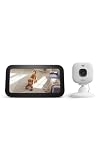
- See any room on your Echo Show — Just say "Alexa, show the living room camera" and Live View appears on screen.
- Two-way talk on screen — See, hear, and speak through your camera right from your Echo Show.
- Motion alerts come to you — Alexa can announce motion and bring up the camera feed on your Echo Show.
- Do more together — add a Blink plan (sold separately) to save video history in the cloud and unlock person and vehicle detection, viewable on your Echo Show.
- Sharper 2K video — Blink Mini 2K+ delivers crisp detail and improved audio clarity.
4. Camera and microphone controls
Consider how quickly household members can disable sensing, and whether that control affects the camera, microphones, or both. Amazon says compatible Echo Show users can temporarily disable the camera and microphones. On Nest Hub Max, camera sensing includes Face Match; Google describes how sensing works in its camera-sensing FAQs.
The Tool Desk
Outbyte PC Repair FREEClear out junk files and repair common Windows errorsFree Scan →Outbyte Driver Updater FREEScan for outdated or missing drivers - takes under a minuteDriver Scan →5. Local processing and setup data
“Processed on-device” does not necessarily mean no images are sent during setup. Google says Nest Hub Max camera sensing analyzes images on the device without sending those images during feature operation. Separately, Google says photos captured for Face Match enrollment are sent to Google during setup and can be reviewed or deleted through My Activity. Its Nest security and privacy commitments describe those commitments. Amazon describes Visual ID as on-device facial recognition, but the cited pages do not specify comparable enrollment-image handling details; do not assume its setup-data practices match Google’s.
Rank #3

- 360 Pan/Tilt Coverage: This Pan/Tilt IP camera sees everything across an entire room or walkway with the 360 horizontal and 113 vertical range pan/tilt field of view. Set up the Patrol Mode on EC71 to monitor each region at intervals of your choosing
- Motion Tracking Technology: Kasa Smart Camera with Audio/Video can automatically track moving objects or people, providing real-time alerts and increasing the overall effectiveness of your security system. Connects via 2.4GHz Wi-Fi Band
- Advanced Detection & Instant Notification: Get instant push notifications when motion or a person is detected, you can even enable baby crying detection to use EC71 as a baby camera monitor. Discern from notifications that matter, so you'll know if it's your pet playing around or if someone is actually there
- 2-Way Audio Communication: Never truly leave home with the built-in 2-way audio. Use as a pet camera with phone app to comfort your pet from anywhere in the world
- Secure Local or Cloud Storage Options: Save footage continuously on up to a 256 GB microSD card (not included) or subscribe to Kasa Care for cloud storage which saves 30-day video history and provides additional benefits such as Video Summary, Activity Notifications with Snapshots and more
Is face recognition on a smart display secure?
No: do not treat display-based face recognition as secure authentication. Google’s warning is explicit: “Your Google Nest Hub Max’s Face Match is not a security feature.” Google also says the device may mistake a photograph for an enrolled user or confuse similar-looking household members. Do not use it to unlock doors, protect accounts, or authorize sensitive actions.
For household privacy, consider who may be captured, who can enroll, and whether visitors should be told that a camera is in use. A separate Nest privacy statement covers Nest Cam Familiar Face Alerts—not Hub Max Face Match—and notes that visitor notice or consent may depend on location and configuration. It is a relevant general camera consideration, not jurisdiction-specific legal advice about smart displays; see the Nest privacy statement.
Rank #4

- 4K Ultra HD Indoor Viewing: Enjoy clear 4K Ultra HD video for daily indoor monitoring. The camera helps capture sharp details in bedrooms, living rooms, offices, and other indoor spaces, making it easy to check your home environment anytime.
- Digital Time Display Design: Designed with a practical digital time display, this smart indoor camera combines everyday time display with home monitoring functions. Its clean and compact appearance fits well on a desk, shelf, nightstand, or office table.
- Infrared Night Vision: Built with infrared night vision to support clearer viewing in low-light conditions. Whether used during the day or at night, the camera helps provide reliable indoor visibility.
- Motion Detection & App Alerts: The motion detection function can identify activity changes and send app notifications to your phone. You can check live video remotely through the mobile app when needed.
- SD Card & Phone Storage Support: Supports SD card storage and phone viewing for convenient video management. One-button start design makes setup simple and suitable for everyday home use.
Can you turn off face recognition?
Both product families provide ways to control the feature, but turning it off and deleting enrollment data are distinct actions on Google devices. Amazon says Visual ID is opt-in and can be deleted on the device or in the Alexa app. Google says Face Match can be switched off, while enrollment images are managed separately in My Activity. Review the model-specific controls before setup, particularly if different household members have different privacy preferences.
Recommended Free Tools
How to decide
- Choose based on your existing Alexa or Google Home setup, not face recognition alone.
- Confirm the exact model and regional compatibility list.
- Decide whether profile-based content is enough or whether personalized routines matter to your household.
- Understand enrollment, deletion, and camera-disable controls before adding faces.
- Do not rely on recognition to establish identity or protect sensitive actions.
Official product pages do not provide a matched, independent accuracy or false-match comparison between Face Match and Visual ID. There is therefore no supported basis here for ranking one as more accurate than the other.
Quick Recap
Best Value

- 4K Ultra HD Smart Camera: This indoor WiFi camera provides 4K Ultra HD video for clear daily viewing. It is designed for home, bedroom, living room, office, and other indoor monitoring needs.
- Infrared Night Vision: Equipped with infrared night vision, the camera supports clearer viewing in low-light indoor environments, helping you check your space during both daytime and nighttime.
- Curved Digital Display Design: The curved digital time display gives the camera a modern appearance while offering practical time display functionality. It fits easily on bedside tables, shelves, desks, and home office areas.
- Motion Detection Notifications: When activity is detected, the camera can send motion alerts through the mobile app. This helps you stay informed about movement in your indoor space.
- SD/Phone Storage & App Viewing: Supports SD card storage and phone viewing through the app. The one-button start function makes daily operation simple and convenient.
Product prices and availability are accurate as of the date/time indicated and are subject to change. Any price and availability information displayed on Amazon at the time of purchase will apply.

