
iTechGuides is reader-supported. When you buy through links on our site, we may earn an affiliate commission. As an Amazon Associate I earn from qualifying purchases. Learn more
Continuous vendor monitoring is a repeatable, risk-based process for checking whether suppliers still meet your cybersecurity requirements and whether changes have altered the risk they pose. It does not mean every supplier is watched in real time. To set it up, inventory important suppliers, prioritize them by impact and exposure, define evidence and signals, establish scheduled and event-triggered reviews, protect the information you collect, and assign people to act on findings.
What continuous vendor monitoring means
Vendor monitoring extends cybersecurity review beyond onboarding and contract renewal. An organization gathers selected internal and external information about its suppliers, checks compliance with security and supply-chain requirements, evaluates whether risk responses are working, and looks for changes that could affect risk. NIST says enterprises should integrate cybersecurity supply-chain risk management (C-SCRM) into their overall risk-monitoring strategy: NIST SP 800-161 Rev. 1.



“Continuous” describes an ongoing management process, not necessarily a live feed or instantaneous detection. Review frequency depends on the supplier’s risk, the information available, and how quickly a particular signal changes. NIST calls for organization-appropriate reassessment intervals and documented triggers for reviews outside the normal schedule.
Windows Errors? Fix Them Before They Spread
Repair common Windows errors and clear accumulated junk for a smoother, more stable PC - no reinstall needed.Free scan · no reinstallCrashes, No Sound, or Screen Glitches?
Random freezes, missing sound and display glitches usually trace back to one bad driver. Find and replace yours safely.Free scan · under a minuteHow to set up a vendor-monitoring program
-
Build the supplier inventory
List vendors and the products or services they provide. Make sure the inventory includes suppliers that support important business functions, handle sensitive information, connect to your systems, or create a meaningful operational dependency. Record an internal relationship owner and a risk owner for each in-scope relationship. State what is in and out of scope so gaps are visible.
-
Prioritize relationships by impact and exposure
Set monitoring depth according to the consequences of disruption or compromise. Relevant considerations include the sensitivity of data handled, the supplier’s access to systems, the criticality of its service, and the availability of alternatives. These are practical organization-specific dimensions, not a universal NIST scoring formula. Document how your organization applies them so similar suppliers are treated consistently.
-
Define requirements and evidence
Specify the security and C-SCRM requirements you will monitor. For each requirement, decide what evidence demonstrates compliance, who supplies or validates it, and how long it remains useful. Evidence may include supplier disclosures, contractual material, or information about security practices. For software suppliers, NIST discusses vendor assessments, software-development practices, open-source information, and software supply-chain controls in its Secure Software Development Framework (SSDF) and C-SCRM guidance.
-
Choose signals, measures, and reporting
Decide which inputs you will review and what measures you will derive from them. For example, a program might track unresolved exceptions to requirements or overdue remediation. NIST gives contractual compliance violations as an example of a measure. Record the reporting format, collection tools, review owner, and the action expected when a measure crosses a threshold.
Special offer. See more information about Outbyte and uninstall instructions. Please review EULA and Privacy policy. -
Set scheduled reviews and event triggers
Choose reassessment intervals appropriate to your organization and supplier tiers. Also document conditions that prompt an off-cycle review. NIST does not prescribe one mandatory interval for every supplier; it calls for intervals and triggers suited to the enterprise. Practical triggers to tailor can include a supplier incident, a material vulnerability affecting a service, a major ownership or subcontractor change, new data handling or system access, missed contractual security obligations, or a change in service criticality.
-
Protect monitoring information
Questionnaires, security findings, and supplier evidence can be sensitive. Restrict access to people who need it, define retention and handling rules, and protect the systems and reporting pipeline that store or transmit it. NIST expressly calls for appropriate protection of supplier data collected and stored by the organization.
-
Assign response and escalation responsibilities
Name who validates a signal, contacts the supplier, tracks corrective action, accepts residual risk, and escalates material issues. Define how exceptions are recorded and who can approve them. A monitoring alert is useful only when it reaches someone empowered to make and document a decision.
-
Review whether the program works
Periodically check whether selected data and measures reveal meaningful changes, whether mitigation is effective, whether reviews happen on time, and whether supplier information remains protected. Adjust monitoring when supplier scope, business context, or the threat environment changes.
Recommended Free Tools
Special offer. See more information about Outbyte and uninstall instructions. Please review EULA and Privacy policy.
What information to monitor
NIST describes monitoring inputs that can include vulnerability- and incident-management activity, manual reviews, information sharing within and between organizations, supplier disclosures, and contractual reviews. Some information must come from outside the organization, and additional collection or analysis tools may be needed.
- Internal operational evidence: relevant vulnerability and incident-management information, access changes, and findings from manual reviews.
- Supplier and contract evidence: supplier disclosures, contractual reviews, and records of whether agreed requirements are being met.
- External information: open-source information and other external assessments that help identify changes in a supplier’s posture.
- Software-supply-chain evidence: software bills of materials (SBOMs), vendor risk assessments, open-source software controls, and vulnerability-management practices, tailored to the software and service involved. See NIST SP 800-161 Rev. 1 and NIST SSDF.
Security ratings and other outside-in assessments can extend visibility across a portfolio, but they are inputs, not a complete assessment. Pair them with your own requirements, supplier evidence, contract reviews, and relevant internal incident or vulnerability information. NIST’s enhanced assessment guidance discusses open-source data and, as resources permit, commercially available third-party assessment and security-rating platforms: NIST SP 800-161 Rev. 1.
How often to review vendors
There is no single review interval established for every supplier in NIST’s cited guidance. Set a risk-based cadence: suppliers with greater potential impact or exposure may warrant closer attention, while lower-risk relationships may need less intensive review. Select intervals your organization can sustain, and document the reasoning and the evidence that will be checked.
Use event-driven reviews alongside the calendar. Define triggers in advance, identify who assesses whether a trigger is material, and specify what follow-up is required. The trigger examples in the setup steps are possible program choices, not an exhaustive official NIST list. A trigger should lead to a recorded assessment and decision, not just an alert that is closed without review.
A practical starting point for small businesses
A smaller organization can begin with a documented inventory, a simple risk-based prioritization, and a repeatable review-and-response process; a dedicated monitoring platform is not a prerequisite. CISA’s Vendor SCRM guide and spreadsheet, published October 26, 2021, offer an SMB-oriented starting point. The spreadsheet supports yes, no, or partial responses to assessment questions.
Best Value
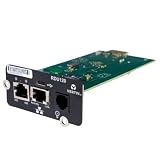
- UL2900-1 CYBERSECURITY CERTIFIED: Have peace of mind that you are securely communicating online.
- SECURE BOOT WITH A HARDWARE TRUST ANCHOR: Prevent unauthorized tampering of the installed software.
- FLEXIBLE COMMUNICATION: Have flexible communication regardless of device protocol- SNMP, Modbus, and BACnet.
- STANDARD RESTFUL API SUPPORTING CUSTOMER-BASED TOOLS: Configure and update devices with ease.
- 1 GB ETHERNET SUPPORTS MODERN NETWORK ENVIRONMENTS: Get web access via popular web browsers.
CISA reported in an April 3, 2023 fact sheet that the United States has more than 30 million small and medium-sized businesses, accounting for nearly half of national GDP. Those figures describe the economic significance of SMBs, not cyber-incident rates or adoption of vendor-monitoring programs. CISA also advises organizations to consider third-party and managed-service-provider cyber hygiene, formalize security requirements in contracts, and limit third-party access to the devices and servers needed for the provider’s role: CISA ransomware guidance.
Independent reader supportYour contribution helps us test, update, and keep practical guides available for everyone.Common setup mistakes to avoid
- Treating “continuous” as real-time coverage: state the actual review intervals, data sources, and known gaps rather than implying every change will be detected immediately.
- Using the same review depth for every supplier: prioritize based on your own impact and exposure context instead of assuming one checklist or cadence fits all.
- Relying only on ratings or questionnaires: combine external signals with supplier evidence, contractual requirements, and relevant internal information.
- Collecting data without protecting it: control access, storage, retention, and reporting for supplier evidence and findings.
- Generating alerts without a decision path: assign owners for validation, supplier contact, remediation tracking, and risk acceptance.
Or skip the browser setup
For website-based supplier checks, a screenshot can provide a visual record of a public-facing page, but it does not replace security evidence, contract review, or a risk assessment. ScreenshotNeo is a website screenshot API and MCP server from Yorker Media. Its one-call API can return an image or PDF; see the ScreenshotNeo documentation.
curl -G "https://api.screenshotneo.com/v1/shot" -d access_key=YOUR_API_KEY --data-urlencode url=https://stripe.com -o shot.webp
What’s actually slowing this PC down?
Pick the symptom - the matching free tool is one click away.
ScreenshotNeo accepts cookie and consent banners and removes more than 60 known consent platforms, newsletter popups, and chat widgets before capture; those steps can be turned off. Bot checks, blank pages, timeouts, failed loads, and cache hits are not billed, and response headers report the page verdict and billing status. Its MCP server offers screenshot and PDF tools for AI agents. The Free plan includes 1,000 shots per month with no card; paid plans start at $5 for 3,000 shots. These capabilities can help collect visual snapshots, but a screenshot alone cannot establish a vendor’s cybersecurity posture. Learn about ScreenshotNeo or sign up for 1,000 free screenshots a month with no card.
Frequently Asked Questions
Does continuous vendor monitoring require buying a security-rating service?
No. CISA’s SMB-oriented guide and spreadsheet are a practical way to begin; NIST treats third-party assessments and ratings as possible inputs, not a prerequisite.
Does a public website screenshot prove that a vendor is secure?
No. A screenshot records a visual state of a public page. It does not verify access controls, vulnerabilities, incident handling, or contractual compliance.
Quick Recap
Product prices and availability are accurate as of the date/time indicated and are subject to change. Any price and availability information displayed on Amazon at the time of purchase will apply.
Free tools Windows power users keep installed
One-click scans. No signup required.

