
Crashes, No Sound, or Screen Glitches?
Random freezes, missing sound and display glitches usually trace back to one bad driver. Find and replace yours safely.Free scan · under a minutePC Slower Than It Used to Be?
A free scan shows the junk files, broken settings and background clutter dragging Windows down - then fixes them in one click.Free scan · Windows 10 & 11iTechGuides is reader-supported. When you buy through links on our site, we may earn an affiliate commission. As an Amazon Associate I earn from qualifying purchases. Learn more
The Wahoo app is the setup, firmware, recording, and control companion for KICKR trainers and bikes. You can use it to control resistance and record a ride, or—with supported trainer models—let another cycling app control the workout while Wahoo records your output. Which option works depends on your KICKR generation, phone or other device, and the features you want.
What does the Wahoo KICKR app do?
The Wahoo app helps you pair and register compatible equipment, check for firmware updates, record workouts, and control a KICKR. It can provide a standalone indoor ride or work alongside another training app. Wahoo’s minimum requirements cover supported devices and connectivity; its software guide describes control and recording options.
| # | Preview | Product | Price | |
|---|---|---|---|---|
| 1 |

|
Wahoo Fitness KICKR CORE 2 ZWIFT COG and Click - Orange Cog 3rd Generation | $549.99 | Buy on Amazon |
| 2 |
|
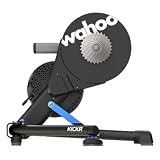
Wahoo KICKR V6 Smart Indoor Trainer | $849.99 | Buy on Amazon |
| 3 |

|
Wahoo Fitness KICKR CORE 2 11 Speed Cassette | $548.99 | Buy on Amazon |
| 4 |

|
Wahoo Fitness KICKR Bike PRO Indoor Trainer | $3,999.99 | Buy on Amazon |
| 5 |

|
Wahoo Kickr Rollr Indoor Trainer | $699.99 | Buy on Amazon |
Some features are subscription-based. Wahoo lists route simulation and structured workouts from its SYSTM library as subscription features, alongside advanced analytics and recommended daily workouts in its indoor cycling ecosystem overview. The pages cited here do not establish current subscription prices, trial terms, or regional availability.
Quick wins for a faster PC:
Clear out junk files and repair common Windows errorsFree Scan →Fix the driver behind crashes, sound loss and screen glitchesFind Drivers →Repair Windows errors before they cause bigger problemsFix Now →Do you need the Wahoo app to use a KICKR?
Not necessarily. The Wahoo app is useful for initial setup, registration, and firmware updates, but Wahoo also lists third-party training apps and compatible ELEMNT or ANT+ FE-C head units as ways to control a compatible trainer. For updates, Wahoo specifies a Bluetooth connection. Check the requirements for your trainer model and chosen controller rather than assuming every KICKR has the same connectivity options.
#1 Best Overall
- KICKR CORE Zwift is the smarter way to start riding indoors. The new KICKR CORE builds on the trusted performance of the original CORE, and introduces a faster and easier setup, better connectivity, and the addition of key features from the KICKR ecosystem.
- KICKR CORE is the smarter way to start riding indoors.
- LEGENDARY KICKR RIDE FEEL: KICKR CORE delivers the smooth resistance and road-like feel, it’s built for hard efforts and structured training.
- SIMPLE SETUP & STABLE RIDE, CONNECTED AND IN CONTROL: Integrated WiFi delivers faster pairing and automatic updates when connected to an active WiFi network.
What do the KICKR training modes do?
ERG mode
ERG mode adjusts resistance to hold a target power. The trainer changes resistance as your cadence changes, so the workout target is power rather than a fixed resistance setting. This is useful for structured intervals when you want to focus on maintaining cadence.
Level mode
Level mode uses your profile details to model resistance associated with a nominal grade. It is a resistance setting, not the same thing as ERG’s target-power control.
Rank #2
- WiFi Connectivity - Offering a robust 2.4 GHz Wi-Fi connection, the new KICKR transfers ride data to your computer, tablet or smartphone instantaneously, giving you a stable connection.
- KICKR Ride Feel - KICKR’s high-inertia flywheel, advanced algorithms and KICKR AXIS feet work together to create KICKR’s legendary ride feel.
- KICKR AXIS Feet- KICKR AXIS feet enhance the ride feel of the KICKR Smart Trainer by mimicking the side-to-side movement experienced riding outdoors.
- Precision Power - With over 2,200 watts of resistance that’s accurate to within +/- 1%, KICKR stands up to the demands of the world’s most powerful cyclists.
- Calibration Free - KICKR’s automatic calibration process continually offers accurate and precise power.
SIM mode
Wahoo’s KICKR BIKE instructions describe SIM mode as simulating an outdoor power curve using entered rider and route conditions. The exact controls and behavior can vary by hardware generation; consult the instructions for your specific trainer or bike.
Can you use Zwift or another app with a KICKR?
Yes, Wahoo names Zwift, TrainerRoad, and Rouvy among third-party options. In a typical setup, the third-party app controls the workout and trainer resistance. You can also use the Wahoo app to passively record output at the same time if your hardware supports it.
Rank #3
- KICKR CORE is the smarter way to start riding indoors. The new KICKR CORE builds on the trusted performance of the original CORE, and introduces a faster and easier setup, better connectivity, and the addition of key features from the KICKR ecosystem.
- KICKR CORE is the smarter way to start riding indoors.
- LEGENDARY KICKR RIDE FEEL: KICKR CORE delivers the smooth resistance and road-like feel, it’s built for hard efforts and structured training.
- SIMPLE SETUP & STABLE RIDE, CONNECTED AND IN CONTROL: Integrated WiFi delivers faster pairing and automatic updates when connected to an active WiFi network.
Wahoo specifies Passive mode for multiperipheral trainers, including KICKR v4 and later, KICKR CORE, and KICKR BIKE models. In that arrangement, the other app runs the workout while Wahoo records the ride. A compatible ELEMNT computer or ANT+ FE-C head unit can also control compatible trainers. Wahoo warns that speed and distance may differ between the Wahoo app and a third-party app because each service may calculate them differently.
How to set up the app and trainer
- Check bike and trainer fit. Confirm the bicycle’s axle type, frame spacing, cassette or drivetrain fit, and trainer model. Wahoo’s KICKR getting-started guide describes adapter configurations for 130 mm and 135 mm quick-release bikes and 142 mm or 148 mm thru-axle bikes. The correct adapter depends on the frame; do not choose one by spacing alone if other fit details are uncertain.
- Position and power the trainer. Set it up on a stable surface, install the appropriate bicycle adapter and bicycle, and connect the trainer to electrical power. A KICKR requires power.
- Install the Wahoo app on a supported device. Wahoo lists Apple devices running iOS 16 or newer, Android 10 or newer with Bluetooth, Mac with Bluetooth 4.0 or later, certain Windows ANT+ configurations, ELEMNT computers, and RIVAL watches. Requirements may differ by model and function, so check Wahoo’s current device requirements.
- Pair the trainer in the app. Open the app and follow its device-pairing flow to find and connect your KICKR. Keep Bluetooth enabled for Bluetooth pairing and firmware updates.
- Register and update. Complete registration if prompted, then check for available firmware updates in the app before riding.
- Choose who controls the workout. Use the Wahoo app for direct trainer control, or connect a compatible third-party app or head unit. If you want Wahoo to record while another app controls the session, confirm that your trainer supports Passive mode.
Which setup should you choose?
| Setup | Who controls resistance? | Recording workflow | What to check |
|---|---|---|---|
| Wahoo app workout | Wahoo app | Record in the Wahoo app | Trainer and device compatibility; whether desired training content requires a subscription |
| Third-party workout with Passive mode | Third-party app | Wahoo can passively record output alongside the workout | Multiperipheral support: KICKR v4 or later, CORE, or BIKE; compatible phone and connections |
| Compatible bike computer or watch | Compatible ELEMNT or ANT+ FE-C head unit | Recording depends on the device and app workflow | Trainer compatibility and the head unit’s connection method |
For a KICKR BIKE specifically, the Wahoo app also includes fit calculation, gearing and shifter configuration, and pairing through its Devices tab. Those bike-specific features do not apply to every KICKR trainer.
Quick Recap
Best Value
- Wahoo KICKR ROLLR
Rank #4
- Now in its third generation, the KICKR BIKE PRO delivers the ride feel serious cyclists expect from the KICKR name. A precision flywheel and integrated motor recreate real-world resistance with every stroke. Feel every gradient, from punchy climbs to steep descents, and gear changes that respond almost immediately. Built on athlete feedback and years of innovation, this is indoor training at the cutting edge.
- Max Power Output: 2500W, Power Accuracy: +/- 1%, Virtual Shifting with Custom Gear Mapping, Integrated Downhill Simulation with integrated motor and physical grade change, Automatic, Firmware Updates when connected to WiFi, Professional-grade durability and construction, Quiet, smooth operation for any training environment, KICKR Direct Connect Compatibility, ERG Easy Ramp for easier acceleration back into an interval, KICKR RACE Mode for fast power data broadcasts during virtual races
- WiFi + Connectivity Seamless, high-speed connections to training platforms and compatibility with all major apps.
- INTUITIVE CONTROL SYSTEM: Redesigned handlebar with integrated shifter controls to have greater in virtual ride control
What to check when pairing or control does not work
- The trainer does not appear: Confirm it has electrical power, Bluetooth is enabled if you are pairing over Bluetooth, and the phone or device meets Wahoo’s requirements for that model.
- A firmware update will not connect: Wahoo says KICKR firmware updates require Bluetooth. Use a supported Bluetooth-capable device and follow the app’s update flow.
- A second app cannot control the trainer: Check which app currently has the trainer connected and whether the trainer supports the intended multi-app arrangement. Passive recording is specified for the models listed above, not every trainer generation.
- Speed or distance does not match: Wahoo notes that its app and third-party services may calculate these values differently; a mismatch does not by itself establish a trainer fault.
- The bicycle does not fit: Recheck axle type, frame spacing, adapter, and drivetrain compatibility against the trainer and bicycle instructions before riding.
Product prices and availability are accurate as of the date/time indicated and are subject to change. Any price and availability information displayed on Amazon at the time of purchase will apply.

