
To loop a video on YouTube Live, export a loop-ready file, play it repeatedly through streaming software or a hardware encoder, and send the live output to YouTube using a supported ingest format. ProRes can be useful as an editing master, but YouTube’s live ingest guidance lists H.264, H.265/HEVC, and AV1—not ProRes. Seamless playback depends on the transition in your video and audio and on testing the actual playback and streaming setup; YouTube does not guarantee a seamless loop.
How a YouTube Live loop works
A rendered video file by itself is not a live stream. A player or streaming application must repeatedly play the file, while an encoder sends the resulting live output to YouTube. YouTube supports encoder software on a computer and standalone hardware encoders.
| # | Preview | Product | Price | |
|---|---|---|---|---|
| 1 |

|
Tengchi RCA to HDMI Converter, AV to HDMI Adapter | $13.99 | Buy on Amazon |
| 2 |
|
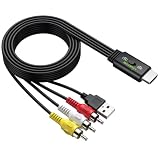
LiNKFOR HDMI Male to 3RCA Male Converter Cable, 1080P PAL/NTSC Supported | $16.65 | Buy on Amazon |
| 3 |

|
GINGIN RCA to HDMI Converter, AV to HDMI Converter for... | $14.99 | Buy on Amazon |
The editing master and the stream sent to YouTube serve different purposes. You can use ProRes as a high-quality master where your editing and playback workflow supports it, then configure the live encoder to send a YouTube-supported ingest codec. Check that your chosen player and encoder can handle the source file reliably.
ProRes export and live ingest settings
Apple’s Final Cut Pro documentation describes ProRes export to MOV for supported source resolutions and frame rates. Its export example uses ProRes 422 at 1920 × 1080 with Linear PCM audio. Export controls depend on project settings and destination; match the master’s dimensions and frame rate to your project and planned output. If you use proxy playback while editing, switch back to optimized or original media before sharing to preserve export quality.
The Tool Desk
Outbyte PC Repair FREEClear out junk files and repair common Windows errorsFree Scan →Outbyte Driver Updater FREEScan for outdated or missing drivers - takes under a minuteDriver Scan →#1 Best Overall
- RCA Female to HDMI Video Converters Adapter : The cable is used to convert analog composite input to HDMI 1080p output, displayed on a 1080p HD TV/TV/monitor.
- Input ports: 1xRCA Female (Yellow, White, Red), Output ports: 1xHDMI 1.3 1080p. NOT support 3D and 4K, NOT support HDMI Converts to AV
- AV to HDMI Converter: Plug and Play, Easy to Install and Operate, Powered by External USB Cable. Note: Please hook up the USB power cable (included) to 5V 1Apower source during use (not included power supply ).
- Support PAL, NTSC3.58, NTSC4.43, SECAM, PAL/M, PAL/N standard TV formats input. For PS2,PS3,Xbox,N64,STB, VHS, VCR, DVD Players and other devices with standard composite AV input.
- You Will Get : 1x RCA Female TO HDMI Converter, 1xHDMI cable, 1xUSB cable, 1xUser Manual. ONE YEAR WARRANTY - if you are not satisfied for any reason whatsoever, do not hesitate to contact us .
YouTube’s encoder guidance recommends RTMP or RTMPS ingestion, H.264, H.265/HEVC, or AV1 video, constant bitrate (CBR), and a keyframe interval of 2 seconds; do not exceed 4 seconds. It also recommends progressive scan, square pixels, Rec. 709 for SDR, and AAC or MP3 audio. Treat these as ingest settings, not guaranteed viewer playback quality: YouTube transcodes the incoming stream for viewers.
| H.264 stream format | YouTube minimum bitrate | YouTube recommended bitrate |
|---|---|---|
| 720p30 | 3 Mbps | 8 Mbps |
| 720p60 | 3 Mbps | 8 Mbps |
| 1080p30 | 5 Mbps | 14 Mbps |
| 1080p60 | 6 Mbps | 17 Mbps |
These figures are YouTube’s H.264 ingest recommendations; bitrate guidance differs by codec, resolution, and frame rate. YouTube recommends upload capacity with 20% headroom beyond the combined bitrate of primary and backup streams. Test your actual connection and monitor stream health rather than assuming a particular home upload speed is sufficient. YouTube’s listed stereo audio setting is 44.1 kHz at 128 Kbps; its 5.1 guidance specifies AAC at 48 kHz and 384 Kbps.
How to make the loop transition seamless
The official guidance reviewed does not define a seamlessness tolerance or a special loop export setting. Use these as production checks, not platform guarantees:
Rank #2
- All-in-One HDMI to AV Converter : Built-in 5ft (1.5m) HDMI male to RCA male cable. Converts digital HDMI signals to RCA (AV/composite) video and stereo audio, connecting modern devices to old RCA TVs
- NTSC/PAL Switch : Includes a professional NTSC/PAL toggle. In the US or Canada, set to NTSC to avoid black and white, flickering, or rolling images. For other regions, use PAL. Instantly match your TV’s standard for stable, true-to-life color
- Wide Compatibility : Easily connect HDMI devices like laptops, Blu-ray players, set?top boxes, PS4, and Xbox to any RCA TV using this hdmi to av adapter. NOTE: For 4K devices (PS4), please lower output resolution to 1080p or 720p- not support 4K or 3D
- 1080P Stable Transmission with 5ft Cable: Built-in smart chip supports HDMI input up to 1080P@60Hz.The 1.5m integrated cable gives ample reach. Included USB power cable to steady voltage to prevent black screens or signal loss
- Plug and Play: No software or drivers needed. NOTE: This is a one way converter (HDMI → RCA). Perfect for streaming devices to old TVs, but cannot reverse an old VCR or game console to a modern HDMI TV. Please check your setup before buying
- Inspect the final picture and the first picture together. Adjust the edit so that exposure, motion, color, or scene changes at the boundary do not call attention to the restart.
- Listen across the boundary for a click, a sudden change in room tone, or a music discontinuity. An audio crossfade can help when it fits the sound design; it is not appropriate for every clip.
- Watch and listen to multiple consecutive loops at normal speed. A static image can still reveal a change in exposure or compression at the seam.
- Test the exported file in the actual player and streaming application you plan to use. Confirm that repeated playback continues as expected.
Set up and test the YouTube stream
- In YouTube Studio or Live Control Room, create or select the live stream and copy its stream URL and key into your encoder. Treat the key like a password: it is the credential used to send your feed to YouTube.
- Configure the encoder for RTMPS when available, a YouTube-supported video codec, the intended resolution and frame rate, CBR, and the recommended 2-second keyframe interval. Do not exceed a 4-second interval.
- Run a rehearsal with video motion and audio similar to the planned stream. Check the loop transition, audio sync and level, dropped frames, reconnect behavior, Live Control Room preview, and stream health.
- Check playback on a viewer device, such as a phone or browser. Use a private or unlisted rehearsal when appropriate, and confirm the event’s availability before scheduling it.
If the channel has never streamed before, allow time for activation: YouTube says first-time live-stream activation can take up to 24 hours. YouTube’s encoder and streaming tips also advise monitoring stream health and checking network capacity.
Quick wins for a faster PC:
Fix the driver behind crashes, sound loss and screen glitchesFind Drivers →Clear out junk files and repair common Windows errorsFree Scan →FAQ
How do I loop a video on YouTube Live?
Play the file repeatedly through streaming software or a standalone hardware encoder, then send that live output to YouTube. A file upload alone does not create a live stream.
Can I stream ProRes to YouTube Live?
Do not treat ProRes as YouTube’s live network ingest format. Apple documents ProRes export for supported Final Cut Pro workflows, while YouTube’s live ingest guidance lists H.264, H.265/HEVC, and AV1. Use ProRes as a master only if your playback and encoder setup handles it, and configure the outgoing stream for a supported ingest codec.
Rank #3
- RCA to HDMI Converter: Converts analog RCA composite (Yellow, White, Red) input to HDMI 720P/1080P (60HZ) output, displayed on smart TV, projector and HDTV monitor. Making video come alive, giving the most realistic HD visual experience. Important Note: RCA inputs for HDMI output only!
- Easy to Use: GINGIN Mini RCA to HDMI Adapter need no extra driver, portable, flexible, just plug and play. Please hook up the USB power cable (included) to 5V 1A power adapter during use.
- Widely Used: This AV to HDMI Adapter is widely applied to PS1, PS2, PS3, Xbox, N64, WII, STB, VHS, VCR, DVD Players and other devices with standard composite AV input.
- Broad Compatibility: This Audio Video to HDMI Converter supports source formats of PAL, NTSC3.58, NTSC4.43, SECAM, PAL/M, PAL/N standard TV. Provide advanced signal processing with great precision, colors, resolutions, and details.
- Package&After-sales Service: Package Include: 1*CVBS to HDMI Converter, 1*USB Power Cable(2.6ft/0.8m), 1*HDMI Cable(3.3ft/1m), 1*Male RCA Cables(3.3ft/1m), 1*User Manual. We provide 18 months after-sales service and 30 days no hesitate money back.
What bitrate should I use for a 1080p YouTube livestream?
For H.264, YouTube lists 5 Mbps minimum and 14 Mbps recommended at 1080p30, and 6 Mbps minimum and 17 Mbps recommended at 1080p60. These are ingest settings, not a guarantee of viewer quality. Check YouTube’s current settings for your codec and leave sufficient upload headroom.
What keyframe interval should I use?
YouTube recommends a 2-second keyframe interval and says not to exceed 4 seconds.
Do these 3 things before closing this tab:
1Scan for outdated or missing drivers - takes under a minute2Repair Windows errors before they cause bigger problems3Fix the driver behind crashes, sound loss and screen glitchesHow do I make a video loop seamlessly?
Check both the last-to-first picture transition and the audio transition, then watch and listen across repeated boundaries at normal speed. Test the file in the playback and streaming application you will actually use; there is no universal export setting that guarantees a seamless loop.
How much upload headroom should I leave?
YouTube recommends 20% beyond the combined bitrate of the primary and backup streams. Run an upload test and monitor stream health during rehearsal.
Quick Recap
Product prices and availability are accurate as of the date/time indicated and are subject to change. Any price and availability information displayed on Amazon at the time of purchase will apply.

