
For a general-purpose high-performance SSD, start with a PCIe 4.0 NVMe drive using 3D TLC NAND, then check its controller, endurance rating, sustained-write behavior and cooling. That is a useful starting category, not a guarantee of performance: NAND type is only one part of the drive, and the host interface, firmware, workload and thermal limits all matter.
What NAND architecture tells you—and what it does not
NAND is the non-volatile flash memory inside an SSD. Its architecture affects how much data can be stored per cell, the work needed to read and write that data, and how the drive manages wear and errors. It does not, by itself, tell you how fast an SSD will feel or how quickly it can sustain writes.
Two choices are often conflated: how many bits each cell stores, and whether cells are arranged in planar or vertically stacked 3D NAND. The SSD’s controller, interface and firmware then determine how effectively the flash is used.
How bits per cell affect density, performance and endurance
Each cell represents information using voltage states. More bits per cell require more states for the controller to distinguish. That increases storage density and can lower cost per bit, but generally makes latency, error management and wear more challenging. The labels below describe bits per cell; they do not guarantee a particular product’s speed or service life.
What’s actually slowing this PC down?
Pick the symptom - the matching free tool is one click away.
#1 Best Overall

- Expand your storage with the W25Q128 NOR Flash Memory Chip Module, offering 128Mbit of reliable data storage. Perfect for high-capacity and high-speed applications, it supports up to 104MHz clock frequency for seamless integration
- Effortlessly integrate the W25Q128 NOR Flash Memory Chip Module into your projects with its SPI Interface, ensuring compatibility and ease of use. Ideal for developers working on STM32-based systems, it comes with included test code for quick setup
- Experience higher efficiency with the W25Q128 NOR Flash Memory Chip Module, supporting four-level L or O and SPI four-wire output and input mode. This module offers faster transfer rates and direct execution via SPI connection (XIP) for quicker startup times
- Reduce pin count and increase efficiency with the W25Q128 NOR Flash Memory Chip Module. The W25Q series provides fewer pin packages compared to parallel flashing, making it a more efficient and compact solution for your data storage needs
- Achieve double the operating frequency with the W25Q128 NOR Flash Memory Chip Module, supporting dual SPI dual input mode. With an operating frequency of 104MHz, it delivers four times the operating efficiency, making it ideal for high-speed and reliable data storage
| Type | Bits per cell | Typical fit and trade-off | Typical P/E cycles in Kingston’s comparison |
|---|---|---|---|
| SLC | 1 | Lower density and higher cost per bit; an option for mission-critical or write-intensive uses when cost permits. Micron describes it as “SLC for mission-critical data.” | 100,000, a typical figure, not a rating for every SLC product (Kingston Technology, accessed 2026) |
| MLC | 2 | More density than SLC, with fewer bits per cell than TLC. Micron says MLC is declining in new designs. | Not stated in the cited comparison |
| TLC | 3 | A broad client and workstation choice that balances density with performance and endurance. Micron says, “TLC is a solution that offers a good cost-versus-performance balance.” | 3,000–5,000, a typical range, not a rating for every TLC product (Kingston Technology, accessed 2026) |
| QLC | 4 | High density suited to read-heavy uses when writes are modest. Write performance and endurance depend heavily on the drive design and workload. Micron describes QLC as “the newest technology deployment.” | Around 1,000, a typical figure, not a rating for every QLC product (Kingston Technology, accessed 2026) |
| PLC | 5 | An emerging density approach. TechTarget describes substantially greater complexity and very low early program/erase (P/E) endurance; treat it as specialized unless production specifications and controller support establish a fit. | Not stated in the cited comparison |
P/E cycles refer to program/erase cycles, a measure of cell wear—not a direct prediction of how many years an SSD will last. The Kingston figures are typical comparison values, not product guarantees. For a purchase, use the specific drive’s endurance rating, warranty and intended workload rather than inferring longevity from its cell label.
Does 3D NAND make an SSD faster?
Not automatically. 3D NAND stacks cells vertically instead of arranging them only in a planar layout. Kingston says vertical stacking enables higher density, better endurance and lower power than legacy planar approaches. Those are architectural advantages, but they do not establish that one 3D NAND drive will outperform another.
Stacking also adds fabrication and controller complexity. The SSD must use error-correcting code (ECC), wear leveling, bad-block management and remapping to manage cells as they wear or fail. These mechanisms—and the controller and firmware implementing them—help determine reliability and performance. A “3D NAND” label alone is not enough to compare two drives.
Rank #2

- 2 Colors 64GB Flash Drive: USB flash drive with 64GB, meet your needs of daily use on work, school, home and travelling for photo, music, files storage and transfer; 2 different color thumb drives can be used to store different files, easy to distinguish
- Sleek and Practical Design: The usb memory stick’s metal swivel cover provides extra protection for the usb connector, no cap to lose; keychain design makes it easier to carry without worrying lose it
- Easy to use: The thumb drive is plug and play without any software installation; Supports Windows 7/8/10 / Vista / XP / Unix / 2000 / ME / NT Linux and Mac OS, also compatible with USB 2.0 and 1.1 ports; Storage is fast, safe and stable
- Wide Compatibility: USB flash drive support TV, desktop, notebook computer, car, audio and other device; It is your great data storage and transfer companion with traveling and working
- What You Get: 2 x 64GB USB Flash Drive Thumb Drive (Black, Green); The default format of the USB stick is exFAT
Why the interface, controller and workload matter
PCIe and NVMe are different from NAND
PATA, SAS and SATA were designed around constraints associated with hard drives and can limit faster flash. PCIe offers parallel lanes; NVMe is the low-latency protocol designed to use PCIe for high-speed storage transfer. Solidigm describes NVMe as “a high-performance protocol that was developed to enable high-speed data transfer over PCIe buses.” A drive must support the host’s interface and lane configuration to benefit from them.
Do these 3 things before closing this tab:
1Scan for outdated or missing drivers - takes under a minute2Repair Windows errors before they cause bigger problems3Fix the driver behind crashes, sound loss and screen glitchesSolidigm’s table gives these nominal aggregate PCIe bus bandwidth figures. They are bus-level figures, not guaranteed SSD transfer rates; actual performance depends on lane configuration and the complete platform.
| PCIe generation | Nominal aggregate bus bandwidth in Solidigm’s table |
|---|---|
| PCIe 3.0 | 32 GB/s |
| PCIe 4.0 | 64 GB/s |
| PCIe 5.0 | 128 GB/s |
Those numbers describe aggregate bus capacity, not the speed a single SSD necessarily reaches. Check the drive’s PCIe generation and lane width alongside the host’s supported generation and slot. A faster interface cannot overcome limits elsewhere in the system.
Rank #3
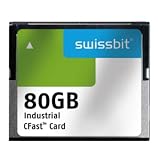
- USHTS: 8523510000 CAHTS: 8523510000
Drive design determines real-world behavior
Compare the controller’s channel count, DRAM or DRAM-less design, firmware, cooling and sustained rather than just burst performance. Many drives use pSLC caching to improve burst writes by temporarily operating some flash in a one-bit-per-cell mode. When the cache is exhausted, write behavior can change; look for sustained-write information relevant to the capacity and workload you plan to use.
Thermal throttling can also reduce performance when a drive gets hot. For demanding or long-running workloads, consider thermals and power as well as headline sequential speeds. For servers and other latency-sensitive uses, QoS (consistency of service) and validation matter alongside peak throughput.
Free tools Windows power users keep installed
One-click scans. No signup required.
Choose NAND for the workload
Mixed client, gaming and workstation use
3D TLC with a capable controller and PCIe/NVMe is a broad default for mixed workloads. TLC generally provides a stronger performance-and-endurance balance than QLC, while pSLC caching can help with burst writes. Confirm the drive’s endurance rating and sustained behavior if large or frequent writes are part of your work.
Rank #4

- Compatible with MagicGate copyright protection technology
- Can be used to perfect on the PSP adn digital camera
- Memory Stick PRO-HG Duo is ideal for high-speed data transfer and for continuous shooting
- 16GB capacity Flash memory Ideal for burst shooting with DSLR Up to 30MB/s read/write speed
- Can be used to perfect on the PSP(PSP1000/2000/3000/3000) and digital camera.
Read-heavy libraries and capacity-first storage
QLC can fit warm data and other read-intensive uses when writes are modest. Solidigm’s guidance for QLC emphasizes read-intensive patterns, high read bandwidth and low latency. As a model-specific example—not a promise for QLC drives generally—Solidigm reports up to 7,000 MB/s sequential read and up to 800K 4K random-read IOPS for the Intel D5-P5316. Those are “up to” figures for that example; check the current product specifications and conditions before comparing them with another drive.
Write-intensive or mission-critical use
Where the budget allows, consider SLC, or choose enterprise-grade TLC with endurance ratings appropriate to the workload. Also evaluate over-provisioning, QoS and validation. A cell-type label alone does not establish that a drive can meet a particular daily write rate, retention need or reliability requirement.
Emerging PLC designs
PLC’s five bits per cell promise higher density, but the complexity and early P/E endurance concerns described by TechTarget make it a specialized, read-heavy consideration rather than a default choice. Assess production specifications and controller support for the specific product before relying on it.
The Tool Desk
Outbyte Driver Updater FREEFix the driver behind crashes, sound loss and screen glitchesFind Drivers →Outbyte PC Repair FREEClear out junk files and repair common Windows errorsFree Scan →A practical SSD selection checklist
- Describe the workload. Estimate the read/write mix, block sizes and queue depth. Separate short bursts from sustained activity.
- Set an endurance target. Estimate data written per day and account for retention and warranty requirements. Compare that need with the exact drive’s published endurance rating.
- Select a cell type, then validate the implementation. Weigh TLC, QLC or SLC against the workload and endurance target. Check the controller, ECC, wear leveling, over-provisioning and pSLC behavior.
- Match the host connection. Confirm PCIe generation and lane count for both the SSD and host; NVMe is the protocol that uses PCIe’s low-latency parallel paths.
- Compare useful performance, not just peak speed. Review sustained throughput, QoS, thermals, power, capacity and total cost for the intended use.
- Verify the exact product revision. Check the current listing for the NAND generation and controller. Vendors may change components under the same model name.
When is PCIe 4.0 NVMe worth choosing?
For a new general-purpose performance SSD, PCIe 4.0 TLC NVMe is a sensible category to consider, provided the host supports it. It combines TLC’s broad workload balance with NVMe over PCIe, but the category name is not a performance guarantee. Compare exact models on sustained writes, endurance, controller, NAND, capacity and thermals; for a read-heavy capacity-first workload, a suitable QLC drive may be the better match. If the host or workload is the limiting factor, a higher PCIe generation alone may not deliver a meaningful benefit.
Quick Recap
Product prices and availability are accurate as of the date/time indicated and are subject to change. Any price and availability information displayed on Amazon at the time of purchase will apply.

