
iTechGuides is reader-supported. When you buy through links on our site, we may earn an affiliate commission. As an Amazon Associate I earn from qualifying purchases. Learn more
Top construction task management software depends on the job: Fieldwire is the strongest default for plan-based field tasks and punch lists; Procore suits enterprise project controls; Autodesk Forma/Build fits BIM-heavy teams; Buildertrend fits residential builders; JobTread fits smaller contractors needing transparent all-in-one pricing; and Raken specializes in field reporting.
Construction software is often compared as though every product solves the same problem. It does not. A superintendent trying to close punch-list items needs a different system from a general contractor managing contracts, cost forecasts, RFIs, submittals, and owner reporting.
This comparison separates field task coordination from full construction management, identifies the best fit by company type, and explains how to test a platform with real crews before signing a contract. Pricing was checked against the supplied vendor pages on August 18, 2026; prices, plans, limits, and included modules can change.
What’s actually slowing this PC down?
Pick the symptom - the matching free tool is one click away.
Key takeaways
- Fieldwire is the best starting point when the primary need is assigning and tracking construction tasks, punch lists, inspections, and plan-based field work.
- Procore uses custom annual pricing based on selected products and Annual Construction Volume, while Procore advertises unlimited users and data.
- JobTread publishes a $199-per-month base price plus $20 per month for each additional internal user, with all features included according to its pricing page.
- Fieldwire’s public pricing lists a free Basic plan for up to five users, three projects, and 100 sheets, followed by annual-billing tiers of $39, $64, and $89 per user per month.
- Buildertrend is oriented toward residential builders and remodelers, while Raken is strongest for daily reports, time cards, production tracking, and field data capture.
- A pilot using current drawings, real deficiencies, mobile updates, weak connectivity, reports, and task closeout is more reliable than choosing from a feature checklist.
Best construction task management software at a glance
The best construction task management software depends on whether the buyer needs field execution, residential business management, enterprise project controls, BIM coordination, or field reporting.
#1 Best Overall

- Two-Level Storage & Built-In Pen Slot: Features an upper tray for quick-access forms, notes, and small essentials plus a lower compartment for full-size paperwork, helping keep documents separated instead of mixed in one large space. Separate pen/pencil case for pens, pencils, markers, clips and other small items
- Built Tough for Daily Work: A rigid plastic shell, reinforced hinge area, and secure side latches help protect papers and supplies through regular office, vehicle, coaching, and field use. The side-opening design makes it easy to access stored items on the go
- Smooth Writing Surface: The firm clipboard surface gives you a stable place to write when a desk is not available, making it practical for drivers, coaches, contractors, inspectors, office teams, and everyday mobile paperwork.
- Branded Protective Packaging: Ships in a Sooez branded cardboard box for a cleaner presentation and added protection during delivery, so the clipboard case arrives ready for work, storage, or everyday organization.
- Versatile Performance: More than just a clipboard – it's a multi-functional work companion! Whether you're jotting down notes, signing contracts, or presenting proposals, this clipboard rises to every occasion with unmatched efficiency. Ideal for office, school, and home use
| Software | Best for | Construction-native task support | Pricing model checked August 18, 2026 | Biggest limitation |
|---|---|---|---|---|
| Fieldwire | Plan-based field tasks and punch lists | Plans, tasks, trades, punch lists, inspections, photos, scheduling, reporting | Free Basic; paid tiers from $39/user/month when billed annually | Advanced construction-administration and financial features require higher tiers or another system |
| Procore | Large GCs, owners, and multi-party projects | Broad modular construction-management platform | Custom annual quote based on products and Annual Construction Volume | No public list price; implementation and standardization require organizational capacity |
| Autodesk Forma / Build | BIM-heavy and design-to-build workflows | Models, documents, issues, cost, quality, safety, closeout, coordination | Quote- or bundle-based | Product names and module selection can be difficult to evaluate |
| Buildertrend | Residential builders and remodelers | Tasks, schedules, daily logs, selections, change orders, portals, warranties | Custom quote; unlimited users and projects advertised | More platform than a field-only team may need |
| JobTread | Small and midsize contractors needing business management | Estimating, job costing, schedules, change orders, work orders, portals | $199/month plus $20/month per additional internal user | Base price may be excessive for a tiny team needing only task tracking |
| Raken | Daily reports and production visibility | Daily reports, time cards, production, toolbox talks, checklists, observations | Public page did not expose a usable price in the supplied snapshot | Not automatically a complete plan-centric project-management replacement |
| monday.com | Generic configurable work management | Boards, templates, mobile apps, configurable workflows | Free up to two seats; Basic $9 and Standard $12 per seat/month when billed annually | Drawings, RFIs, submittals, punch lists, and job costing require configuration or other tools |
What is construction task-management software?
Construction task-management software coordinates work by assigning responsibility, setting due dates, tracking status, recording evidence, and connecting field activity to a trade, location, drawing, or project record.
A construction task can identify the responsible subcontractor, crew, floor, room, asset, plan sheet, priority, due date, status, and related photos or videos. Construction teams use these records for daily coordination, inspections, punch lists, look-ahead planning, quality control, and closeout.
Construction task management differs from a normal to-do list because field work is spatial and evidence-based. A task may need to be anchored to a drawing or building area and connected to an RFI, submittal, inspection, change order, safety observation, daily report, or warranty record.
Quick wins for a faster PC:
Repair Windows errors before they cause bigger problemsFix Now →Scan for outdated or missing drivers - takes under a minuteDriver Scan →Fieldwire’s construction-management overview describes plan viewing, task management, punch lists, inspections, scheduling, reporting, photos, notes, videos, priorities, categories, due dates, and assignees. Those capabilities illustrate what makes a construction-native task tool different from a general checklist app.
How is task-management software different from full construction-management software?
Task-management software focuses on getting assigned work completed, while a full construction-management suite may also manage the commercial, contractual, financial, document, and stakeholder sides of a project.
| Workflow | Focused task tool | Full construction-management suite |
|---|---|---|
| Assignment and status | Core capability | Core capability, often with permissions and audit history |
| Punch lists and inspections | Common strength | Usually connected to quality, documents, and closeout |
| Plans and locations | May support plan-anchored tasks | May include document control, revisions, models, and issue coordination |
| RFIs and submittals | Limited or absent on lower tiers | Common formal workflows |
| Change orders | May be basic or absent | Often connected to contracts, budgets, and approvals |
| Estimating and bidding | Usually absent | Available in some suites or connected products |
| Cost control | Usually limited | Budgets, cost codes, commitments, forecasts, and payment workflows may be included |
| Daily reports and labor | May be basic | May connect daily logs, time, production, safety, and project controls |
| Client or owner collaboration | Basic sharing or portals may exist | Formal stakeholder permissions, reporting, and approvals are more common |
A small contractor should not buy an enterprise suite merely to replace a spreadsheet task list. A commercial general contractor that needs contract administration, cost forecasting, formal document control, RFIs, and submittals may outgrow a focused field-task app quickly.
Which construction task-management software is best for each use case?
Fieldwire: best default for plan-based field tasks
Fieldwire is the best default recommendation when “task management” mainly means assigning and closing construction work in the field. Fieldwire is organized around plans, trades, tasks, punch lists, inspections, scheduling, reporting, photos, files, and mobile jobsite coordination.
Do these 3 things before closing this tab:
1Scan for outdated or missing drivers - takes under a minute2Repair Windows errors before they cause bigger problems3Fix the driver behind crashes, sound loss and screen glitchesFieldwire supports task priorities, categories, due dates, assignees, custom statuses, custom fields, custom forms, Excel or CSV task import, and mobile and web access. The Business tier includes a BIM viewer, while Business Plus adds RFIs, submittals, change orders, and budget workflows according to the supplied product and pricing research.
Fieldwire’s public pricing page, checked August 18, 2026, lists Basic at $0 per user per month for up to five users, three projects, and 100 sheets. The same page lists Pro at $39, Business at $64, and Business Plus at $89 per user per month when billed annually. See Fieldwire’s current plans and limits before purchasing because pricing and feature limits are volatile.
| Fieldwire strength | Why it matters in construction | Watch-out |
|---|---|---|
| Plan-based work | Crews can relate tasks to drawings and work areas | Verify the exact plan-revision and document-control workflow required |
| Punch lists and inspections | Deficiencies can be assigned, evidenced, and verified | Formal contract, cost, and approval workflows may require higher tiers or another platform |
| Mobile field use | Superintendents and foremen can update work away from a desk | Test the precise offline behavior, photo queueing, and conflict handling on real devices |
| Public pricing | Small teams can estimate entry cost without requesting an enterprise quote | Free Basic limits users, projects, and sheets |
Choose Fieldwire when: missed tasks, punch items, inspections, and field coordination are the main operational problems. Look elsewhere first when: the central requirement is deep accounting, estimating, contracts, ERP, or enterprise financial control.
Procore: best for enterprise construction project controls
Procore is the strongest enterprise candidate for large GCs, owners, developers, and multi-stakeholder commercial projects that need a broad, standardized construction-management platform.
The Tool Desk
Outbyte PC Repair FREEClear out junk files and repair common Windows errorsFree Scan →Outbyte Driver Updater FREEFix the driver behind crashes, sound loss and screen glitchesFind Drivers →Procore’s commercial model is not comparable to a simple per-user task app. Procore’s official pricing page states that pricing is customized according to selected products and Annual Construction Volume, uses an upfront annual fee, and includes unlimited users and data in its advertised model. Procore also describes implementation services, training, support, and cloud infrastructure as part of the commercial offering.
The benefit is breadth: an organization can evaluate formal project-management, stakeholder, document, cost, and collaboration workflows rather than building each process separately. The trade-off is that selection, implementation, permissions, training, and process standardization matter as much as creating a task.
Rank #2
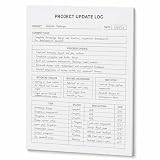
- One-Page Project Update Structure: Keep each project update on one clear page with sections for Project, Date, Current Focus, Progress Update, Blockers / Delays, Waiting On / Pending, Next Step, and task follow-up
- Track More Than a Basic To-Do List: Use the layout to capture what moved forward, what is delayed, what is still pending, and what needs to happen next, instead of only writing a simple task list
- Built for Work Meetings & Follow-Ups: Designed for project check-ins, client follow-ups, team updates, and meeting notes where progress, blockers, decisions, and next actions need to stay easy to review
- Letter-Size Tear-Off Notepad: Each pad includes 60 single-sided pages, 8.5 x 11 inch portrait layout, 100gsm white paper, top glue binding, and a hard cardboard backing board for everyday desk use
- Simple Paper Format for Project Records: Tear off a completed update page for files, meetings, or next-step reviews. Sold as the notepad only; pen, clipboard, binder, folder, and other accessories are not included
Choose Procore when: multiple stakeholder groups need one governed platform and the company can support an enterprise implementation. Skip it as a first option when: a small team only needs mobile task assignment and punch lists.
Autodesk Forma / Build: best for BIM-heavy design-to-build workflows
Autodesk Forma and Autodesk Build are strongest when construction tasks must connect to models, documents, coordination, cost, quality, safety, and closeout workflows.
Autodesk’s construction pricing page presents bundles and capabilities including Forma Data Management, Forma Build, project management, automatic submittal logs, cost management, quality management, safety management, project closeout, mobile access, document management, issue management, reporting, design collaboration, reality capture, model coordination, clash detection, 4D simulation, 5D simulation, quantification, and estimating.
The product family can be difficult to compare because Forma, Build, and related Autodesk products may appear together in bundles or modules. A buyer should request the exact proposal and map every required workflow to an included product, edition, permission level, and integration.
Choose Autodesk Forma/Build when: the team already relies heavily on Autodesk or needs design-to-build continuity. Choose a more focused tool when: the project has no meaningful BIM, model-coordination, document, cost, or formal issue-management requirement.
Buildertrend: best for residential builders and remodelers
Buildertrend is the best residential-oriented all-in-one candidate for home builders, remodelers, design-build firms, and specialty contractors that need client-facing and business workflows alongside field tasks.
Free tools Windows power users keep installed
One-click scans. No signup required.
Buildertrend’s official workflow pages list scheduling, daily logs, tasks, time clock, change orders, selections, subcontractor portals, warranties, client portals, file storage, messaging, estimates, budgets, bids, purchase orders, invoices, takeoff, and integrations including QuickBooks, Xero, and Gusto. Buildertrend’s construction-software overview provides the vendor’s current feature framing.
Buildertrend’s pricing page uses a custom-quote model and advertises unlimited users and unlimited projects. Custom pricing can make direct comparison difficult, so the buyer should request a proposal that identifies implementation, training, modules, integrations, migration, and renewal terms.
Choose Buildertrend when: selections, client communication, residential scheduling, estimates, change orders, and portals are important. Compare commercial alternatives when: the company needs particularly deep commercial RFI, submittal, document-control, or cost-control workflows.
JobTread: best transparent-price all-in-one option for smaller contractors
JobTread is a strong option for small and midsize contractors that need estimating, job costing, scheduling, change orders, portals, and communication rather than a task-only product.
JobTread’s pricing page, checked August 18, 2026, states a base price of $199 per month plus $20 per month for each additional internal user. The page also states that all features are included, there is no contract or setup fee, implementation, training, and support are included, annual subscriptions receive 20% savings, monthly subscriptions have a 30-day money-back guarantee, and external customer and vendor portal users are unlimited. Prices are shown in U.S. dollars.
JobTread’s documented workflow coverage includes budgets, change orders, job costing, purchase orders, work orders, AIA payment applications, vendor and subcontractor billing, customer invoices, dashboards, customer portals, selections, allowances, messaging, QuickBooks Online, Zapier, CompanyCam, and other integrations. Review JobTread’s current pricing and included features before calculating a project budget.
| Internal users | Monthly calculation before annual savings | What to verify |
|---|---|---|
| Base subscription | $199/month | Which staff count as internal users |
| Base plus one additional internal user | $219/month | Whether the field user needs an internal seat or can use an included field activity |
| Base plus five additional internal users | $299/month | Whether all project managers, estimators, and office staff need full access |
| External customers and vendors | Advertised as unlimited portal users | Which actions external users can perform without an internal seat |
Choose JobTread when: transparent pricing and connected estimating, costing, scheduling, change orders, and portals matter. Choose a narrower tool when: the company only needs a simple plan-based punch list.
Rank #3

- DRY ERASE PROJECT MANAGEMENT PLANNER: Be made of 250 gsm construction paper, laminated by special formula film that is erasable, make the surface resistant to ghosting or staining. We can erase easily even months later and use this work schedule board over and over again
- PRODUCTIVE PROJECT MANAGEMENT TOOLS: This project management board is a game changer and something physical for managing personal or team projects efficiently. It allows you or members to quickly view and share the status of up to 12 projects at the same time, a very good practical kit of team building
- SCRUM WHITEBOARD FOR OFFICE ESSENTIALS: This project organizer worth the investment for business use. It's easy to use for products development, marketing strategic projects or as a sales goal tracking whiteboard. You can easily measure budget, milestones, resources, inventory and timeline at a glance. It helps you plan, execute, assign tasks efficiently
- MOUNTING IS A BREEZE: This vision board is lightweight and comes with removable mounting stickers. You can mount this program Management Board easily without tools. On the other hand, you can take it down easily too if you need to remount your project board to other place later
- COMPLETE ACCESSORIES INCLUDED: Our huge project manager planner for wall is cost-efficient for daily use in office, home office or family. It comes rolled in a study tube with, premium dry erase eraser, reusable fluorescent colored tabs for entrepreneurs, managers or person working at home
Raken: best for daily reports, time cards, and field visibility
Raken is the best fit when the main problem is collecting consistent field information rather than managing every construction-administration workflow.
Recommended Free Tools
Raken’s official pricing page describes a field-first platform with digital daily reports, time cards, production tracking, toolbox talks, checklists, observations, insights, mobile field data collection, integrations, onboarding, and support. See Raken’s documented field-reporting capabilities.
The supplied pricing snapshot did not expose a usable public price because the page opened in a JavaScript-dependent state. Do not treat an undisclosed price as free or compare an eventual quote directly with Fieldwire’s per-user plans.
Choose Raken when: daily reports, labor time, production quantities, toolbox talks, and field observations are the central needs. Pair or compare it with a broader platform when: the team also needs plan-centric task coordination, formal RFIs, submittals, contract workflows, or deep cost control.
monday.com: best generic configurable alternative
monday.com is a credible generic alternative for teams that primarily need configurable boards, task processes, templates, and mobile access and are willing to design the construction workflow themselves.
Windows Errors? Fix Them Before They Spread
Repair common Windows errors and clear accumulated junk for a smoother, more stable PC - no reinstall needed.Free scan · no reinstallCrashes, No Sound, or Screen Glitches?
Random freezes, missing sound and display glitches usually trace back to one bad driver. Find and replace yours safely.Free scan · under a minutemonday.com’s pricing page, checked in the supplied research, lists a free plan at $0 for up to two seats, Basic at $9 per seat per month when billed annually, and Standard at $12 per seat per month when billed annually. The free plan includes up to three boards, three docs, templates, mobile apps, and limited column types.
monday.com is not inherently a drawing, RFI, submittal, punch-list, inspection, or job-costing system. A construction company may need to build and maintain trade-specific statuses, forms, automations, permissions, reports, drawing conventions, photo rules, and closeout procedures.
Choose monday.com when: the same work-management platform will serve construction and non-construction departments. Do not choose it solely because: the entry price is lower; configuration, administration, integrations, and missing construction-native controls affect total cost.
Which software fits each type of construction company?
| Company or team type | Best starting candidates | Why | Primary validation question |
|---|---|---|---|
| Small contractor | Fieldwire or JobTread | Fieldwire addresses task coordination; JobTread adds business management | Do we need only field tasks, or also estimates, job costing, and invoices? |
| Residential builder | Buildertrend or JobTread | Both address residential-oriented scheduling, client/vendor communication, and commercial workflows | Which platform handles selections, change orders, costing, and client communication with less duplication? |
| Remodeler | Buildertrend, JobTread, or Fieldwire | Choose between client/business management and focused field execution | Will homeowners, vendors, and office staff use the same system? |
| Specialty contractor | Fieldwire or Raken | Fieldwire emphasizes assigned plan-based work; Raken emphasizes reports, time, and production | Is the bottleneck task completion or field-data capture? |
| Commercial subcontractor | Fieldwire, Procore, or Autodesk Build | Selection depends on plan coordination, owner/GC requirements, and formal project controls | Which system does the prime contractor require, and what data must be synchronized? |
| Mid-sized general contractor | Fieldwire, Procore, Autodesk Build, or JobTread | Compare focused field execution against integrated project and cost controls | Are RFIs, submittals, budgets, change orders, and document control mandatory? |
| Large or multi-project GC | Procore or Autodesk Forma/Build | Enterprise governance, modules, coordination, and implementation become more important | Can the company fund standardization, training, permissions, and adoption? |
| Field-reporting team | Raken | Daily reports, time cards, production, and observations are central | How will reports connect to schedules, tasks, cost systems, and owner records? |
| BIM-heavy design-build firm | Autodesk Forma/Build | Model coordination, documents, issues, cost, quality, safety, and closeout can be evaluated together | Which Autodesk products and modules are actually included in the proposed bundle? |
Which construction task-management features matter most?
Can tasks be anchored to plans, locations, and assets?
Plan or location context is one of the clearest differences between construction software and generic task software. A useful system should let the team identify where the work is located, associate evidence with that location, and preserve enough context for another person to find the issue later.
Ask whether the platform supports sheet references, floor or room locations, plan revisions, markups, model views, asset identifiers, and a usable history after drawings change. Storing a PDF is not the same as supporting plan-based tasks.
Does the system handle punch lists and inspections?
Punch-list and inspection workflows should support assignment, priority, due dates, responsible trade, photos, notes, status changes, verification, and reporting. Ask whether a closed task can be reopened, who can verify completion, and whether the record remains usable for closeout or warranty questions.
How usable are the mobile and offline workflows?
Mobile access is necessary but does not prove field usability. Test whether a crew member can find assigned work, add a photo, update status, view the relevant drawing, and submit changes with weak or absent connectivity.
Verify the exact offline behavior for the selected product and plan: what can be viewed offline, whether photos queue for upload, how edits synchronize, how conflicts are handled, and how the app identifies stale data. Do not assume that a product’s mobile app provides full offline capability.
Rank #4

- Comprehensive Project Planning: Plan for success with a dedicated project timeline and task sections to track milestones and deliverables.
- Manage Tasks Efficiently: Organize your tasks by priority, set deadlines, and stay focused on what matters most.
- Premium Quality Paper: Includes 50 sheets of thick, smooth 120gsm paper that is perfect for daily use without bleed-through.
- Project Overview at a Glance: Visualize your entire project on one page with an easy-to-read, minimalist layout.
- Minimalist Monochrome Design: Clean, modern design that complements any workspace while keeping you organized and focused.
Can the software support look-ahead planning and dependencies?
Task lists become more useful when the team can group work by phase, trade, location, priority, and due date and can see schedule impact. Evaluate three-week look-aheads, dependencies, recurring workflows, calendar views, notifications, escalation, and whether field updates reach the project schedule without duplicate entry.
Can the system capture evidence and preserve an audit trail?
Photos, videos, notes, forms, timestamps, assignees, status history, and attachments turn a task into a project record. For dispute, warranty, quality, or closeout purposes, verify who can edit or delete information, what history is retained, how reports are exported, and whether exported records remain understandable outside the platform.
When are RFIs, submittals, change orders, and cost controls necessary?
These workflows matter when task completion is tied to formal decisions, money, contracts, or document approvals. A focused task app may be sufficient for internal coordination, but a GC may need RFIs, submittals, change orders, budgets, purchase orders, cost codes, commitments, forecasts, and approval history.
How important are permissions and external-user access?
Construction projects involve owners, architects, GCs, subcontractors, vendors, inspectors, and field crews. Compare internal seats, external portal users, guest permissions, project-level access, document restrictions, approval rights, and the ability to prevent one trade from seeing unrelated commercial information.
Free tools Windows power users keep installed
One-click scans. No signup required.
How much does construction task-management software cost?
Construction task-management software can use free tiers, per-user subscriptions, base subscriptions with internal-user charges, module-based bundles, or custom enterprise pricing. Those models are not directly interchangeable.
| Pricing model | Example from the supplied research | What to include in the comparison |
|---|---|---|
| Free or limited free tier | Fieldwire Basic: $0 per user/month, up to five users, three projects, and 100 sheets | User, project, sheet, storage, form, report, and module limits |
| Per-user annual-billing tiers | Fieldwire: $39, $64, and $89 per user/month across paid tiers | Whether every field worker needs a paid seat and which features sit in each tier |
| Base subscription plus internal users | JobTread: $199/month plus $20/month per additional internal user | Internal-user definitions, included field activities, portal access, and annual discount |
| Custom quote | Buildertrend pricing is tailored; Raken’s supplied page did not expose a usable public price | Modules, implementation, training, support, integrations, migration, and renewal terms |
| Annual construction-volume pricing | Procore pricing is based on selected products and Annual Construction Volume | Construction volume, product package, annual commitment, implementation, and data terms |
| Bundle or module pricing | Autodesk Forma/Build construction bundles | Exact product names, editions, included modules, seats, and integration requirements |
| Low-cost generic pricing | monday.com: free up to two seats; Basic $9 and Standard $12 per seat/month annually | Configuration labor, missing construction controls, automations, integrations, and administration |
Compare total operating cost, not just subscription cost. Include implementation, training, drawing migration, data cleanup, integrations, report design, administrator time, support, mobile devices, and the cost of maintaining duplicate records.
For example, JobTread’s published base calculation is $199 per month before additional internal users, while Fieldwire’s published paid prices are per-user and billed annually. A small team should calculate its actual seat count and required tier instead of comparing $199 with $39 as though they describe the same product scope.
Independent reader supportYour contribution helps us test, update, and keep practical guides available for everyone.How should a construction team evaluate software?
A practical pilot on one active project is the most useful next step after narrowing the market to one or two realistic options. Vendor demonstrations are useful, but a controlled field workflow reveals adoption and data-quality problems that a feature list will not show.
What’s actually slowing this PC down?
Pick the symptom - the matching free tool is one click away.
- Choose a live project. Use current drawings, real trades, current deficiencies, and the actual reporting cadence.
- Upload current drawings. Check sheet organization, revisions, permissions, search, markups, and location references.
- Create real tasks. Use actual punch items or quality issues rather than sample data.
- Assign work to a foreman or subcontractor. Confirm that the recipient can find the assignment without office intervention.
- Add evidence. Attach a photo, note, form, or other record from a phone in the field.
- Test weak connectivity. Verify viewing, task creation, photo upload, synchronization, stale-data warnings, and conflict behavior.
- Create a three-week look-ahead. Test dates, dependencies, recurring work, notifications, and schedule visibility.
- Run a punch-list meeting. Filter by trade, location, priority, status, and due date, then produce a usable report.
- Close and verify a task. Confirm who can mark work complete, who can verify it, and how the history is preserved.
- Export a record. Test reports, photos, attachments, task history, and whether exported data can be understood outside the platform.
What should the field-adoption test measure?
Ask five field users to complete the same workflow without coaching. Measure time to create a task, time to find assigned work, completion rate, duplicate-task count, missed notifications, unprompted updates, and whether the resulting record is useful to the project manager and owner.
| Test | Pass condition | Failure signal |
|---|---|---|
| Find assigned work | Field user locates the task quickly without office help | Users rely on texts, screenshots, or verbal instructions |
| Update from a phone | User changes status and adds evidence at the work location | Update requires a desktop or duplicate entry |
| Weak connectivity | Expected offline actions and synchronization are clear | Users cannot tell whether data was saved or uploaded |
| Punch-list meeting | Team filters and reports by trade, area, status, and due date | Meeting requires manual spreadsheet cleanup |
| Closeout record | Completion, verification, evidence, and history export cleanly | Closed work cannot be audited or found later |
What mistakes should buyers avoid?
Buying a full suite for an undefined process
Software cannot fix an unclear task owner, missing due dates, inconsistent updates, or an undefined closeout routine. Define who creates tasks, who assigns them, how often status is reviewed, what evidence is required, and who verifies completion before selecting a platform.
Confusing mobile access with field usability
A mobile app may exist while crews still struggle with sign-in, slow drawing access, excessive fields, poor photo handling, or unclear assignments. Observe real users completing real work instead of accepting “mobile app” as a sufficient evaluation criterion.
Ignoring drawing revisions and document control
A tool may store plans without providing revision-aware history, comparison, markup control, or permissions. Ask how old tasks behave when a drawing changes and how the team can prove which document was used at the time.
Assuming unlimited users means unlimited access
Unlimited-user claims can still coexist with module restrictions, annual-volume pricing, permission limits, external-user rules, implementation charges, premium support, or API costs. Procore and Buildertrend advertise unlimited users, but their pricing models and included capabilities are not equivalent.
Best Value

- 【Skin Friendly Metal Binder】Our metal binder is carefully dealt with its edges to relatively gentle ones. So you never have to worry about any hurt of your skin or car seat by the sharp razor.
- 【Heavy Duty Metal Clipboard】SUNNYCLIP is crafted with sturdy 30% recycled aluminum, featured with weatherproof and water-resistant, providing perfect strength to the storage clipboard for long-term use. Tossing around with no issues serving big crowd like gauge, patrol, contractors, construction work, law enforcement, medical personnel, warehouse and factory crews, teachers etc
- 【Large Capacity Storage Box】There are two trays of this storage box making your forms well organized, one for important letter sized(A4) files or documents, and the other for little tools like calculators, pens, and other stationery items. The size of the clipboard metal is 14" long x 9 " wide x 1 1/2" deep,can accommodate daily needs easily and the strong spring-hinged top with clamp holds more than 100 legal sized sheets even for heavy duty work.
- 【Portable Storage Clipboard】This lightweight clipboard can be considered as a portable office, keep files secured and easy carrying for multi-purposes. The self-locking latch of office clipboard is designed to keep any form or document securely clipped. And the external glossy wordpad ensures every user with unobstructed surface, and smooth writing environment whenever and wherever you want.
- 【100% Satisfaction】We aim to provide you with the best purchasing experience, if you have any questions with your purchase, please don't hesitate to let us know for purchase protection and exchange service.
Underestimating generic-platform maintenance
Generic software such as monday.com may require ongoing administration for templates, trade statuses, forms, automations, permissions, dashboards, photo conventions, and closeout. The internal administrator becomes part of the total cost.
Assuming integrations synchronize everything
An integration may be native, marketplace-based, API-driven, connected through Zapier, or limited to an export. Confirm which system owns each record, what fields synchronize, how quickly updates appear, how errors are handled, and whether attachments and history transfer.
Comparing prices on different foundations
Do not compare a per-user annual price with annual-construction-volume pricing, a base subscription with a full bundle, monthly pricing with annual discounts, internal users with free portal users, or a task-only plan with an enterprise suite without explaining the difference.
Quick wins for a faster PC:
Clear out junk files and repair common Windows errorsFree Scan →Scan for outdated or missing drivers - takes under a minuteDriver Scan →Which software should you choose?
Start with Fieldwire if the phrase “construction task management” means plan-based assignments, punch lists, inspections, photos, and field coordination. Fieldwire is the clearest task-management benchmark because its workflow is construction-native and its public pricing makes an initial evaluation easier.
Compare Procore or Autodesk Forma/Build if the company needs enterprise governance, formal project controls, RFIs, submittals, cost, document management, model coordination, quality, safety, or closeout. Procore is the enterprise-oriented option; Autodesk is especially relevant where BIM and Autodesk continuity matter.
Compare Buildertrend or JobTread if the company builds or remodels homes. Buildertrend emphasizes residential builder workflows and client collaboration, while JobTread offers a more transparent published pricing model for contractors that need estimating, job costing, scheduling, change orders, and portals.
Choose Raken when daily reports, time cards, production tracking, toolbox talks, and field observations are the main problem. Choose monday.com only when a configurable general work-management platform is more valuable than construction-native plans, punch lists, document controls, and job-cost workflows.
The final decision should come from a live-project pilot. The best platform is the one field users adopt consistently, project managers can trust, and the business can afford to operate without duplicating work across spreadsheets, messages, email, and disconnected systems.
Frequently Asked Questions
What is the best construction task management software overall?
Fieldwire is the best default for construction teams primarily needing plan-based task assignment, punch lists, inspections, photos, scheduling, and field coordination. Procore or Autodesk Forma/Build may be better when formal project controls, cost management, document workflows, or BIM coordination are central.
What is the cheapest construction task management software?
Fieldwire has the clearest free starting point in the supplied research: its Basic plan is listed at $0 per user per month for up to five users, three projects, and 100 sheets. monday.com also has a free plan for up to two seats, but construction-specific workflows require configuration.
How much does JobTread cost?
JobTread’s pricing page lists a $199-per-month base price plus $20 per month for each additional internal user. JobTread also states that all features, implementation, training, and support are included, while external customer and vendor portal users are unlimited; prices are shown in U.S. dollars and should be rechecked before purchase.
Is Procore worth it for a small contractor?
Procore may be excessive for a small contractor that only needs task assignment and punch lists because Procore uses custom annual pricing based on selected products and Annual Construction Volume. Procore becomes more defensible when the business needs formal project controls, stakeholder collaboration, document workflows, and enterprise implementation support.
What should be tested before buying construction task-management software?
Test current drawing uploads, real deficiency assignments, mobile status updates, photos, weak-connectivity behavior, a three-week look-ahead, punch-list reporting, task verification, and export of the final record. Five field users should complete the same workflow without coaching so the buyer can measure adoption rather than rely only on a demonstration.
The Bottom Line
Bottom line: Choose Fieldwire for focused, plan-based field task management; Procore for enterprise construction controls; Autodesk Forma/Build for BIM-heavy workflows; Buildertrend for residential builders; JobTread for transparent-price business management; Raken for field reporting; and monday.com only when generic configurability outweighs the need for construction-native workflows.
Quick Recap
Product prices and availability are accurate as of the date/time indicated and are subject to change. Any price and availability information displayed on Amazon at the time of purchase will apply.

