
iTechGuides is reader-supported. When you buy through links on our site, we may earn an affiliate commission. As an Amazon Associate I earn from qualifying purchases. Learn more
A security business does not have to use a physical time clock under U.S. federal guidance. It must keep complete, accurate time and payroll records, including the hours employees actually work. A simple punch clock can suit one staffed location; guards moving among client sites usually need a way to record time against the assigned post, plus a clear process for reviewing corrections.
What kind of time clock does a security business need?
Choose the method around where guards work and how you need to verify their attendance. A physical clock is a reasonable option for a fixed office or staffed post. For dispersed client sites or mobile patrols, consider a system that links a clock-in to a post and supports schedules, edits, approvals, and payroll review.
| Work arrangement | Approach to consider | Key limitation to check |
|---|---|---|
| One fixed office or staffed post | Physical employee time clock or punch clock | A standalone clock may not suit guards reporting to changing or multiple sites. |
| Multiple fixed client sites | Time-and-attendance software with post assignments and a site check, such as geofencing or a compatible NFC tag | Confirm how the system handles weak indoor GPS, device access, and missed punches. |
| Mobile patrols or changing locations | Mobile clock-ins tied to the assigned post or route, with reviewable records | Check location capture, connectivity, correction controls, and how exceptions are handled. |
Federal rules do not require a physical clock. The U.S. Department of Labor (DOL) says employers may use a clock, a timekeeper, or employee-entered hours if the method produces complete and accurate records. See DOL Fact Sheet #21 on FLSA recordkeeping.
The Tool Desk
Outbyte PC Repair FREERepair Windows errors before they cause bigger problemsFix Now →Outbyte Driver Updater FREEScan for outdated or missing drivers - takes under a minuteDriver Scan →What features matter when guards work at multiple posts?
A roster shows where a guard is supposed to work; a time record shows when they actually worked. For multi-site operations, evaluate whether the system makes it practical to compare those records without treating a scheduled shift as proof of attendance.
#1 Best Overall

- The Lathem PCEXPRESS-WEB features a proximity badge reader and full-color touchscreen for accurate employee time tracking. Its plug-and-play Ethernet or Wi-Fi connection lets you connect the time clock easily and without wires.
- Allows for department transfers, punch editing, tip entry, viewing total, and time-off hours
- Built-in WiFi for connecting time clock to online employee time and attendance software. Requires an active subscription to Lathem’s PayClock Online web-based time and attendance software. Signup offer included.
- System backup maintains settings during power failures. In the event of network outage, punches are stored and automatically uploaded once connectivity is restored.
- Employees use either proximity badges or PIN entry. Comes with a 15-badge starter kit. Additional badges or proximity key fobs are sold separately.
- Post assignment: Can clock-ins be associated with the assigned client site or post?
- Presence evidence: Does the system record only a punch time, check a GPS location or geofence, or use a site-mounted NFC tag? Consider indoor reception and whether employees can reliably access a phone.
- Correction accountability: Can supervisors review missed punches and edits, see who approved or denied a change, and retain the reason?
- Scheduling: Does it support overnight shifts, rotating coverage, weekends, holidays, and approved double shifts?
- Payroll readiness: Can you review daily and weekly totals, examine overtime, export records, and retrieve them later?
- Privacy: Establish what location data is collected, when it is collected, who can view it, and how exceptions are managed. Check applicable local rules before rollout.
How do GPS and NFC clock-ins differ?
GPS or geofence clock-ins
GPS-based workflows can associate a punch with a location or alert a manager when a clock-in falls outside a defined area. CKZ describes per-post geofences, GPS coordinates on clock-ins, overnight and weekend scheduling, and logs for punches, edits, approvals, and denials on its security guard time and attendance software page. These are vendor-stated features, not independently verified performance results; confirm them against your sites and policies.
NFC tags at fixed posts
An NFC tag can give a guard at a fixed location a site-specific tap-in option. Chronotek Pro describes NFC TimeTiles for posts where GPS may be weak, including parking decks and building interiors, along with post scheduling and GPS geofences on its security guard time-clock software page. Before relying on this approach, ask the vendor about device and software compatibility, offline behavior, accessibility, and terms. A tag is useful only if the selected platform supports it.
Rank #2
- Clock N Go - quick and easy way to automatically record IN and OUT times
What time records must employers keep?
DOL Fact Sheet #21 lists records such as employee identity, the workweek start, hours worked each day and week, wage basis or rate, earnings, deductions, pay period, and payment date. It says payroll records are generally retained for at least three years, while records used to calculate wages—including time cards and work schedules—are generally retained for two years. The fact sheet is federal guidance; verify any additional state or local requirements that apply to your workforce.
Record actual hours, not just the roster
If a guard works more or less time than scheduled, record the actual hours. A system should make it possible to correct a missed or inaccurate punch while preserving a reviewable record of the change.
Rank #3

- PAYROLL TIME CLOCK FOR SMALL BUSINESSES The JP2000 instantly captures employee punches sending them to your uAttend cloud account—an all‑in‑one workspace for reviewing time and completing payroll.
- ACCURATE, FLEXIBLE EMPLOYEE PUNCHING Employees can clock in using fingerprint, RFID badge, or PIN to reduce buddy punching and keep time records clean and reliable.
- FROM TRACKED TIME TO PAYROLL - WITHOUT THE EXTRA WORK Employee hours flow automatically into your online timecards, helping you reduce errors, approve time faster, and keep your payroll process moving smoothly.
- NO CONTRACTS, SIMPLE MONTH-TO-MONTH PRICING Plans start at $29/month for time tracking, with optional payroll available when you’re ready - no long-term commitments required.
- $100 PAYROLL CREDIT INCLUDED - ACTIVATE WHEN YOU’RE READY Get a $100 credit toward your payroll subscription when you activate payroll in your uAttend account - making it easier to turn tracked hours into paid employees.
Handle clock differences and rounding carefully
Under 29 CFR § 785.48, time clocks are not required. The regulation recognizes that minor punch differences can occur, but says major discrepancies between clock records and actual hours should be discouraged because they raise questions about accuracy. Rounding to common increments is accepted for enforcement only when it does not, over time, result in employees failing to receive pay for all time worked.
Review overtime using the applicable rules
The DOL describes the general FLSA rule for covered non-exempt employees as overtime pay of at least one and one-half times the regular rate for hours worked over 40 in a workweek. See its hours-worked and off-the-clock guidance. Payroll should apply the rules relevant to the employee and jurisdiction, including any compensable work beyond the posted shift.
Rank #4

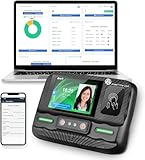
- Biometric Time Clock – 3-in-1 Punch: Fingerprint, RFID badge, and PIN punch all in one. No messy paper ribbons, no jams, no hassle. The perfect time and attendance solution for small businesses.
- IN/OUT Button – No More Duplicate Punches: Simply press the corresponding button when you arrive or before you leave. The upgraded IN/OUT buttons make punch-ins and punch-outs error-free.
- Offline Operation – No WiFi, No Network Needed:Preset scheduling times, configure each employee's sign-in method (fingerprint or badge), and manage attendance records via USB transfer. No cloud, no subscription, no dependency.
- Automated Reports – Export to Excel: Download attendance reports directly via USB. Track weekly, bi-weekly, bi-monthly, and monthly pay periods with automatically generated Excel data.
- Multi-Language Voice Prompts – 11 Languages: Supports English, German, Arabic, Spanish, French, Portuguese, and more. Voice-guided operation makes it easy for all employees to clock in and out.
How should you evaluate a time-clock system?
- Map the work locations. Separate fixed staffed posts from changing client sites and mobile patrol routes.
- Choose the presence method. Decide whether a timestamp is enough, whether GPS or a geofence is appropriate, or whether a site tag is more practical at fixed locations.
- Test difficult shifts and exceptions. Walk through overnight scheduling, weak-signal locations, missed punches, shift extensions, approvals, and double shifts.
- Check payroll and record access. Confirm daily and weekly totals, overtime review, exports or integrations, and the ability to retrieve time and wage-computation records.
- Set privacy and correction rules. Tell employees what location data is collected and when; define who can view it and how edits are documented and approved.
- Verify legal and contract requirements. This article covers U.S. federal guidance, not every state or local rule, collective bargaining provision, or client-contract requirement.
Ask vendors to demonstrate these workflows using your actual post types and policies. Feature descriptions alone do not establish that a product will work reliably at a particular site.
Quick Recap
Best Value

- MULTI-PURPOSE TIME CLOCK SOFTWARE, READER & 5 CARDS - TimeDrop Employee Time Clock Software with Attendance Tracking, Payroll and Quick & Secure Clock In/Out Eliminate Buddy Punching!
- HIGH QUALITY CONTACTLESS READER - Excellent scanning quality, Supports 40+ card types with 2 card tandem reading capability
- NO FEES - No recurring software license or subscription fees. PLEASE NOTE: 1 license/computer required
- FREE SUPPORT AND UPDATES - Free Email, Phone & Remote Desktop Support, Free Software Updates
- EXPANDABLE AND EASY TO GET STARTED - Unlimited user profiles allows your business to grow. TimeDrop is the perfect time clock for small business owners. Download & CD available for Windows 7, 8, 8.1 and Windows 10
Product prices and availability are accurate as of the date/time indicated and are subject to change. Any price and availability information displayed on Amazon at the time of purchase will apply.

