
iTechGuides is reader-supported. When you buy through links on our site, we may earn an affiliate commission. As an Amazon Associate I earn from qualifying purchases. Learn more
There is no single YouTube extension everyone should install. The best choice depends on what you want to fix: integrated sponsor reads, distracting page elements, sensational titles, disorganized subscriptions, language-learning friction, or browser privacy. For most viewers, start with SponsorBlock; add Enhancer for YouTube only if you need more playback and layout controls. Firefox users who prioritize privacy can consider uBlock Origin, while PocketTube, Language Reactor, DeArrow, and Return YouTube Dislike solve more specific problems.
Installing every popular YouTube extension is usually a mistake. Several extensions modify the same player, page elements, or network requests, so a large collection can create conflicts and make troubleshooting difficult. A compact stack chosen around your viewing habits is safer and more useful.
Quick recommendations
| Your main problem | Best starting point | What it does | Important limitation |
|---|---|---|---|
| Creator-read sponsorships and recurring filler | SponsorBlock | Skips community-submitted segments inside videos, including sponsor reads, intros, outros, and subscription reminders. | It does not primarily remove YouTube’s own inserted advertisements, and coverage depends on community submissions. |
| Playback, quality, volume, shortcuts, or layout | Enhancer for YouTube | Adds extensive playback and interface controls. | Its many settings can overlap or conflict with other YouTube-modifying extensions. |
| A quick warning about poor-quality videos | Return YouTube Dislike | Shows an estimated dislike figure compiled from archived and contributed data. | The figure is not an official YouTube count and is less dependable for new or niche videos. |
| Clickbait titles and thumbnails | DeArrow | Replaces sensational titles and thumbnails with crowdsourced alternatives where available. | Substitute titles and thumbnails are subjective and may not exist for every video. |
| Too many subscriptions | PocketTube | Groups channels into collections and filters or sorts subscription feeds. | Review its YouTube API access and analytics disclosure before using it. |
| Learning a language through authentic video | Language Reactor | Adds bilingual subtitles, clickable definitions, vocabulary saving, and precise playback tools. | Subtitle availability varies, and machine translations can be awkward or incorrect. |
| Broad browser privacy and content blocking | uBlock Origin on Firefox | Uses filter lists and custom rules to block ads, trackers, pop-ups, and other unwanted requests. | Browser support is not equal: the project says full support works best on Firefox and that full Chrome support ends with Chrome 139. |
Use the official Chrome Web Store, Firefox Add-ons, or the project’s own download page. Search for the exact extension name and verify the publisher rather than installing a similarly named result.
What’s actually slowing this PC down?
Pick the symptom - the matching free tool is one click away.
1. SponsorBlock: best for skipping integrated sponsorships
SponsorBlock is an open-source, crowdsourced extension that automatically skips segments submitted by its users. Its best-known use is skipping a creator’s spoken sponsorship in the middle of a video, but it can also handle categories such as intros, outros, subscription requests, self-promotion, and other recurring sections.
#1 Best Overall

- 【Filter Dimensions】: Width: 13 9/16" (345 mm), Height: 7 5/8" (194 mm), Diagonal: 15.6" (396.24 mm) - SightPro Blackout Privacy Filter is engineered to be compatible with Lenovo, HP, Dell, Acer, Asus, Samsung, and other laptop brands. Please verify your screen's width and height measurements before ordering. It's not recommended to make your selection based solely on your screen's diagonal size. [Not optimized for touchscreens.]
- 【Two Attachment Options】- Installs in minutes. Option 1 uses clear adhesive strips that securely attach to any screen. Option 2 uses slide mount tabs that easily stick to the display frame, allowing you to slide the filter on and off the screen as needed.
- 【Superior Privacy and Reduce Glare】- Our advanced multi-layered film filter blacks out your screen when viewing from the side, while maintaining a crystal clear screen straight-on. It also protects your eyes from harmful glare, UV, and blue light. [Note: It does not block visibility directly behind you, regardless of the distance.]
- 【Perfect for Travel and Open Workspaces】- Our computer screen privacy filter is the ideal solution for healthcare providers, mobile workers, commuters, students, and business travelers. Now you can stay compliant and safeguard sensitive corporate information while working in airplanes, subways, airports and public areas.
- 【Package Contents】- Each package includes one privacy screen shield filter, two sets of clear adhesive strips, two sets of slide mount tabs, and a microfiber cleaning cloth. Buy with confidence – located in the US, Sight Pro specializes in providing best-in-class privacy solutions to individuals, small businesses, corporations, government, and educational institutions. Our privacy screens are Section 889 and TAA compliant.
The distinction between two kinds of advertising matters:
- Integrated sponsorship: the creator pauses the video to read or show a sponsor message. SponsorBlock is primarily designed for this.
- YouTube-inserted advertising: an advertisement delivered by YouTube before, during, or around the video. SponsorBlock is not primarily an ad blocker for these placements.
When a viewer submits a segment, the timing data can be shared with other users. Community members can review, downvote, or correct submissions, which gives the project useful scale without making it an official YouTube feature. It also means that performance varies: popular videos may have well-maintained segments, while a new or obscure upload may have none. A badly timed submission can also skip part of the actual content.
Best for: people who watch long-form videos, podcasts, interviews, and educational content where sponsor reads and repeated introductions become disruptive.
Install it when: your main annoyance is content embedded inside videos rather than YouTube’s surrounding interface.
Watch for: changes to YouTube’s page structure. Extensions that interact with the player can temporarily stop working after a YouTube update, so keep the official listing and update history in mind.
2. Enhancer for YouTube: best all-in-one control panel
Enhancer for YouTube is the broadest recommendation in this list. Instead of solving one specific problem, it exposes controls for playback, quality, volume, theater mode, picture-in-picture, keyboard shortcuts, mouse-wheel behavior, and interface clutter.
The official Firefox listing describes playback-speed controls from 0.07× to 16×. Depending on the current version and browser, it can also hide or reduce elements such as end screens, information cards, recommendations, related videos, live chat, and comments. This makes it useful for students, researchers, power users, and anyone who wants YouTube to open with predictable settings rather than adjusting the player every time.
Quick wins for a faster PC:
Repair Windows errors before they cause bigger problemsFix Now →Scan for outdated or missing drivers - takes under a minuteDriver Scan →Typical reasons to choose it include:
- Setting a preferred playback speed or video quality.
- Making the player default to theater mode or another viewing layout.
- Using keyboard or mouse-wheel controls for faster adjustments.
- Reducing recommendations, comments, end screens, and other distractions.
- Getting more consistent volume and playback behavior.
The trade-off is complexity. A feature-rich extension has more settings to understand and more opportunities to overlap with another extension. For example, Enhancer for YouTube and SponsorBlock may both alter the player or video page. That does not guarantee a conflict, but it makes a one-at-a-time installation strategy important.
Best for: viewers who want to customize YouTube broadly rather than fix only one irritation.
Practical advice: enable only the controls you need. Do not turn on every hiding, redirecting, autoplay, and playback option before you know which setting is responsible for a problem.
Rank #2

- 【PRIVACY FILTER DIMENSIONS】- Width: 20 15/16" (532 mm), Height: 11 13/16" (299 mm), Diagonal: 24" (609.6 mm) - Peslv Dark 24 inch Privacy Screen Filter is engineered to be compatible with 24in Dell, HP, Samsung, Lenovo, LG, Acer, ASUS, Toshiba, ViewSonic, Aoc, Sceptre, PHILIPS, ViewSonic and other brands monitors with 16:9 aspect ratio. Please verify your computer screen's width and height measurements before ordering. It is not recommended to select a size based solely on the diagonal.
- 【HIGH-CLASS PRIVACY ABLE】Peslv collected suggestions from more than 2000 computer users and performed 22188 anti-peep angle corrections on the micro-blind optical technology to ensure that any line of sight beyond +-30° facing the screen will be shielded. With a Peslv computer privacy screen 24 inch, Protect the privacy of your computer monitor screen and no longer leak any confidential data.
- 【2 MOUNTING OPTIONS FOR EASY INSTALLATION】The Peslv 24 inch privacy screen for monitor supply 2 installation options, Various installation options, are Compatible with both 24" computer monitors with raised bezels and full-screen 24" computer monitors without raised bezels, and convenient installation allows you to complete the installation in 9 seconds. NOTE: Monitors without raised bezels are only available with mounting option 2.
- 【EXCLUSIVE DOUBLE-SIDED TECHNOLOGY】24-inch monitor privacy filter has a double-sided surface technology developed by Peslv. Matte or Glossy. With the matte surface facing outward, you can experience the advanced AG anti-glare technology from Germany while maintaining a 30-degree privacy angle, softening the strong light outdoors, and making the screen content clearly visible. With the glossy side facing outward, you can get a super anti-peeping effect with a privacy angle of 26 degrees.
- 【PROTECT SCREEN ALSO EYES】Filtering optical materials imported from Japan can reduce 92% of blue light and 98% of UV light, and filter all harmful light emitted from the screen to protect your eyes. The high-transparent and reinforced built-in protective layer not only presents high-definition picture quality but also protects your screen from scratches. Hurry up and place an order, own a privacy screen for a computer monitor 24 inch, and protect your monitor screen and your eyes.
3. Return YouTube Dislike: best as an additional quality signal
Return YouTube Dislike restores a visible dislike estimate after YouTube removed public dislike counts. It combines archived information from before the change with newer data contributed by extension users and backend calculations. The project documentation describes the result as a combination of archived, scraped, and extrapolated data—not an official YouTube count.
Free tools Windows power users keep installed
One-click scans. No signup required.
That limitation should shape how you use it. The number can be a useful extra warning signal before spending an hour on a tutorial, product demonstration, or supposedly definitive explanation. It should not be treated as a precise measurement of the video’s current audience sentiment.
The estimate is particularly uncertain when:
- The video is new and has little contributed data.
- The channel or subject is niche or unpopular.
- The audience uses browsers or extensions that do not contribute data.
- The backend must extrapolate from older or incomplete information.
Platform maintenance also matters. The Chrome listing reports a large user base and a newer version, while the Firefox listing has shown a much older latest release and compatibility complaints. Check the listing for your actual browser instead of assuming that a healthy Chrome release means the Firefox version is equally fresh.
Best for: viewers who want one more data point when evaluating tutorials, reviews, and claims-heavy videos.
Do not use it as: proof that a video is wrong, dishonest, or objectively bad. A dislike estimate is a rough signal, not a fact-checking system.
4. DeArrow: best for reducing clickbait in titles and thumbnails
DeArrow changes the way videos are presented rather than changing how they play. It crowdsources more descriptive YouTube titles and thumbnails, then applies those alternatives locally in the browser. Thumbnail replacements can be generated from timestamps in the video, and the service uses a backend to deliver submitted replacements.
This is useful if you find engagement-focused packaging—exaggerated facial expressions, arrows, vague claims, and sensational wording—makes it harder to judge whether a video is relevant. DeArrow can make a subscription feed or search result feel more informative, especially when the original title says little beyond promising a dramatic outcome.
There are two important qualifications:
- DeArrow cannot replace every title or thumbnail. Its results depend on community submissions and available video frames.
- A crowdsourced replacement is still someone’s editorial judgment. You may prefer the original wording or image.
The extension includes an option to show the original title or thumbnail when DeArrow has changed it. That makes the tool easier to live with if you want less sensational presentation most of the time but still want to inspect the creator’s original packaging.
DeArrow’s official payment page also offers a voluntary funding model: a free option remains available, while users can purchase an unlimited-use license for $1. This is direct support for the project, not evidence of an affiliate program. Readers who want to help fund the tool can support DeArrow through its current official payment instructions.
Windows Errors? Fix Them Before They Spread
Repair common Windows errors and clear accumulated junk for a smoother, more stable PC - no reinstall needed.Free scan · no reinstallCrashes, No Sound, or Screen Glitches?
Random freezes, missing sound and display glitches usually trace back to one bad driver. Find and replace yours safely.Free scan · under a minuteBest for: viewers who care more about accurate discovery than engagement-optimized titles and images.
Rank #3

- 【Compatible Model】Width: 12 3/16" (310 mm), Height: 6 7/8" (175 mm), Diagonal: 14" (355.6 mm). Compatible with Thinkpad Envy Xps, HP, Dell, Lenovo, Acer, Asus, Envy, Toshiba, Samsung with 16:9 aspect ratio laptops. Please verify your screen's width and height measurements before ordering,Do not use only the screen diagonal size to confirm compatibility with your device【Not Compatible with MacBooks】
- 【MAGICAL DESIGN】Unlike a regular dell laptop privacy screen film, this is a reversible 14 inch laptop privacy screen filter that offers you more options. When you want to share, choose the matte surface for high clarity without any glare distractions. If you need more privacy, the glossy surface is an excellent choice to keep your private information out of strangers sight
- 【SUPERIOR PRIVACY】Our laptop screen privacy shield features advanced technologies ensure that the contents of the computer screen are invisible to the line of sight beyond 30 degrees.With this privacy screen laptop 14 inch filters you don't have to worry about information leakage in public
- 【EASY TO INSTALL】This 14 inch privacy screen laptop has 2 installation options. Methods 1 Double-sided tape sticking, for all laptops with a screen aspect ratio of 16:9 and a size of 14 inches. Methods 2 Slide mount tab.Suitable for laptop with raised frame, it provide a quick and easy way to remove or reversible your monitor privacy filter
- 【EXCELLENT PROTECTION】This ThinkPad privacy screen cover designed with the most advanced anti-glare technology from Germany AG to ensure our screen protector blocks 95% of blue light and 92% UV light, protecting your eyes and skin from damage
5. PocketTube: best for organizing subscriptions
If your main YouTube problem is an overloaded subscription list, a playback extension will not help much. PocketTube is designed for that information-management problem. It lets users group channels into collections and apply feed filters and sorting.
Its documented features include:
- Custom or AI-assisted grouping of subscribed channels.
- Filtering by video length, publication date, and content type.
- Sorting subscription content.
- Marking videos as watched.
- Managing channels and using group-based notifications.
A useful setup is to create collections such as Technology, News, Music, Education, and Hobbies, then check one group at a time. This changes YouTube from one large mixed feed into several smaller queues. PocketTube advertises support across Chrome, Firefox, Edge, Opera, Safari, Android, and iOS, but availability and feature parity can vary by platform and current release.
PocketTube privacy considerations
PocketTube says it uses the YouTube API to read subscriptions and does not change, update, or delete them. Its privacy policy also says usage data may be collected and sent to Mixpanel for analytics. Those statements are not necessarily contradictory, but they describe different categories of access: reading subscription information is separate from collecting service-usage analytics.
Do these 3 things before closing this tab:
1Fix the driver behind crashes, sound loss and screen glitches2Clear out junk files and repair common Windows errors3Scan for outdated or missing drivers - takes under a minuteBefore installing, review the current permission prompt and privacy policy. If you are uncomfortable with analytics, look for the service’s available privacy controls or choose not to use it. Readers who want to organize YouTube subscriptions should understand that convenience can involve more data access than a purely local interface customization extension.
Best for: people subscribed to many channels who want topic-based feeds instead of one continuously mixed list.
6. Language Reactor: best for language learning with YouTube
Language Reactor adds language-learning tools to YouTube and Netflix. On YouTube, its documented features include clickable word definitions, vocabulary saving, automatic pausing after subtitles, keyboard controls, precise playback, bilingual subtitles, and machine or human translation options. The service discusses content in more than 40 languages.
Its strength is the ability to turn ordinary videos into study material. A learner can watch authentic conversations, pause on a subtitle, inspect a word, save vocabulary, and replay a short passage rather than switching between YouTube and a separate dictionary. Bilingual subtitles can help beginners understand context, while precise playback and automatic pauses give more advanced learners time to notice pronunciation and grammar.
Recommended Free Tools
Subtitle quality and availability still depend on the video. Not every upload has subtitles in the language you want, and automatically generated subtitles may contain transcription mistakes. The official help material also warns that machine translations can be less idiomatic than human translations. Treat them as learning aids and clues, not as authoritative translations for legal, medical, or other high-stakes material.
Language Reactor is mainly positioned around desktop use, even though the company also discusses phone and tablet support. Check the current platform requirements if mobile study is important to you. Readers looking for a YouTube language-learning extension should also distinguish the YouTube feature set from the product’s broader Netflix and study features.
Best for: language learners, travelers, multilingual households, and anyone who learns better from real spoken content than isolated exercises.
Rank #4
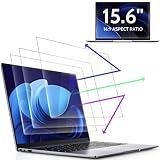
- 【DIMENSIONS & WIDE ADAPTATION 】Width: 13.57" (344.7 mm), Height: 7.64" (194 mm), Diagonal: 15.6" (396.2mm). Compatible with HP Lenovo Dell Acer Asus Samsung Envy etc 15.6" laptop, Ideal for nearsighted people, students, office workers, online game players, etc. who need to protect their eyesight and prevent eye strain. Please verify your screen's width and height measurements before ordering. It's not recommended to make your selection based solely on your screen's diagonal size.
- 【REVOLUTIONARY 3RD GENERATION】As a professional laptop anti-blue light screen protector manufacturer, Peslv collected feedback from 53,216 laptop screen protector users and accordingly upgraded our blue light screen protector. Please believe that this is a deal that is worth every penny, why? Higher blue light blocking rate, super anti-glare performance, ultra-thin thickness, ultimate clarity, super easy installation, precise size, comprehensive screen protection, sure to be your best choice!
- 【ASTONISHING ANTI-BLUE LIGHT EFFECT】We has developed a new anti-blue light material. Peslv 15.6" computer screen blue light blocker has a high blue light blocking rate of 99.3%. Are you still anxious about the dizziness, vision loss, yellowing, and darkening of your skin caused by long hours of laptop use? Don't hesitate to have Peslv 15.6 in laptop anti blue light screen protector and let your worries go away.
- 【ADVANCED ANTI-GLARE】From Germany's most advanced AG anti-glare process, built-in extremely fine particles, so that the strong energy of direct light into a soft scattered light.Why do this? You will no longer feel the strong, harsh reflected light from your laptop screen when using your laptop outside in direct sunlight or indoors in a brightly lit environment.
- 【EFFORTLESS INSTALLATION】The adsorption layer of the anti glare screen protector is made of new material - nano-silicone, which has the features of automatic adsorption and automatic air bubble removal. Install with 15.6" Peslv's laptop blue light screen protector and you'll get the feeling of accomplishment with a quick installation and no air bubbles to worry about!
7. uBlock Origin: best for privacy and broad content blocking
uBlock Origin is a wide-spectrum content blocker. It uses filter lists and optional custom rules to block ads, trackers, pop-ups, malware domains, and other unwanted requests. The project describes it as CPU- and memory-efficient and says it works best on Firefox.
Browser qualification is essential here. The project’s current repository states that full uBlock Origin support on Chrome ends with Chrome 139 and distinguishes the official Firefox distribution from Chromium builds that may require manual installation. In practical terms, Firefox is the straightforward recommendation for readers who specifically want the full uBlock Origin feature set. Chrome users should consult the project’s current compatibility guidance rather than installing a similarly named extension and assuming it is identical.
Do not make an absolute promise that uBlock Origin will permanently block every YouTube advertisement. YouTube changes its delivery and detection systems, and browser extension APIs change as well. A content blocker can also cause a site feature to stop working if a required request is blocked.
Most importantly, do not run uBlock Origin alongside another full content blocker unless you have a specific reason and understand the consequences. Competing blockers can interfere with one another and make it difficult to tell which filter caused a broken page.
Best for: privacy-conscious viewers who want broad browser-level blocking and are willing to use the browser the project supports most directly.
The best YouTube extension stacks
The following combinations cover common needs without encouraging a crowded browser.
Minimal stack for most viewers
- SponsorBlock: skips integrated sponsorships and other submitted segments.
- Enhancer for YouTube: optional; add it only if you want playback, quality, layout, or distraction controls.
This is the sensible starting point for a typical long-form viewer. Install SponsorBlock first, use it for a while, and add Enhancer only when you can name a setting you need.
Privacy-oriented Firefox stack
- uBlock Origin: broad content and privacy blocking.
- SponsorBlock: skips community-submitted in-video segments.
- DeArrow: reduces sensational titles and thumbnails.
These extensions address different layers of the experience, although SponsorBlock and uBlock Origin can both interact with changing YouTube behavior. If something breaks, disable extensions one at a time rather than changing several settings simultaneously.
Learning stack
- Language Reactor: subtitles, definitions, vocabulary, translations, and precise playback.
- Enhancer for YouTube: optional; useful for additional speed, quality, theater-mode, or keyboard controls.
There is no need to add Return YouTube Dislike or DeArrow unless those tools solve separate problems for you. Fewer moving parts make a study workflow easier to maintain.
The Tool Desk
Outbyte PC Repair FREEClear out junk files and repair common Windows errorsFree Scan →Outbyte Driver Updater FREEScan for outdated or missing drivers - takes under a minuteDriver Scan →Subscription-management stack
- PocketTube: groups, filters, and sorts subscriptions.
- DeArrow: optional; makes the resulting feed less sensational where replacements exist.
How to install YouTube extensions safely
- Start with one extension. Install the tool that addresses your biggest problem, then use YouTube normally before adding another.
- Use an official source. Prefer the official Chrome Web Store, Firefox Add-ons, or the project’s own download page. Avoid download sites and search results with nearly identical names.
- Verify the publisher. Check the publisher name, source repository where available, review history, update date, and current browser listing.
- Read the permissions. An extension that modifies YouTube must usually interact with the page, but you should understand what access it requests and whether that access is necessary for its features.
- Read the privacy disclosure. Open-source code is helpful for transparency, but open source alone is not a safety guarantee. Also check for analytics, third-party APIs, and data-sharing statements.
- Keep a change log in your head. If YouTube becomes slow or a control disappears immediately after an extension update, the extension is a reasonable first suspect.
Troubleshooting extension conflicts
YouTube is a changing application, not a static web page. Extensions may depend on page elements, player controls, or browser APIs that change without notice. Use this sequence when something stops working.
Best Value

- 【PRIVACY FILTER DIMENSIONS】: Width: 13 9/16" (13.6 inch/345 mm), Height: 7 5/8" (7.6 inch/194 mm), Diagonal: 15.6" (396.24 mm) - Peslv 15.6" Dark Blackout Privacy Filter is engineered to be compatible with HP, Lenovo, Dell, Acer, Asus, Samsung, Envy, Toshiba and other 15.6in laptop brands. Please verify your screen's width and height measurements before ordering. It's not recommended to make your selection based solely on your screen's diagonal size.
- 【HIGH-CLASS PRIVACY ABLE】Peslv collected suggestions from more than 500 laptop users, and performed 2000 anti-peep angle corrections on the micro-blind optical technology to ensure that any line of sight beyond +-30° facing the screen will be shielded. With a laptop privacy screen 15.6 inch, the privacy of your computer screen will never be leaked.
- 【EASY TO INSTALL】The Peslv laptop privacy screen has 2 installation options, you can use 15.6 inch privacy screen whether your monitor frame is raised or flush with the screen. You can complete the installation within 30 seconds according to the instructions of the easy installation manual. If the screen frame of the monitor is raised, you can choose the installation options ① and ②. If the monitor screen is flush with the frame, only the installation option ② can be used.
- 【EFFECTIVE ANTI-GLARE】The anti-glare technology from Germany AG can reduce the glare above 90 and soften the light, so that you will not feel the dazzling reflection in the strong light environment. The 15.6 laptop privacy screen has a unique double-sided structure, the glossy surface has a better anti-peep effect, and the matte surface has a better anti-glare effect. You can choose according to your needs.
- 【STRONG ANTI-BLUE LIGHT】Filtering optical materials imported from Japan can reduce 92% of blue light and 98% of UV light, and filter all harmful light emitted from the screen to protect your eyes. The high-transparent and reinforced built-in protective layer not only presents high-definition picture quality, but also protects your screen from scratches. Hurry up and place an order, own laptop screen privacy shield 15.6 inch, protect your screen and your eyes.
- Note the symptom. Is the video failing to load, skipping incorrectly, showing a blank player, losing captions, buffering, or merely displaying the wrong layout?
- Disable the most recently installed or updated extension. Reload YouTube and test the same video.
- Test extensions individually. If you installed a stack, turn off all but one, then re-enable them one at a time.
- Check for duplicate functions. Look especially for multiple ad blockers, multiple playback controllers, or more than one extension hiding recommendations, comments, or player elements.
- Check the browser-specific listing. An extension can be current on Chrome and stale on Firefox, or vice versa.
- Update or remove the offender. If the project has an acknowledged compatibility issue, wait for an update or leave the extension disabled rather than weakening browser security.
What not to install by default
- Multiple ad blockers: they can compete over the same requests and produce confusing failures.
- Several all-in-one YouTube customizers: overlapping player and page modifications are difficult to troubleshoot.
- Lookalike extensions: a familiar name in the title does not prove that the publisher is the original project.
- Extensions chosen only because they are popular: popularity does not establish current maintenance, privacy quality, or compatibility with your browser.
Privacy and safety checklist
Use this checklist whenever you add a browser extension:
- Install from the official store or official project page.
- Confirm the publisher and inspect the available source repository.
- Review permissions and the privacy policy before accepting.
- Look for update activity and browser-specific compatibility information.
- Prefer projects with transparent code and documentation, while remembering that open source is not an automatic safety certification.
- Check whether the service uses analytics or third-party APIs. PocketTube, for example, documents YouTube API access and Mixpanel analytics.
- Treat estimated metrics such as Return YouTube Dislike’s numbers as estimates, never as official YouTube data.
- Recheck the setup after major browser or YouTube changes.
Which one should you install first?
Choose based on the annoyance you can describe most precisely:
- Say SponsorBlock if you want creator-read sponsors and recurring filler skipped.
- Say Enhancer for YouTube if you want control over speed, quality, layout, volume, and distractions.
- Say Return YouTube Dislike if you want an imperfect but useful additional warning signal.
- Say DeArrow if titles and thumbnails feel too sensational to be useful.
- Say PocketTube if your subscriptions have become an unmanageable feed.
- Say Language Reactor if YouTube is part of your language-learning routine.
- Say uBlock Origin on Firefox if broad privacy and content blocking are your priority.
Install one, verify that it behaves as expected, and only then build a small stack around a second clearly defined need.
Frequently Asked Questions
Do YouTube extensions remove all advertisements?
No. SponsorBlock is primarily for sponsorships and other segments embedded inside a creator’s video. uBlock Origin is a broad content blocker, but YouTube and browser changes mean no extension should be promised to block every advertisement permanently.
Can I use all seven extensions together?
You can try, but you should not install all seven by default. Multiple extensions may modify the same player, page elements, or network requests. Add them one at a time and disable the most recent addition if YouTube starts misbehaving.
Is Return YouTube Dislike’s number official?
No. Its displayed value combines archived information, scraped or contributed data, and estimates. It is a rough additional signal, not an official YouTube dislike count or a definitive measure of video quality.
Do these 3 things before closing this tab:
1Clear out junk files and repair common Windows errors2Scan for outdated or missing drivers - takes under a minute3Repair Windows errors before they cause bigger problemsWhich browser is best for uBlock Origin?
According to the project’s current compatibility guidance, uBlock Origin works best on Firefox. The project states that full support on Chrome ends with Chrome 139, so Chrome users should check the current guidance instead of assuming that a similarly named extension is an identical replacement.
Does PocketTube change or delete my YouTube subscriptions?
PocketTube says it uses the YouTube API to read subscriptions and does not change, update, or delete them. Its privacy policy also documents usage analytics sent to Mixpanel, so review its current permissions and privacy terms before installing.
Are Language Reactor’s translations always accurate?
No. Subtitle availability varies by video, automatically generated subtitles can contain transcription errors, and machine translations may be less idiomatic than human translations. Use them as study assistance rather than authoritative translation.
The Bottom Line
The best YouTube extension is the one that fixes your specific problem without creating three new ones. Start with SponsorBlock for integrated sponsorships, Enhancer for YouTube for customization, uBlock Origin on Firefox for broad privacy blocking, or one of the specialized tools for dislikes, titles, subscriptions, or language learning. Keep the stack small, verify the publisher and permissions, and recheck compatibility whenever YouTube or your browser changes.
Free tools Windows power users keep installed
One-click scans. No signup required.
Quick Recap
Product prices and availability are accurate as of the date/time indicated and are subject to change. Any price and availability information displayed on Amazon at the time of purchase will apply.

