
The Tool Desk
Outbyte Driver Updater FREEFix the driver behind crashes, sound loss and screen glitchesFind Drivers →Outbyte PC Repair FREEClear out junk files and repair common Windows errorsFree Scan →Neither Stripe nor PayPal is the universal winner. The best choice depends on whether you use WordPress.com or self-hosted WordPress with WooCommerce, where you sell, which payment methods customers expect, whether you need subscriptions, and how you want checkout and customer data handled.
First identify your WordPress setup. WordPress.com payment blocks are different products from WooCommerce gateway extensions, with different plan rules and fees.

Start with the right WordPress payment model
Self-hosted WordPress with WooCommerce
WooCommerce connects payment gateways through extensions. The official Stripe extension connects your store to a Stripe account and has no extension setup fee or monthly fee, according to WooCommerce. Stripe still charges its own processing fees, and those fees and account requirements vary by country, currency, transaction type and payment method.
PayPal is also available as a WooCommerce gateway. Its account terms and processing charges are separate from WooCommerce itself. Do not assume that a PayPal gateway or Stripe extension has the same pricing or feature set as a WordPress.com block.
#1 Best Overall

- FOR LANDLORDS and MORE: Adams Money/Rent Receipt books let you offer receipts for rent payments, in-home day care, craft fair sales and other cash transactions
- 200 TWO-PART CARBONLESS RECEIPTS: Get 4 perforated customer receipts per page; the yellow copy stays behind in your book
- SPIRAL-BOUND EFFICIENCY: A neat spiral keeps your duplicates in numerical order for a permanent record of transactions
- CONSECUTIVELY NUMBERED: Large 6-digit numbers in the upper right hand corner help you thumb through orders quickly, Consecutively numbered makes tracking easy
- 200 SETS PER BOOK: Stock up so you never run out; books provide 200 sequentially numbered carbonless sets
WordPress.com
WordPress.com offers a PayPal Payment Buttons block for payments or donations. The cited WordPress.com guide lists it for Premium, Business and Commerce plans; Free and Personal plan users must upgrade. A button is intended for simple payments and does not provide the cart, tax, shipping and broader order-management features of a full WooCommerce store.
WordPress.com also offers a Stripe-backed Payments block. It accepts one-time payments and recurring subscriptions through a connected Stripe account, subject to plan eligibility and WordPress.com’s platform fees.
What Stripe offers in WooCommerce
The Stripe extension can present several payment categories from one WooCommerce integration. WooCommerce documents support for cards, express methods such as Apple Pay, WeChat Pay and Cash App Pay, local methods such as Alipay, Boleto and SEPA, and buy-now-pay-later methods including Affirm, Afterpay and Klarna. Actual availability depends on the merchant’s and customer’s locations, account configuration and Stripe’s current support.
Rank #2

- STAY ON TOP OF EVERY MONTHLY BILL IN ONE PLACE – This bill tracker notebook is designed to help you organize rent, utilities, insurance, credit cards, subscriptions, and other recurring expenses in one easy system. As a practical monthly bill tracker and bill payment organizer, it helps households, busy families, couples, seniors, and anyone managing monthly bill payment keep everything clear, simple, and easy to review
- BUILT FOR REAL HOME AND PERSONAL FINANCE USE – More than a basic bill book organizer, this bill organizer notebook includes an annual overview, subscription and auto pay tracking pages, and detailed bill record pages for day-to-day use. Whether you use it at your kitchen counter, home office desk, family command center, or during monthly budgeting sessions, this monthly bill planner helps support better bill organization and a more consistent monthly bills payment checklist routine
- EASY-TO-USE BILL LOG PAGES THAT HELP REDUCE MISSED PAYMENTS – Each layout is made for simple tracking with space for paid status, bill name, due date, amount due, amount paid, unpaid balance, and notes. This bill payment checklist, payment tracker notebook, and monthly payment book gives you a clear way to track due dates, follow your payment plan, record your monthly payment plan, and keep important reminders in one organized place
- A4 SIZE WITH BLACK SPIRAL BINDING AND STORAGE POCKET – Designed as a durable bill organizer book and notebook for bills, this planner features a roomy A4 format that gives you more writing space than smaller books, plus black spiral binding for easy flipping and lay-flat use. A transparent storage pocket is placed before the back cover, making it convenient to hold receipts, statements, notices, or loose documents—ideal for anyone wanting a pay bills organizer book, monthly bill payment organizer, or bills book organizer monthly setup at home
- STURDY COVER, SMOOTH WRITING PAGES, AND A CLEAN PROFESSIONAL LOOK – Made with a 300 gsm coated paper cover and 100 GSM interior pages, this bill ledger book monthly for home is designed for regular monthly use while keeping a neat and polished appearance. It works well as a bill tracker notebook monthly bills organize solution for personal budgeting, household paperwork, and recurring bill management, making it a smart choice for anyone looking for a bills book, bill book monthly, best bill organizer book, or dependable bill payment record book
This breadth can reduce the need to install separate gateways, but it does not guarantee that every method is available in your country or suitable for every product. Confirm the methods shown for your Stripe account before promising them in your store.
Where PayPal fits
PayPal is valuable when customers specifically want to sign in to PayPal or use a payment method available through their PayPal account. It can be offered alongside card payments rather than treated as an exclusive alternative. WooCommerce identifies both Stripe and PayPal gateway extensions as options for stores, but the documentation does not establish PayPal as cheaper in every market or transaction type.
For a simple WordPress.com payment or donation, the PayPal button may be sufficient. For a full catalog, cart, shipping, tax and order workflow, WordPress.com directs users toward WooCommerce instead of relying on a button.
Fees: compare your actual transaction, not a headline rate
There is no defensible global price winner without your seller country, account type, currency, payment mix and current provider schedules. Processor pricing changes, and a customer paying by card, wallet, local method or buy-now-pay-later service may produce different costs.
| Context | Documented charge or rule | What it means |
|---|---|---|
| WooCommerce Stripe extension | No extension setup cost or monthly fee; Stripe processing fees still apply. | Separate the WooCommerce extension cost from Stripe’s processor pricing. |
| WordPress.com Payments block | WordPress.com guide reviewed August 20, 2026, lists platform payment fees of 10% (Free), 8% (Personal), 4% (Premium), 2% (Business) and 0% (Commerce). | These are plan-based WordPress.com fees and may be in addition to Stripe processing charges; confirm current plan terms. |
| Stripe example on WordPress.com | The guide gives a United States example of 2.9% + US$0.30 per payment. | This is the page’s US example, not a universal current Stripe rate or a PayPal comparison. Sellers elsewhere must check local Stripe pricing. |
| PayPal | The cited material does not provide a complete current PayPal rate schedule for a specified country. | Check PayPal’s schedule for your account, region, currency and transaction type before calculating margins. |
Include refunds, currency conversion, international payments, disputes and any subscription-specific charges in your calculation. WooCommerce notes that each processor has its own terms and fees separate from the plugin cost.
Do these 3 things before closing this tab:
1Fix the driver behind crashes, sound loss and screen glitches2Repair Windows errors before they cause bigger problems3Scan for outdated or missing drivers - takes under a minuteSubscriptions and recurring billing
WooCommerce’s subscriptions documentation lists both Stripe and PayPal gateway extensions as supporting automatic recurring payments. Support is not identical across gateways: renewal behavior, saved payment tokens, customer-initiated payment-method changes and the payment methods eligible for recurring billing can differ.
Rank #4

- 1️⃣ Take Control of Your Finances - Easily set monthly financial goals and track your income, savings, debts, and expenses. Say goodbye to budget chaos with this comprehensive financial organizer.
- 2️⃣ Effortless Bill Tracking - Features a detailed bill management system: paid & auto-paid checklist, unpaid bills, due dates, amounts due, amounts paid, and unpaid balances. Includes a monthly overview to keep your income, expenses, and balance in check.
- 3️⃣ Extra Pages for Versatile Planning - Bill payment organizer includes dedicated sections to save bank account details, track debt payoff, summarize yearly financial progress, brainstorm ideas, and jot down notes for added flexibility.
- 4️⃣ High-Quality Design for Daily Use - 128 pages with a large 8 x 10-inch (20.32 x 25.4 cm) format for easy reading and writing. Printed with sharp, clear layouts to ensure a top-tier user experience that stands out from competitors.
- 5️⃣ More Than a Financial Tool - This bill tracker notebook is not just about tracking; it’s about celebrating progress. Over four years, your entries will document milestones and serve as a cherished keepsake of your financial achievements.
- Identify whether renewals must run automatically or can be manually confirmed.
- Verify that the exact payment method you want to offer supports recurring charges.
- Check tokenization, failed-payment retries, card updates and cancellation behavior in the current gateway documentation.
- Test a complete renewal and failed-payment path before going live.
Checkout, security and customer data
WooCommerce describes three broad gateway patterns: form-based, iframe-based and direct integrations. Form and iframe flows send payment information to an off-site or embedded processor experience. Direct integrations display payment fields on your checkout and place greater responsibility on your site’s security controls; SSL and, in some configurations, applicable PCI obligations may be required.
Do not assume that Stripe always uses one architecture or PayPal always uses another. Inspect the current extension settings and documentation for the specific flow you enable.
Gateway selection also determines what customer information is passed to a processor. Review each provider’s terms, privacy documentation and data-processing implications for your jurisdiction. Keep WordPress, WooCommerce, themes and gateway extensions updated, use HTTPS, restrict administrator access and test checkout after updates.
Outdated Drivers Are Slowing You Down
One free scan finds every outdated or missing driver and matches the right update for your exact hardware.Free scan · exact hardware matchPC Slower Than It Used to Be?
A free scan shows the junk files, broken settings and background clutter dragging Windows down - then fixes them in one click.Free scan · Windows 10 & 11Best Value
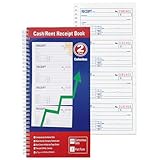
- 200 Carbonless 2-Part Sets: Each receipt includes a white original and a yellow canary duplicate-no carbon paper needed, ensuring clean, legible copies every time.
- Spiral-Bound for Easy Organization: Durable spiral binding keeps all 200 sets securely in place and allows pages to lay flat for quick, hassle-free writing and reference.
- Comprehensive Payment Details: Each form captures essential transaction info-payer's name, amount paid, purpose, time period, balance due, and recipient signature-for complete record-keeping.
- Easy Payment Method Selection: Preprinted checkboxes let you quickly mark the payment type-cash, check, credit card, or money order-for added clarity and professionalism.
- Consecutively Numbered Forms: Each receipt is clearly numbered to help you stay organized and track all transactions accurately for business or personal use.
A practical decision framework
Choose Stripe first when
- Your WooCommerce audience needs a broad mix of cards, wallets, local methods or buy-now-pay-later options supported in your region.
- You want one documented WooCommerce integration covering multiple payment categories.
- Your subscription requirements match Stripe’s supported renewal and tokenization flows.
Prioritize PayPal when
- Your customers regularly ask to pay from a PayPal account.
- Offering PayPal could remove a checkout barrier for your target market.
- A simple WordPress.com payment or donation button meets your needs and your plan includes it.
Offer both when the economics allow
Many WooCommerce stores can accept cards and alternative methods through Stripe while also displaying PayPal for customers who prefer it. Compare the combined operational cost, reconciliation process, refund handling and customer support burden before enabling both.
Implementation checklist
- Record whether the site is WordPress.com or self-hosted WordPress with WooCommerce.
- Confirm the required plan, gateway extension and merchant-account eligibility.
- List your customers’ countries, currencies and preferred methods.
- Price representative card, wallet, local-method, international and subscription transactions using current Stripe and PayPal schedules for your account.
- Map the checkout flow and determine what security and PCI responsibilities apply.
- Test authorization, decline, refund, dispute, cancellation and recurring-renewal scenarios in a non-production environment.
- Publish only the payment methods, currencies and recurring options that your account actually supports.
Bottom line
For self-hosted WooCommerce, start with the official Stripe and PayPal gateway documentation, then choose according to local total cost, customer preferences, recurring-billing requirements and checkout architecture. Stripe is a strong candidate when its regional method coverage fits your audience; PayPal deserves a place when customers expect PayPal checkout. For WordPress.com, compare the plan eligibility and simplicity of the PayPal button with the Stripe-backed Payments block’s subscription support and additional plan-based fees.
Frequently Asked Questions
Is Stripe cheaper than PayPal for WordPress?
Not universally. The available material does not establish a global price winner. Compare current rates for your country, currency, transaction type, payment method, refunds, conversion and disputes.
Can I use Stripe and PayPal together in WooCommerce?
Yes, WooCommerce supports gateway extensions for both. Test the combined checkout, settlement, refunds and subscription behavior before enabling them.
Free tools Windows power users keep installed
One-click scans. No signup required.
Does the WordPress.com PayPal button replace WooCommerce?
No. It suits simple payments or donations. A full store with cart, tax, shipping and order management generally requires ecommerce functionality such as WooCommerce.
Quick Recap
Product prices and availability are accurate as of the date/time indicated and are subject to change. Any price and availability information displayed on Amazon at the time of purchase will apply.

