
What’s actually slowing this PC down?
Pick the symptom - the matching free tool is one click away.
SCPI (Standard Commands for Programmable Instruments) is a standard ASCII command language for controlling programmable test and measurement instruments. It is not a cable or connection type: SCPI commands can travel over interfaces such as GPIB, USB, RS-232, VXIbus, or LAN. That separation lets you learn a common command model while still checking what each instrument actually supports.
What problem does SCPI solve?
Instruments from different manufacturers historically used proprietary command names and response formats. IEEE-488.2 standardized communication rules and common mechanisms, but similar instruments could still use different commands for the same functions. SCPI adds a shared vocabulary for instrument functions, such as frequency and voltage, making control software easier to adapt between compatible instruments.
The SCPI Consortium described it as “the new instrument command language for controlling instruments that goes beyond IEEE 488.2 to address a wide variety of instrument functions in a standard manner.” The authoritative maintained SCPI-99 reference is available from the IVI Foundation; the original specification is attributed to the SCPI Consortium (1999).
Is SCPI the same as GPIB?
No. SCPI describes the commands and responses; an interface or session mechanism carries them between the computer and the instrument. The IVI Foundation describes SCPI as a software standard with ASCII syntax that can be used with languages such as Python, C, and C#. Its command messages are transport-independent.
#1 Best Overall

- FEATURES / POWER SPECS : Extra Long 6 Feet USB 2.0 Type-A Male to Type-B Male Connection Cable / High-Speed Transfer Rates up to 480Mbps 28AWG/2C+26AWG/2C with Error-Free Performance
- COMPATIBILITY: Ideal for connecting your Yamaha Digital Piano, Roland Music Workstation, Donner DEP 10 20 45 DDP-80 88 Key Digital Pianos, Alesis, Korg, Casio Keyboard, AKAI Professional, Arturia KeyLab MiniLab, Midiplus, Nektar Impact, Novation, M-Audio MIDI Controller, Native Drum Controller, Pioneer, Hercules DJControl Inpulse, Numark DJ Mixer, Behringer U-Phoria, PreSonus AudioBox Audio Interface, Microphone, Studio Equipment to a Laptop, Computer (Mac PC) and other devices with a USB-B port
- Also is a good USB Type B replacement cord for devices like Printer, Scanner, Fax, Hard Drive Disk, Server, Keyboard, DAC, Development board, UPS, Digital Camera, Arduino, Silhouette Cameo Cutting Tool Machine, Blue, Brother, Canon i-SENSYS PIXMA SELPHY, CyberPower, Dell, Epson Artisan Expression Home Premium Stylus WorkForce, Fujitsu, HP Deskjet ENVY LaserJet OfficeJet PhotoSmart, IOGEAR, Lexmark, Panasonic, Snowball mic
- SAFETY: Pwr+ cables manufactured with the highest quality materials. CE/FCC/RoHS certified.
- WARRANTY: 30 Days Refund - 24 Months Exchange. PWR+ is WA, USA based company. We are friendly Customer Support Experts
| Layer | Examples | What it does |
|---|---|---|
| Command language | SCPI | Defines instrument command and response syntax. |
| Connection or transport | GPIB, RS-232, VXIbus, LAN, USBTMC | Carries the messages between the computer and instrument. SCPI messages can use GPIB, RS-232, VXIbus, or LAN; the instrument and control setup determine which interfaces are available. |
| Session or software layer | VISA; vendor-equivalent APIs; HiSLIP over LAN | Opens and manages a connection through which software exchanges instrument messages. HiSLIP is a LAN session protocol, not another command language. |
| Higher-level instrument software | IVI class driver | Can wrap instrument control behind a driver interface rather than exposing raw SCPI strings directly. |
For example, a program can send SCPI strings through a VISA session over a supported interface. Changing from GPIB to LAN changes the connection setup, not necessarily the SCPI command itself. Actual support, performance, and setup requirements depend on the instrument, interface, and software stack.
How do SCPI commands work?
SCPI commands use hierarchical mnemonics that describe instrument functions. A question mark generally makes a command a query, asking the instrument for information or a result. Commands beginning with an asterisk are IEEE-488.2 common commands used across instrument-control contexts.
Rank #2
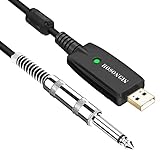
- Plug & Play Setup: Use this USB Guitar Cable by plugging the 1/4" TS plug into your guitar and the USB interface into your computer, converting your computer into a guitar amplifier and recording system without the need for any additional hardware or driver installation
- Durable Construction: Heavy duty metal housing 6.35mm 1/4" TS plug with solid craftsmanship, featuring spring protection at the connection point to prevent breaking and extend service life
- Professional Quality Cable: Precisely machined and carefully hand assembled 10-foot cable designed for dependable performance in guitar recording and amplification applications
- Wide System Compatibility: Compatible with Windows XP/VISTA/Win 7/Win 8/Win 10/Mac OS X System and works with most recording software including Guitar Combo Amps, Audacity, Amplitude, and Yousician
- High-Quality Sound Conversion: Features an anti-jamming magnetic ring to reduce noise and a built-in 16BIT / 44.1KHZ digital-analog conversion chip that improves sound authenticity and delivers high definition signal without hum or distortion when connecting guitar to USB
Common commands to recognize
*IDN?requests the instrument identification string. NI documents the response as identification information such as manufacturer, model, serial number, and firmware; the exact fields and format are instrument-defined.*RSTrequests a reset to a defined state where supported. It can change configuration, so use it only when resetting the instrument is safe for the experiment.*CLSclears status data.*OPC?queries operation completion and can be used for synchronization.*STB?reads the status byte.
These common commands are a starting point, not a complete measurement program. A measurement requires the model-specific commands for configuring and initiating that instrument’s functions. Command spelling, units, delimiters, supported subsystems, and data formats can vary. Anritsu distinguishes common, required, optional, and unique commands in its instrument documentation and emphasizes using the exact syntax specified for the model.
How do you send SCPI commands?
Use a VISA library or the instrument manufacturer’s equivalent to open a session, write a command, and read a response where appropriate. MATLAB documentation describes sending SCPI commands and receiving responses; the same message model can be implemented in Python, C, C#, LabVIEW, or other environments. The connection API and configuration are specific to the interface and software being used.
Rank #3
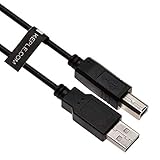
- Extra long 3m/10ft USB B 2.0 cable by Keple enables you to connect devices to your USB supported notebook, computer, tablet, player, sampler for charging and data transfer
- High speed USB 2.0 Keple lead transfer rates up to 480Mbps 28AWG/1P 24AWG/2C stable errorr free signal transmission. CE/FCC/RoHS certified
- Corrosion-resistant plated connectors and foil/braid shielding make the USB 2.0 scanner lead more long-term performance (without noise or signal loss)
- Compatible with: DJ Controllers, keyboards, samplers, effect pads, Syntesizers made by Numark, Pioneer, Native Instruments, Traktor, Akai, Rolland, Samson, Hercules, Novation
- Cable is also backwards compatible with USB 1.1 and USB 1.0.
A reliable first-session workflow
- Choose the interface. Confirm which transport the instrument supports, then open a VISA or vendor-equivalent session with the correct resource address and interface settings.
- Identify the instrument. Send
*IDN?and record the full response, firmware information it provides, and interface address. - Establish a known starting point carefully. Send
*CLSto clear status data. Send*RSTonly if resetting is appropriate for the experiment and supported by the instrument. - Configure from the programming manual. Set the relevant source, range, coupling, bandwidth, trigger, and data format using commands documented for the exact model and firmware.
- Initiate the measurement. Use the documented initiate or trigger commands and behavior for that instrument.
- Wait for completion deliberately. Use
*OPC?, status polling, or another documented wait mechanism instead of relying on an arbitrary sleep interval. - Read and interpret the result. Follow the manual’s rules for response termination and parsing. Results may use readable ASCII or a definite-length binary block; do not assume one format for every instrument or command.
- Check errors and preserve the transcript. Query the documented error or status mechanism and log the command/response sequence so the setup can be reproduced and diagnosed.
How portable is SCPI across manufacturers?
SCPI reduces the cost of learning a command language, but “SCPI-compatible” does not mean that every instrument implements every SCPI command or behaves identically. Commands can be required, optional, or vendor-specific, and firmware revisions can matter. Measurement semantics and available subsystems may also differ. Before adapting a program to another model, compare its programming manual and test the commands and responses that the program relies on.
The practical portability boundary is therefore the shared subset your instruments actually implement—not the SCPI label alone. Keep model-specific configuration and parsing explicit, and run regression checks when replacing an instrument or changing firmware.
Rank #4

- 4" - 1/4" 8mm INST. Cable
- Full frequency response, superior noise rejection, and sturdy, flexible construction
- This Musician's Gear instrument cable offers low-noise, superior performance and an extra-heavy jacket to stand up to rugged use
- 1/4" mono to 1/4" mono ends
- Superior wire Your cable is your sound
What should you compare when choosing a control setup?
- Transport: Select among the interfaces supported by the instrument and computer, such as GPIB, USBTMC, RS-232, or Ethernet/LAN. Interface-specific setup differs.
- Latency and throughput: Consider whether the workload is mainly short commands or frequent, large waveform transfers. Actual performance depends on the equipment and connection.
- Software layer: Decide whether raw VISA/SCPI fits the task or whether an IVI class driver provides the abstraction you need.
- Portability: Identify which commands are shared across the models you use and which require vendor-specific handling.
- Data format: ASCII is easy to inspect; binary-block transfer can be more efficient for data, but parsing must follow the instrument’s documented format.
- Synchronization: Check documented operation-complete queries, status registers, service requests, and trigger behavior rather than assuming commands finish immediately.
- Lifecycle: Plan for firmware changes and instrument replacements by recording the programming-manual version, command transcript, and regression checks.
How do you troubleshoot a SCPI timeout or failed command?
A timeout does not by itself prove that SCPI is unsupported. The instrument may still be busy, the session may be configured incorrectly, the message terminator may be missing or mismatched, or the model may not implement the command.
- Send
*IDN?and confirm that the selected resource reaches the intended instrument and returns a response. - Check the interface address, VISA or vendor session settings, and the instrument’s connection configuration.
- Verify the command spelling, termination settings, and exact syntax against the programming manual for the model and firmware.
- Check documented status and error information to distinguish an instrument-reported command problem from a connection or synchronization issue.
- If the command starts a long operation, use the instrument’s documented completion or status mechanism rather than increasing a fixed delay without diagnosis.
For SCPI’s syntax and standard command model, consult SCPI-99 on the IVI Foundation site. For practical instrument-control examples, consult NI’s GPIB and SCPI documentation, and for a specific instrument’s command support, use that manufacturer’s programming manual. MATLAB’s documentation covers its SCPI send-and-response workflow.
Quick Recap
Best Value

- 【Unleash Studio-Quality Sound with CIXUN】: Turn your USB-C device into a professional recording studio. The CIXUN TS to USB-C Guitar Cable features a built-in high-end 32-bit/384kHz high-resolution DAC chip with a signal-to-noise ratio of up to 105dB, filtering out 98% of noise to deliver the highest possible sound quality. Enjoy crystal-clear recordings. This professionally designed cable ensures low latency and high fidelity, accurately capturing every detail of your sound during recording or live streaming.
- 【Instant Plug & Play for Modern USB-C Devices】:Designed specifically for today’s musicians, this CIXUN cable offers effortless plug-and-play functionality—no driver installation required. Simply connect your USB-C-equipped smartphone, tablet, or laptop to your home hi-fi system, car stereo, speakers, mixing console, amplifier, or any other device with a 1/4-inch TR jack to play music. Supported devices include the iPhone 16/15 series, iPad, MacBook, and other mobile phones, tablets, and computers. Start recording or performing online in seconds.
- [Built to Last &Road-Ready Durability】: The CIXUN USB-C guitar cable features gold-plated connectors for enhanced corrosion resistance. The premium-quality aluminum casing provides superior heat dissipation. Additionally, the outer layer is made of durable nylon braided fabric, while the inner core uses high-purity oxygen-free copper to ensure long-term durability. This USB-C to audio jack cable can withstand the rigors of live performances, home recording studios, and travel.
- 【Broad Compatibility &Boundless Creativity】:Compatible with Windows, macOS, and USB-C devices, this cable supports software such as GarageBand, Audacity, and Pro Tools. Whether you’re a podcaster, musician, or live streamer, this guitar cable is the perfect tool for your creative workflow. Empower your creative journey by capturing high-fidelity digital audio tracks.
- [Important Note]: The USB-C aux cable supports one-way signal transmission. Our 6.35 mm TS to USB-C guitar recording cable is widely compatible with most Type-C devices, such as smartphones, tablets, and laptops. You can easily explore the world of audio anytime, anywhere. Note: This USB-C to 1/4-inch audio cable is intended for mono audio input only and cannot be used for audio output. Guitar cord ensures a dedicated, high-quality input for all your recording needs.
Product prices and availability are accurate as of the date/time indicated and are subject to change. Any price and availability information displayed on Amazon at the time of purchase will apply.

