
To resize an image for a website banner, first find the banner area’s actual pixel dimensions and shape in your site theme, CMS, or developer specs. Resize the image proportionally; if its shape does not match the banner, crop it deliberately rather than stretching it. There is no single banner size that fits every website.
Find the banner’s dimensions before editing
Check the theme settings, CMS media instructions, page layout, or developer specification for the banner’s expected width and height, crop behavior, and any file-size limit. If none is documented, inspect the banner area in the actual layout at desktop and mobile widths, or ask the site administrator for its intended dimensions.
Use the target width and height in pixels as your editing guide. The ratio between those numbers determines the shape: for example, a 1200-by-400-pixel area is three times as wide as it is tall. That example illustrates how to calculate a ratio; it is not a recommended universal banner size.
Also establish whether the banner keeps the same composition on every screen. Some designs crop a wide image on mobile; others use a separate, more vertical crop. Knowing that before editing helps avoid cutting off a face, product, logo, or text.
What’s actually slowing this PC down?
Pick the symptom - the matching free tool is one click away.
Resize proportionally or crop to fit?
Keep the image’s proportions when scaling
Constrain the aspect ratio when changing an image’s width or height. This preserves its proportions. Entering independent width and height values without that constraint can stretch or squash the subject.
If the source image is smaller than the banner’s pixel dimensions, enlarging it cannot restore detail that was never captured. Inspect the result at the size it will actually appear; if it looks soft, seek a larger original rather than expecting resizing to make it sharp.
Crop when the image and banner have different shapes
If the source and banner have different aspect ratios, proportional resizing alone will not fill the banner without empty space. Crop to the target shape and position the important subject within the visible area. Avoid stretching the image to force a match.
Responsive designs may need different crops for different layouts. MDN describes this as art direction: supplying a composition that suits the available space, rather than merely a larger or smaller copy of the same composition. See MDN’s responsive images guide.
Do these 3 things before closing this tab:
1Clear out junk files and repair common Windows errors2Scan for outdated or missing drivers - takes under a minute3Repair Windows errors before they cause bigger problemsResize the image in Photoshop
Adobe’s Photoshop instructions, last updated February 23, 2026, say to select the Constrain aspect ratio control in Image Size to maintain proportions. Adobe also notes that screen and web images typically use 72–96 PPI. That PPI range is not a banner dimension: for a web banner, use the destination’s pixel width and height and account for how the site displays the image. See Adobe’s Photoshop image-resizing instructions.
- Make a working copy of the original so you can revisit the crop or export settings.
- Open the copy in Photoshop and choose Image > Image Size.
- Keep the Constrain aspect ratio control enabled if you are scaling proportionally. Adobe’s instruction is: “To maintain the aspect ratio, select the Constrain aspect ratio icon in the Image Size dialog box.”
- To change the file’s pixel dimensions, use the Resample option and enter the target width or height. With proportions constrained, the other dimension follows the image’s original shape.
- If the resulting shape does not match the banner, crop the image to the target ratio and adjust the crop so the focal point remains visible.
- Export in a format your site accepts, then inspect sharpness, crop, text legibility, and file size at the intended display size and at a narrow viewport.
Do not treat PPI alone as a way to set the banner’s display size. The dimensions the site expects, measured in pixels, are the practical target.
Use Canva for an online editing workflow
Canva documents an online flow in which you upload an image, enter dimensions or choose a preset, and download a JPG or PNG. Its resize feature eligibility and dimension limits depend on the current feature and plan details, so check the options available in your account before relying on custom dimensions. See Canva’s image resizer page and Canva’s resize help page.
- Open Canva’s image resizer and upload a copy of the source image.
- Choose a preset or enter the banner’s target pixel dimensions if the feature is available in your account.
- Keep the composition proportional while scaling. If the banner has a different shape, adjust the crop instead of distorting the image.
- Download as JPG or PNG, then check that the site accepts the format and inspect the exported image in the page layout.
The choice between Photoshop and Canva is a workflow choice: one offers a desktop Image Size dialog; the other documents an online upload-and-export flow. The available sources do not establish that either is faster, produces better quality, or is universally free.
#1 Best Overall

- Customized Signs Banner: Come with 18 pcs blank paper pennant and a set of A-Z letters stencil, each flag measures about 4.5X6.5inch. 26 letter stencils, each stencil measures about 4.0*4.0inch
- DIY with Imagination: The flag is blank, you can draw and write on the flag. Create your very own banners and signs customize like " Happy Retirement ", " Congratulations ", “Back to School,” “We will miss you,” “Welcome Home,” “Happy New Year,” " Welcome to The Team"or make a personalized banner - including Happy Birthday banner personalized with age and name
- Perfect For All Occasions: Special handwriting decorations for birthday wedding graduation party, you can write the sentences phrase you want. The banner can be hanging on ceiling, wall, window, fireplace, tree branches, garden, or any place you need
- Material: The bunting banner is made of pre-cut cardstock, Eco friendly and reusable. Very suitable for any party theme
- Easy DIY: Thread the string and create any customized banner, quickly & easily! No need to buy separate custom banners or personal birthday banners. If you meet any problem just be free to looking help from us
Make the banner work on desktop and mobile
There are two distinct responsive-image problems. Resolution switching provides the same composition at different pixel sizes so the browser can select a suitable file. Art direction provides a different crop or composition for a different layout. MDN explains the roles of srcset, sizes, and <picture> in its responsive images guide.
Offer different resolutions of the same composition
When the image content stays the same but the displayed slot varies in size, provide appropriately sized files and let the browser choose. For example, a developer might mark up candidate files like this:
Rank #2

- PACKAGE INCLUDES:There are a total of 111 letters and numbers, 3 ropes, and 2 threading devices.Detailed number of letters and numbers: 6pcs of the letters 'A,E,I,O', 4pcs of the letters 'P', 2pcs of the letters 'Q,V,X,Z,! &',3pcs of the letters 'B,C,D,F,G,H,J,K,L,M,N,R,S,T,U,W,Y', and the numbers 0-9 are 2pcs each. Each letter is 3.94 inch
- DIY Fun: With this product, you can assemble it as you want, put together the names of your family and friends, and assemble your own special decorative banner
- EASY TO ASSEMBLE: We are equipped with rope and threading device, which is convenient for you to assemble. When you use it, please pass one end of the rope through the small hole and then string the letters
- APPLICABLE SCENES: Suitable for a variety of scenarios, depending on what you have in mind. Birthday parties, weddings, anniversaries, graduations, friends' dinners, Christmas, New Year and other festivals can be used to add atmosphere to your party
- QUALITY GUARANTEED: We are made of high quality paper with glittery, bright colors that sparkle in the light.Letters are durable and not easily moved. It's perfect for your party decorations on this special day
<img
  src="banner-1200.jpg"
  srcset="banner-600.jpg 600w, banner-1200.jpg 1200w, banner-1800.jpg 1800w"
  sizes="(max-width: 700px) 100vw, 1200px"
  width="1200"
  height="400"
  alt="A short description of the banner image">
Replace the example filenames, candidate widths, display-size rule, dimensions, and alternative text with values that match the files and page. The markup does not create those image variants; prepare and upload them first.
Use a different crop when the composition needs to change
If a narrow screen needs a tighter or differently positioned crop, provide a separate source with <picture> rather than forcing a wide desktop composition into the mobile slot:
Rank #3
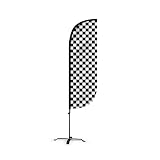
- 💰 COST-EFFECTIVE MARKETING TOOL - Promote your business or grand opening event with our affordable advertising signs. LookOurWay feather flags are a great way to get your business noticed at a low cost
- 👀 DESIGNED TO GRAB ATTENTION - Our 5ft flags come in vibrant colors and are noticeable from a distance; a must-have if you want to increase traffic to your business
- 💪 LONG LASTING & DURABLE MATERIAL – This feather flag banner set is composed of high-quality fiberglass poles with a heavy-duty X-Stand. Our feather flags are made of durable knitted polyester, are UV-resistant, and rated for wind speeds up to 25 mph
- ✅ COMPACT, MOVABLE & EASY TO ASSEMBLE – These flags can be mounted within minutes and the pole kit can be carried from one event to another with ease. You can set up this feather flag banner on any flat service saving you time and energy
- ⚙️ PRODUCT SPECIFICATIONS: 3-piece aluminum and fiberglass pole kit with X-Stand, Flag Height: 5ft, Flag Width: 1ft and 6in, Pole with X-Stand Height: 7ft
<picture>
  <source media="(max-width: 700px)" srcset="banner-mobile.jpg">
  <img src="banner-desktop.jpg" width="1200" height="400"
       alt="A short description of the banner image">
</picture>
Choose the breakpoint and files to suit the site’s own layout. These snippets show the distinction between resolution choices and art direction; they are not prescriptions for a particular design.
Reserve space to reduce layout movement
Set the image’s width and height attributes or define its aspect ratio in CSS. MDN notes that the browser can use width and height to calculate the ratio before the image loads, helping reserve space and reduce layout shift. See MDN’s <img> reference.
Rank #4

- 💰 COST-EFFECTIVE MARKETING TOOL - Promote your business or grand opening event with our affordable advertising signs. LookOurWay feather flags are a great way to get your business noticed at a low cost
- 👀 DESIGNED TO GRAB ATTENTION - Our 5ft flags come in vibrant colors and are noticeable from a distance; a must-have if you want to increase traffic to your business
- 💪 LONG LASTING & DURABLE MATERIAL – This feather flag banner set is composed of high-quality fiberglass poles with a heavy-duty X-Stand. Our feather flags are made of durable knitted polyester, are UV-resistant, and rated for wind speeds up to 25 mph
- ✅ COMPACT, MOVABLE & EASY TO ASSEMBLE – These flags can be mounted within minutes and the pole kit can be carried from one event to another with ease. You can set up this feather flag banner on any flat service saving you time and energy
- ⚙️ PRODUCT SPECIFICATIONS: 3-piece aluminum and fiberglass pole kit with X-Stand, Flag Height: 5ft, Flag Width: 1ft and 6in, Pole with X-Stand Height: 7ft
Export and check the finished banner
- Crop: Check that important subjects and text remain visible in the banner area, especially on a narrow viewport.
- Sharpness: Review the image at its actual display size. A small source enlarged substantially may look soft.
- Legibility: Confirm that text or logos in the image are not cut off or too small to read.
- Format: Use a format accepted by your site. Canva documents JPG and PNG export; the right choice and any other accepted formats depend on the site.
- File size: Check the exported file against the site’s stated limit if it has one. The available sources do not establish a universal byte-size ceiling.
- Layout: Test the image in the real page, not only in an editor, and confirm the layout has reserved space for it.
Troubleshoot common resizing problems
The image looks stretched or squashed
The width and height were likely changed independently. Reopen the working copy, restore the source proportions, and scale with the aspect-ratio constraint enabled. If the banner still needs a different shape, crop to fit instead of stretching.
The banner has empty space or cuts off the subject
The source and banner ratios differ, or the site’s display rules apply a crop. Adjust the crop around the focal point, then inspect the result in the page layout. If the mobile composition needs a different focal point, prepare a separate crop and use art-direction markup.
Crashes, No Sound, or Screen Glitches?
Random freezes, missing sound and display glitches usually trace back to one bad driver. Find and replace yours safely.Free scan · under a minutePC Slower Than It Used to Be?
A free scan shows the junk files, broken settings and background clutter dragging Windows down - then fixes them in one click.Free scan · Windows 10 & 11The image looks blurry
Check whether the source has enough pixels for the displayed banner. Resampling can change pixel dimensions, but it cannot recover genuine captured detail absent from a small source. Find a larger original if the enlarged version does not look sharp at its intended size.
The mobile banner is framed badly
Do not assume one crop will suit every shape. Check the narrow layout and, if the subject or text is lost, make a mobile-specific crop and serve it for the appropriate layout.
The layout jumps when the banner loads
Give the image explicit width and height attributes or reserve its aspect ratio in CSS. That lets the browser determine the space to allocate before the image arrives.
Best Value
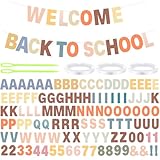
- Diy Letter Banner Kit: you will receive 111 letters and numbers, including 6 letters A, E, I, O, 4 letters P, 3 letters B, C, D, G, H, J, K, L, M, N, R, S, T, U, W, Y, F, 2 letters Q, V, X, Z, 2 numbers 0-9, and two symbols, and 3 ropes and 2 threading devices, sufficient quantity and complete combination can meet your needs of DIY and decoration
- Boho Classroom Decor: our letter banner customizable is designed in boho style with warm color schemes, making your classroom wall decor in different places, helping ease anxiety and add motivation and warmth, bringing you more inspiring feelings and are eye-catching enough to make you feel happy
- Reliable Material: our DIY letter banner customizable is made of quality cardstock material, reliable, lightweight, reusable, not easy to fade or break, you can use this congratulation banner for a long time and store for future events
- Custom Banners Personalized: you can DIY any theme banner with the colorful cards to make your own classroom banner, such as a welcome banner, spring banner, back to school banner, birthday banner, welcome school banner, mental health banner, birthday banner, or graduation banner, fully enjoying the DIY fun with students
- Wide Applications: the classroom banner are great for spring party, back to school party, graduation, back classroom party, mental health party, birthday, wedding decoration, etc. You can use these DIY boho letter and numbers on festival like autumn, Thanksgiving, Christmas, Halloween, new year, mother's day, father's day, valentine and more
The editor will not accept custom dimensions
Canva’s resize eligibility and dimension limits depend on the feature and plan details. Check the current account interface and help information; do not assume custom dimensions are available on every account.
Free tools Windows power users keep installed
One-click scans. No signup required.
Or skip the browser setup
If your goal is to capture a website banner as an image, ScreenshotNeo can return a screenshot or PDF from one GET request. It is a website screenshot API and MCP server for developers; it captures a page rather than resizing an image file you already have. See ScreenshotNeo and its API documentation.
curl -G "https://api.screenshotneo.com/v1/shot" -d access_key=YOUR_API_KEY --data-urlencode url=https://stripe.com -o shot.webpBefore capture, ScreenshotNeo can accept cookie or consent banners and remove more than 60 known consent platforms, newsletter popups, and chat widgets; each step can be turned off. Bot checks and CAPTCHAs, blank pages, timeouts, failed loads, and cache hits are not billed, and responses identify page verdict and billing status in headers. Its MCP server provides take_screenshot, get_page_info, and capture_pdf for Claude, Cursor, and other MCP clients. The free plan includes 1,000 shots per month with no card; paid plans start at $5 for 3,000 shots.
Sign up for ScreenshotNeo’s free plan: 1,000 screenshots a month, no card required.
Quick Recap
Frequently Asked Questions
What pixel size should a website banner be?
Use the dimensions specified by the site’s theme, CMS, or page layout. There is no universal banner size.
Does changing PPI make a web banner larger?
For web banners, use the site’s target pixel dimensions and display behavior. PPI alone does not specify the pixel width and height the banner needs.
Product prices and availability are accurate as of the date/time indicated and are subject to change. Any price and availability information displayed on Amazon at the time of purchase will apply.

