
Quick wins for a faster PC:
Fix the driver behind crashes, sound loss and screen glitchesFind Drivers →Clear out junk files and repair common Windows errorsFree Scan →iTechGuides is reader-supported. When you buy through links on our site, we may earn an affiliate commission. As an Amazon Associate I earn from qualifying purchases. Learn more
OneSignal presents A/B testing as part of its messaging workflow: choose an audience, create notification variants, split the test groups, and compare campaign analytics. Firebase supports notification experiments through the Notifications composer and Analytics, and offers Remote Config experiments for testing app parameters instead of notification content. To choose between them, compare how your team defines the audience, assigns variants, measures a goal, and decides whether and when to roll out a result.
How the two platforms handle push notification experiments
| Decision point | OneSignal | Firebase |
|---|---|---|
| Experiment entry point | A/B testing is described within the messaging workflow. | Use A/B Testing with the Notifications composer for message experiments, or Remote Config for app-parameter experiments. |
| What you can vary | Notification title, body or content, visual elements, and calls to action. | Notification variants are configured in the composer. Remote Config varies parameters used by the app. |
| Audience and allocation | Select an audience or segment and divide it into test groups. | Set target criteria and experiment variants. The chosen experiment path affects how variants reach users. |
| Measurement | Compare campaign performance in dashboard analytics. | Use Analytics events to define and compare goals for messaging experiments. |
| Decision and rollout | Compare campaign performance; the cited materials do not establish a universal minimum run time. | Firebase’s FCM guide says a leader indicator appears after at least seven days; it also describes monitoring and rolling out a selected variant. |
These are documented workflow differences, not evidence that the platforms use equivalent statistical methods, reporting semantics, or stopping rules.


Choose the experiment path that matches the change
Use a messaging experiment for notification content
For a test of notification copy, creative, or a call to action, OneSignal describes selecting an audience, setting up message variants, allocating groups, and comparing analytics. Firebase’s Notifications composer can likewise run an experiment across multiple notification message variants, with an Analytics event as the goal.
Use Remote Config for changes inside the app
Firebase A/B Testing also supports Remote Config experiments. Choose that route when the variation is an app parameter or behavior—such as an app experience users encounter after opening it—rather than only the notification message. The notification and Remote Config paths answer different questions, so define the change before configuring the experiment.
#1 Best Overall
Build a campaign schema that preserves the test
Keep one record per experiment. The platform setup may manage delivery and reporting, but a consistent record makes the hypothesis, allocation, exposure, measurement, and decision understandable across campaigns and tools.
Identity and hypothesis
- Identity: Experiment ID, campaign name, owner, app or platform, channel, dates, and status.
- Hypothesis: The audience need, expected behavior change, and why the change should affect the chosen metric.
Audience, baseline, and variants
- Audience: Inclusion and exclusion criteria, app version, locale or other targeting, and intended exposure percentage.
- Baseline: The exact title and body, media, action, destination, delivery settings, and send timing against which variants are compared.
- Variants: Stable IDs or names, the full payload for each variant, and the single intended changed factor. If you deliberately vary multiple factors, label the test multivariate.
- Allocation: Intended split and, where available, actual assigned and exposed counts. Record any staged increase in exposure.
Measurement and decision
- Measurement: One primary goal metric tied to the hypothesis, supporting metrics, attribution window, and event definitions.
- Decision: Planned minimum run or review rule, winner or inconclusive outcome, rollout choice, and follow-up test.
This schema is a practical way to retain the information needed to configure audiences and variants, define goals, monitor an experiment, and record a rollout choice. It is a recommendation, not a required native format for either product.
Rank #2
How to split variants without muddying the result
- Define the audience first. State who is eligible and who is excluded, including relevant app version or locale criteria. A split only answers a useful question when its eligible audience is clear.
- Write down the baseline payload. Save the complete control message and its delivery settings so the comparison has a precise reference.
- Change one intended factor per variant. For example, compare two calls to action while holding the rest of the message constant. If several factors change intentionally, identify the experiment as multivariate rather than attributing the result to one element.
- Record intended and observed allocation. Preserve the target split and actual assigned or exposed counts when available. If exposure is increased in stages, capture each step.
- Choose the goal event before launch. Tie one primary metric to the hypothesis and document supporting metrics, event definitions, and the attribution window. This is especially important in Firebase, where Analytics events provide the goal for messaging experiments.
- Set a review rule before looking at results. Record the planned minimum run or review condition and the action for a winner or inconclusive result. Firebase’s published seven-day leader guidance applies to its FCM experiment indicator, not as a universal guarantee of adequate evidence.
Interpret results and rollout carefully
Firebase documents a leader indicator for FCM messaging experiments after at least seven days, plus a workflow for monitoring and rolling out a selected variant. That is a Firebase-specific procedural threshold for the indicator; it does not mean every campaign is adequately powered or that seven days is a cross-platform rule. The cited OneSignal material describes comparing campaign performance, but does not establish a universal minimum duration or stopping rule.
Recommended Free Tools
Do not assume a leader label in one product is directly comparable to a dashboard result in the other. The cited platform materials do not establish identical statistical models or reporting semantics. Keep the primary event and attribution definition explicit, record whether the result is conclusive or inconclusive under your own review rule, and document the rollout decision.
Independent reader supportYour contribution helps us test, update, and keep practical guides available for everyone.What the performance claims do—and do not—show
OneSignal attributes a 16% average improvement in engagement to push notification A/B testing in its 2024 State of Customer Engagement report. This is a vendor-reported figure, not an independently validated or guaranteed outcome for a particular app. The cited Firebase feature documentation does not provide a comparative uplift figure, so the statistic cannot establish that one platform will outperform the other.
OneSignal also publishes customer case studies describing testing tactics, including separate calls to action. Such examples illustrate how a team used the product; they are not controlled, independent evidence that the same result will transfer to another campaign.
Quick Recap
Best Value
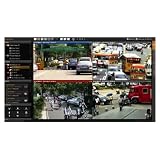
- Push notifications for mobile devices – Instant alerts for security events.
- Contract duration: 24 months – Long-term reliability and service.
- Maximum 10,000 notifications per month – Ensures timely event updates.
- Supports up to 200 video devices – 1 free license included.
- Multi-browser Lite Web Client support – Flexible access options.
Product prices and availability are accurate as of the date/time indicated and are subject to change. Any price and availability information displayed on Amazon at the time of purchase will apply.
The Tool Desk
Outbyte PC Repair FREERepair Windows errors before they cause bigger problemsFix Now →Outbyte Driver Updater FREEScan for outdated or missing drivers - takes under a minuteDriver Scan →
