zx_go
zx_go: A deep desktop emulator for classic Spectrum systems, Next support, peripherals, and debugging. Ranked #3 of 23 in ZX Spectrum Emulators by our editors (9.2/10); pricing: Open source; best for advanced debugging across desktop platforms.
At a glance
- Editor score9.2 / 10
- PricingOpen source
- Best forAdvanced debugging across desktop platforms
- Paid fromFree
- Facts checked21 Sep 2026
Where it wins
- Emulates classic Spectrum models and ZX Spectrum Next
- Supports snapshots, tapes, disks, cartridges, and RZX recording
- Offers graphical, telnet, headless, and reverse debugging
Where it doesn't
- Spectrum Next emulation requires separately downloaded licensed ROMs
- Host platform coverage is limited to Windows, macOS, and Linux
- Its advanced debugging focus may exceed casual emulation needs
Our verdict on zx_go
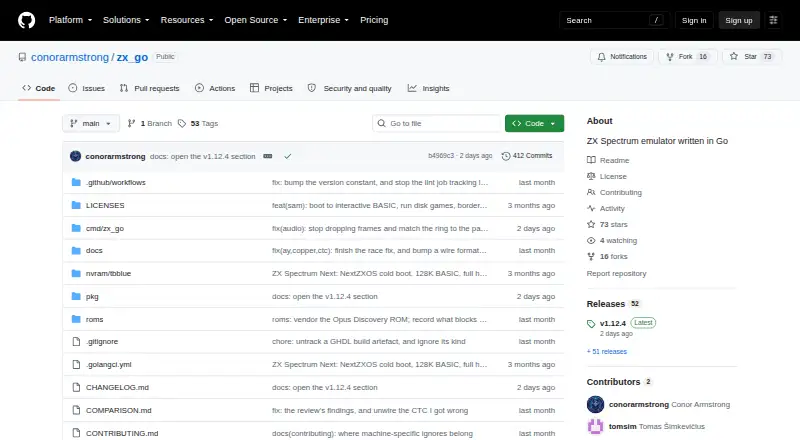
zx_go is an open-source desktop emulator for classic Sinclair systems and ZX Spectrum Next. It covers the 48K, 128K, +2, +2A and +3 models, along with the Pentagon, Spectrum Next and SAM Coupé. The project is aimed at users who want more than game playback, including developers, preservationists and technically minded enthusiasts working across Windows, macOS and Linux. Pre-built binaries are available for those platforms, and the source code is released under the MIT License.
Its main strength is the combination of format coverage and hardware emulation. zx_go can load and save SNA, Z80 and SZX snapshots, handle TAP and TZX tape files, and support disk, microdrive, cartridge and RZX recording workflows. Virtual joysticks, a mouse, printer and storage peripherals extend the emulated environment, while support for +3 FDC, Beta Disk, Opus Discovery, Interface 1/2, DISCiPLE, Multiface, Kempston mouse and ZX Printer gives the project considerable peripheral depth. ZX Spectrum Next emulation includes NextZXOS cold boot, though it requires separately downloaded licensed ROMs; classic ROMs are embedded.
Debugging is the clearest reason to choose zx_go over a simpler emulator. It provides graphical, telnet and headless debugging tools, plus reverse debugging, time-travel execution, headless tracing, watchpoints and state capture. That makes it suited to investigating program behavior, replaying execution and inspecting machine state across desktop environments. Users seeking a straightforward way to launch games may find this scope unnecessary, while those needing advanced debugging, recording support and varied peripherals should find the feature set more relevant. zx_go is a strong fit for technical Spectrum work, but not for mobile emulation or a minimal interface.
Your product? Our editors can test zx_go in depth and publish a review, labelled as paid · from $149/mo →
zx_go pricing
zx_go fact sheet
| Free plan | Not verified |
|---|---|
| Paid from | Free |
| Supported Spectrum models | Not verified |
| Host platforms | Windows, macOS, Linux |
| Tape formats | .tap, .tzx |
| Snapshot formats | .sna, .z80, .szx |
| Built-in debugger | Yes |
| Open source | Yes |
| Peripheral support | +3 FDC, Beta Disk, Opus Discovery, Interface 1/2, DISCiPLE, Multiface, Kempston mouse, ZX Printer, joysticks |
| Deployment | Desktop |
| Platforms | Windows, macOS, Linux |
| Support | Community |
| Built for | Solo, Small business (editorial estimate) |
| Pricing | Open source |
| Website | github.com |
| Facts checked | 21 Sep 2026 |
Alternatives to zx_go
- ZEsarUXA broad desktop emulator for Spectrum models, storage formats, peripherals, and debugging.9.4
- JNEXTA free desktop emulator for ZX Spectrum software, peripherals, recording, and reverse debugging.9.3
- SpectaculatorA paid, feature-rich emulator for classic Spectrum software across desktop and mobile.9.0


zx_go vs the competition
- zx_go vs ZEsarUX
- zx_go vs JNEXT
- zx_go vs Spectaculator
- zx_go vs Klive IDE
- zx_go vs EightyOne
- zx_go vs Spectral
Compare zx_go with any tool side by side →
Used zx_go? Be the first to review it
The editor score above is our own research. What this page doesn't have yet is a reader's view — what you used zx_go for, what worked and what didn't. No stars are seeded and no review is paid for; an editor reads every one before it appears.
Write a reviewTwo minutes · verified accounts only · read by an editor before it appears
Featured on iTechGuides

zx_go is listed in our ZX Spectrum Emulators directory. Add the badge to your site — it links back to this page.
<a href="https://www.itechguides.com/products/zx-go/"><img src="https://www.itechguides.com/best/badge/zx-go.svg" alt="Featured on iTechGuides" width="230" height="46"></a>
Reviewed by iTechGuides Editors · Editorial team · Updated Oct 2026
Advertiser disclosure: iTechGuides is reader-supported. Vendors can pay for top positions in our rankings and for a place on other products' pages, and we may earn a commission when you click some links. Bought places stand at the number bought; this page and our disclosure say so. Paying vendors may get a fuller, more detailed review from our editors, and that review can change their score. How we rank.
Last updated · How we research and update