
Zoho OneAuth
Zoho OneAuth: A free authenticator with strong Zoho workflows, backup, sync, and organization-wide MFA. Ranked #7 of 111 in Authenticator Apps by our editors (8.7/10); pricing: Free plan; best for zoho organizations needing MFA and SSO.
At a glance
- Editor score8.7 / 10
- PricingFree plan
- Best forZoho organizations needing MFA and SSO
- Free planYes
- Paid fromFree
- Push approvalsYes
- Facts checked21 Sep 2026
Where it wins
- Free MFA for Zoho and third-party accounts
- Encrypted backup, passphrase recovery, and multi-device sync
- Zoho Directory support for organization-wide MFA
Where it doesn't
- Push approvals are for Zoho sign-ins
- Backup and sync require a Zoho account and passphrase
- Organization-wide MFA is tied to Zoho Directory
Our verdict on Zoho OneAuth
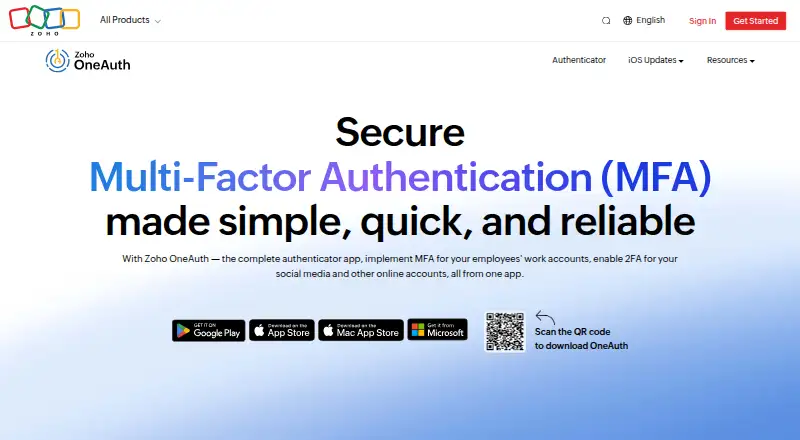
Zoho OneAuth is a free multi-factor authentication app for individuals and organizations securing Zoho and third-party online accounts. It generates time-based one-time passwords for 2FA accounts, supports push approvals for Zoho sign-ins, and offers QR-code sign-in and account setup. The app also includes passwordless sign-in, biometric verification, app lock, mobile SSO for Zoho applications, and organization-wide MFA setup through Zoho Directory. Applications are available across iOS, macOS, iPadOS, watchOS, Android, Wear OS, and Windows.
The Free plan covers MFA for Zoho and third-party accounts, time-based OTPs, push approvals for Zoho sign-ins, and backup and recovery with a passphrase. Beyond core code generation, OneAuth adds encrypted cloud backup, passphrase-based restore, and multi-device synchronization. These features are useful when users move between supported devices or need a recovery path for their authenticator accounts. Import and export of 2FA accounts also helps with account management, while biometric verification and app lock add local access controls.
OneAuth fits Zoho-centered environments particularly well because Zoho Directory provides the organization-wide MFA connection and OneAuth supports mobile SSO for Zoho applications. Its main boundary is ecosystem focus: push approvals are designed for Zoho sign-ins, and organization-wide administration is tied to Zoho Directory. Backup and synchronization require a Zoho account and a passphrase, adding an account and recovery step to the setup. Choose OneAuth for free MFA with Zoho integration, passwordless access, and cross-device features; choose another authenticator when push workflows or team administration must center on a different ecosystem.
Your product? Our editors can test Zoho OneAuth in depth and publish a review, labelled as paid · from $149/mo →
Zoho OneAuth pricing
All 1 Zoho OneAuth plans and prices →
Zoho OneAuth fact sheet
| Free plan | Yes |
|---|---|
| Paid from | Free |
| Code type | Totp |
| Push approvals | Yes |
| Encrypted backup | Yes |
| Multi-device sync | Yes |
| Team administration | Not verified |
| Supported platforms | iOS, Android, Windows, macOS |
| Deployment | Cloud, Desktop, Mobile |
| Platforms | Windows, macOS, iOS, Android |
| Support | Docs |
| Built for | Solo, Small business, Mid-market, Enterprise (editorial estimate) |
| Integrations | 1,000+ integrations: Google, Adobe, GitHub, Zoom, X, Instagram … |
| Pricing | Free plan (source) |
| Website | zoho.com |
| Facts checked | 21 Sep 2026 |
Zoho OneAuth integrations
Zoho OneAuth lists 1,000+ integrations on its own site — the 7 named here are the ones its pages call out.
- Adobe
- GitHub
- Zoom
- X
Alternatives to Zoho OneAuth
- Proton AuthenticatorA mature free option for secure 2FA codes across mobile and desktop platforms.9.4
- Google AuthenticatorA free, straightforward authenticator with offline codes, sync, and QR transfers.9.2
- AuthyA focused free authenticator for mobile users who need synced TOTP tokens.9.1


See all Zoho OneAuth alternatives →
Zoho OneAuth vs the competition
- Zoho OneAuth vs Proton Authenticator
- Zoho OneAuth vs Google Authenticator
- Zoho OneAuth vs Authy
- Zoho OneAuth vs Microsoft Authenticator
- Zoho OneAuth vs Duo Mobile
- Zoho OneAuth vs Yubico Authenticator


Compare Zoho OneAuth with any tool side by side →
Also Ranked In
Zoho OneAuth is ranked in 2 of our directories.
Used Zoho OneAuth? Be the first to review it
The editor score above is our own research. What this page doesn't have yet is a reader's view — what you used Zoho OneAuth for, what worked and what didn't. No stars are seeded and no review is paid for; an editor reads every one before it appears.
Write a reviewTwo minutes · verified accounts only · read by an editor before it appears
Featured on iTechGuides

Zoho OneAuth is listed in our Authenticator Apps directory. Add the badge to your site — it links back to this page.
<a href="https://www.itechguides.com/products/zoho-oneauth/"><img src="https://www.itechguides.com/best/badge/zoho-oneauth.svg" alt="Featured on iTechGuides" width="230" height="46"></a>
Reviewed by iTechGuides Editors · Editorial team · Updated Oct 2026
Advertiser disclosure: iTechGuides is reader-supported. Vendors can pay for top positions in our rankings and for a place on other products' pages, and we may earn a commission when you click some links. Bought places stand at the number bought; this page and our disclosure say so. Paying vendors may get a fuller, more detailed review from our editors, and that review can change their score. How we rank.
Last updated · How we research and update