
ZFontManager
ZFontManager: A feature-rich local font manager with no cloud sync or paid tier. Ranked #8 of 26 in Font Management Software by our editors (8.2/10); pricing: Free plan; best for free users wanting feature-rich local management.
At a glance
- Editor score8.2 / 10
- PricingFree plan
- Best forFree users wanting feature-rich local management
- Free planYes
- Paid fromFree
- Auto-activationYes
- Facts checked20 Sep 2026
Where it wins
- Cross-platform support for Windows, macOS, and Linux
- Variable-font controls, OpenType features, and character maps
- Duplicate detection, backups, collections, and session-only activation
Where it doesn't
- No cloud sync for sharing libraries across devices
- No paid tier or trial option
- Integrations are specified for Affinity, Photoshop, and Illustrator
Our verdict on ZFontManager
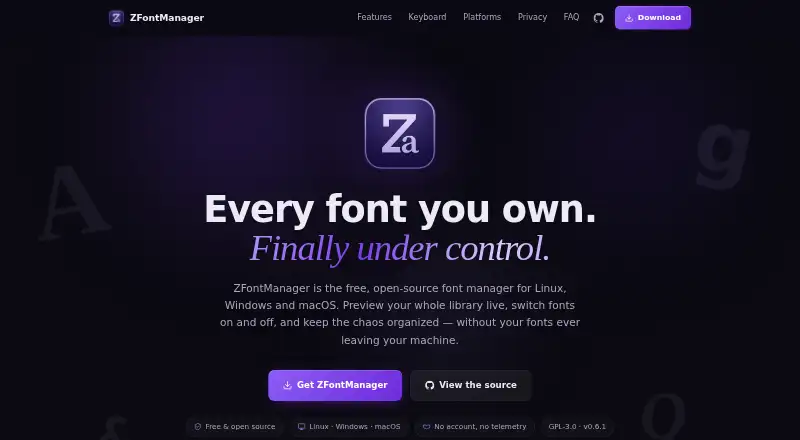
ZFontManager is a free, open-source desktop font manager for Linux, Windows, and macOS. It is designed for users who need to scan, organize, preview, install, activate, and deactivate fonts locally. Automatic system and user font scanning helps bring existing libraries into view, while live grid, list, and waterfall previews support browsing. Users can also manage tags, collections, favorites, notes, comparisons, and font inspection in one application.
The Free plan is the complete product: it has no paid tier, no trial, and uses the GPL-3.0 license. Its feature set reaches beyond basic installation. ZFontManager accepts fonts from files, folders, and ZIP archives, supports TTF, OTF, TTC, WOFF, WOFF2, and variable fonts, and includes variable-font sliders, OpenType features, and a character map. Specimen image export, duplicate detection, restorable trash, library backup and import, and session-only activation add useful controls for maintaining a local collection.
Its platform and creative-application fit are clear, with integrations for Affinity by Canva, Adobe Photoshop, and Adobe Illustrator. That makes it a practical choice for designers who want local font control alongside those applications. The main boundary is its local desktop focus: cloud sync is not part of the product, so it is less suitable for teams or individuals who need shared libraries across devices. Choose ZFontManager for broad local management without a license cost; consider an alternative when synchronized cloud libraries are central to the workflow.
Your product? Our editors can test ZFontManager in depth and publish a review, labelled as paid · from $149/mo →
ZFontManager pricing
All 1 ZFontManager plans and prices →
ZFontManager fact sheet
| Free plan | Yes |
|---|---|
| Paid from | Free |
| Auto-activation | Yes |
| Cloud font sync | No |
| Team font sharing | Not verified |
| Supported platforms | Not verified |
| Supported font formats | TTF, OTF, TTC, WOFF, WOFF2, variable fonts |
| Duplicate detection | Yes |
| Font library limit | Not verified |
| Deployment | Desktop |
| Platforms | Windows, macOS, Linux |
| Support | Community |
| Built for | Solo, Small business (editorial estimate) |
| Integrations | 3 integrations: Affinity by Canva, Adobe Photoshop, Adobe Illustrator |
| Pricing | Free plan (source) |
| Website | zsync.eu |
| Facts checked | 20 Sep 2026 |
ZFontManager integrations
ZFontManager lists 3 integrations on its own site.
- Affinity by Canva
- Adobe Photoshop
- Adobe Illustrator
Alternatives to ZFontManager
- FontBaseA low-cost, cross-platform font manager with strong Adobe and collection tools.9.4
- Adobe FontsA strong Adobe-centered font library with web projects, variable-font controls, and free access.9.2
- FontAgentA detailed font cataloging tool for creative teams willing to pay annually.8.9



See all ZFontManager alternatives →
ZFontManager vs the competition
- ZFontManager vs FontBase
- ZFontManager vs Adobe Fonts
- ZFontManager vs FontAgent
- ZFontManager vs Insider Font Control Suite
- ZFontManager vs Monotype Connect
- ZFontManager vs RightFont



Compare ZFontManager with any tool side by side →
Used ZFontManager? Be the first to review it
The editor score above is our own research. What this page doesn't have yet is a reader's view — what you used ZFontManager for, what worked and what didn't. No stars are seeded and no review is paid for; an editor reads every one before it appears.
Write a reviewTwo minutes · verified accounts only · read by an editor before it appears
Featured on iTechGuides

ZFontManager is listed in our Font Management Software directory. Add the badge to your site — it links back to this page.
<a href="https://www.itechguides.com/products/zfontmanager/"><img src="https://www.itechguides.com/best/badge/zfontmanager.svg" alt="Featured on iTechGuides" width="230" height="46"></a>
Reviewed by iTechGuides Editors · Editorial team · Updated Oct 2026
Advertiser disclosure: iTechGuides is reader-supported. Vendors can pay for top positions in our rankings and for a place on other products' pages, and we may earn a commission when you click some links. Bought places stand at the number bought; this page and our disclosure say so. Paying vendors may get a fuller, more detailed review from our editors, and that review can change their score. How we rank.
Last updated · How we research and update