
FontAgent
FontAgent: A detailed font cataloging tool for creative teams willing to pay annually. Ranked #3 of 26 in Font Management Software by our editors (8.9/10); pricing: 30-day trial; best for teams needing serious font cataloging.
At a glance
- Editor score8.9 / 10
- Pricing30-day trial
- Best forTeams needing serious font cataloging
- Free planNo
- Paid from$59/user/yr
- Auto-activationYes
- Facts checked20 Sep 2026
Where it wins
- Detailed metadata extraction, integrity checks and duplicate matching
- Adobe Creative Cloud auto-activation on macOS and Windows
- Cloud synchronization and collaborative font sets across users and computers
Where it doesn't
- Costs $59 per user per year with annual billing
- Mac and Windows editions are priced separately
- No free plan is available
Our verdict on FontAgent
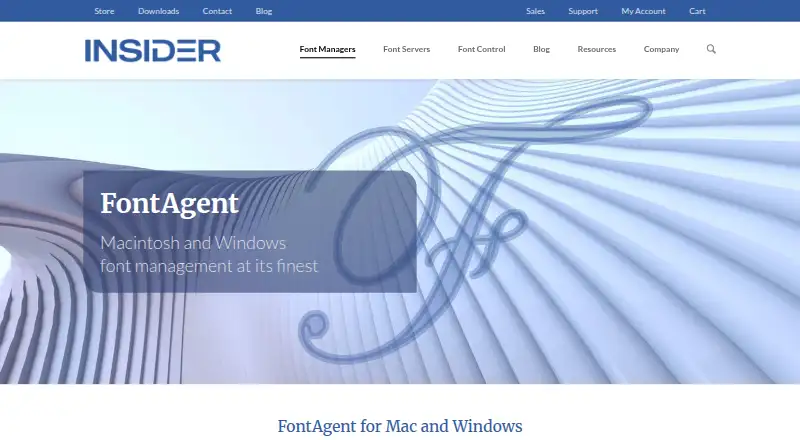
FontAgent is a desktop font management application for creative, marketing, production and business users. It organizes font libraries with metadata extraction, integrity verification, tagging, hierarchical sets and Smart Search. Users can arrange fonts by project, customer, style or foundry, then preview, compare and create specimen sheets. The application supports OpenType, TrueType, dfont and PostScript Type 1 fonts, and runs on macOS or Windows.
The published plans are straightforward: FontAgent for Mac costs $59 per user per year, and FontAgent for Windows costs the same. The Mac edition supports macOS Tahoe, Sequoia, Sonoma, Ventura and Monterey, includes Adobe 2026 plugins, and includes upgrades during the twelve-month subscription. The Windows edition supports Windows 11, includes Adobe Creative Cloud plugins, and also includes upgrades for twelve months. A 30-day trial is available, but there is no free plan. The separate editions and annual per-user pricing make the product better suited to teams budgeting for ongoing font management than to occasional individual use.
Its strongest fit is a workflow that depends on organized libraries, Adobe Creative Cloud auto-activation and shared font collections. Cloud synchronization works across users and computers, while font sharing and collaborative set management support team-based organization. Export and archival folder tools add control over how fonts are grouped outside the main library. FontAgent is less suitable for buyers seeking a free tool, a browser-only service or a single cross-platform plan. Choose it when cataloging depth, duplicate-name and format matching, Adobe integration and shared sets matter more than minimizing recurring cost.
Your product? Our editors can test FontAgent in depth and publish a review, labelled as paid · from $149/mo →
FontAgent pricing
All 2 FontAgent plans and prices →
FontAgent fact sheet
| Free plan | No |
|---|---|
| Paid from | $59/user/yr |
| Auto-activation | Yes |
| Cloud font sync | Yes |
| Team font sharing | Yes |
| Supported platforms | Windows_and_macos |
| Supported font formats | OpenType, TrueType, dfont, PostScript Type 1 |
| Duplicate detection | Yes |
| Font library limit | Not verified |
| Free trial | 30 days |
| Money-back guarantee | 30 days |
| Deployment | Desktop |
| Platforms | Windows, macOS |
| Support | Email, Phone, Tickets |
| Built for | Solo, Small business, Mid-market, Enterprise (editorial estimate) |
| Integrations | 2 integrations: Adobe Creative Cloud, Adobe Fonts |
| Pricing | 30-day trial (source) |
| Website | insidersoftware.com |
| Facts checked | 20 Sep 2026 |
FontAgent integrations
FontAgent lists 2 integrations on its own site.
- Adobe Creative Cloud
- Adobe Fonts
Alternatives to FontAgent
- FontBaseA low-cost, cross-platform font manager with strong Adobe and collection tools.9.4
- Adobe FontsA strong Adobe-centered font library with web projects, variable-font controls, and free access.9.2
- Insider Font Control SuiteA governed font suite for enterprises managing distribution, activation and compliance.8.7



See all FontAgent alternatives →
FontAgent vs the competition
- FontAgent vs FontBase
- FontAgent vs Adobe Fonts
- FontAgent vs Insider Font Control Suite
- FontAgent vs Monotype Connect
- FontAgent vs RightFont
- FontAgent vs FontExpert


Compare FontAgent with any tool side by side →
Used FontAgent? Be the first to review it
The editor score above is our own research. What this page doesn't have yet is a reader's view — what you used FontAgent for, what worked and what didn't. No stars are seeded and no review is paid for; an editor reads every one before it appears.
Write a reviewTwo minutes · verified accounts only · read by an editor before it appears
Featured on iTechGuides

FontAgent is listed in our Font Management Software directory. Add the badge to your site — it links back to this page.
<a href="https://www.itechguides.com/products/fontagent/"><img src="https://www.itechguides.com/best/badge/fontagent.svg" alt="Featured on iTechGuides" width="230" height="46"></a>
Reviewed by iTechGuides Editors · Editorial team · Updated Oct 2026
Advertiser disclosure: iTechGuides is reader-supported. Vendors can pay for top positions in our rankings and for a place on other products' pages, and we may earn a commission when you click some links. Bought places stand at the number bought; this page and our disclosure say so. Paying vendors may get a fuller, more detailed review from our editors, and that review can change their score. How we rank.
Last updated · How we research and update