YDrive
YDrive: A free, open-source Windows emulator with BIOS checks, save states, and library metadata. Ranked #6 of 19 in Sega CD Emulators by our editors (8.5/10); pricing: Free plan; best for windows users wanting a simple Sega CD library.
At a glance
- Editor score8.5 / 10
- PricingFree plan
- Best forWindows users wanting a simple Sega CD library
- Free planYes
- Paid fromFree
- Supported platformsWindows
- Facts checked22 Sep 2026
Where it wins
- Validates US, European, and Japanese Sega CD BIOS files
- Combines Genesis Plus GX emulation with save states
- Scrapes cover art and metadata through TheGamesDB API
Where it doesn't
- Windows-only desktop software
- Requires a compatible Sega CD BIOS file before launch
- No verified netplay or cheat support
Our verdict on YDrive
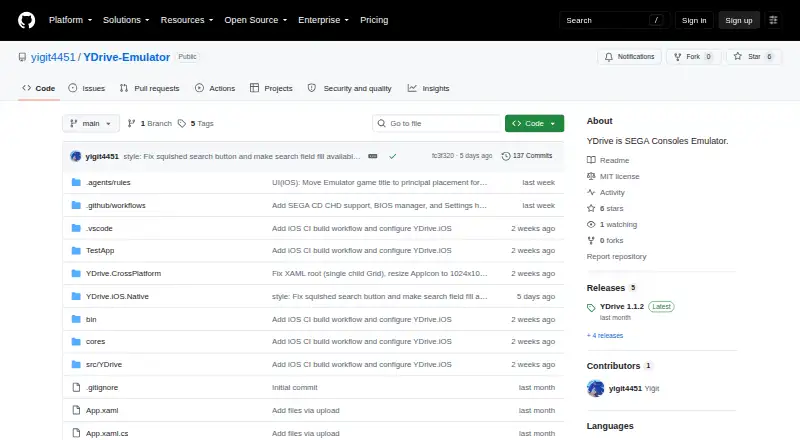
YDrive is a free, open-source Windows desktop emulator and game library manager for Sega console software, including Sega CD titles. Built with C# and .NET 8 using WPF, it combines the Genesis Plus GX emulation core with a dark-themed library interface. It is aimed at Windows users who want Sega CD support alongside organized game browsing, configurable audio and video settings, and six-button controller support. English and Turkish language options broaden its interface choice without changing its Windows-only focus.
Its Sega CD workflow is a clear strength. YDrive checks for regional BIOS files from the United States, Europe, and Japan before launch, and it supports save-state and load-state commands through .state files. The library can retrieve cover art and metadata through TheGamesDB API, giving the interface a catalog-oriented role in addition to emulation. These features make it a practical fit for users who want BIOS validation, state management, and library organization in one application rather than a bare emulator window.
The trade-off is a narrow platform and feature scope. YDrive is distributed under the MIT License and has no paid tier, but it is limited to Windows and requires a Sega CD BIOS file for its workflow. The product also does not offer verified netplay or cheat support, so users who need multiplayer networking or cheat tools should choose an emulator that explicitly provides those functions. YDrive suits Windows users prioritizing Sega CD compatibility checks, save states, metadata scraping, and a simple library interface; it is less suitable for users seeking broader platform coverage or advanced online features.
Your product? Our editors can test YDrive in depth and publish a review, labelled as paid · from $149/mo →
YDrive pricing
YDrive fact sheet
| Free plan | Yes |
|---|---|
| Paid from | Free |
| Supported platforms | Windows |
| BIOS requirement | Required |
| Save states | Yes |
| CD audio support | Not verified |
| Netplay | Not verified |
| Cheat support | Not verified |
| License | Open-source |
| Deployment | Desktop |
| Platforms | Windows |
| Built for | Solo, Small business (editorial estimate) |
| Integrations | 1 integrations: TheGamesDB API |
| Pricing | Free plan |
| Website | github.com |
| Facts checked | 22 Sep 2026 |
YDrive integrations
YDrive lists 1 integrations on its own site.
- TheGamesDB API
Alternatives to YDrive
- Genesis Plus GXA free, broad Sega emulator with especially strong Mega CD and libretro support.9.4
- BlastEmA broad Sega emulator with standout debugging tools and cross-platform coverage.9.2
- PicoDriveA broad free Sega emulator for desktop users who value system coverage and peripheral support.9.1

YDrive vs the competition
- YDrive vs Genesis Plus GX
- YDrive vs BlastEm
- YDrive vs PicoDrive
- YDrive vs Mega-Pi
- YDrive vs OpenEmu
- YDrive vs RetroArch

Compare YDrive with any tool side by side →
Used YDrive? Be the first to review it
The editor score above is our own research. What this page doesn't have yet is a reader's view — what you used YDrive for, what worked and what didn't. No stars are seeded and no review is paid for; an editor reads every one before it appears.
Write a reviewTwo minutes · verified accounts only · read by an editor before it appears
Featured on iTechGuides

YDrive is listed in our Sega CD Emulators directory. Add the badge to your site — it links back to this page.
<a href="https://www.itechguides.com/products/ydrive/"><img src="https://www.itechguides.com/best/badge/ydrive.svg" alt="Featured on iTechGuides" width="230" height="46"></a>
Reviewed by iTechGuides Editors · Editorial team · Updated Oct 2026
Advertiser disclosure: iTechGuides is reader-supported. Vendors can pay for top positions in our rankings and for a place on other products' pages, and we may earn a commission when you click some links. Bought places stand at the number bought; this page and our disclosure say so. Paying vendors may get a fuller, more detailed review from our editors, and that review can change their score. How we rank.
Last updated · How we research and update