WriteMonkey
WriteMonkey: A focused offline writing tool for authors who prefer plain text over rich documents. Ranked #30 of 45 in Word Processing Software by our editors (6.3/10); pricing: Free plan; best for distraction-free plain-text writing.
At a glance
- Editor score6.3 / 10
- PricingFree plan
- Best forDistraction-free plain-text writing
- Free planYes
- Desktop appsYes
- Facts checked22 Sep 2026
Where it wins
- Full-screen editing with keyboard shortcuts and a customizable interface
- Plain-text storage with Markdown, Textile, and WikiCreole support
- Backups, history, auto-save, spell checking, and document statistics
Where it doesn't
- No real-time collaboration
- No track changes
- Limited to plain-text-focused document workflows
Our verdict on WriteMonkey
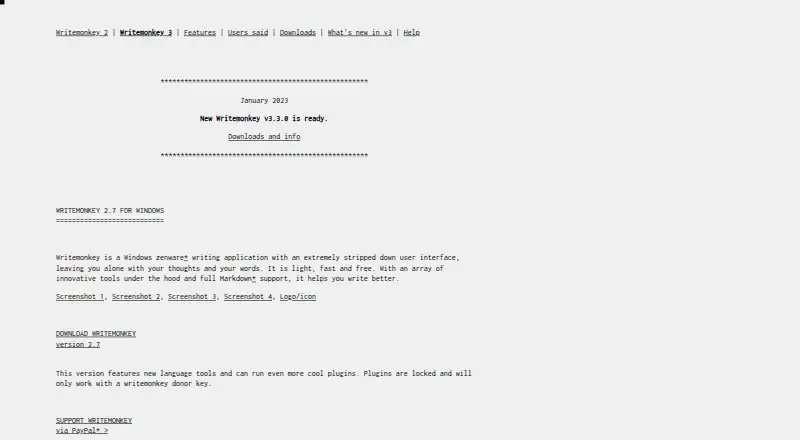
WriteMonkey is a lightweight desktop writing application for authors and other writers who want a focused workspace rather than a traditional rich-text editor. It supports Windows, macOS, and Linux, works offline, and stores documents as plain-text files with UTF-8 support. Full-screen editing, keyboard shortcuts, customizable interface options, word counts, document statistics, bookmarks, project jumps, and repository mode support longer writing projects without requiring a rich document format.
Its strongest feature is the focused plain-text workflow. WriteMonkey supports Markdown, Textile, and WikiCreole markup, while printing and markup export templates provide ways to prepare documents for output. Automatic backups, history, and auto-save add protection during writing, and downloadable dictionaries support spell checking. The software is free to download and use, with optional plugins available to donors. A Firefox extension called It's All Text provides a connection with that browser-based writing workflow.
WriteMonkey is a good fit for writers who value offline access, portable desktop software, plain-text files, and control through keyboard shortcuts. Its project navigation and repository features make the focused approach more useful for managing multiple documents. It is less suitable for teams or editors who need real-time collaboration, rich word-processing features, or track changes. Buyers seeking shared editing or revision workflows should choose a product built around those capabilities instead, while solo authors and other text-focused writers may prefer WriteMonkey's narrower scope.
Your product? Our editors can test WriteMonkey in depth and publish a review, labelled as paid · from $149/mo →
WriteMonkey pricing
All 1 WriteMonkey plans and prices →
WriteMonkey fact sheet
| Free plan | Yes |
|---|---|
| Paid from | Not verified |
| Desktop apps | Yes |
| Offline editing | Yes |
| Real-time collaboration | Not verified |
| Track changes | Not verified |
| Desktop platforms | Windows, macOS, Linux |
| Maximum document size | Not verified |
| Deployment | Desktop |
| Platforms | Windows, macOS, Linux |
| Support | Email, Docs |
| Built for | Solo, Small business (editorial estimate) |
| Integrations | 2 integrations: Firefox, It's All Text |
| Pricing | Free plan (source) |
| Website | writemonkey.com |
| Facts checked | 22 Sep 2026 |
WriteMonkey integrations
WriteMonkey lists 2 integrations on its own site.
- Firefox
- It's All Text
Alternatives to WriteMonkey
- Microsoft WordA complete word processor with strong collaboration, review, accessibility, and Microsoft ecosystem support.9.4
- Google DocsA strong browser-first word processor for teams that edit documents together.9.2
- Zoho WriterA broad free word processor for teams needing cross-platform editing and workflow features.9.0


See all WriteMonkey alternatives →
Also Ranked In
WriteMonkey is ranked in 4 of our directories.
Used WriteMonkey? Be the first to review it
The editor score above is our own research. What this page doesn't have yet is a reader's view — what you used WriteMonkey for, what worked and what didn't. No stars are seeded and no review is paid for; an editor reads every one before it appears.
Write a reviewTwo minutes · verified accounts only · read by an editor before it appears
Featured on iTechGuides

WriteMonkey is listed in our Word Processing Software directory. Add the badge to your site — it links back to this page.
<a href="https://www.itechguides.com/products/writemonkey/"><img src="https://www.itechguides.com/best/badge/writemonkey.svg" alt="Featured on iTechGuides" width="230" height="46"></a>
Reviewed by iTechGuides Editors · Editorial team · Updated Oct 2026
Advertiser disclosure: iTechGuides is reader-supported. Vendors can pay for top positions in our rankings and for a place on other products' pages, and we may earn a commission when you click some links. Bought places stand at the number bought; this page and our disclosure say so. Paying vendors may get a fuller, more detailed review from our editors, and that review can change their score. How we rank.
Last updated · How we research and update