WordRake
WordRake: A focused Word editor for cutting wordiness, jargon, legalese, and redundancy. Ranked #27 of 29 in Writing Style Checkers by our editors (6.3/10); pricing: 7-day trial; best for microsoft Word users editing for brevity.
At a glance
- Editor score6.3 / 10
- Pricing7-day trial
- Best forMicrosoft Word users editing for brevity
- Free planNo
- Paid from$129/user/yr
- Founded2012 · Redmond, Washington, United States
- Facts checked20 Sep 2026
Where it wins
- Brevity and Simplicity modes target common professional writing issues
- Track-changes-style review supports individual accept-or-reject decisions
- Local text processing keeps analysis on the user's machine
Where it doesn't
- No free plan; pricing starts at $129 per license per year
- Outlook support is limited to Windows
- Focused on Word and Outlook rather than broader writing platforms
Our verdict on WordRake
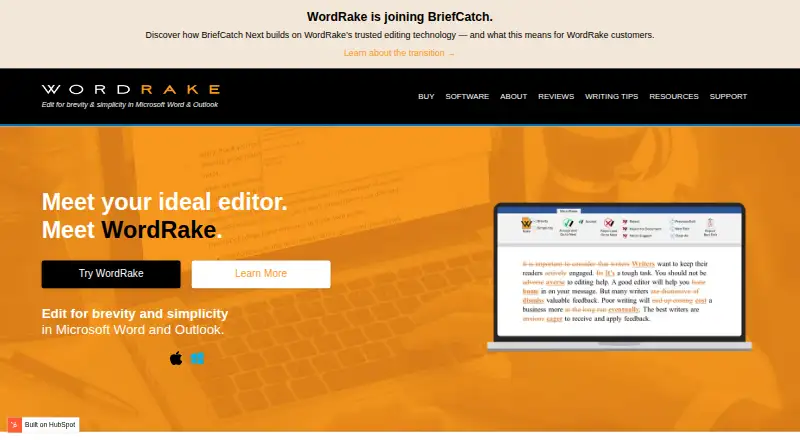
WordRake is desktop editing software for professional writers working in legal, business, and government settings. It operates inside Microsoft Word and, on Windows, Microsoft Outlook, focusing on shorter, clearer professional writing rather than general-purpose composition. Its analysis covers wordiness, jargon, legalese, redundancies, nominalizations, and complex phrasing, with suggestions shown in a track-changes-style interface. Mac and Windows users can work with Word, while Outlook support is available on Windows.
Pricing is license-based and paid annually. The Word for Microsoft Word — 1 year plan costs $129 per license, and the Word for Microsoft Word — 3 years plan costs $259 per license; both support Mac or Windows. The Word + Outlook — 1 year plan costs $199 per license, while the Word + Outlook — 3 years plan costs $399 per license; both are Windows-only. There is no free plan, but a 7-day free trial is available. The choice is straightforward: Word users on either desktop platform can select the Word plan, while users who need Outlook editing must choose the Windows-only bundle.
WordRake’s strongest distinction is controlled editing rather than automatic rewriting. Brevity and Simplicity modes provide context-specific inline suggestions, and readability scores add another way to review a draft. Users can accept or reject suggestions individually, which suits professionals who need to preserve intent, terminology, and document control. Local text processing is also relevant for organizations that prefer analysis to occur on the user’s machine. Choose WordRake if your workflow centers on Microsoft Word and you want focused help reducing excess language. Choose another type of writing tool if you need broader platform coverage or editing beyond Word and Outlook.
Your product? Our editors can test WordRake in depth and publish a review, labelled as paid · from $149/mo →
WordRake pricing
All 4 WordRake plans and prices →
WordRake fact sheet
| Free plan | No |
|---|---|
| Paid from | $129/user/yr |
| Custom style guide | Not verified |
| Terminology management | Not verified |
| Brand voice rules | Not verified |
| Editor support | Microsoft Word; Microsoft Outlook |
| Rule action | Suggest |
| Team workflow | Not verified |
| API access | Not verified |
| Free trial | 7 days · no card needed |
| Deployment | Desktop |
| Platforms | Windows, macOS |
| Support | Docs |
| Built for | Solo, Small business, Mid-market, Enterprise (editorial estimate) |
| Pricing | 7-day trial (source) |
| Website | wordrake.com |
| Facts checked | 20 Sep 2026 |
Alternatives to WordRake
- AcrolinxDeep enterprise style governance with broad editor support and sales-led pricing.9.4
- ValeA programmable prose linter with YAML rules, editor diagnostics, and CI workflows.9.2
- Congree Authoring ServerEnterprise authoring checks with terminology control, reusable approved text, and broad editor integrations.8.9


See all WordRake alternatives →
Used WordRake? Be the first to review it
The editor score above is our own research. What this page doesn't have yet is a reader's view — what you used WordRake for, what worked and what didn't. No stars are seeded and no review is paid for; an editor reads every one before it appears.
Write a reviewTwo minutes · verified accounts only · read by an editor before it appears
Featured on iTechGuides

WordRake is listed in our Writing Style Checkers directory. Add the badge to your site — it links back to this page.
<a href="https://www.itechguides.com/products/wordrake/"><img src="https://www.itechguides.com/best/badge/wordrake.svg" alt="Featured on iTechGuides" width="230" height="46"></a>
Reviewed by iTechGuides Editors · Editorial team · Updated Oct 2026
Advertiser disclosure: iTechGuides is reader-supported. Vendors can pay for top positions in our rankings and for a place on other products' pages, and we may earn a commission when you click some links. Bought places stand at the number bought; this page and our disclosure say so. Paying vendors may get a fuller, more detailed review from our editors, and that review can change their score. How we rank.
Last updated · How we research and update