
WizCut
WizCut: A private, format-flexible audiogram maker for social video clips. Ranked #10 of 28 in AI Audiogram Makers by our editors (7.9/10); pricing: Free plan · 7-day trial; best for private browser-based audiograms.
At a glance
- Editor score7.9 / 10
- PricingFree plan · 7-day trial
- Best forPrivate browser-based audiograms
- Free planYes
- Paid from$14/mo
- Facts checked22 Sep 2026
Where it wins
- Processes files locally in the browser without requiring an account
- Supports captions, speaker detection, waveforms, and social aspect ratios
- Imports common audio and video formats and exports MP4 clips
Where it doesn't
- No integrations or verified branding features are listed
- Paid plans allow one editor seat and one computer at a time
- Paid pricing applies to broader WizCut offerings, not the free audiogram tool
Our verdict on WizCut
WizCut is a browser-based audiogram maker for podcasters and other audio creators who need short social video clips from audio or video files. It accepts MP3, WAV, AAC, FLAC, MP4, MOV, and WebM files, then combines automatically generated captions, speaker detection, animated waveforms, customizable colors and backgrounds, and selectable aspect ratios. The audiogram tool is free to use without an account, and the vendor states that files stay in the browser. MP4 export supports a straightforward path from source media to shareable clip.
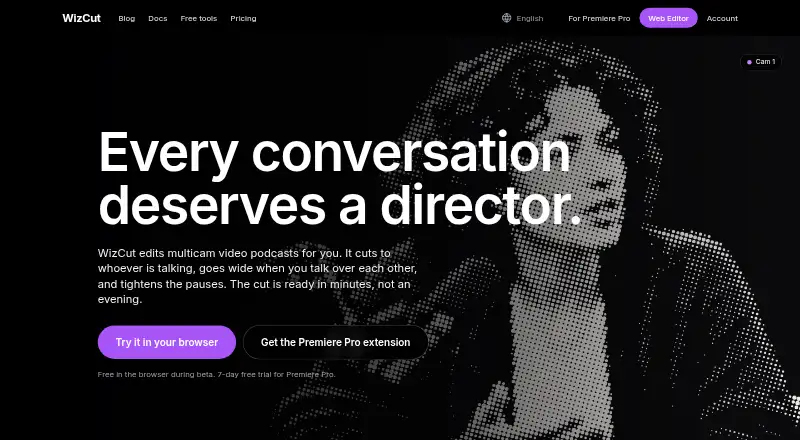
Privacy and browser processing are the clearest reasons to choose WizCut. Client-side processing keeps the workflow local, which suits creators who prefer not to upload source recordings. The feature set also reaches beyond a static waveform: users can adjust waveform style, color, background, and aspect ratio, while speaker detection can support captioned podcast excerpts. Multicam podcast editing with speaker-based camera switching is available as part of WizCut’s broader web, Adobe Premiere Pro, and API offerings.
The pricing structure needs to be read in context. The free audiogram tool is separate from the broader paid offerings. Those plans include Monthly at $14 per month, Annual at $168 per year billed monthly, and Lifetime at $119 one time. Monthly and Annual provide one editor seat, use on one computer at a time, unlimited audio processing, and future updates; Lifetime adds lifetime access, lifetime updates, and no recurring fees. Choose WizCut for local browser-based audiograms and flexible media support. Choose an alternative if integrations, verified branding controls, or multi-user workflows are central requirements.
Your product? Our editors can test WizCut in depth and publish a review, labelled as paid · from $149/mo →
WizCut pricing
All 3 WizCut plans and prices →
WizCut fact sheet
| Free plan | Yes |
|---|---|
| Paid from | $14/mo |
| Max clip length | Not verified |
| Caption languages | Not verified |
| Aspect ratios | All |
| Max export resolution | Not verified |
| Watermark removal | Yes |
| Custom artwork | Not verified |
| Brand kit | Not verified |
| Free trial | 7 days |
| Money-back guarantee | 14 days |
| Deployment | Cloud, Desktop |
| Platforms | Web |
| Support | Email, Live chat, Docs |
| Built for | Solo, Small business, Mid-market (editorial estimate) |
| Pricing | Free plan · 7-day trial (source) |
| Website | wizcut.com |
| Facts checked | 22 Sep 2026 |
Alternatives to WizCut
- HeadlinerA broad podcast-to-social toolkit with audiograms, captions, editing, and publishing.9.4
- reapA broad audiogram and content pipeline with strong automation options.9.2
- ClipperzA web-based repurposing suite for audiograms, short clips, branding, publishing, and analytics.8.9



Used WizCut? Be the first to review it
The editor score above is our own research. What this page doesn't have yet is a reader's view — what you used WizCut for, what worked and what didn't. No stars are seeded and no review is paid for; an editor reads every one before it appears.
Write a reviewTwo minutes · verified accounts only · read by an editor before it appears
Featured on iTechGuides

WizCut is listed in our AI Audiogram Makers directory. Add the badge to your site — it links back to this page.
<a href="https://www.itechguides.com/products/wizcut/"><img src="https://www.itechguides.com/best/badge/wizcut.svg" alt="Featured on iTechGuides" width="230" height="46"></a>
Reviewed by iTechGuides Editors · Editorial team · Updated Oct 2026
Advertiser disclosure: iTechGuides is reader-supported. Vendors can pay for top positions in our rankings and for a place on other products' pages, and we may earn a commission when you click some links. Bought places stand at the number bought; this page and our disclosure say so. Paying vendors may get a fuller, more detailed review from our editors, and that review can change their score. How we rank.
Last updated · How we research and update