
WinSnap
WinSnap: A focused Windows tool for polished static screenshots with a low one-time cost. Ranked #36 of 39 in Screenshot Software by our editors (5.7/10); pricing: 30-day trial; best for windows users needing polished static screenshots.
At a glance
- Editor score5.7 / 10
- Pricing30-day trial
- Best forWindows users needing polished static screenshots
- Free planNo
- Paid from$19.95/device one-time
- Facts checked20 Sep 2026
Where it wins
- Captures transparent, non-rectangular, multi-object, and multi-region windows
- Adds effects, annotations, watermarks, blur, and pixelation
- Offers lifetime ownership, free updates, and Microsoft Office integrations
Where it doesn't
- Runs only on Windows
- Does not include scrolling capture or OCR
- No cloud sharing or shareable links
Our verdict on WinSnap
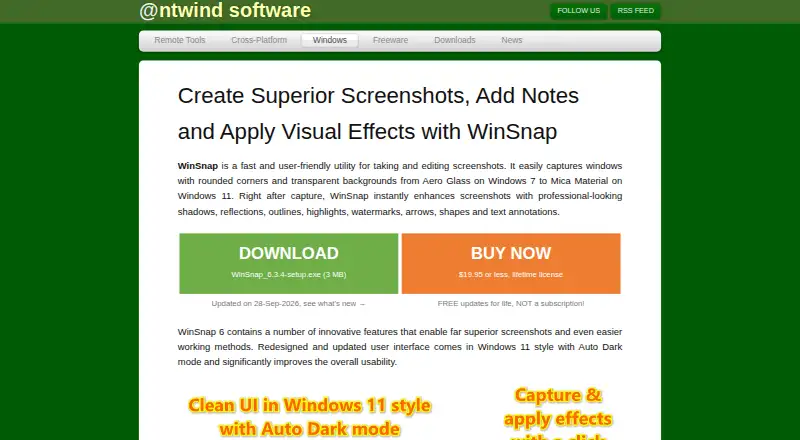
WinSnap is a Windows desktop utility for capturing and editing screenshots. It supports full-screen, region, individual-window, application, multi-object, and multi-region capture, including non-rectangular and transparent windows. The feature set suits people creating software demonstrations, technical materials, tutorials, web graphics, and annotated documentation. It is most appropriate for users who want a dedicated static screenshot tool rather than a cross-platform or cloud-based workspace.
Pricing is straightforward. The Single PC License costs $19.95 USD as a one-time purchase and includes lifetime ownership and free updates. The Single User License costs $34.95 USD one time, covers personal use on up to 3 PCs, and also includes free updates. A 30-day trial is available, with watermarked screenshots. Captures can be saved in PNG, JPEG, GIF, TIFF, and BMP, copied to the clipboard with transparency support, automatically saved, or sent by email. Microsoft Word, PowerPoint, Outlook, and OneNote integrations make it a practical fit for Office-based documentation workflows.
WinSnap’s standout area is control over static image capture and finishing. Users can apply shadows, reflections, outlines, highlights, blur, and color effects, then add text, arrows, shapes, pen marks, watermarks, and pixelation. Configurable hotkeys, automatic resizing, rotation, and canvas transformations support repeatable desktop workflows. The trade-off is a narrow platform and feature scope: scrolling capture, OCR, cloud storage, and shareable links fall outside its published scope. Choose WinSnap for precise Windows screenshots and local editing; choose an alternative if browser-length capture, text recognition, online collaboration, or macOS support is central to the workflow.
Your product? Our editors can test WinSnap in depth and publish a review, labelled as paid · from $149/mo →
WinSnap pricing
All 2 WinSnap plans and prices →
WinSnap fact sheet
| Free plan | No |
|---|---|
| Paid from | $19.95/device one-time |
| Scrolling capture | Not verified |
| OCR text extraction | Not verified |
| Supported platforms | windows |
| Export formats | PNG, JPEG, GIF, TIFF, BMP |
| Cloud storage | Not verified |
| Shareable links | Not verified |
| Free trial | 30 days |
| Money-back guarantee | 30 days |
| Deployment | Desktop |
| Platforms | Windows |
| Support | Email, Community, Docs |
| Built for | Solo, Small business, Mid-market (editorial estimate) |
| Integrations | 4 integrations: Microsoft Word, Microsoft PowerPoint, Microsoft Outlook, Microsoft OneNote |
| Pricing | 30-day trial (source) |
| Website | ntwind.com |
| Facts checked | 20 Sep 2026 |
WinSnap integrations
WinSnap lists 4 integrations on its own site.
- Microsoft Word
- Microsoft PowerPoint
- Microsoft Outlook
- Microsoft OneNote
Alternatives to WinSnap
- SnagitA mature screenshot and recording suite for teams that need more than basic captures.9.3
- ShareXA powerful free Windows capture tool with automation, editing, OCR, recording and uploads.9.2
- GyazoA versatile capture tool with broad platform support and useful Pro upgrades.9.1



See all WinSnap alternatives →
Also Ranked In
WinSnap is ranked in 2 of our directories.
Used WinSnap? Be the first to review it
The editor score above is our own research. What this page doesn't have yet is a reader's view — what you used WinSnap for, what worked and what didn't. No stars are seeded and no review is paid for; an editor reads every one before it appears.
Write a reviewTwo minutes · verified accounts only · read by an editor before it appears
Featured on iTechGuides

WinSnap is listed in our Screenshot Software directory. Add the badge to your site — it links back to this page.
<a href="https://www.itechguides.com/products/winsnap/"><img src="https://www.itechguides.com/best/badge/winsnap.svg" alt="Featured on iTechGuides" width="230" height="46"></a>
Reviewed by iTechGuides Editors · Editorial team · Updated Oct 2026
Advertiser disclosure: iTechGuides is reader-supported. Vendors can pay for top positions in our rankings and for a place on other products' pages, and we may earn a commission when you click some links. Bought places stand at the number bought; this page and our disclosure say so. Paying vendors may get a fuller, more detailed review from our editors, and that review can change their score. How we rank.
Last updated · How we research and update