
Snagit
Snagit: A polished capture and editing toolkit for teams that can budget for an annual subscription. Ranked #1 of 61 in Screen Capture Software by our editors (9.3/10); pricing: 15-day trial; best for teams creating documentation, tutorials, and feedback.
At a glance
- Editor score9.3 / 10
- Pricing15-day trial
- Best forTeams creating documentation, tutorials, and feedback
- Free planNo
- Paid from$39/user/yr
- Annotation toolsYes
- Founded1987 · East Lansing, Michigan, United States
- Facts checked19 Sep 2026
Where it wins
- Captures scrolling content, full screens, windows, and selected regions
- Combines screenshot annotation, text recognition, and video editing
- Exports to common image, document, GIF, and video formats
Where it doesn't
- No free plan; the Individual subscription starts at $39 per user yearly
- The listed Individual plan is for personal subscriptions
- Available on Windows and macOS, not other listed platforms
Our verdict on Snagit
Snagit brings screenshot capture, screen recording, and editing into one desktop product for professionals creating documentation, tutorials, feedback, presentations, and workplace communications. It runs on Windows and macOS, with capture options for full screens, windows, regions, and scrolling content. That breadth makes it a fit for mature teams that need polished visual explanations, rather than people looking only for a basic screenshot utility.
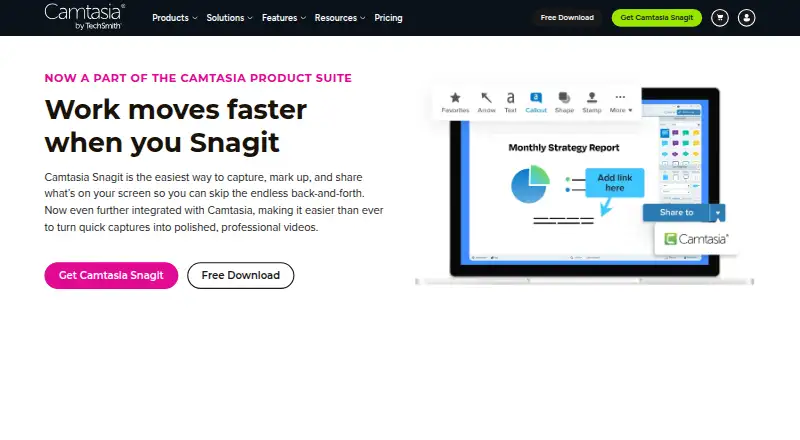
Its editing tools cover image annotation with arrows, callouts, shapes, stamps, and step markers, plus text recognition to copy, edit, or delete text in screenshots. For video, Snagit records webcam, microphone, and system audio, then supports trimming, combining clips, capturing frames, and making GIFs. Templates, themes, quick styles, and a searchable capture library help organize and standardize repeat work. Export options span Snagx, PNG, JPG, HEIF, TIFF, GIF, BMP, WEBP, PDF, and MP4, giving documentation and communications workflows flexibility beyond a single image format.
According to the vendor's pricing page, Snagit Individual costs $39 per user per year, billed annually. The personal subscription includes the latest features and versions during the subscription, up to 25 videos on Screencast, and a 14-day money-back guarantee; a 15-day trial is also offered, but there is no free plan. Sharing destinations and integrations include Screencast, Microsoft Outlook, Teams, OneDrive, PowerPoint, Word, Dropbox, and Google Drive. Choose Snagit if capture, editing, and sharing are recurring team tasks and the paid annual plan fits. Those seeking a free tool or a product for platforms beyond Windows and macOS should look elsewhere.
Your product? Our editors can test Snagit in depth and publish a review, labelled as paid · from $149/mo →
Snagit pricing
All 1 Snagit plans and prices →
Snagit fact sheet
| Free plan | No |
|---|---|
| Paid from | $39/user/yr |
| Scrolling capture | Yes |
| Annotation tools | Yes |
| OCR | Yes |
| Browser extension | Not verified |
| Desktop platforms | Both |
| Cloud sharing | Yes |
| Export formats | Snagx, PNG, JPG, HEIF, TIFF, GIF, BMP, WEBP, PDF, MP4 |
| Free trial | 15 days |
| Deployment | Desktop |
| Platforms | Windows, macOS |
| Integrations | 8 integrations: Screencast, Microsoft Outlook, Microsoft Teams, Microsoft OneDrive, Microsoft PowerPoint, Microsoft Word … |
| Pricing | 15-day trial (source) |
| Website | techsmith.com |
| Facts checked | 19 Sep 2026 |
Snagit integrations
Snagit lists 8 integrations on its own site.
- Screencast
- Microsoft Outlook
- Microsoft Teams
- Microsoft OneDrive
- Microsoft PowerPoint
- Microsoft Word
- Dropbox
- Google Drive
Alternatives to Snagit
- ShareXA flexible Windows capture toolkit with scrolling screenshots, OCR, recording and upload workflows.9.1
- ZightA cross-platform capture tool with team workflows, integrations, and a free plan.9.0
- GyazoA cross-platform capture tool with fast sharing, scrolling capture, OCR, and team controls.8.9



Snagit vs the competition
- Snagit vs ShareX
- Snagit vs Zight
- Snagit vs Greenshot
- Snagit vs Snipping Tool
- Snagit vs Spectacle
- Snagit vs Screenpresso




Compare Snagit with any tool side by side →
Also Ranked In
Snagit is ranked in 4 of our directories.
Used Snagit? Be the first to review it
The editor score above is our own research. What this page doesn't have yet is a reader's view — what you used Snagit for, what worked and what didn't. No stars are seeded and no review is paid for; an editor reads every one before it appears.
Write a reviewTwo minutes · verified accounts only · read by an editor before it appears
Featured on iTechGuides

Snagit is listed in our Screen Capture Software directory. Add the badge to your site — it links back to this page.
<a href="https://www.itechguides.com/products/snagit/"><img src="https://www.itechguides.com/best/badge/snagit.svg" alt="Featured on iTechGuides" width="230" height="46"></a>
Reviewed by iTechGuides Editors · Editorial team · Updated Oct 2026
Advertiser disclosure: iTechGuides is reader-supported. Vendors can pay for top positions in our rankings and for a place on other products' pages, and we may earn a commission when you click some links. Bought places stand at the number bought; this page and our disclosure say so. Paying vendors may get a fuller, more detailed review from our editors, and that review can change their score. How we rank.
Last updated · How we research and update