
WaveForge
WaveForge: An affordable web visualizer with waveform customization, batch tools, and paid 4K export. Ranked #10 of 35 in Audio Visualizer Software by our editors (8.3/10); pricing: Free plan; best for affordable waveform automation and batch work.
At a glance
- Editor score8.3 / 10
- PricingFree plan
- Best forAffordable waveform automation and batch work
- Free planYes
- Paid from$9.99/mo
- Video exportYes
- Facts checked4 Nov 2026
Where it wins
- Custom waveform colors, gradients, sizing, glow, bars, and lines
- Paid tiers support up to 4K MP4 export and batch processing
- Pro adds YouTube auto-upload and a personal API key
Where it doesn't
- Free output is limited to 720p and basic waveform styles
- Advanced effects and higher-resolution exports require paid options
- API access is available on Pro rather than every plan
Our verdict on WaveForge
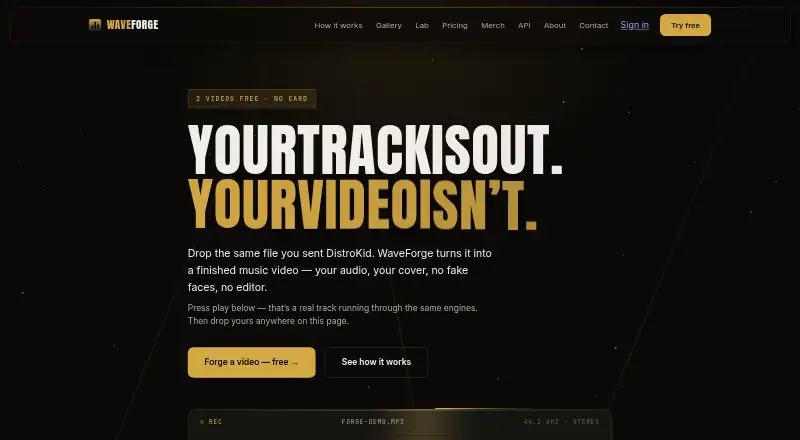
WaveForge is a web-based music video generator for musicians, podcasters, DJs, producers, and other content creators. It turns uploaded audio and a background image into MP4 visualizer videos, with support for MP3, WAV, FLAC, and other supported formats. Its editing controls cover waveform position, size, color, gradient, glow, bar or line modes, title overlays, timer overlays, and animated effects such as pulse, bass, glow, and screen shake.
The plan structure covers both occasional and recurring work. Free gives the first two videos with a watermarked 720p preview, basic waveform styles, and a download after free signup. Video packs are one-time purchases: Starter costs $0.99 for four videos, Creator $4.99 for 24 videos, and Pro Pack $19.99 for 100 videos, each with 1080p to 4K export, premium effects, and no watermark, and unused pack videos never expire. Pro costs $9.99 per month for up to 50 videos a month and adds 1080p, 2K, and 4K export, no watermark, premium effects, a priority queue, YouTube auto-upload, and a personal API key.
WaveForge fits creators who want a focused browser workflow rather than a broader video editor. The web and API platforms cover both direct creation and programmatic access, while YouTube integration supports publishing workflows; Google and GitHub are also listed integrations. Batch processing is particularly relevant for catalogs, labels, and creators handling multiple tracks. The main trade-off is that the free experience stays at 720p with basic styles, while higher-resolution output, advanced effects, and automation features are concentrated in paid options. Choose WaveForge for waveform-led audio videos and repeatable production; choose an alternative if you need a general-purpose editor or broader multimedia tooling.
Your product? Our editors can test WaveForge in depth and publish a review, labelled as paid · from $149/mo →
WaveForge pricing
All 5 WaveForge plans and prices →
WaveForge fact sheet
| Free plan | Yes |
|---|---|
| Paid from | $9.99/mo |
| Waveform visuals | Yes |
| Spectrum visuals | Not verified |
| Video export | Yes |
| Transparent export | Not verified |
| Max resolution | 4k |
| Platform coverage | Web |
| Max audio length | Not verified |
| Money-back guarantee | 7 days |
| Deployment | Cloud |
| Platforms | Web |
| Support | Email, Docs |
| Built for | Solo, Small business, Mid-market (editorial estimate) |
| Integrations | 3 integrations: YouTube, Google, GitHub |
| Pricing | Free plan (source) |
| Website | waveforge.net |
| Facts checked | 4 Nov 2026 |
WaveForge integrations
WaveForge lists 3 integrations on its own site.
- YouTube
- GitHub
Alternatives to WaveForge
- FosforaA cross-platform VJ engine for layered, audio-reactive live visual production.9.4
- BeatVisualiserA flexible visualizer maker with a useful free tier and local browser rendering.9.2
- Magic Music VisualsA deep desktop visualizer for VJs and audiovisual creators who need real-time control.9.0

See all WaveForge alternatives →
Used WaveForge? Be the first to review it
The editor score above is our own research. What this page doesn't have yet is a reader's view — what you used WaveForge for, what worked and what didn't. No stars are seeded and no review is paid for; an editor reads every one before it appears.
Write a reviewTwo minutes · verified accounts only · read by an editor before it appears
Featured on iTechGuides

WaveForge is listed in our Audio Visualizer Software directory. Add the badge to your site — it links back to this page.
<a href="https://www.itechguides.com/products/waveforge/"><img src="https://www.itechguides.com/best/badge/waveforge.svg" alt="Featured on iTechGuides" width="230" height="46"></a>
Reviewed by iTechGuides Editors · Editorial team · Updated Nov 2026
Advertiser disclosure: iTechGuides is reader-supported. Vendors can pay for top positions in our rankings and for a place on other products' pages, and we may earn a commission when you click some links. Bought places stand at the number bought; this page and our disclosure say so. Paying vendors may get a fuller, more detailed review from our editors, and that review can change their score. How we rank.
Last updated · How we research and update